






AVD Custom Image Creation using Windows 10 non Multi-User SKU?
Hi, today we will discuss AVD Custom Image Creation using Windows 10 non-Multi-User SKU. Understanding the Azure Virtual Desktop image-building process is essential for an AVD IT Pro. This post covers the steps and questions related to creating custom AVD images.
I had trouble getting Windows 10 Enterprise and the multi-user custom version to work with the AVD host pool.
| Index |
|---|
| How to Create AVD Master Images |
| How Did I Create an AVD Custom Image? |
| Do We Need to Build and Install RD Client & Boot Loader to AVD Custom Image? |
| Tips – AVD Master Image |
Related Post – AVD Troubleshooting Options Tips Tricks – Windows Virtual Desktop
We were trying to build a master image for AVD. You can create a custom image with Azure’s Windows 10 Enterprise/multi-user template.

The Windows OS versions and custom image options from the managed custom image and blob storage custom images are available.
- Windows 10 Enterprise multi-session with Office 365 ProPlus
- Windows 10 Enterprise Multi-Session
- Windows 10 Enterprise Version
- Windows Server 2016 Datacenter
- Windows Server 2019 Datacenter (Coming Soon?)
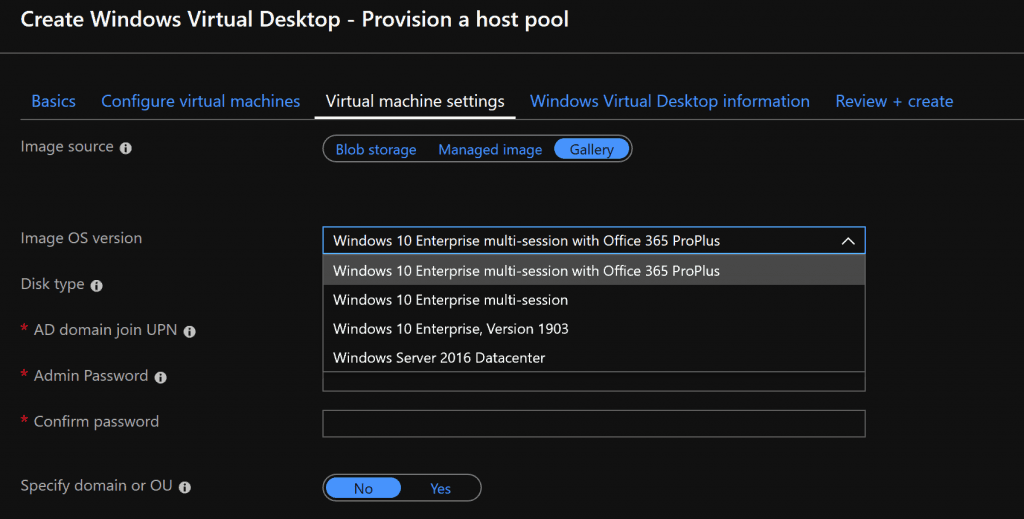
NOTE! – Windows 10 or Windows 11 Pro version is not supported for building an AVD custom image.
How to Create AVD Master Images
You have many options to create custom master images. You can use SCCM to create custom master images for the AVD host pool. If you don’t have SCCM infra and SCCM master images, you can use Azure VM to build custom images.
The following are AVD master images using the automation mechanism:
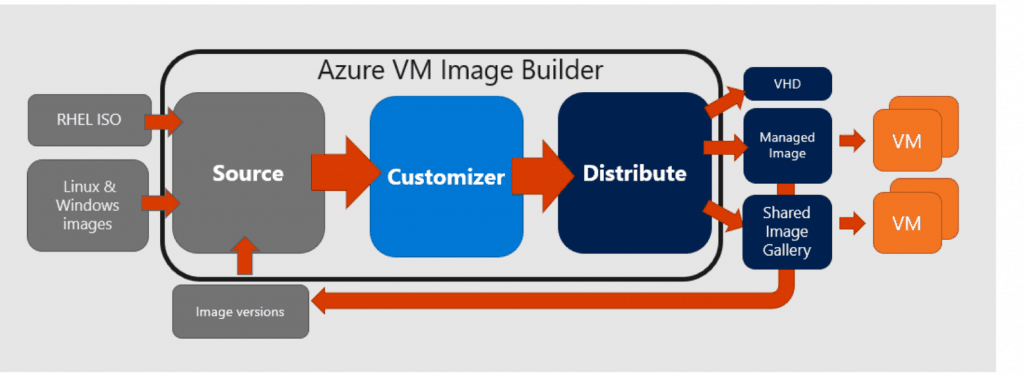
- The Azure VM Image Builder (AIB) lets you start with a default Windows VM template or custom VM images in Azure to add your customization.
- Another option for the AVD custom image process is explained https://jrudlin.github.io/2019-09-02-windows-virtual-desktop-azure-devops-ci-cd-packer-build-and-release/
How Did I Create an AVD Custom Image?
I started using the Azure OS template for manual testing and created a VM in Azure to test the master image.
- Log in to the Azure portal.
- Create a new Azure Windows VM with the Win 10 Enterprise template.
- Run a Sysprep and shut down.
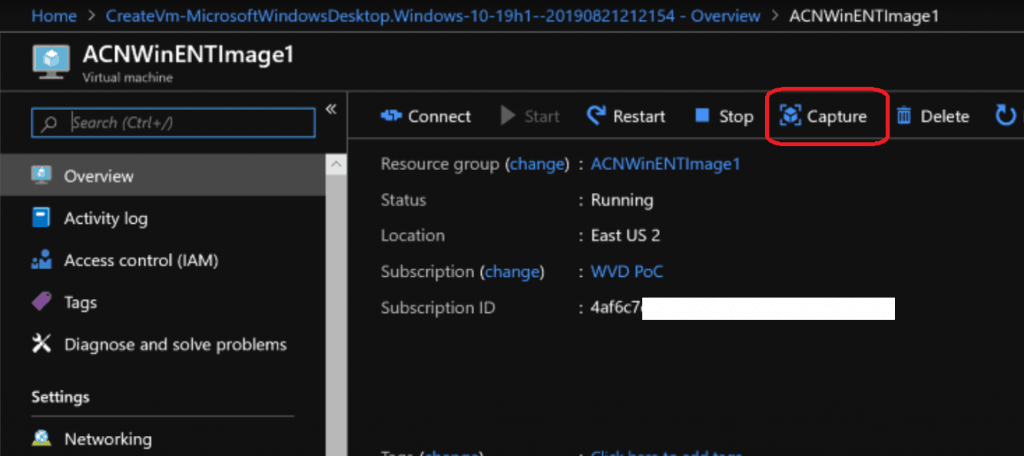
- Click the capture button to create a managed image (Managed Image).
- Created a new AVD Host Pool using the AVD ARM (Azure portal) template using the managed image.
Do We Need to Build and Install RD Client & Boot Loader to AVD Custom Image?
The answer is NO if you use the AVD ARM template (AVD Host Pool Creation Guide With New Template) to build Host Pools. What makes AVD VM different from any other Azure Windows VM?
RD Agent and Boot Loader are the two agents that make any Azure Windows VM an AVD VM. And, of course, a registration token to join the AVD host pool.
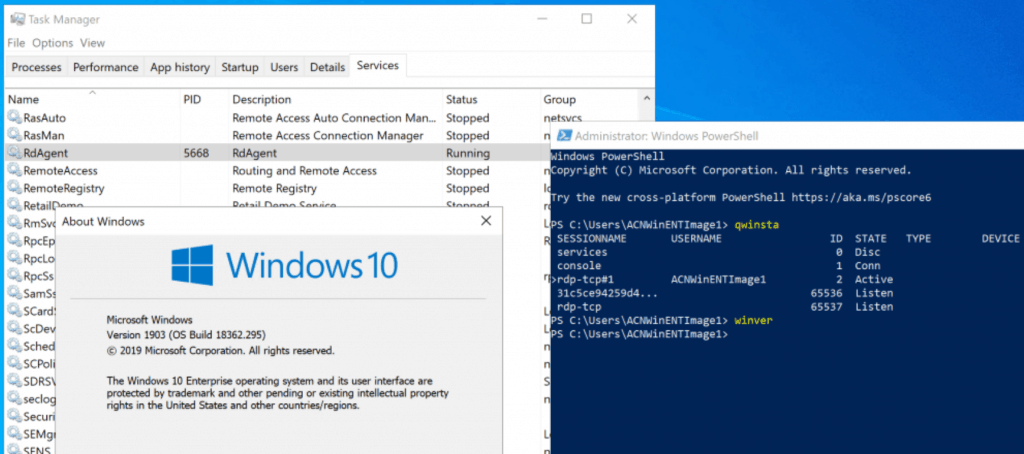
- The current AVD ARM template installs the agent and bootloader.
- The current AVD ARM template for a new session host pool can use a custom image without agent and boot loader pre-installed.
- Installing the RD agent and the bootloader in the AVD master image is one option for custom images, but it still does not solve the registration piece.
- Unless you use the following PS command to generate code registration code and use that code while installing the RD agent:
- New-RdsRegistrationInfo -TenantName $tenant -HostPoolName $hostpoolname -ExpirationHours 100
- Unless you use the following PS command to generate code registration code and use that code while installing the RD agent:
Tips – AVD Master Image
I don’t recommend adding an AVD agent and Boot loader while making a master image. This point is valid for both Windows 10 enterprise and multi-user versions.
NOTE! Whenever I followed #3 to make the custom image with Windows 10 Enterprise and Windows 10 Multi-Session versions, the VM didn’t get added to the Host Pool.
We tried many combinations, but it never worked. The new RDS pool deployment is completed successfully. The host pool icon is not appearing in the web portal https://rdweb.wvd.microsoft.com/webclient/index.html and AVD RD client console.
Also, when I ran the following PS command to find out the AVD VMs registered to a host pool, I couldn’t see any RDS Session Hosts.
Get-RdsSessionHost -TenantName $tenant -HostPoolName $hostpoolname
Resources
- How to Connect AVD Remote Desktop Resources Client or Browser?
- Windows Virtual Desktop Microsoft AVD FAQs from AMA
- Microsoft VDI Story AVD Concept Setup Guide Myths Known Issues
- New Azure Intune Portal App For Windows Devices
We are on WhatsApp. To get the latest step-by-step guides and news updates, Join our Channel. Click here –HTMD WhatsApp.
Author
Anoop C Nair is Microsoft MVP! He is a Device Management Admin with more than 20 years of experience (calculation done in 2021) in IT. He is a Blogger, Speaker, and Local User Group HTMD Community leader. His main focus is on Device Management technologies like SCCM 2012, Current Branch, and Intune. He writes about ConfigMgr, Windows 11, Windows 10, Azure AD, Microsoft Intune, Windows 365, AVD, etc




Try our UI and Wizard to create custom AVD images for multiple platforms
https://xoap.io/customized-azure-virtual-desktop-image-build.html