






How to Enable Live Captions Translation in Teams Rooms on Windows
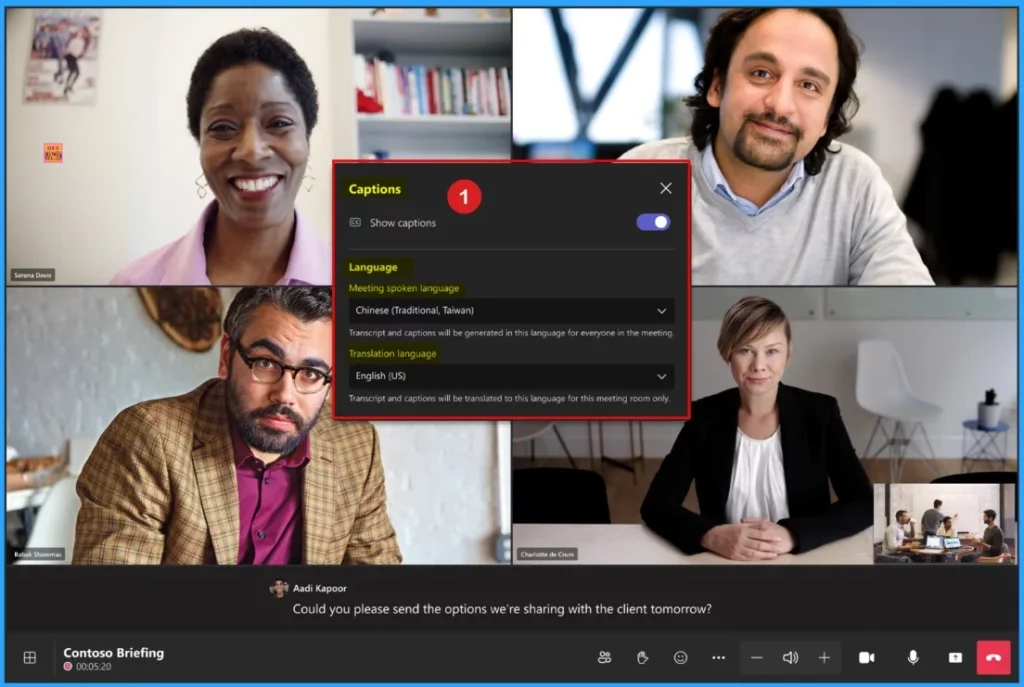
Let’s discuss How to Enable Live Captions Translation in Teams Rooms on Windows. Microsoft introduced Live caption feature on Teams meeting. This live caption translation is available on Teams Rooms on Windows that display in the spoken language by default.
With this feature meeting participants around the world can choose their preferred translation language for real-time translation. This is very user friendly feature in Microsoft Teams that also enhance the experience.
Like Live Caption Translation, Microsoft Teams has another feature called Live Transcription. This feature is available on Teams Rooms on Windows that Enhanced Language and Speaker Controls. This feature Creates a Real-Time Written Record of what was said during a meeting or event.
Live captions translation feature is worked without affecting what other meeting participants see, ensuring a more inclusive experience for everyone. In this blog post, Microsoft Teams Live Captions Translation in Teams Rooms on Windows.

Table of Contents
How to Enable Live Captions Translation in Teams Rooms on Windows
With the Live captions, Microsoft Teams has the ability to detect what was said in a meeting, webinar, or town hall and present real-time captions along with speaker attribution. This setting is a per-user policy and applies during a meeting.
| Features | Details |
|---|---|
| Real-Time Captions | It transcribed instantly form spoken words |
| Language Selection | Participants can choose their preferred translation language |
| Enhanced User Experience | Helps users follow discussions even with poor audio quality |
| Multiple Language Support | Supports 40 spoken languages and multiple displayed text languages. |
- How Organizers and Presenters can Join a Microsoft Teams Town Hall as an Attendee
- How to use New End Event Button in MS Teams to Enhance Town Halls Webinars and Meetings
- How to Enhance your Teams Experience with Snap Resizable Panes and Zoom Controls Features
How Microsoft Teams Create Live Caption
Speech Recognition technology is used to create Live Caption in Microsoft Teams. It transcribe spoken words into text in real time. Teams listens to the audio from the meeting and detects spoken words. The system converts speech into text using AI-powered speech recognition.
- If transition is needed it identifies the spoken language and applies translation
- The transcribed text appears on the screen for participants to read.
Need Further Assistance or Have Technical Questions?
Join the LinkedIn Page and Telegram group to get the latest step-by-step guides and news updates. Join our Meetup Page to participate in User group meetings. Also, Join the WhatsApp Community to get the latest news on Microsoft Technologies. We are there on Reddit as well.
Resource
What’s New in Microsoft Teams | April 2025
Author
Anoop C Nair has been a Microsoft MVP for 10 consecutive years from 2015 onwards. He is a Workplace Solution Architect with more than 22+ years of experience in Workplace technologies. He is a Blogger, Speaker, and Local User Group Community leader. His primary focus is on Device Management technologies like SCCM and Intune. He writes about technologies like Intune, SCCM, Windows, Cloud PC, Windows, Entra, Microsoft Security, Career, etc.




Discussion