






Biggest MS Teams Features with Agentic AI planned for 2026
Today we are discussing Biggest MS Teams Features with Agentic AI planned for 2026. Smarter Workflows with the New Teams and Copilot Experience, which were announced through the recent Ignite sessions. These new updates are designed to help everyone work faster and reduce time spent on repetitive tasks.
With AI built directly into Teams, it becomes easier to find information, complete actions quickly, and move through your work with fewer steps. Whether you’re checking messages, organizing tasks, or preparing for a meeting, the improved Teams experience makes everything feel cleaner and more efficient.
The latest Teams and Copilot updates make collaboration much simpler by connecting AI directly to your everyday chats and meetings. Copilot can instantly summarize long threads, highlight key decisions, and list action items, helping you understand everything at a glance without scrolling endlessly.
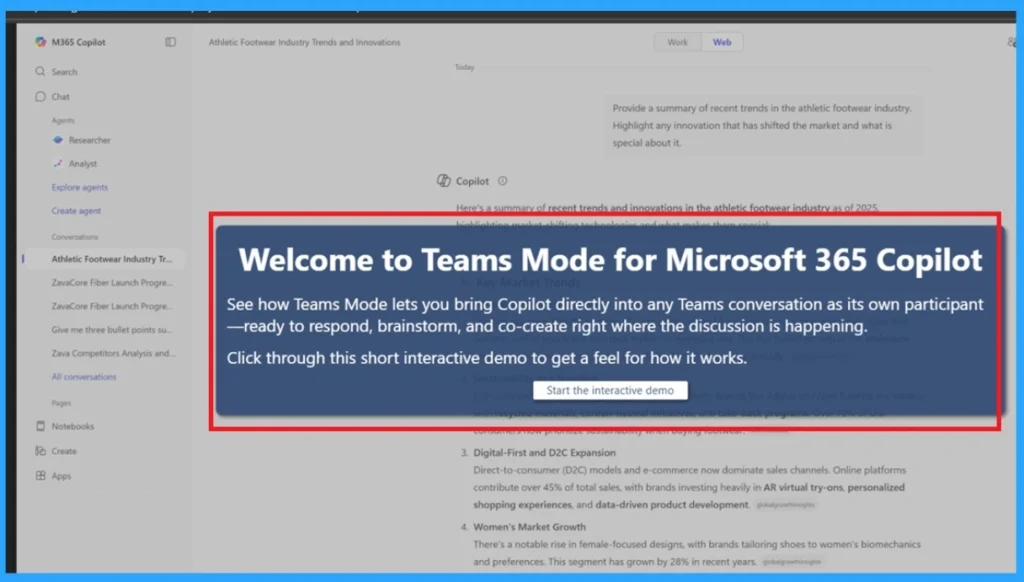
Teams Mode for Copilot introduces a major upgrade to group collaboration. Instead of working alone and sharing updates later, you can bring your Copilot conversation into a group chat. Your team can explore ideas together, ask questions, edit content, and get support from Copilot in real time. You can also choose which messages to share, giving you privacy and control.

Table of Contents

Biggest MS Teams Features with Agentic AI planned for 2026
A unified Copilot experience now supports you across chats, channels, and meetings. Copilot uses your recent activity and context to give more accurate, useful suggestions. Whether you’re catching up on missed discussions or preparing for a meeting, Copilot brings the right information to you without extra effort.
- How to Enable Live Captions Translation in Teams Rooms on Windows
- How Organizers and Presenters can Join a Microsoft Teams Town Hall as an Attendee
- How to Enhance your Teams Experience with Snap Resizable Panes and Zoom Controls Features
Chat and Collaboration
Copilot in Teams now works the same way across chats, channels, and meetings, giving you a consistent and easy experience. It can look at your past messages, meeting notes, and even your calendar to give you helpful summaries and quick insights. If you missed a long chat or weren’t paying attention during a call, Copilot can tell you the key points in seconds.
- This updated experience is already available for chats and channels, and is slowly coming to meetings as well.

The New Teams Mode for Copilot
Teams Mode lets you turn a personal Copilot chat into a group conversation with your coworkers. You can bring Copilot into a team chat so everyone can Innovate and get help together. You also get to decide which of your earlier messages should be shared with the group, keeping anything private hidden. You can add Copilot to any existing chat too, and anyone in the group can ask it for help just by typing a request.
Channel Agent Enhancements
Channel Agents now act like helpful assistants inside your Teams channels. They can pull useful information from your conversations and files, then turn it into clear summaries or updates. You can ask the agent to create a progress report or help you build a step-by-step plan toward a goal. It will suggest tasks with due dates that you can edit before sending them to Planner, making team planning much easier.
Smarter and Safer External Collaboration in Microsoft Teams
Microsoft has improved how you collaborate with people outside your organization in Teams. Now, you can chat with anyone just by using their email address, even if they don’t use Teams yet. You can also share files or Loop components directly into external chats, and the other person can open them without switching accounts.
- These updates also make it easier for people who work across multiple companies or clients.
- You can check messages and notifications from different organizations without switching accounts each time.
- You can even pin different tenants to your sidebar for quick access.
| Features | Information |
|---|---|
| Chat with anyone | Start conversations with people outside your org using just their email, even if they don’t use Teams. |
| File & Loop sharing | Share files or Loop components directly in external chats, with permission controls. |
| Trust indicators | External users are clearly labeled (familiar, unfamiliar, guest, unverified) for better clarity and security. |
| Multi-tenant activity | View and respond to chats and notifications across different organizations without switching accounts. |
Pop Out Windows
Teams now lets you open different sections, like chat, calls, or your calendar, in separate windows. This is great for multitasking because you can check your schedule while chatting with someone or look at your call history while replying to messages.
- Just right-click an app or use the menu to open it in a new window.

Emojis in Section Names
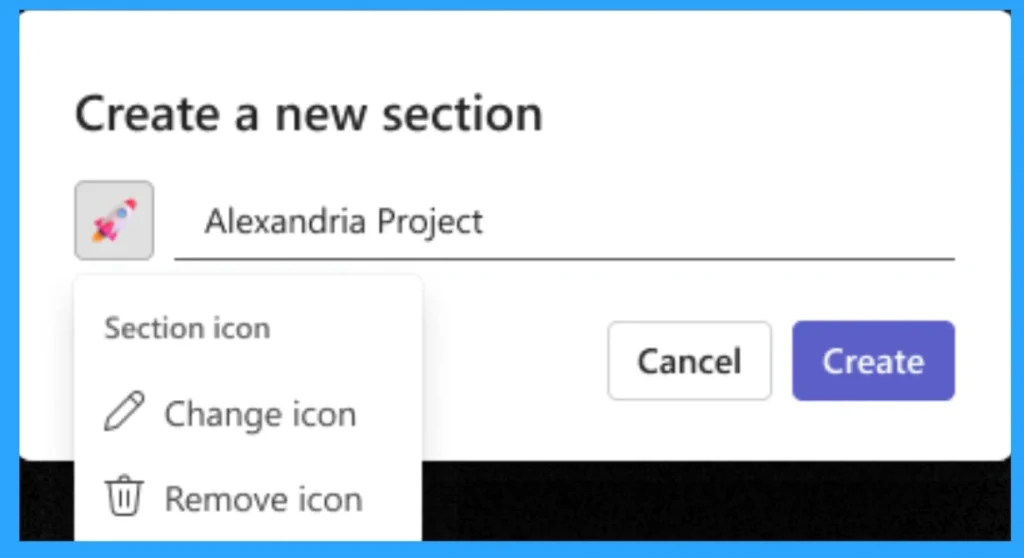
This update in Microsoft Teams introduces the ability to add emojis to section names in your chats and channels list. This feature is designed to reduce clutter and bring a touch of personality to the workspace, while also improving efficiency by helping important sections stand out.
Need Further Assistance or Have Technical Questions?
Join the LinkedIn Page and Telegram group to get the latest step-by-step guides and news updates. Join our Meetup Page to participate in User group meetings. Also, Join the WhatsApp Community to get the latest news on Microsoft Technologies. We are there on Reddit as well.
Author
Anoop C Nair has been Microsoft MVP from 2015 onwards for 10 consecutive years! He is a Workplace Solution Architect with more than 22+ years of experience in Workplace technologies. He is also a Blogger, Speaker, and Local User Group Community leader. His primary focus is on Device Management technologies like SCCM and Intune. He writes about technologies like Intune, SCCM, Windows, Cloud PC, Windows, Entra, Microsoft Security, Career, etc.




Discussion