






ConfigMgr 1910 Out of Band Hotfix KB4538166 Client Fix | SCCM
Microsoft released Out of Band Hotfix KB4538166 for the Configuration Manager 1910 version.
According to the KB article, this hotfix fixes three (3) known issues. The post below explains the fixes in more detail.
Learn how to Use the SCCM Update Registration Tool To Import Hotfixes. This is an out-of-the-box installation of SCCM hotfixes.
The Out of Band Hotfix KB4538166 is available only if Configuration Manager 1910 package GUID is any of the following. Learn how to find out Package GUID.

- 0BB82139-0DC3-4B18-B219-97FB2EFD9E56
- E2F7B2F9-4828-4650-9144-5DC7956781B7
- 4CE24C49-E6B0-4B4F-9AD8-CA31FF269F23
- 3B4824FF-02FC-40B8-95AB-2AE986B0B63F
- D237809A-6210-4209-A0E6-247543C241E4
NOTE! I recommend reading ConfigMgr 1910 Known issues & video tutorial for SCCM 1910.
- ConfigMgr 1910 Known Issues Bugs Fixes|SCCM
- How to Install SCCM Out of Band HotFix | ConfigMgr Installation Guide | Tips | Tricks | Bug Fix
| Index |
|---|
| ConfigMgr 1910 Fixes with KB4538166 |
| Install KB4538488 |
| ConfigMgr Out of Band Hotfix KB4538166 |
| Results |
ConfigMgr 1910 Fixes with KB4538166
The following are the issues fixed with the KB article 4538488.
- Windows Defender Application Control (WDAC) policies cannot assign trust to new applications.
- Windows 10 version 1903 and higher do not install as expected after updating to Configuration Manager 1910. Windows 10 1903 updates may fail to install or succeed but report a failure status afterwards.
- All 1910 ConfigMgr clients immediately upgrade after the site updates successfully.
Install KB4538488
NOTE! – The update KB 4538166 update replaces the following KB 4538488: Clients immediately upgrade after updating to Configuration Manager 1910. So you don’t have to install KB4538488.
Right-click on the hotfix and select the Install Update package to start the installation.
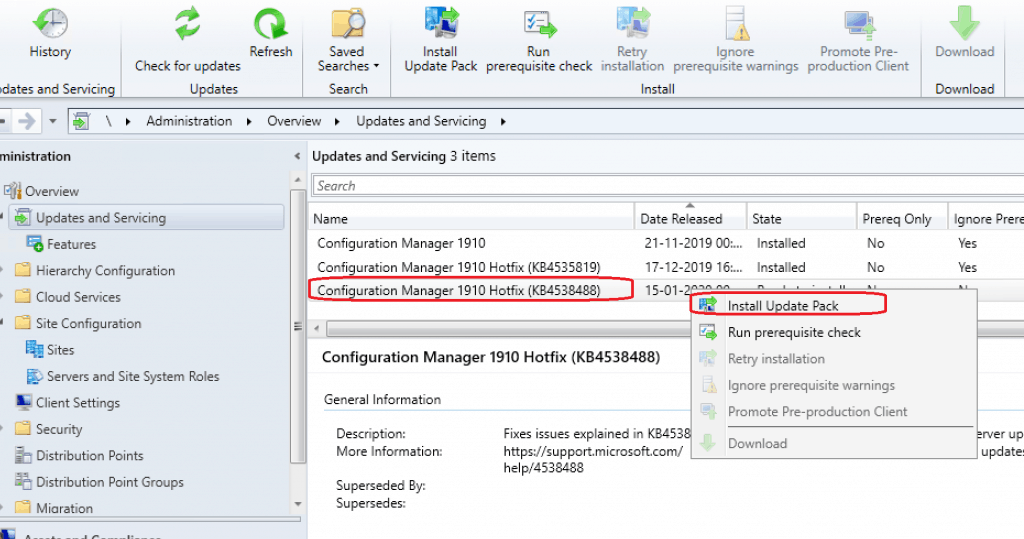
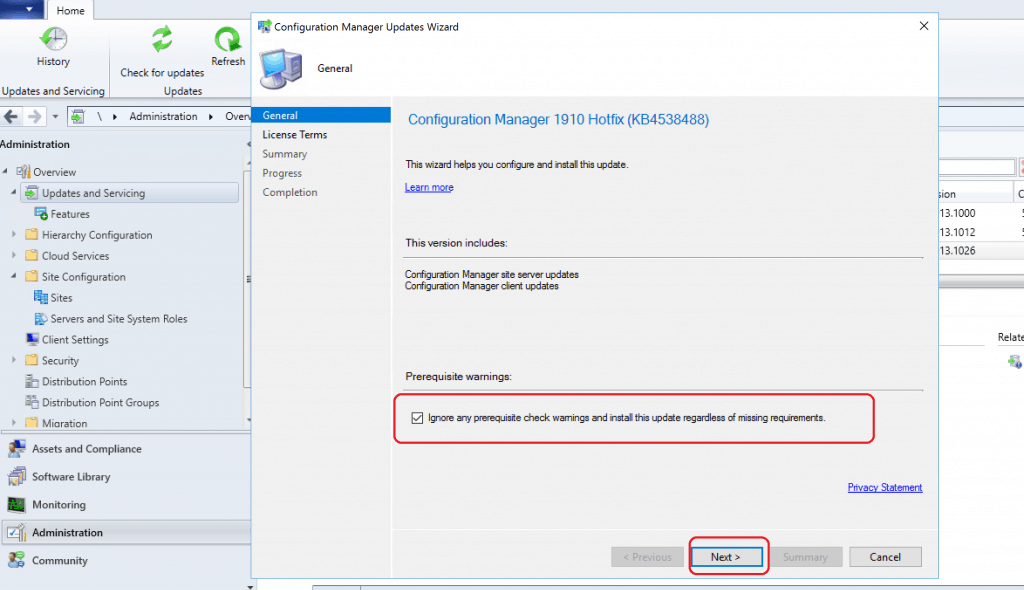
Click on NEXT to continue. Install Update Package Configuration Manager 1910 Hotfix (KB4538488). Prerequisite warnings will be ignored.
ConfigMgr Out of Band Hotfix KB4538166
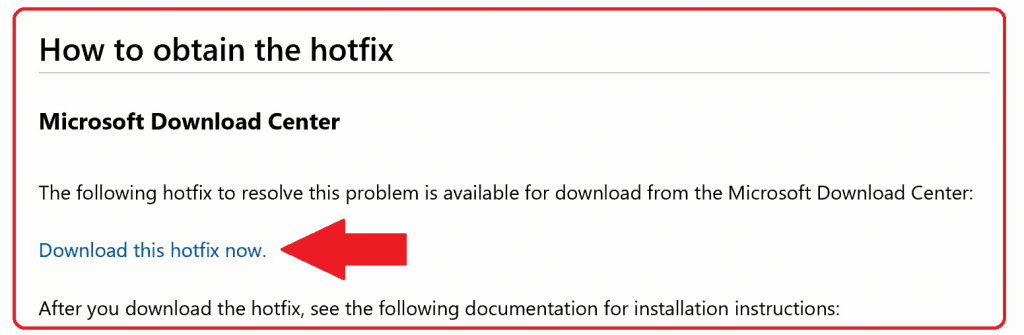
Let’s see how to Install band Update Package ConfigMgr 1910 Hotfix KB4538166. Download the hotfix from here.
- Install CM1910-KB4538166.ConfigMgr.Update.exe with administrative rights
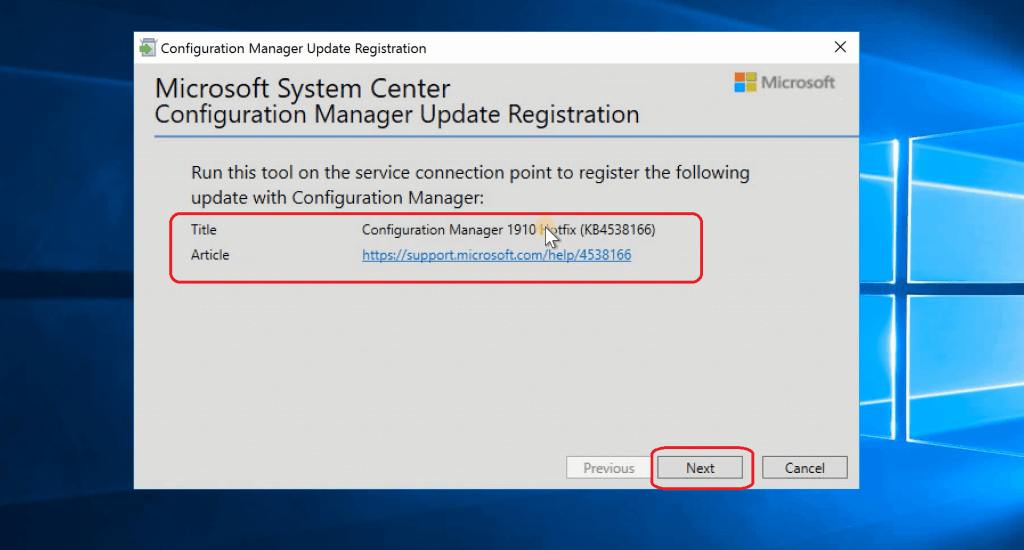
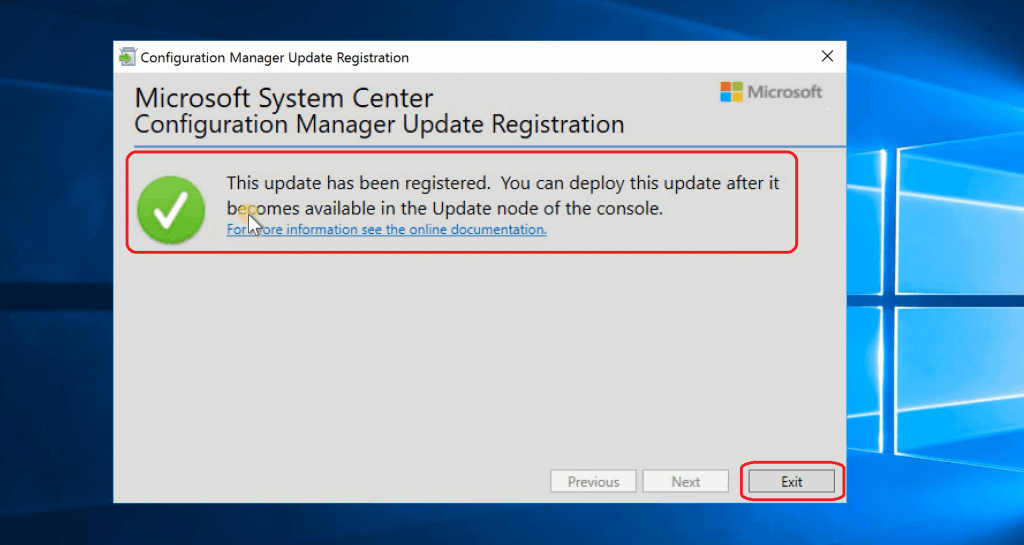
- The update has been registered. You can deploy it after it becomes available in the console’s Update node.
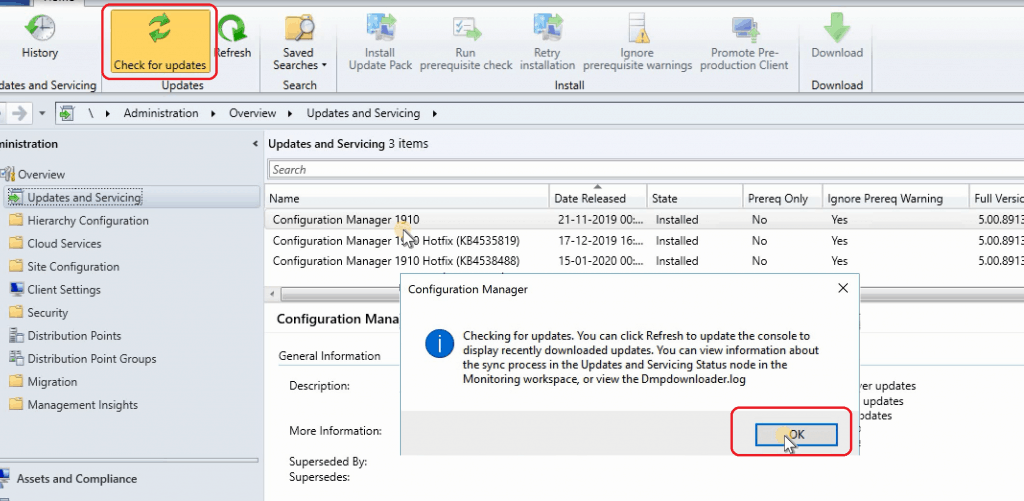
- Click on Check for Updates and click OK
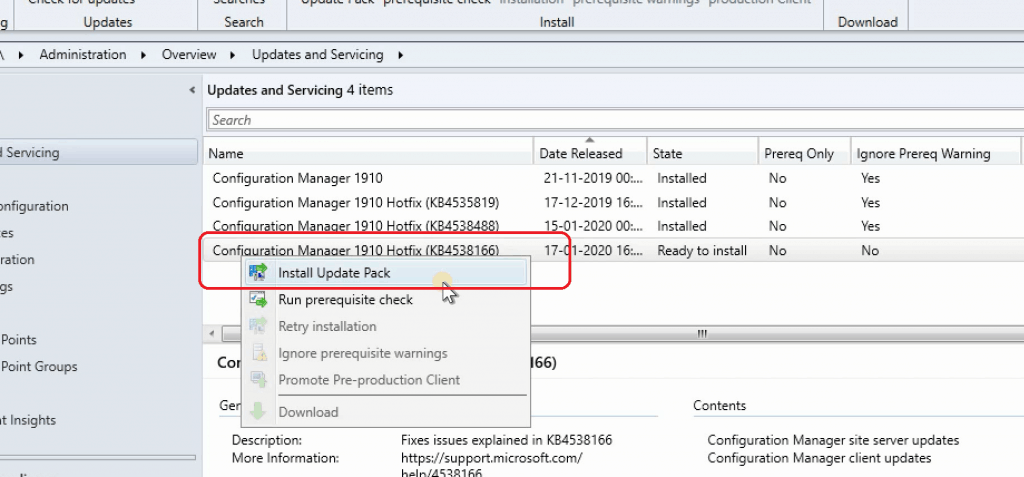
- ConfigMgr out of band hotfix KB4538166 available “Ready for Install.“
- Right-Click on the update for KB4538166 and Select Install Update Pack
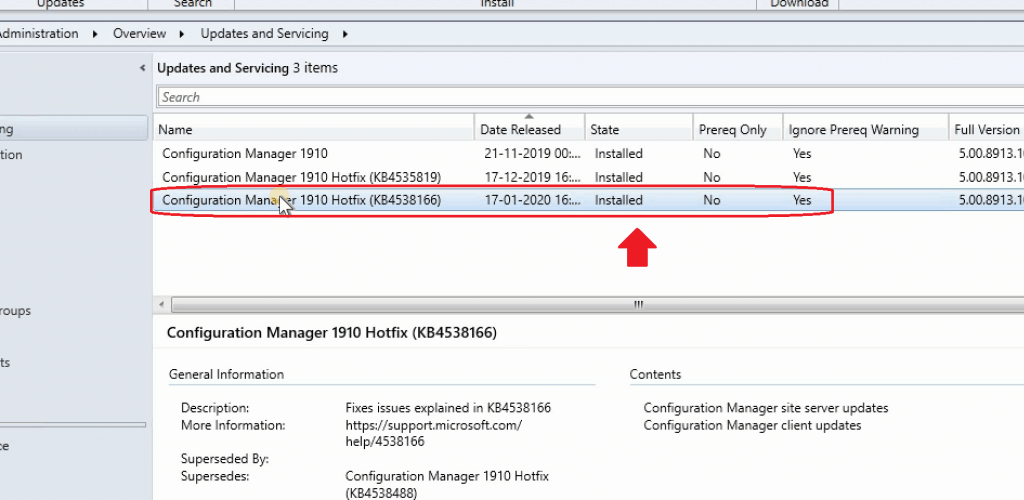
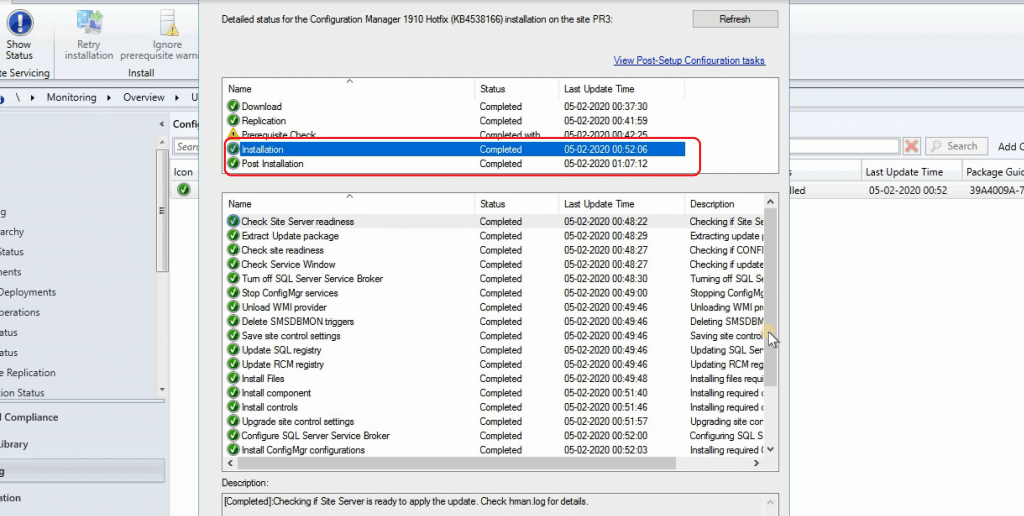
- Installation completed successfully for KB4538166
Results
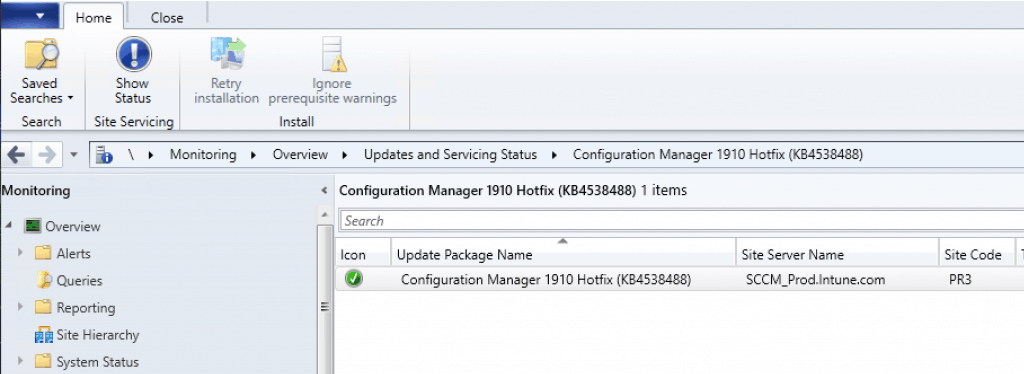
ConfigMgr site version shall be 5.00.8913.1026 (after installation of KB4538488) & 5.00.8913.1027 (after installation of KB4538166).
More details about SCCM versions are available in the previous post – https://www.anoopcnair.com/sccm-version-numbers-build-number-client/
Navigate through the following path:
- \Monitoring\Overview\Updates and Servicing Status\Configuration Manager 1910 Hotfix (KB4538488)
- Navigate \Monitoring\Overview\Updates and Servicing Status\Configuration Manager 1910 Hotfix (KB4538166)
Resources
- Client update for Configuration Manager current branch, version 1910 – https://support.microsoft.com/en-us/help/4538166/client-update-for-configuration-manager-current-branch-version-1910
We are on WhatsApp. To get the latest step-by-step guides and news updates, Join our Channel. Click here –HTMD WhatsApp.
Author
Anoop C Nair is Microsoft MVP! He is a Device Management Admin with more than 20 years of experience (calculation done in 2021) in IT. He is a Blogger, Speaker, and Local User Group HTMD Community leader. His main focus is on Device Management technologies like SCCM 2012, Current Branch, and Intune. He writes about ConfigMgr, Windows 11, Windows 10, Azure AD, Microsoft Intune, Windows 365, AVD, etc.




Hi
Thanks for this Anoop excellent article once again. I have managed to download it in production environment but our pre-prod environment is blocked. Is there any scripts etc that I use so it can download the easypayload to pre-prod please?
StaffIt’s blocked means. The 1910 should be already available if the applicability rules are ok
Since there is a client upgrade involved with this update, why do you not get the option to first deploy the client upgrade to the Pre-production collection first allowing you to first test it before promoting it to Production? I also noticed the Hierarchy Settings for the Client Upgrade still show 5.00.8913.1012 even though the clients are automatically upgraded to 5.00.8913.1026?
StaffIs this after installing the out of band hotfix ? Did you try to update the client and checked the version over there?
I could see 5.00.8913.1027 version in my console hierarchy settings-client upgrade tab