






FIX Co-Management Settings Grayed Out Issue
Let’s fix the greyed-out issue with Co-Management Settings. The SCCM 1910 version has a known issue with this.
Customers reported that ConfigMgr 1910 Co-Management Settings Unexpectedly Grayed out or were available to configure. Let’s see how to FIX Co-Management Settings issues with the 1910 version.
With the latest KB4540794 release, Microsoft provided a workaround to FIX the issues of co-management settings in the 1910 version of Configuration Manager.
The Goal of this fix is to remove existing co-management settings information from WMI so that it may be added back from the ConfigMgr console.

NOTE! Don’t look for KB454079 in your ConfigMgr console. It won’t be available. From my perspective, this is a temporary workaround available to fix co-management issues.
- Issues#1—Once you delete a setting from the Co-management node in the SCCM console, the Configure co-management option unexpectedly greyed out and becomes unavailable. This blocks you from re-enabling co-management.
- Issues #2 – In SCCM 1910, changes are not saved in the Properties window of the co-management setting.
| Index |
|---|
| Fix Co-Management Settings Issue |
| Issue#2 |
| Results |
Fix Co-Management Settings Issue
If you have co-management issue#1, explained above, follow the following steps. If you are experiencing issue#2, you might need to delete the co-management settings from the console and try again.
Issue#1
- Launch WBEMTEST from the server where you have installed SMS Provider
- Click on Connect
- Enter the WMI namespace name ” ROOT\SMS\site_PR3.”
- PR3 is my SCCM site code here. Replace this with your site code.
- Click on Connect
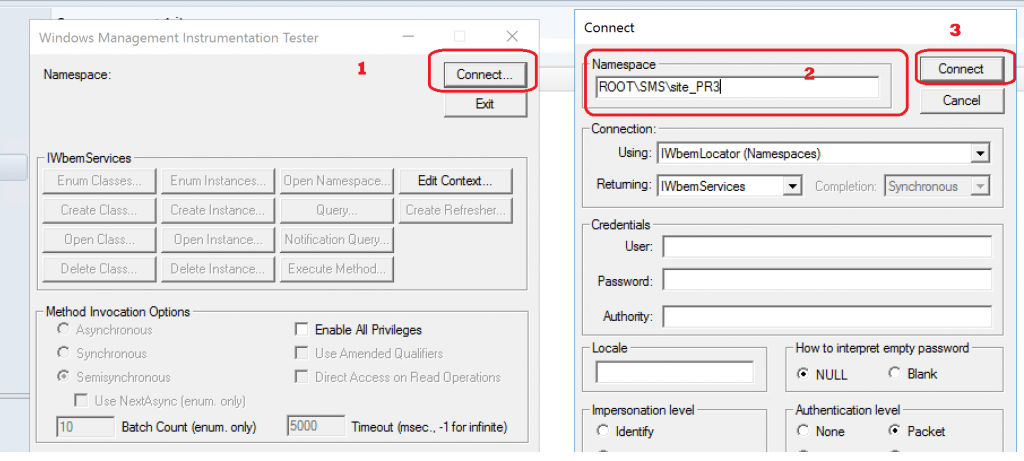
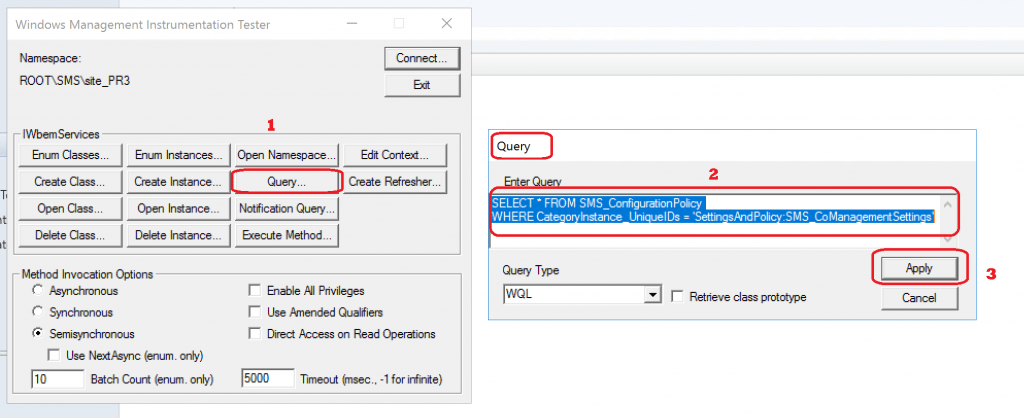
- Click on the Query button
- Enter the following query statement in the query box called Enter Query:
SELECT * FROM SMS_ConfigurationPolicy
 WHERE CategoryInstance_UniqueIDs = 'SettingsAndPolicy:SMS_CoManagementSettings'
- Click on Apply
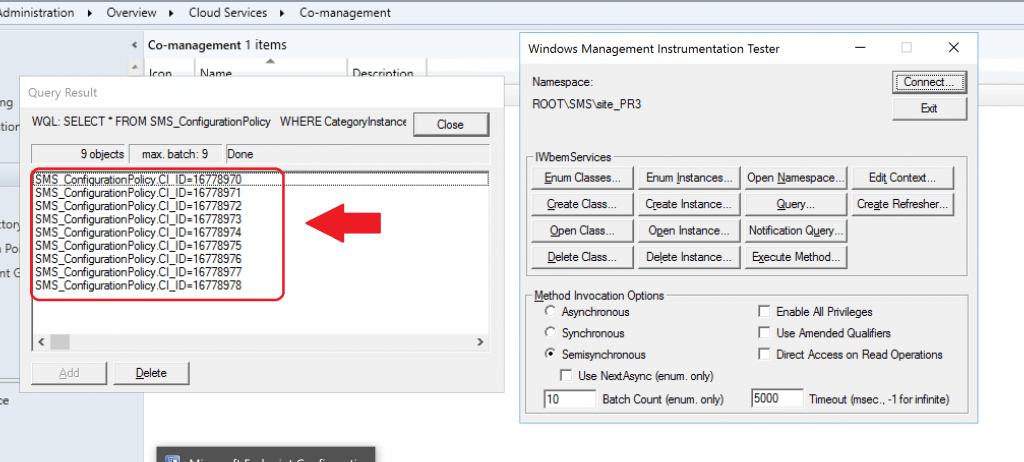
- The Query Result window should return an object list with the format SMS_ConfigurationPolicy.CI_ID={guid}
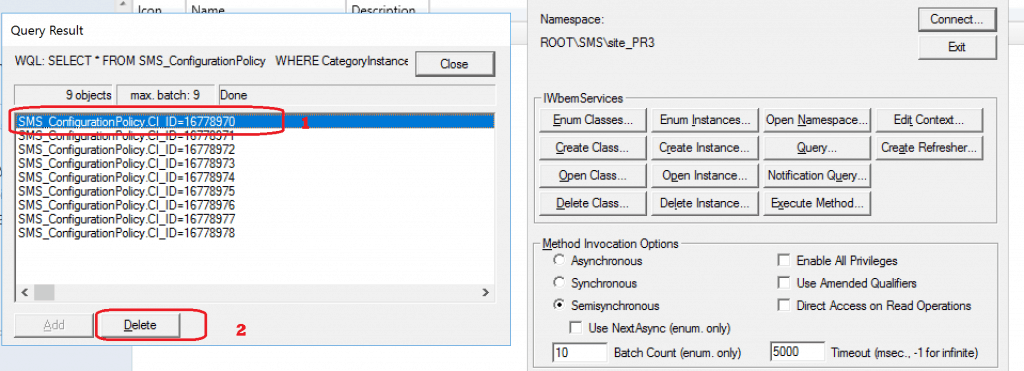
- Select and delete all objects in the result list, then click the Close button.
- You need to repeat the above step for all the objects
- Click on the Query button again from WBEMTEST
- Enter the following query to find out the Co-management settings
SELECT * FROM SMS_ConfigurationPolicyAssignment
WHERE AssignmentName = 'E3F913BB-98F4-4301-9032-C6D1D4891E0A'
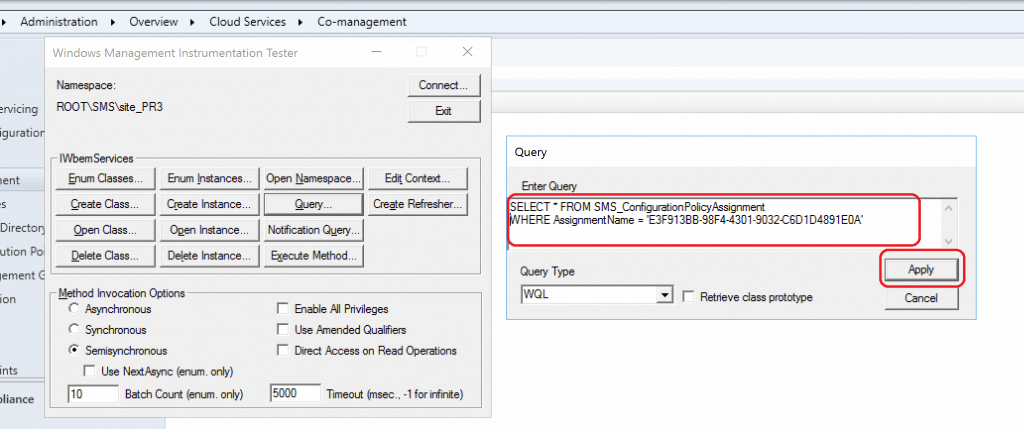
- Click on APPLY
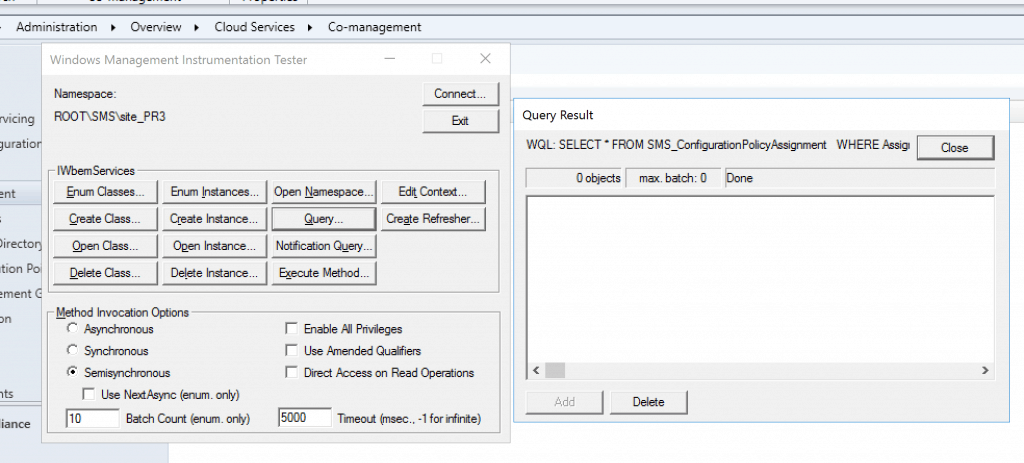
- As per the above result, there is nothing to delete
- If you have any objects, then you need to Delete all those objects that are returned from the above query
- Click the Close button and exit WBEMTEST
- After the above actions, the Configure co-management button should now be available in the console. Any future property changes will be saved correctly.
Issue#2
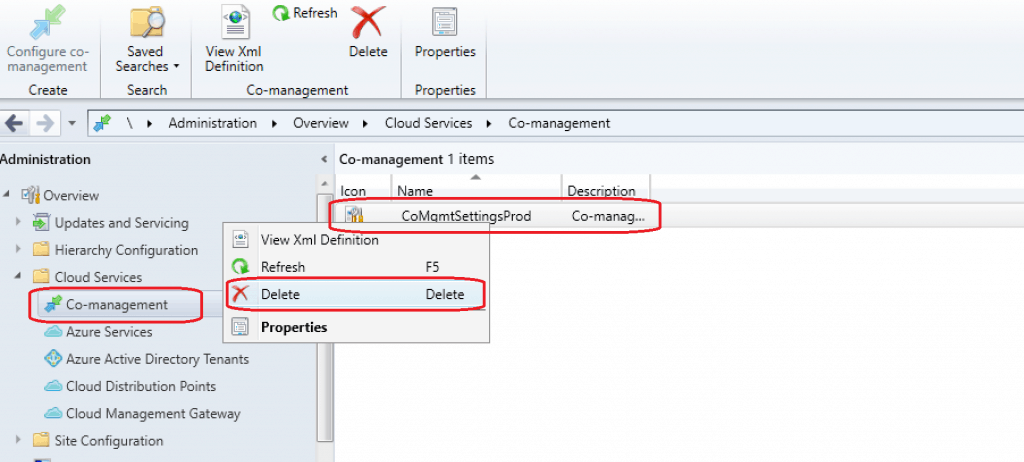
- Navigate to \Administration\Overview\Cloud Services\Co-management
- Right-click and Delete
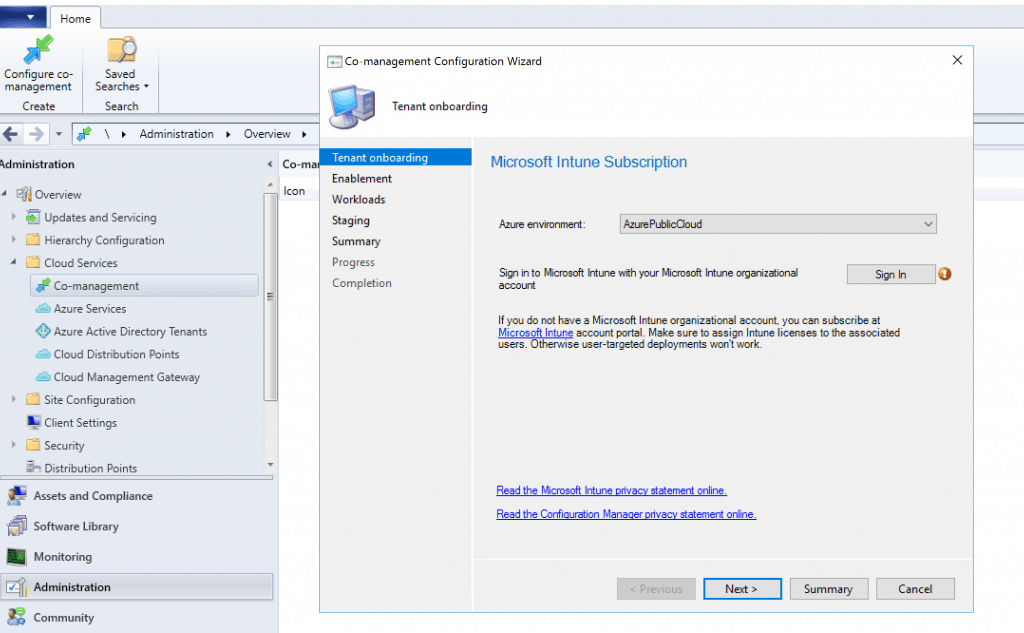
- Recreate the settings as you can see co-management configuration
Results
Once you have followed the above steps to fix the co-management settings option in SCCM|ConfigMgr 1910, you can configure it.
Resources
- Co-management settings lost or unavailable after updating to Configuration Manager version 1910 – https://support.microsoft.com/en-us/help/4540794/co-management-settings-lost-or-unavailable-after-updating-to-configura
- SCCM 1910 Known Issues – https://www.anoopcnair.com/configmgr-1910-known-issues-bugs-fixessccm/
- SCCM WMI Configuration Checks using WMI Explorer – https://www.anoopcnair.com/wmi-explorer-sccm-configuration-manager/
We are on WhatsApp. To get the latest step-by-step guides and news updates, Join our Channel. Click here –HTMD WhatsApp.
Author
Anoop C Nair is Microsoft MVP! He is a Device Management Admin with more than 20 years of experience (calculation done in 2021) in IT. He is a Blogger, Speaker, and Local User Group HTMD Community leader. His main focus is on Device Management technologies like SCCM 2012, Current Branch, and Intune. He writes about ConfigMgr, Windows 11, Windows 10, Azure AD, Microsoft Intune, Windows 365, AVD, etc.




Hey Anoop, thanks for this. Any suggestion for the issue I am facing – wizard runs successfully but nothing appears after that in console.
StaffHey Have you check the WMI entries after completing the wizard? Any clue from sccm log files ?
So I had no previous setting, yet mine is greyed out. I have verified nothing is in WMI, yet nothing has changed. Thoughts?
Anybody got any ideas here? I am still in the same boat. Upgraded to 2002. Everything in fix I have double checked, yet unable to configure co-management still.
Beautiful. Thank you for taking the time to post this. I had option 1 and it worked like a charm. No reboot needed. I demo these and just gave up on this early this year. I cycle through many Intune subscriptions which caused the problem. I already tried purging the data in the SQL table which broke other items. (not your post). Good thing I have SQL backups and system images. (demo only)
StaffCan you pls try to use https://forum.howtomanagedevices.com for quick replies