






Office 365 Email Backup Solution | Do’s & Don’ts of Exchange Online
Let’s learn the internals of Office 365 email backup. It’s not the only Office 365 mailbox; many more services like OneDrive, etc. I recently experienced an Office 365 mailbox outage because someone accidentally deleted the cloud identity. Of course, it was a great (not) experience!
What happens if the user accidentally deletes data from Office 365 mailboxes? The Office 365 service provides several options for restoring Deleted items, and manual recovery is also possible.
With this post, let’s understand the importance of Office 365 backup. Review the Microsoft documents and service agreements below to learn the Do’s and Don’ts of Office 365 mail backup.
Organizations must back up their Microsoft 365 data to protect against potential data loss. Despite Microsoft’s robust security measures, data loss can still occur due to human error, malicious attacks, or natural disasters.

- Backup Email OneDrive SharePoint Data with Veeam Backup O365
- How to Take Backup and Restore Office 365 Mailboxes Veeam
- Download The Backup Bible Part 2 Backup Best Practices in Action
- Review Office365 Backup Solution from Altaro – Part 2
- The Backup Bible 1 The Complete Guide to Protect Your Data
| Index |
|---|
| Office 365 Email Backup Solution |
| Don’ts |
| Do’s |
| 3-2-1 Backup Golden Rule |
| Selection of Office 365 Mail Backup Provider |
Office 365 Email Backup Solution
Do you need Office 365 mail backup?
The quick answer is NO. Microsoft provides various backup and restore options to cover all scenarios in the real world.
As I mentioned above, the Microsoft SaaS services offering does not cover the real-world scenario of accidental deletion. During the migration of the Office 365 mailbox (and unintentional deletion of cloud identity), I lost access to the following services:
- Office 365 mailbox
- OneDrive
- SharePoint
- Teams Channels
- Teams Chat History
How can you get the Office 365 Mail backup and all the other cloud services? Let’s explore the do’s and don’ts to understand the details!
Don’ts
Let’s understand the do’s when building an Office 365 Mailbox backup solution strategy. The following points might clarify things.
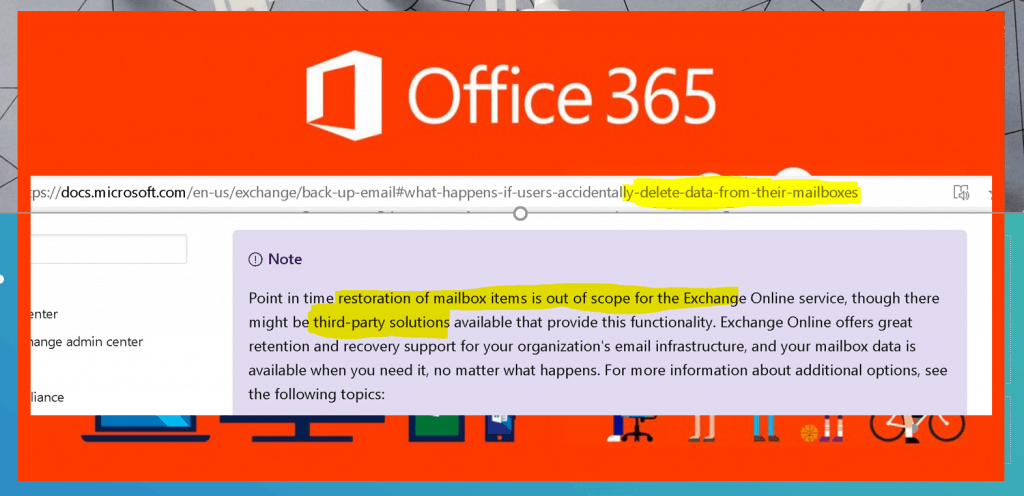
Don’t assume the Microsoft SaaS offering covers all backup and restore scenarios and doesn’t provide the restoration of mailbox items.
- Don’t provide a way to perform a traditional backup of mailboxes.
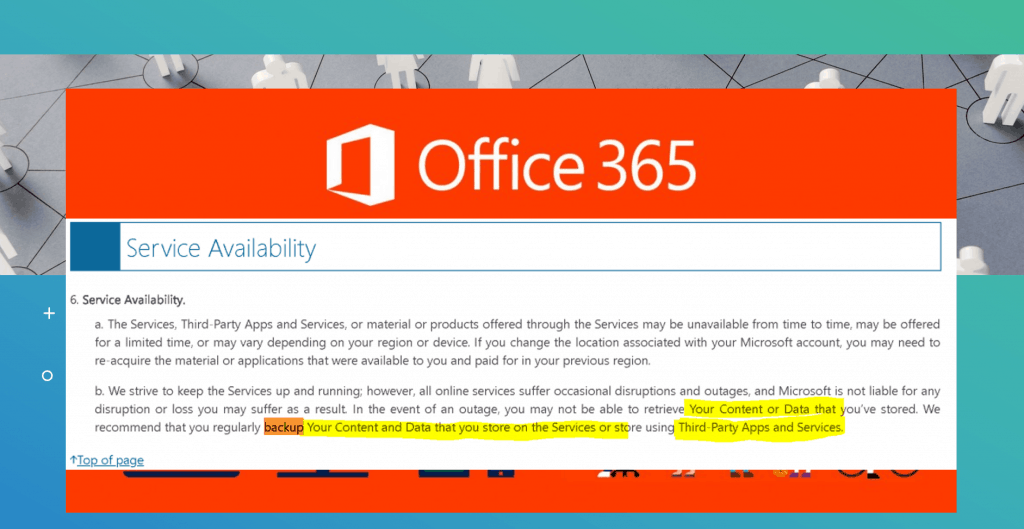
- The service Availability agreement from Microsoft confirms the recommendation of using 3rd party backup services/tools.
Do’s
Microsoft Office 365 mailbox SaaS solution provides default capabilities. More details about all these features are explained in Microsoft docs. The following are some of the features that Microsoft Office 365 provides:
- High Availability and Business Continuity in case of Data Center unavailability.
- Exchange Online Archiving.
- Retention policies.
- Essential monitoring of mailboxes.
- Exchange Online Protection (EOP).
NOTE! By default, an Exchange Online mailbox keeps deleted items for 14 days, but Exchange Online administrators can change this setting to up to a maximum of 30 days. For more info, see Soft-Deleted and Hard-Deleted Items.
3-2-1 Backup Golden Rule
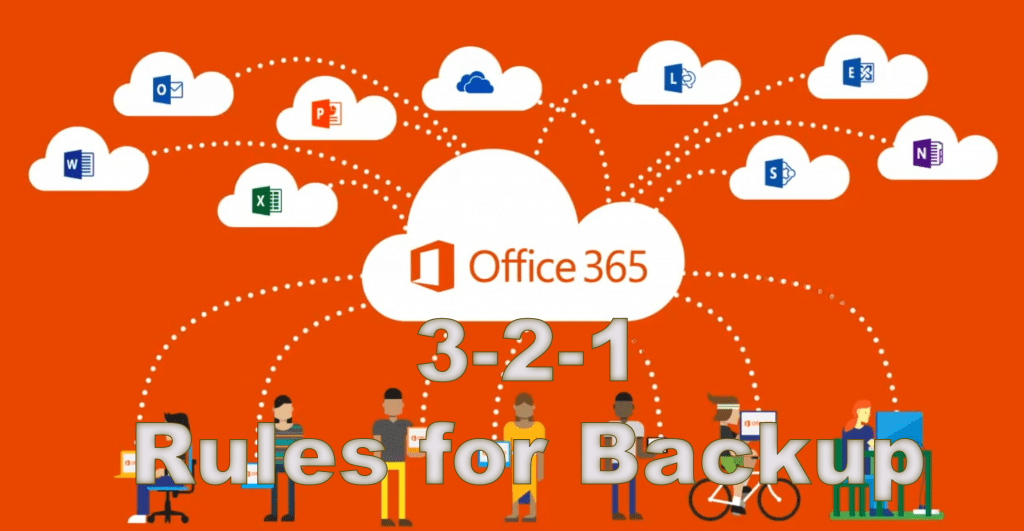
Let’s quickly check the golden rules (3-2-1) for backup and understand whether all three rules cover Microsoft 365 Exchange Online SaaS.
- (3) copies of your data, and store two
- (2) backup copies on different storage media, with one
- (1) of them is located offsite.
The Microsoft 365 (Office 365 mailbox) SaaS services for exchange online didn’t cover all these golden rules, per the Do’s and Don’ts.
Does this mean you need to look for a third-party Office 365 email backup solution for Office 365 backup? Yes!
Selection of Office 365 Mail Backup Provider
Now, we understand the need for a third-party backup provider for the Office 365 mailbox (Microsoft 365 exchange online). Let’s have a quick view of the essential selection criteria for backup solution providers:
- Trustworthy – email is critical to your business.
- Data Security – Pen test and Certifications!
- Performance (How fast backup and restore are) is crucial.
- Features of the backup solution.
I have done a couple of quick reviews about different Office 365 backup providers, and I wanted to highlight the Altaro Office 365 backup solution here.
Resources
We are on WhatsApp. To get the latest step-by-step guides and news updates, Join our Channel. Click here –HTMD WhatsApp.
Author
Anoop C Nair is Microsoft MVP! He is a Device Management Admin with more than 20 years of experience (calculation done in 2021) in IT. He is a Blogger, Speaker, and Local User Group HTMD Community leader. His primary focus is Device Management technologies like SCCM 2012, Current Branch, and Intune. He writes about ConfigMgr, Windows 11, Windows 10, Azure AD, Microsoft Intune, Windows 365, AVD, etc.


Discussion