






SCCM Step by Step Automation Solution Guide for BIOS to UEFI Conversion
Let’s discuss the SCCM Step by Step Automation Solution Guide for BIOS to UEFI Conversion. Windows 10 comes with new security enhancements. These security features are Secure Boot, Device Guard, and Credential Guard. Secure boot – This technology feature protects the startup process from malicious software.
Device Guard -This technology feature gets you advanced control for application access. Credential Guard – This technology feature prevents “pass the hash” attacks. A UEFI firmware-supported device is required to enable the features mentioned in Windows 10. This post will discuss the end-to-end automation solution guide for BIOS to UEFI Conversion.
You can download the conversion guide with two complete structures of SCCM Task Sequences from the link mentioned in the later section of this post. SCCM admins are always looking for automated solutions to handle bare metal or in-place upgrade scenarios. The solution guide covers both scenarios.
To clarify, UEFI is an interface between the operating system and the device’s platform firmware. It provides a more secure boot environment and replaces legacy BIOS. Why do we need to use UEFI, apart from the reasons I mentioned in the first paragraph?
- FIX SCCM Client Inactive Issue after the Upgrade SCCM Notification Server Component Issue
- Overview Of Client Online Status In SCCM Console
- SCCM 2303 Upgrade Step By Step Guide | New Features
Table of Contents
SCCM Step by Step Automation Solution Guide for BIOS to UEFI Conversion
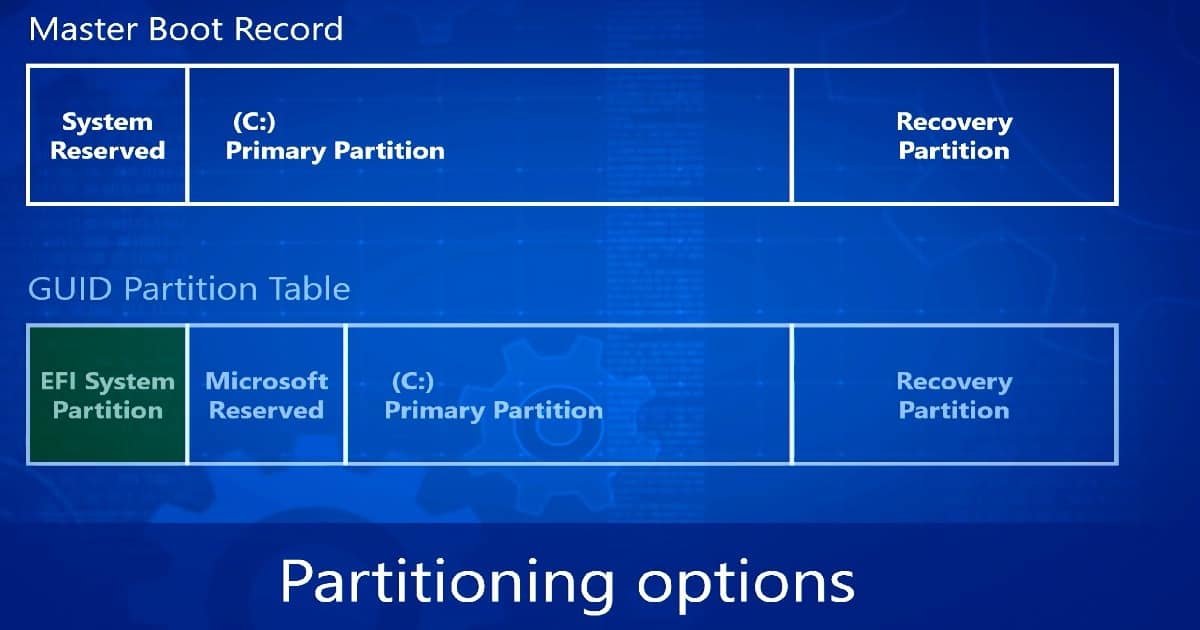
UEFI helps devices run faster on startup, shutdown, sleep, and resume. Windows 10 RS2 supports the command line for the MBR2GPT.EXE tool, which converts a disk from MBR to GPT without modifying or deleting data from the disk.
| Master Boot Record | GUID pARTITION Table |
|---|---|
| System Reserved | EFI System partition |
| Primary partition | Microsoft Reserved |
| Recovery Partition | Primary Partition and Recovery Partition |
BIOS to UEFI Conversion End to End process flow
The high-level process flow of the BIOS to UEFI conversion (MBR to GPT) 1 follows. Disk verification to check whether the disk is ready for conversion or not. 2. MBR to GPT – Convert the disk using the convert option (mbr2gpt /convert). This will shrink the Windows partition and create a new EFI system partition. 3. Change the Firmware Boot mode from BIOS to UEFI manually or use tools from OEM (Dell, HP, and Lenovo).
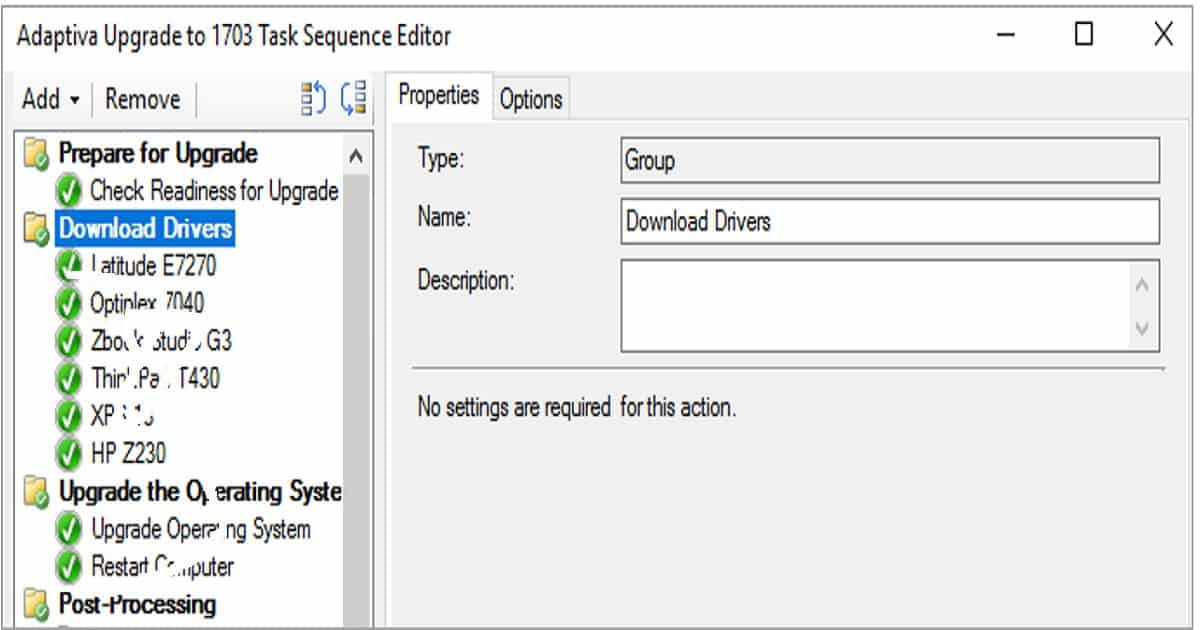
Adaptiva provides community solutions to help IT Pros and organizations convert from BIOS to UEFI. The latest BIOS to UEFI conversion guide version includes the new MBG2GPT.exe tool for retaining data while making the switch. This also covers SCCM CB 1610+ WinPE boot image pre-staging. This solution guide has two complete task sequences to save time integrating into your SCCM deployments!
Download “Secure 10: BIOS to UEFI 2017 – The Complete Automation Guide for ConfigMgr Administrators” from here.
We are on WhatsApp now. To get the latest step-by-step guides, news, and updates, Join our Channel. Click here. HTMD WhatsApp.
Author
Anoop C Nair is Microsoft MVP! He is a Device Management Admin with more than 20 years of experience (calculation done in 2021) in IT. He is a Blogger, Speaker, and Local User Group HTMD Community leader. His primary focus is Device Management technologies like SCCM 2012, Current Branch, and Intune. He writes about ConfigMgr, Windows 11, Windows 10, Azure AD, Microsoft Intune, Windows 365, AVD, etc.


Discussion