






Fix AVD Refreshing Your Token Error | Couldn’t Connect to Session Desktop | Azure Virtual Desktop Tips
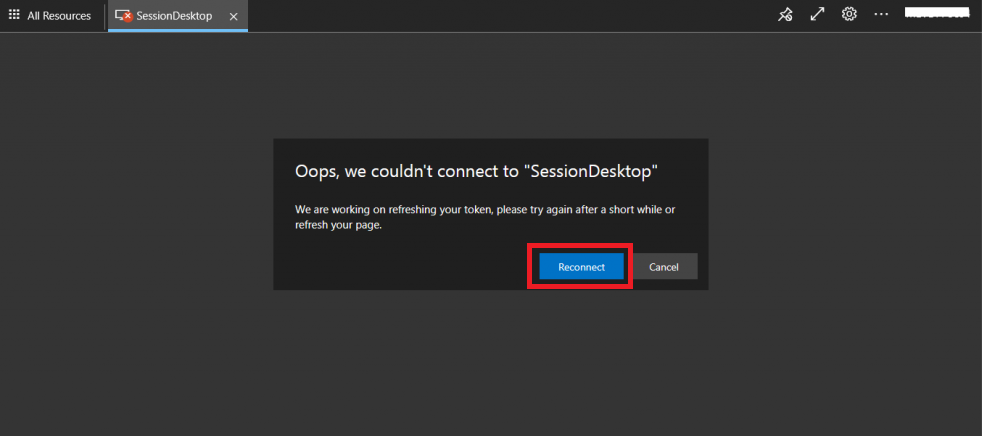
Let’s Fix AVD Refreshing Your Token Error. I don’t know how many of you have seen this AVD issue Oops, we couldn’t connect to “Session Desktop”.
Well, it’s not an issue; it’s more of a security feature! I regularly get this error message when I try to access the session desktop after around ~20-30 minutes of idle time (especially with the AVD Web Client).
Let’s see how to fix it quickly. Well, there is nothing much to fix it. This post is more for end-users who are sometimes surprised by this error. I have seen end users raise a ticket for this issue several times.
You can read more about Azure AD refresh and session tokens-related configuration from Microsoft docs. In Azure AD, a policy object represents a set of rules enforced on individual or all applications in an organization.

Table of Contents
Refresh and Session Token Policies for AVD
Each policy type has a unique structure and a set of properties that are applied to the objects to which they are assigned. Refresh and Session Token Policies for Azure Virtual Desktop (AVD) each have unique structures and sets of properties used for the objects they govern.
These policies ensure secure and efficient management of user sessions and access tokens within AVD environments. By implementing specific configurations and settings, administrators can control the behaviour and lifecycle of the session and refresh tokens, optimizing security and user experience in virtual desktop scenarios.
- Fix AVD Sessosion Host Connection Errors
- AVD VM RD Client Connection Error 0x83886181
- Fix AVD Could not Connect to Session Desktop Admin has Restricted the Type of Logon Azure Virtual Desktop
- Fixed AVD Azure Virtual Desktop Patching Issue while Using SCCM WSUS for Patching
Error Message & Fix
The following is the error message you get primarily because of a time-out.
Oops, we couldn’t connect to “Session Desktop.” We’re working on refreshing your token. Please try again later or refresh the page.
- The fix is to click on the REFRESH button.
- In most of the scenarios, this refresh helps. If not, check out the following steps.
Log off from the AVD Web client portal. https://aka.ms/wvdARMweb
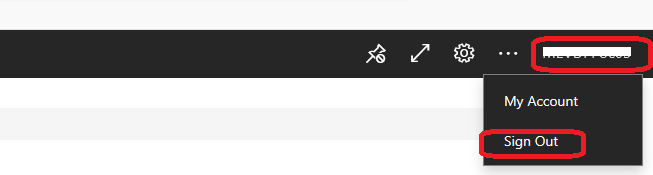
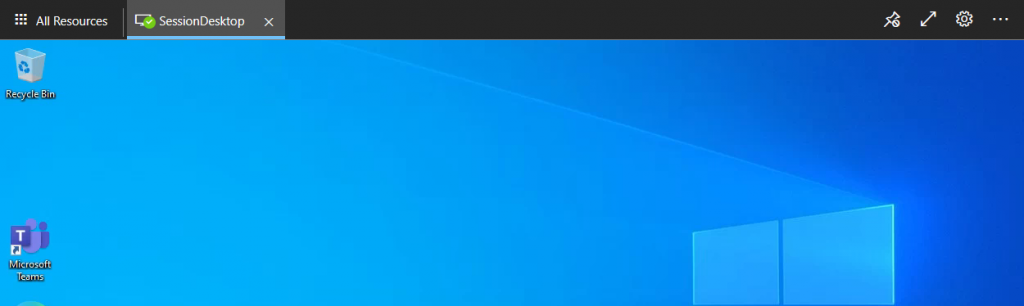
Close the browser, re-open it, and log back in. To troubleshoot issues or update settings, you might need to close the browser, reopen it, and log back in.
This process can help refresh the browser session, precise temporary data, and ensure that any recent changes or updates take effect, improving performance and resolving potential problems.
Resources
- Install Subscribe Windows RD Client for AVD End User Step-by-Step Guide
- Microsoft VDI Story AVD Concept Setup Guide Myths Known Issues
- AVD Video PlayList https://aka.ms/WVDPlaylist
- AVD AMA 28th Aug 2019 Azure Virtual Desktop Microsoft AVD FAQs from AMA
- Microsoft VDI Story AVD Concept Setup Guide Myths Known Issues
- SCCM Intune Support for Persistent Non-Persistent VDI VMs
We are on WhatsApp now. To get the latest step-by-step guides, news, and updates, Join our Channel. Click here – HTMD WhatsApp.
Author
Anoop C Nair has been Microsoft MVP for 10 consecutive years from 2015 onwards. He is a Workplace Solution Architect with more than 22+ years of experience in Workplace technologies. He is a Blogger, Speaker, and Local User Group Community leader. His primary focus is on Device Management technologies like SCCM and Intune. He writes about technologies like Intune, SCCM, Windows, Cloud PC, Windows, Entra, Microsoft Security, Career, etc.




Discussion