






Windows 10 KB5005033 August Patching Issue with SCCM
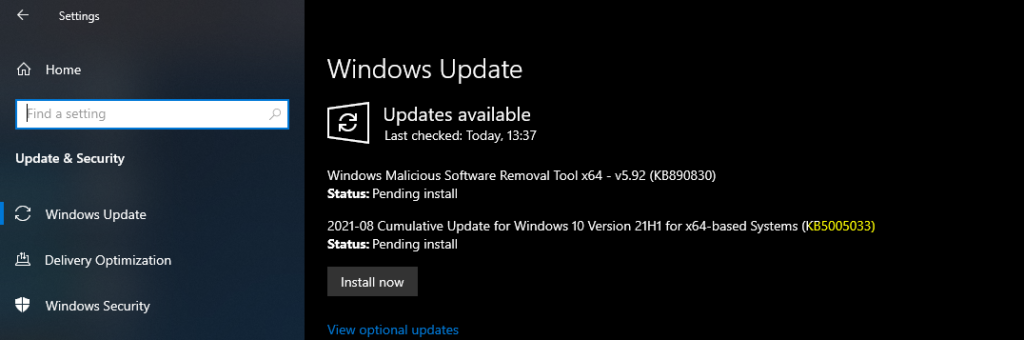
Microsoft released Windows 10 KB5005033 August patching issues with SCCM/WSUS. Well, this is not really an SCCM issue. Rather, the confusion is with how Microsoft delivers cumulative update patches, prerequisites, and the delivery of SSU.
We have had similar confusion with June cumulative and July updates. You will need to ensure that all the devices are already installed with June CU before installing the July CU for Windows 10 2004, 20H2, and 21H1. But for August patches, it’s a bit different!
Microsoft updated more details about Dependencies on SSUs and rare exceptions. Also, Microsoft started testing the delivery of monthly quality updates and SSU together as a single package with Windows Insider Pre-release Category in WSUS.
Windows 10 KB5005033 for WUfB
You don’t have to worry much about using Windows Update for Business(WUfB) and Intune. All these updates happen automatically. This is mainly because you don’t have the option to select any particular patch to get deployed. All the patches will get automatically deployed to those Windows PCs.

KB5005033 Hotfix Installation Issue with SCCM – WSUS
It would be best if you were extra careful when installing the Windows 10 Aug latest cumulative update(LCU) using SCCM + WSUS. You might remember the issues with June and July LCU updates and how to make those patch deployments work using SCCM.
What are the steps you need to take care of when you deploy Windows 10 Aug LCU KB5005033 using SCCM? This situation applies only when Windows 10 PC didn’t have the May 11, 2021 update (KB5003173) or later LCUs installed. You must install the special standalone on August 10, 2021, SSU (KB5005260).
NOTE! – You will need to deploy the latest SSU (KB5005260) before deploying Windows 10 Aug LCU KB5005033 using SCCM.




I had problems crashes and restart of the Windows Explorer and problemas to access notifications menu and shortcuts like WinLogo Key + P (Project). Windows 10 21H1 x64 English-US. To solves problem, delay updates of Windows Update and uninstalling the update KB5005033.
We have had all sorts of issues with KB5005033 installing from WSUS onto workstations not previously updated within the past few months (including our base image). Windows seems to think its installed in Control Panel but it doesnt seem to work, so on a clean reload it doesnt have any recent updates. In Windows Update it shows missing important updates message, but then finds no new updates. Updating ‘from online’ and bypassing WSUS installs KB5005033 AGAIN, this time successfully.
I believe this is somehow perhaps related to this WSUS requirement for KB5005260, but how to apply this BEFORE it applies KB5005033? For now we have set KB5005033 for Removal whilst we try to work around it, but that in itself seems hit and miss
I have now read elsewhere that the issue may be caused by the WSUS Express update delivery. This would make some sense as its supposed to be checking deltas between cumulative updates, and I reckon its not checking the dependencies reliably, and thus installing ‘ghost’ versions of the patches – which follows that the Online Update overwrites this and works fine because its not an Express package. So we are going to disable Express update delivery (and redownload affected patch) until we have confidence MS knows what they are doing again.