






10 Super Useful End User Portals from Microsoft 365 Intune Azure AD
10 Super Useful End User Portals from Microsoft 365, Intune, and Azure AD. These are the portals that the workplace team should communicate clearly with end users to make their lives easy and helps to avoid confusion.
You have many admin portals to manage several technologies from Cloud and On-Prem. Some cloud-based admin portals are Microsoft Endpoint Manager, Microsoft 365 Admin, Azure, and Windows 365 portal.
In an ideal world, the end users must have only one portal to access everything they need. It’s a long list of functionalities starting applications assigned to password reset. However, we are long away from that “ideal” world now.
So there is no choice left for the admin to communicate and educate end users with all the portals available to perform different actions. These My Apps and all other End User portals must be part of some of your internal documentation pages so that end users can easily access them.

1. My Access Portal
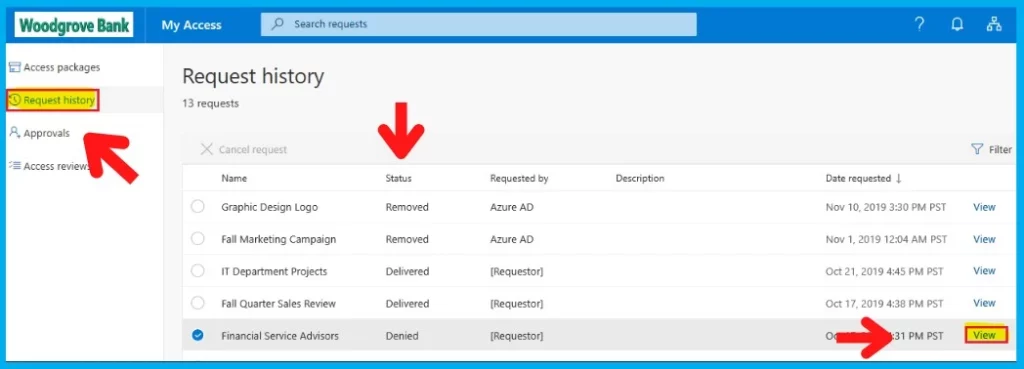
My Access Portal is one of the portals that can help organizations to provide access to some of the resources for a limited amount of time. You can Grant, Deny, and Remove accesses depending on the requirement.
One of the examples that you can see below is Marketing Campaign resource access. These are resources shared with all the marketing teams within the organization during the campaign and removed afterward.
An access package manager can configure policies requiring approval for users to access “access packages.” More details -> How to delegate access governance from IT administrators to users who aren’t administrators.
2. Azure AD MFA Authentication Methods for End Users
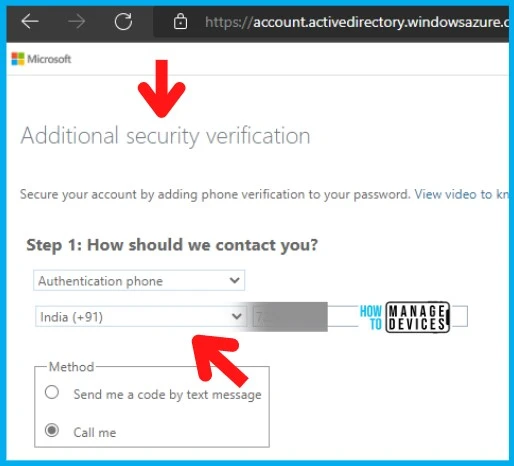
Let’s check the End User portal URL for Azure AD MFA Authentication Methods for End Users. End users can easily change the MFA phone numbers and MFA authentication app details from the following portal.
MFA provides an additional security verification -Secure your account by adding phone verification to your password. The end user’s phone numbers will only be used for MFA and account security. I explained the helpdesk process to reset MFA.
You can add additional authentication methods from the following section called My Security Info. You can delete and modify phone numbers and phones, as seen in the following section.
- URL for MFA Authentication Methods Review https://aka.ms/MFASetup
3. Sign Out Everywhere – My Security Info
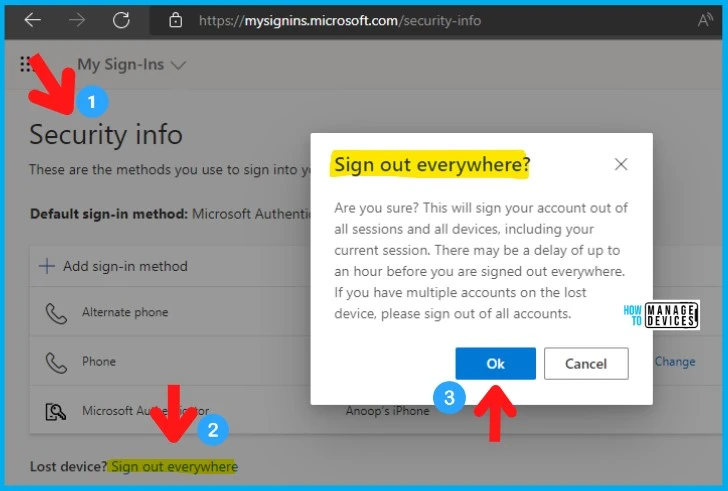
Let’s check the option Sign Out Everywhere option for end users. You can use My Security Info as part of the super useful End User portals to help end users to sign out from everywhere.
My Security info provides additional options to sign into your account or reset your password. The default sign-in method details are also from the My Security Info portal. One of the least known options for end users is the Lost Device – Sign out everywhere option.
The Sign out everywhere will help you to sign your account out of all sessions and all devices, including the current session. There may be a delay of up to an hour before you are signed out everywhere.
- URL to Sign Out from Everywhere – https://mysignins.microsoft.com/security-info
4. Change Password – Super Useful End User Portals
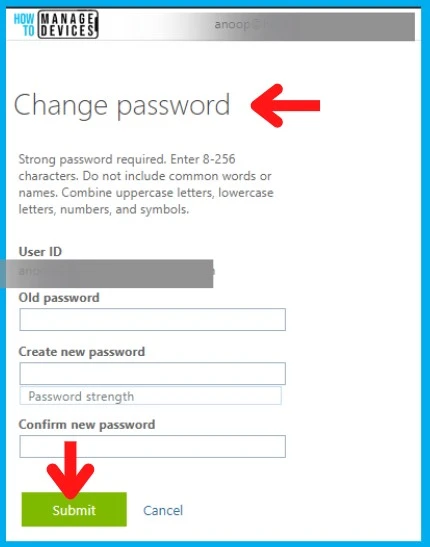
There are many options to change the Azure AD password. In this section, you will see the easiest option to change the password if you already know the current password. This is not the reset password option. For resetting the password using self-service, the end users might SSPR.
Tips Change password – Strong password required. Enter 8-256 characters. Do not include common words or names. Combine uppercase letters, lowercase letters, numbers, and symbols. I have not tested this method for ADFS scenarios.
- URL – Azure AD Change Password -> https://account.activedirectory.windowsazure.com/ChangePassword.aspx
5. Device List – Bitlocker Keys End User Portal
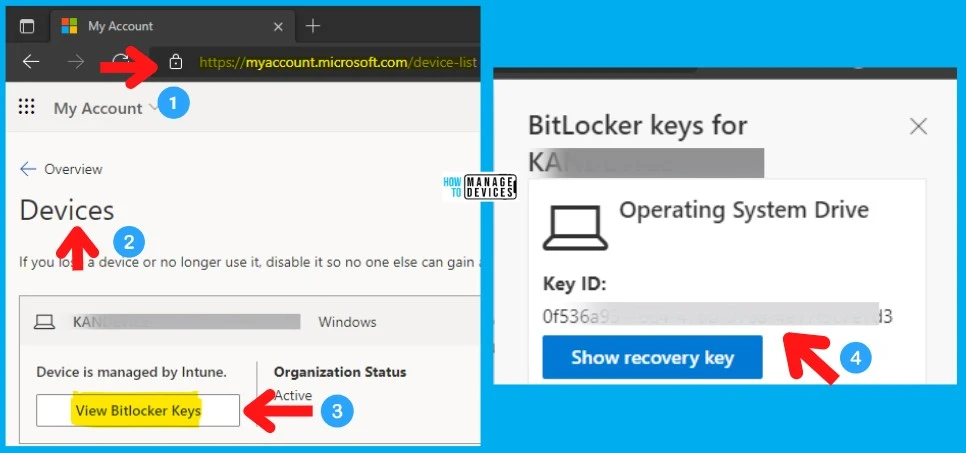
The end users can use any of the following links to get the list of devices that they have registered. This is the End User Portal from where the end user can retrieve the Bitlocker Key information.
There are two (2) end user portals from which you can get the list of devices assigned. One website gives you the details from Intune, and the other provides the details of devices from Azure AD. For BitLocker key information, the Azure AD device list portal is the place to go.
If you want to reset, remove, and rename the Windows device, Intune End User portal mentioned below is the place to go!
- Azure AD device list portal – Bitlocker – https://myprofile.microsoft.com/device-list
- Intune End User portal (Reset/Rename/Remove) – https://portal.manage.microsoft.com/devices/
6. Recent Activity List – End User Portal | Security Focused
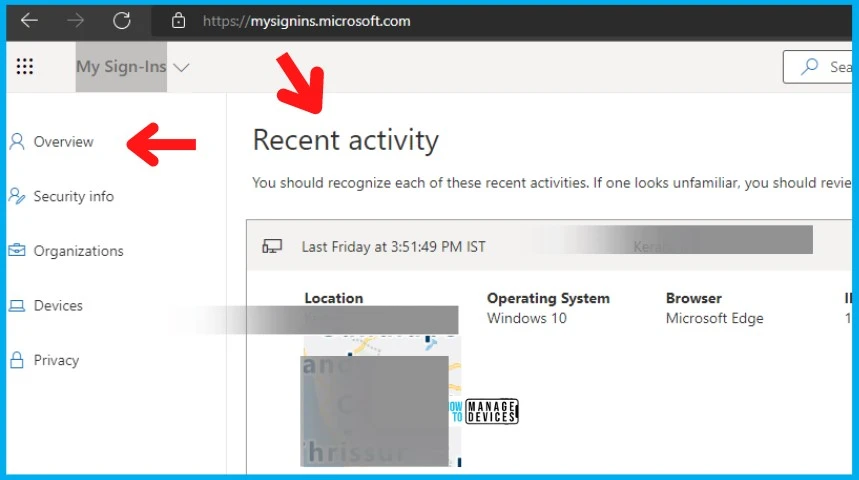
Let’s check the options to check the recent activity list of details using my sign-in End User Portal. This portal gives the details of Location, Date and Time, Operating System, Browser, IP Address, App, and Account.
You, the end user, should recognize each of these recent activities. You should review your security info to retrieve more details if one looks unfamiliar.
- URL to check the User’s Recent Activities https://mysignins.microsoft.com/
7. Microsoft 365 (Office 365) Apps – End User Portal
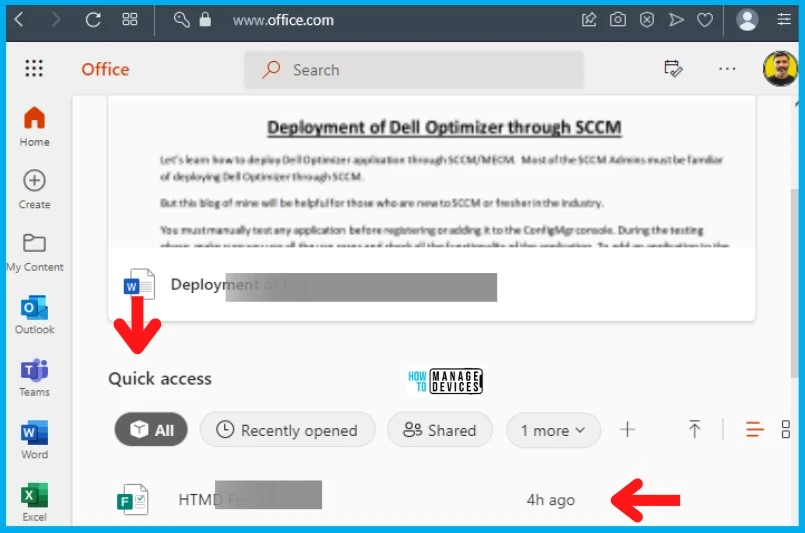
I think the Microsoft 365 (Office 365) Apps – End User Portal is one of the most commonly used and popular end-user portals. This portal helps to launch the web applications of Outlook, Word, Excel, etc. This portal also provides the details of recently opened and recommended files.
The portal.office.com redirects to the Office.com portal, and the recommendation shows the upcoming meeting details for the End Users. This end user portal comes to the rescue when you have issues such as Outlook Teams Desktop Application Login Issues M365 Incident MO414814.
- URL for Microsoft 365 Apps End User Portal – https://www.office.com/
8. Teams End User Web Portal
One of the most important applications in many organizations is MS Teams. You don’t need to install the Desktop application of Teams to access the chat conversations quickly.
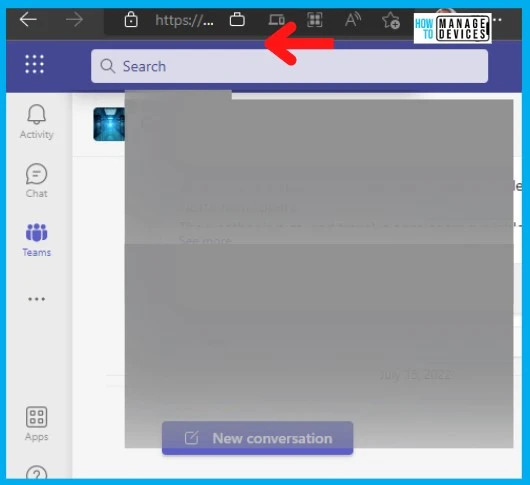
The following URL/End User Portal helps end user’s to log-in to the MS Teams web portal. This portal allows you to get on the meeting, check the Teams Group, customize Teams notifications, etc.
- URL for Teams Web App – https://teams.microsoft.com/
9. My Applications Portal – Azure AD End User Web Portal
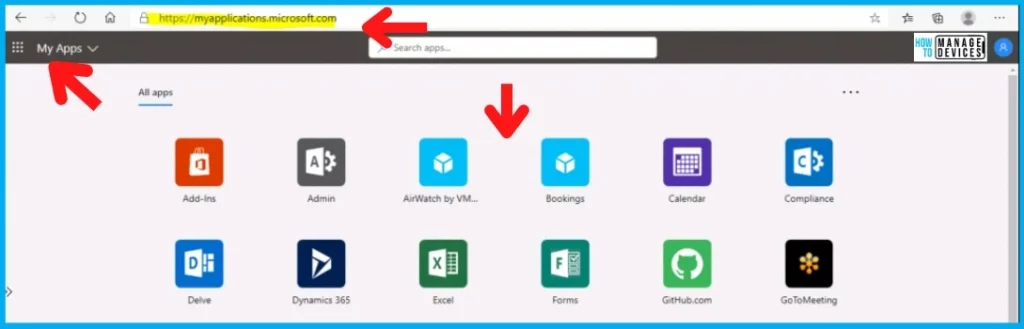
My apps portal is a product from the Azure AD team, and it’s mainly built for managing and launching Azure AD apps. The Intune published apps will NOT be available in the My Apps portal. You have an option to show all Office 365 apps in the My Apps portal.
There are two(2) My Apps portal from the Azure AD team. The latest one, myapplication.microsoft.com, is announced by Microsoft in Ignite 2019. Intune published apps are available only on Intune Company Portal application or web portal.
- My Apps (Old) Portal – https://myapps.microsoft.com/
- New My Applications End User Portal – https://myapplications.microsoft.com/
10. Intune Company Portal Website
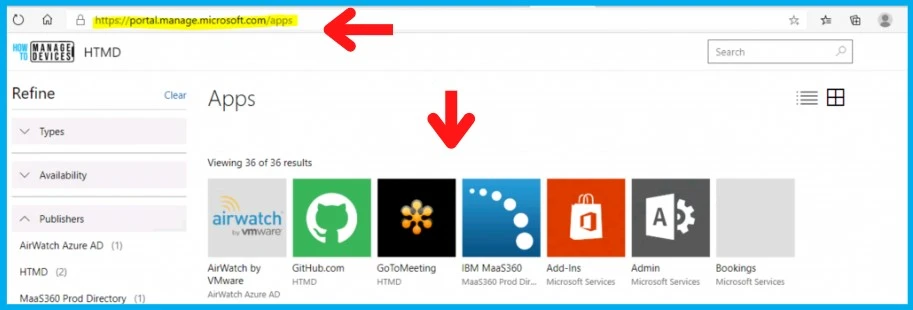
Intune Company Portal is the application and website that helps with many things on the client side. For some of the platforms, such as Android, iOS, etc., the Intune Company portal is also used to facilitate enrollment into MDM solutions and protect company data.
The common use of Intune Company Portal is to facilitate application installations. The Intune Company Portal website is here to empower the end user’s self-service scenarios.
- URL for Intune Company Portal Website – https://portal.manage.microsoft.com
Author
Anoop C Nair is Microsoft MVP! He is a Device Management Admin with more than 20 years of experience (calculation done in 2021) in IT. He is Blogger, Speaker, and Local User Group HTMD Community leader. His main focus is on Device Management technologies like SCCM 2012, Current Branch, and Intune. He writes about ConfigMgr, Windows 11, Windows 10, Azure AD, Microsoft Intune, Windows 365, AVD, etc.


Discussion