






How to Fix Android App Installation Error 0xC7D14FB5 in Intune
Let’s discuss how to Fix Android App Installation Error 0xC7D14FB5 in Intune. The Android app installation error 0xC7D14FB5 in Intune usually indicates that the app failed to install even though the APK was downloaded successfully.
The Intune error code 0xC7D14FB5 (942583883) is associated with the error message “The app failed to install.” It is a generic error that Intune displays when Android does not return specific details about why the install failed.
One of our detailed posts will guide you through the entire process of configuring Android Enterprise in Intune, especially for cases where the Android for Work binding wizard fails to launch in the Intune Silverlight console.
In this post, you will find all the necessary details on how to fix the Android app installation error 0xC7D14FB5 in Microsoft Intune. This specific error typically indicates a failure during the deployment of Android apps managed through Intune.

Table of Contents
How to Fix Android App Installation Error 0xC7D14FB5 in Intune
One of the main challenges with this error is that Android doesn’t give any clear reason for the app installation failure. Because of this, Intune shows a general error code 0xC7D14FB5, which means the installation failed, but it doesn’t explain why.
| Cause of the Issue | Details |
|---|---|
| Corrupt or Bad APK File | APK is downloaded but fails to install due to corruption or poor packaging. |
| Blocked by Google Play Protect | Google Play Protect identifies the app as unsafe and prevents installation. |
| Unsupported Device or API Level | Device does not meet the app’s minimum Android API level requirement. |
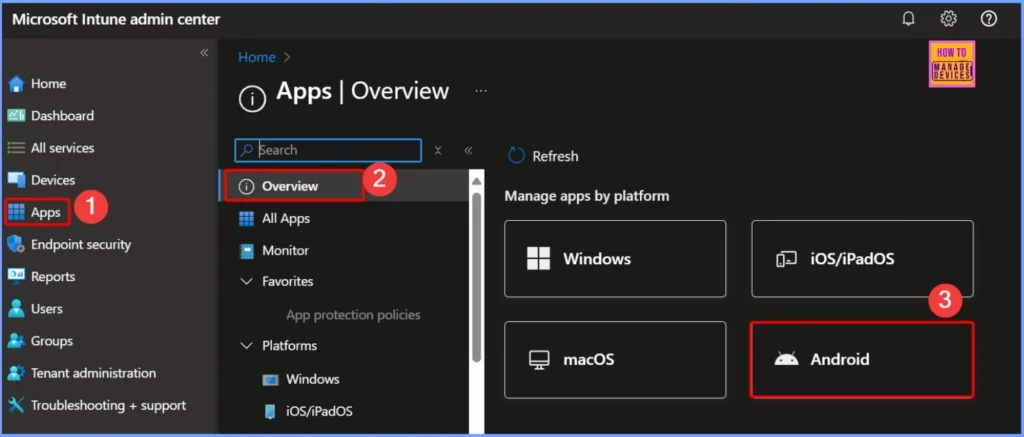
- Enroll Android Devices to Android for Work in Intune
- How to Resolve Intune Android for Work Configuration Refresh Error
- Migrate Devices Enrolled in Device Admin Mode to Android for Work in Intune Easy Steps
- Intune Best Guide to Enrol Corporate Android Devices with Work Profile
- Block Android Work Profile Lock Screen Notifications using Intune
Devices Affected by Error 0xC7D14FB5
The Intune Android app installation error code 0xC7D14FB5 is not limited to a specific device management method. It can occur across different types of Android management platforms supported by Intune.
| Device | Details | Error Behavior |
|---|---|---|
| DA | Legacy Android device management method, still supported in many environments. | Error 0xC7D14FB5 may appear if app install conditions fail. |
| Samsung Knox | Android Enterprise-like management for Samsung devices with enhanced security features. | Returns the same error code when APK install fails. |
How App Assignment Type Affects User Experience
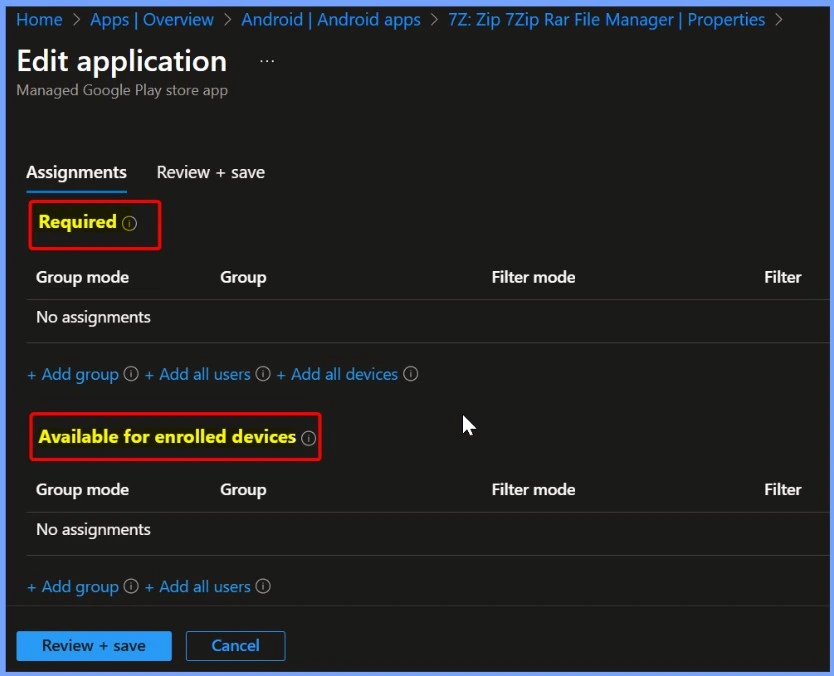
The way users experience error 0xC7D14FB5 depends on how the app is assigned in Microsoft Intune. It is either Available or Required. If the app is available, users can dismiss the error notification or try installing the app again. But if the app is required, the notification stays on the device, and Intune will keep trying to install the app in the background until the problem is fixed.
Recommendations to Fix Error 0xC7D14FB5
Let’s discuss some recommendations to Fix Error 0xC7D14FB5. To fix the Android app installation error 0xC7D14FB5 in Intune, you can follow a few key troubleshooting steps. These steps help identify whether the issue lies with the app itself, device compatibility, or security settings.
- Rebuild or Repackage the APK using a trusted tool or update to a verified version of the app.
- Check Google Play Protect settings or test on a device with Play Protect disabled (only for internal testing).
3. Verify Device Compatibility with App Requirements
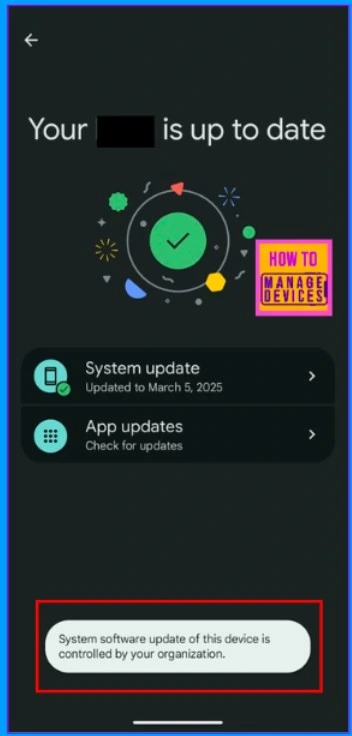
Every Android app is built to run on specific versions of the operating system. This is defined by the app’s minimum supported SDK/API level. If a device is running an older version of Android that doesn’t meet this minimum requirement, the app simply won’t install.
Read more – Learn How to Streamline Android OS Updates using Intune
4. Ensure the App is Properly Signed
Android requires all apps to be signed with a valid certificate. If the APK is unsigned the system will block the installation. Make sure the APK is signed using a reliable signing process and that the signing key is trusted.
5. Test Installation Manually
It is important to check whether the issue is related to Intune configuration or the app itself. try manually installing the APK on a test device outside of Intune. This helps determine if the installation failure is specific to your deployment method or if the APK is fundamentally broken.
Need Further Assistance or Have Technical Questions?
Join the LinkedIn Page and Telegram group to get the latest step-by-step guides and news updates. Join our Meetup Page to participate in User group meetings. Also, join the WhatsApp Community to get the latest news on Microsoft Technologies. We are there on Reddit as well.
Author
Anoop C Nair has been Microsoft MVP for 10 consecutive years from 2015 onwards. He is a Workplace Solution Architect with more than 22+ years of experience in Workplace technologies. He is a Blogger, Speaker, and Local User Group Community leader. His primary focus is on Device Management technologies like SCCM and Intune. He writes about technologies like Intune, SCCM, Windows, Cloud PC, Windows, Entra, Microsoft Security, Career, etc.


Discussion