






Install Dynamic Applications using SCCM CB Full Standalone Media Configuration Manager
Install Dynamic Applications using SCCM CB Full Standalone Media Configuration Manager. The SCCM CB standalone media wizard helps the admin create an ISO file (.iso). This ISO file helps build machines that are not connected to the network.
Standalone media in SCCM contains everything required to deploy the operating system on a computer. The machine should not be connected to an SCCM CB site or the network. This post will see whether we could “Install Dynamic Applications using SCCM CB Full Standalone Media.”
This post will also discuss creating SCCM CB offline standalone media with applications, collection variables, etc.
SCCM Standalone media contains everything required to build a machine’s operating system. However, the applications and packages referenced in the Task Sequence will not be automatically installed as part of this offline media process.

Table of Contents
- SCCM CB Release has Changed 2 Versions per Year | March and September
- SCCM CB 1803 Review of Upgrade and Features Configuration Manager ConfigMgr
- Video Review of SCCM CB 1802 New Features
Check Out the Offline Build Standalone Media Video – Install Dynamic Applications using SCCM CB Full Standalone Media Configuration Manager
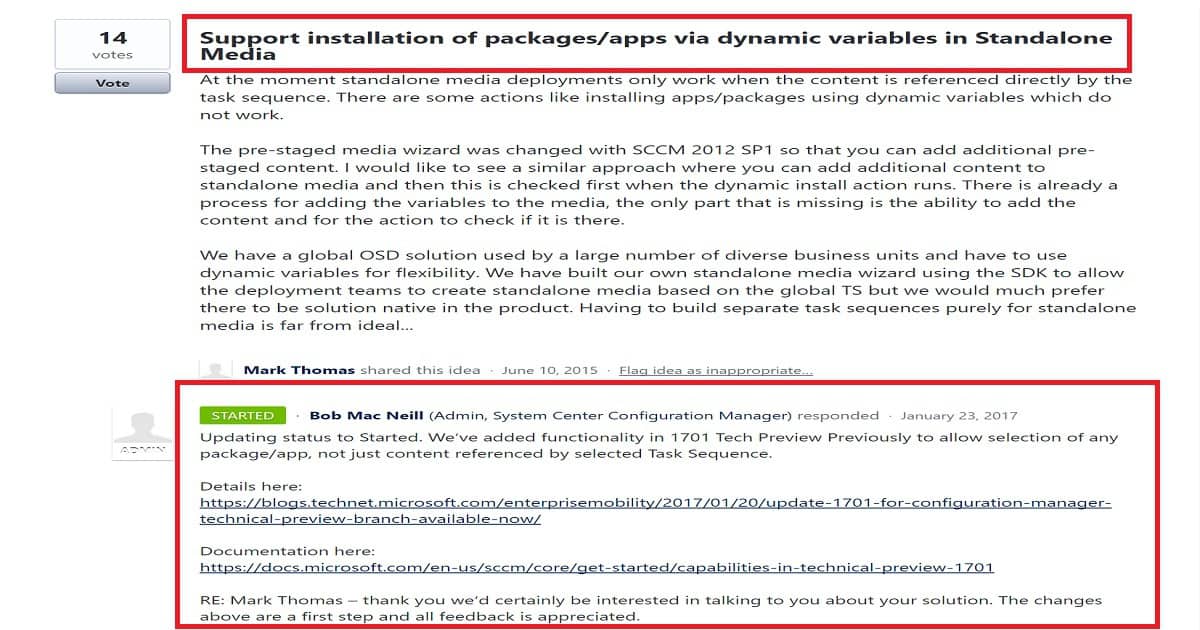
Is this true for all the SCCM CB builds? Yes, indeed, the dynamic apps or packages won’t get installed automatically. But, we have a user voice item to include these features in offline standalone media. You can check out the User Voice item from here.
As you can see in the above picture, development work has already started on this User Voice item. The latest version of SCCM CB 1709 does not include the installation of dynamic applications and packages. However, the SCCM CB standalone media wizard can consist of the content of dynamic applications referenced in the Task Sequence.
We can use SCCM SDK to build offline standalone media solutions and include dynamic application installation features as part of SCCM standalone media. But it would be great to have this option as a native feature of SCCM.
I think the apps/packages referenced in the original task sequence will get installed automatically.
How to Create SCCM CB Standalone Media?
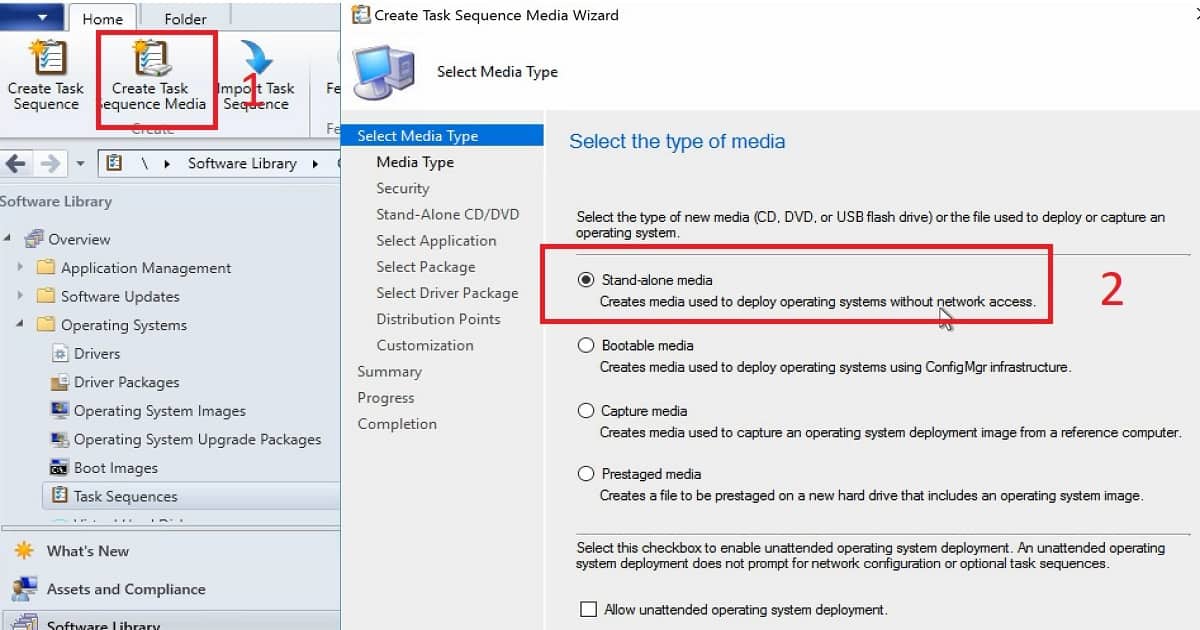
Navigate via the SCCM Console Software Library work space—Operating Systems—Task Sequences. Click on the “Create Task Sequence Media” button from the ribbon menu of the SCCM CB console. The Create Task Sequence Wizard has four media creation options. This post will show how to create standalone media for SCCM CB.
| Create SCCM CB Standalone Media | Details |
|---|---|
| Standalone Media | Creates media used to deploy operating systems without network access. |
| Bootable Media | Creates media to deploy operating systems using SCCM infra connectivity. This media does not contain OS images and applications. |
| Capture media | Creates media used to capture operating system deployment images from a reference computer. |
| Prestaged media | Prestaged media creates a file, including an operating system image, to be prestaged on a new hard drive. |
- Standalone Media – Creates media used to deploy operating systems without network access.
- Bootable media—Creates media to deploy operating systems using SCCM infra connectivity. This media does not contain OS images and applications.
- Capture Media – Creates media used to capture operating system deployment images from a reference computer.
- Prestaged Media creates a file, including an operating system image, to be prestaged on a new hard drive.
More details are available in the video tutorial here Explained above.
Specify the media type – The media type page has two options. One for removal of media like a USB drive. Another option is a CD/DVD set. You can also specify the media size – 4 GB, Unlimited, etc… You can select the path where you want to save the ISO file of standalone media.
Select security settings for the media—To increase safety and avoid accidental OS re-imaging; we can set a password for standalone media and select an expiration date.
Select the Task Sequence, which will help rebuild the machine. This page will show you the details of the Task Sequence content. On the next page, Select application content to add. You can select the apps you want to be part of Offline standalone media. The content of the selected apps and packages will be available for manual installation on the device.
On the Distribution Points page, specify the distribution points containing the content required by the task sequence, then click Next. You must have Read access rights to the content library on the distribution points. Make sure these contents are distributed to the DP. Otherwise, you won’t be able to create SCCM CB Standalone media.
More Details are Available in the Video Tutorial here
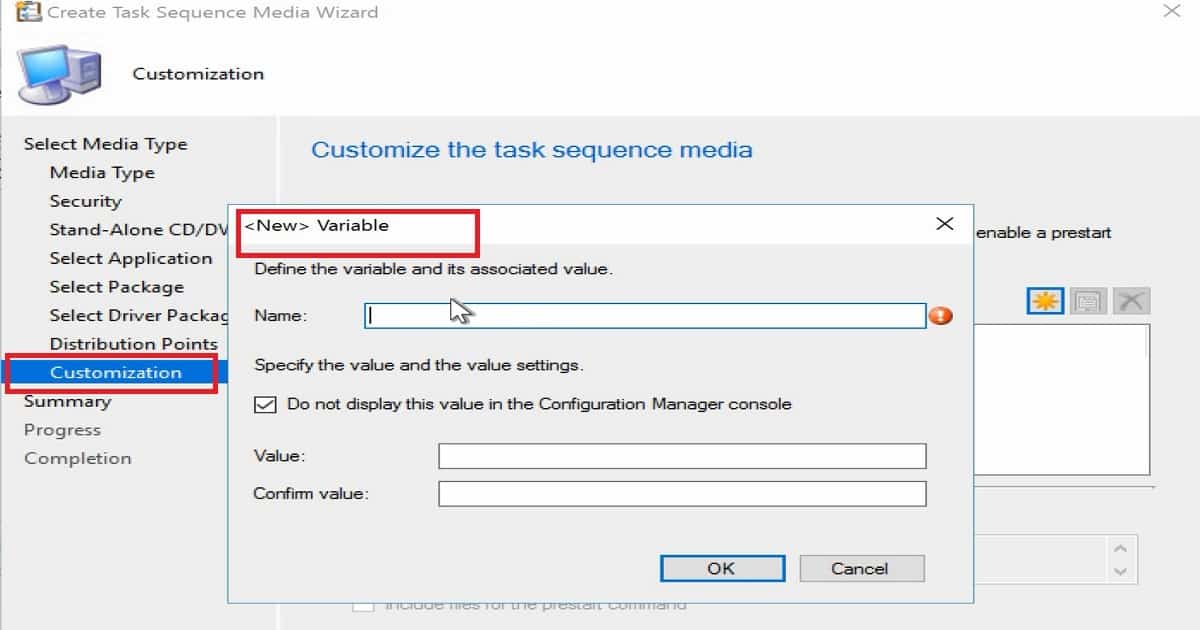
Specify the variables that the task sequence uses to deploy the operating system. This will help customize the Operating system during the build. It could also help with installing the language pack, setting up timezones and regional settings, etc.
You will also have the option to specify any prestart commands you want to run before the task sequence to SCCM standalone media.
How to Troubleshoot SCCM Standalone Media Creation Issues?
Most offline media issues are WMI-related or memory-related. If the machine where you are trying to create offline media doesn’t have enough memory, you could get errors.
I explained another offline standalone media creation issue in the previous post: “SCCM ConfigMgr 2012 R2 SP1 Create TsMedia failed with error 0x800b0108.”
Conclusion
Installation of Dynamic Applications using standalone offline media is not supported with SCCM CB 1709. The content of these apps is part of standalone media, which helps to install the apps manually on the machine. I hope SCCM PG will include this feature to improve the experience for SCCM admins/operation teams.
Sample SCCM CB Standalone
Also, we can have a look at the log file CreateTsMedia.log. This log file will be located in the same location where your SCCM console is installed. C:\Program Files (x86)\Microsoft Configuration Manager\AdminConsole\AdminUILog.
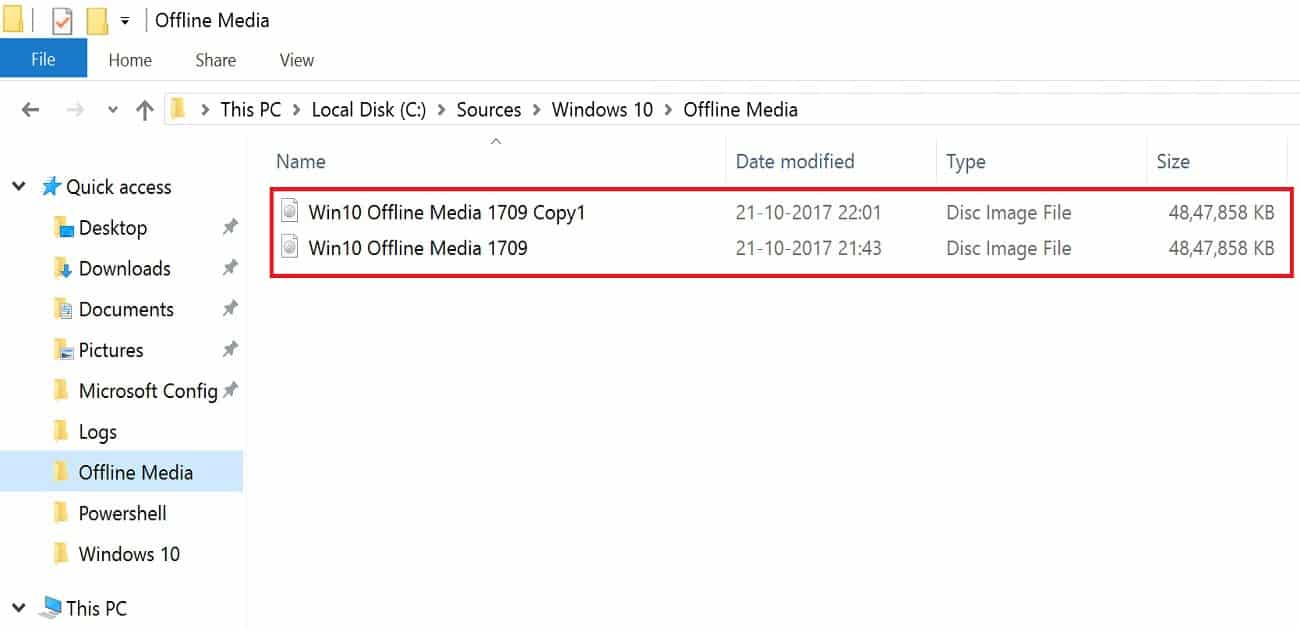
Success: Task sequence media information Success: Task sequence media information• Media type: CD/DVD set• Media size: Unlimited• Output path: \\SCCMTP1\Sources\Windows 10\Offline Media\Win10 Offline Media 1709 Copy1.iso• Allow unattended operating system deployment: No• Protect media with password: No• Task sequence: TP10001B-Windows 10 CYOD• Prestart command: No• Distribution point(s): SCCMTP1.INTUNE.COM• Total size of media content, MB: 4631• SHA256 checksums: \\SCCMTP1\Sources\Windows 10\Offline Media\Win10 Offline Media 1709 Copy1.iso403CB70C4620245E85ACFA735D0C2B64C90DC3AAEC3792A55D8E523039377EC0 Success: Applications:• Mozilla Firefox (ach) Success: Packages:• Microsoft Corporation User State Migration Tool for Windows 10.0.15063.0• Configuration Manager Client Package.
References
- Create stand-alone media with ConfigMgr
- Support installation of packages/apps via dynamic variables in Standalone Media
We are on WhatsApp now. To get the latest step-by-step guides, news, and updates, Join our Channel. Click here. HTMD WhatsApp.
Author
Anoop C Nair is Microsoft MVP! He is a Device Management Admin with more than 20 years of experience (calculation done in 2021) in IT. He is a Blogger, Speaker, and Local User Group HTMD Community leader. His main focus is on Device Management technologies like SCCM 2012, Current Branch, and Intune. He writes about ConfigMgr, Windows 11, Windows 10, Azure AD, Microsoft Intune, Windows 365, AVD, etc.




Hello,
I have ISO file (containing application setup and sql server) and there are no boot related files which negates the process of creating bootable media i believe.
Then, how to push the ISO file on devices via SCCM? Please help.