






Auto Rollout of Conditional Access Policy from Microsoft Entra ID Coming Soon
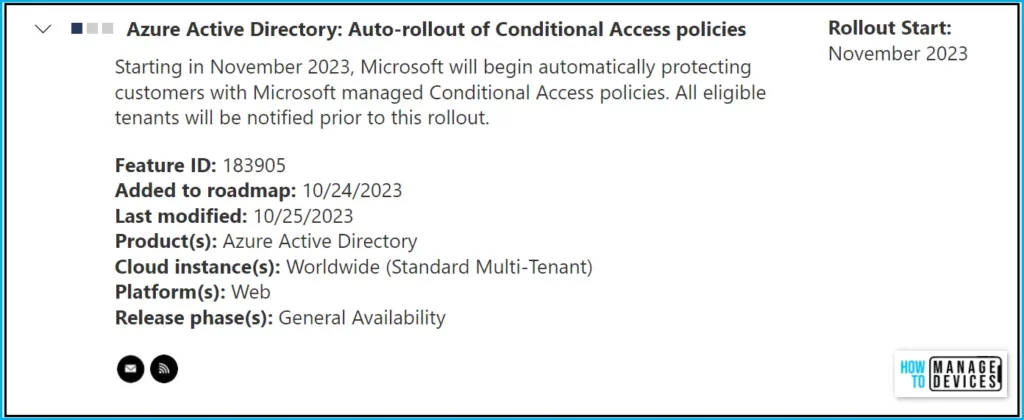
Let’s check what’s exciting addition brings up for you, Auto Rollout of Conditional Access Policy from Microsoft Entra ID. Microsoft will begin automatically protecting customers with Microsoft managed Conditional Access policies, which will be upcoming to you. All eligible tenants will be notified prior to this rollout.
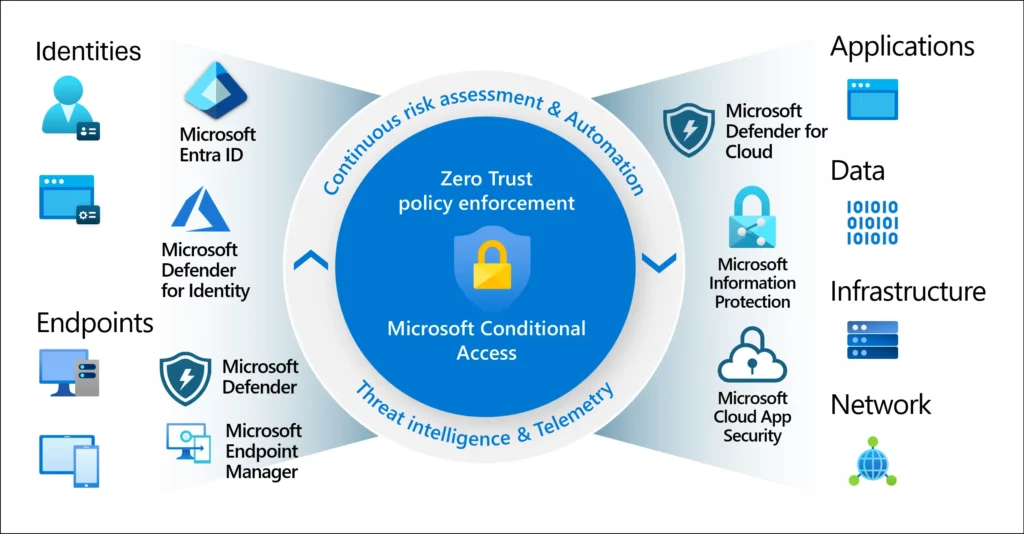
Conditional Access is the service offered by Microsoft, part of Microsoft Entra, to bring all the security signals together, make decisions, and enforce organizational policies. Conditional Access policies allow users to access corporate on any device if the user or device satisfies the Conditions configured.
The Azure AD conditional access policies are the first layer of defence. You should enable the MFA using Azure AD conditional access for all the portals such as Azure, Intune Admin Center, Microsoft 365, Teams, etc.
Conditional Access policies can be configured based on the state of Devices, Users, Applications, IP location and Real-time and calculated risk detection. You can block access if the condition is satisfied or Grant access to data per your organization’s requirements.

Azure Active Directory (Microsoft Entra ID): Auto Rollout of Conditional Access Policy Roadmap
Microsoft added the addition of Azure Active Directory (Microsoft Entra ID): Auto-rollout of Conditional Access policies to the roadmap in October 2023, this feature is expected in the General Availability and based on the mentioned date GA: November 2023.
| Feature | Release phase | Rollout Start (Expected) | Added to Roadmap |
|---|---|---|---|
| Azure Active Directory (Microsoft Entra ID): Auto-rollout of Conditional Access policies | General Availability | November 2023 | 10/24/2023 |
What is Conditional Access?
Conditional Access policies allow you to build conditions that manage security controls that can block access, require multifactor authentication, or restrict the user’s session when needed and stay out of the user’s way when not.
Microsoft Entra Conditional Access analyses signals such as user, device, and location to automate decisions and enforce organizational access policies for resources.
How to Enforce MFA using Conditional Access Policy?
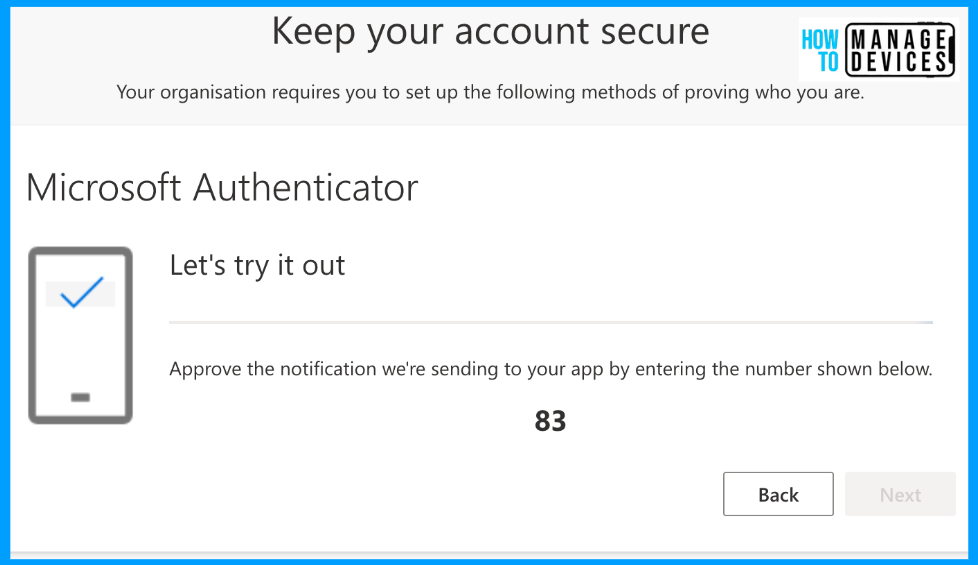
Enabling MFA for admins becomes easy with Azure AD Conditional Access (CA) policy templates; it’s pretty straightforward. You can create, configure, and test Azure AD Conditional Access policies using CA policy templates. You can enable MFA for normal users using the following guide – Quick Guide to Enforce Multifactor Authentication MFA for Users.
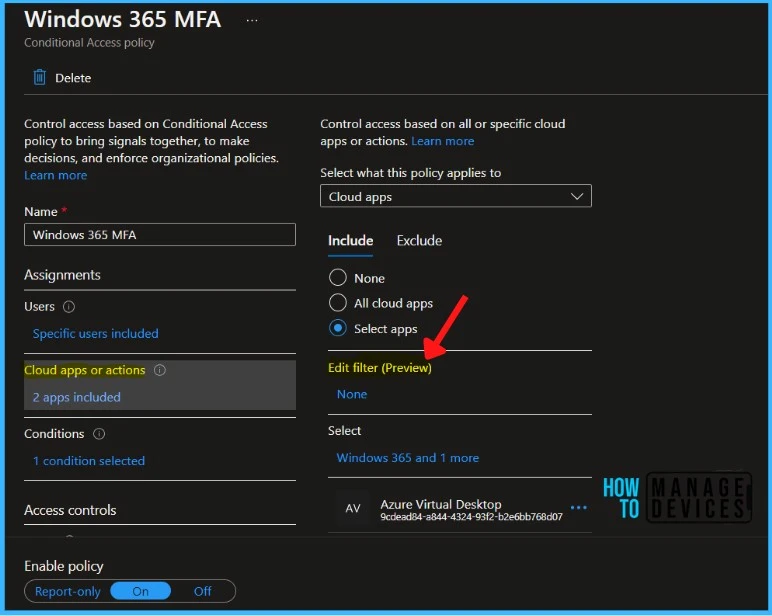
Application filters feature for Conditional Access that allows organizations to tag service principals with custom attributes. These custom attributes are then added to their Conditional Access policies. There is no limit on the number of apps covered, and new apps you add with the attributes are automatically included in the policies.
With filters for apps, admins can tag applications with custom security attributes and apply Conditional Access policies based on those tags rather than individually selecting apps.
There is no limit on the number of apps covered, and new apps you add with the attributes are automatically included in the policies. Attribute assignment builds on top of custom security attributes, delivering attribute customization and a rich delegation model.
We are on WhatsApp. To get the latest step-by-step guides and news updates, Join our Channel. Click here –HTMD WhatsApp.
Author
About Author – Jitesh, Microsoft MVP, has over six years of working experience in the IT Industry. He writes and shares his experiences related to Microsoft device management technologies and IT Infrastructure management. His primary focus is Windows 10/11 Deployment solution with Configuration Manager, Microsoft Deployment Toolkit (MDT), and Microsoft Intune.



I got the notice. How to switch it off?