






How to Block Windows Devices from Enrolling to Intune
Let’s discuss how to block How to Block Windows Devices from Enrolling to Intune. I have seen a scenario where Intune exclusively manages iOS and Android devices.
Windows devices are managed through SCCM and must be disabled or prevented from enrolling in Intune. We can achieve this with new Intune Enrollment restriction policies. I have a blog post explaining “How to Use Intune Enrollment Restriction Rules“.
This post covers everything you need to know about stopping Windows devices from enrolling in Intune. It explains each step clearly so you can understand it easily. Whether you’re just starting out or want to improve your setup, this post will guide you through keeping your devices out of Intune’s management system.
I tested Windows 10 enrollment to Intune via “Add Work or School Account.” This was tested successfully before restricting Windows 10 devices from the Intune console. Check out the following message after the Windows 10 device is successfully enrolled. More details are in the video below.

Table of Contents
- 2405 Microsoft Intune New Features May Update
- 2404 Microsoft Intune New Features April Update
- 2403 Microsoft Intune New Features March Update
How to Restrict Windows 10 Devices from Intune Management
This video provides a step-by-step guide on restricting Windows 10 devices from being managed through Intune. It covers all the necessary details, including the settings and configurations required to ensure proper restriction.
Add Work or School Account
“We’ve added your account successfully, and you can now access your organization’s apps and Services. The last step is setting up your new PIN to unlock this device.”
Change the Intune Device Enrollment Policy to Restrict Windows Device
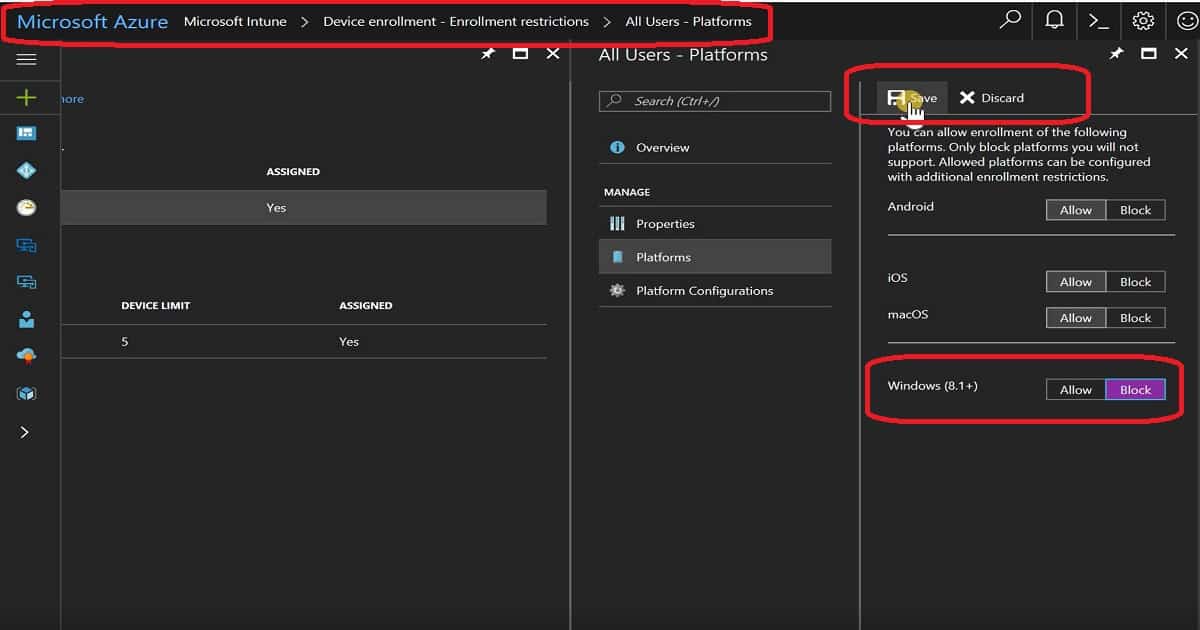
Navigate through the New Azure portal – Microsoft Intune – Device Enrollment – Enrollment restrictions. You will be able to see two Intune enrollment restriction policies: 1.
Device Type Restrictions and 2. Device Limit Restrictions. Device Type restriction is where we can restrict Windows (8.1 +) devices from enrolling on Intune.
This policy will prevent Windows 8.1 and later devices from Intune management and restrict Windows 10 device enrollment. Windows 10 mobile devices will also be blocked when we configure this policy.
End-User Experience of Windows 10 Device Restriction
I successfully added a Work or School account to a Windows 10 1703 device. The one change I noticed through the enrollment process is that it didn’t prompt for MFA. After this enrollment, the message I received differed from the one I got above.
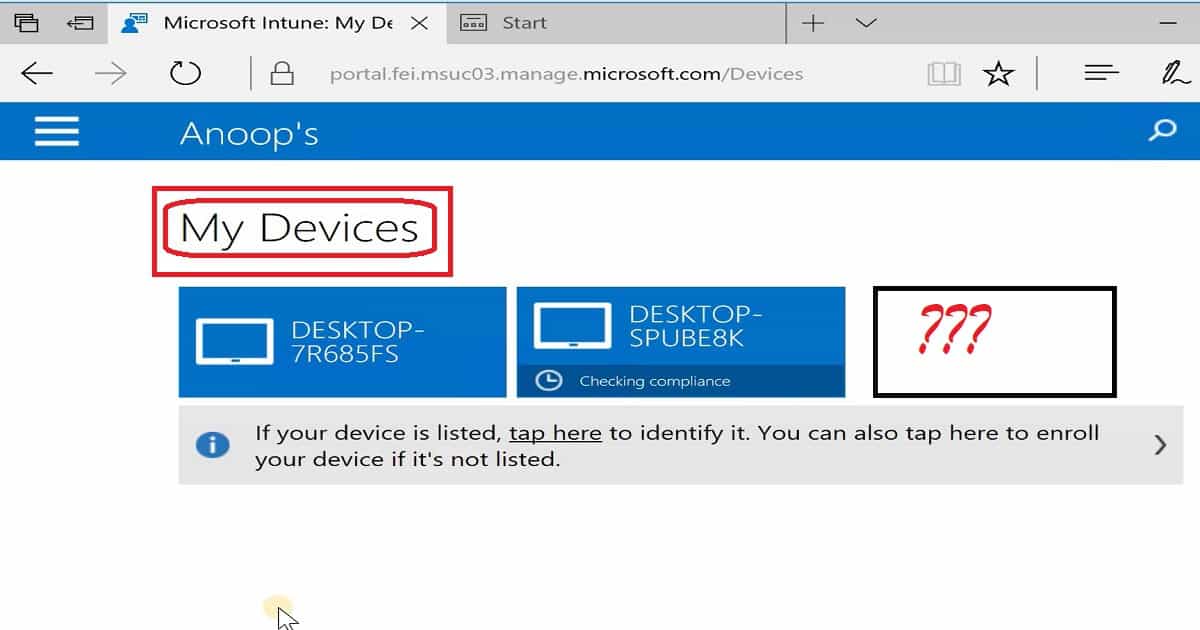
We’ve successfully added your account, and you can access your organization’s apps and Services. Moreover, the machine was NOT available in the company portal application under the “My Devices” list. So, the device enrollment never failed as I expected. The device was enrolled without any error.
However, the main question is whether this device would be managed via Intune. Did the device receive Intune policies? The answer is in the paragraph below.
Experience on Azure – Intune Portal for Windows 10 Restriction
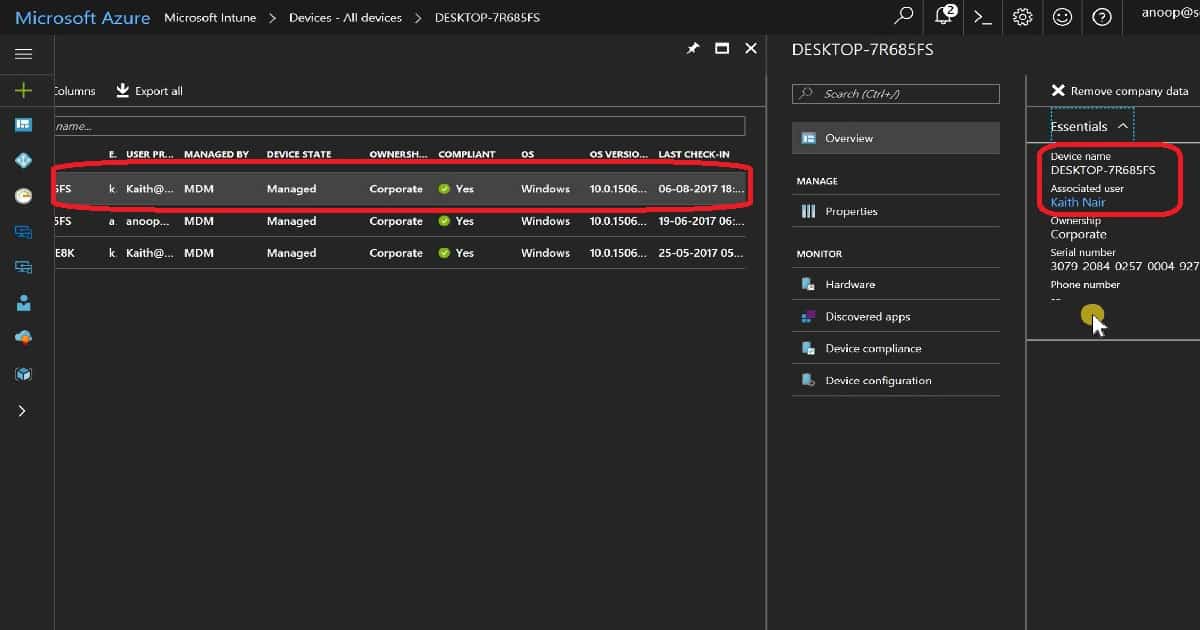
The Windows 10 enrolled device was NOT listed in Intune – All Devices (Microsoft Azure – Microsoft Intune – Devices – All Devices). However, the device was listed in Azure AD, as shown in the video tutorial.
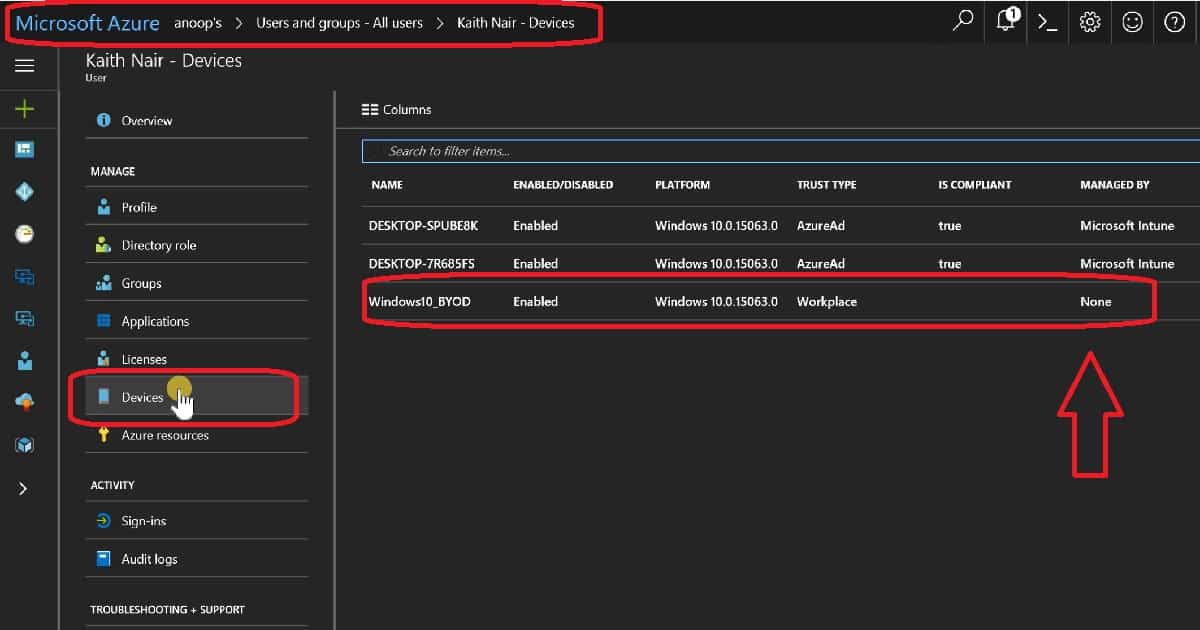
The Windows 10 device was listed under Azure AD against the user’s devices (Microsoft Azure—Users and groups—All users > Kaith Nair). But, as you can see in the screenshot below, the Windows device is NOT MANAGED by INTUNE.
Hence, the device won’t receive any Intune policies or be managed through Intune. It also won’t have access to corporate mail, SharePoint, OneDrive, and Skype for Business.
| NAME | ENABLED/DISABLED | PLATFORM | TRUST TYPE | IS COMPLIANT | MANAGED BY |
|---|---|---|---|---|---|
| Windows10_BYOD | Enabled | Windows 10.0.15063.0 | Workplace | None | None |
References
- Set Intune enrollment restrictions policies – here
- How to configure device restriction settings in Microsoft Intune – here
We are on WhatsApp now. To get the latest step-by-step guides, news, and updates, Join our Channel. Click here. HTMD WhatsApp.
Author
Anoop C Nair is Microsoft MVP! He is a Device Management Admin with more than 20 years of experience (calculation done in 2021) in IT. He is a Blogger, Speaker, and Local User Group HTMD Community leader. His main focus is on Device Management technologies like SCCM 2012, Current Branch, and Intune. He writes about ConfigMgr, Windows 11, Windows 10, Azure AD, Microsoft Intune, Windows 365, AVD, etc.


But that also means that NO windows device can be enrolled, right?
I want only prevent the enrollment of private devices, is that possible?
Quick question: I want to go for devices auto enrolment to AAD and Intune but I don’t want the user to be the local admin for that device. I have enable the GPO but it not helped.
StaffWe have an option to remove the admin rights via AutoPilot profiles
Do you know the device enrollment restriction also restricts HAADJ auto enrollment?
StaffHAADJ devices are treated as corperate owned devices and mostly enrolled using group policy. I’m not 100% sure whether it’s supported or not. But it’s worth a try