






SCCM Microsoft RAP Real-World Tips for IT Pros
Let’s discuss the SCCM Microsoft RAP Real-World Tips for IT Pros. Preparing for Microsoft RAP for SCCM CB infrastructure was an interesting new experience for me.
This post will provide tips for successful and effective SCCM MS RAP data collection in the Real World.
I recommend running the MS RAP for SCCM from your top-most site in the hierarchy. If you have an SCCM hierarchy, perform SCCM MS RAP from the CAS server or any device connected to the same domain.
In this post, you will discover how to improve your ConfigMgr Microsoft RAP results with practical, real-world tips for SCCM admins. These tips are designed to help you optimize your system’s performance and security based on insights from actual RAP assessments.

Table of Contents
- New Features in SCCM Technical Preview 2401
- New Key Features of SCCM 2309 | Top Improvements
- Download SCCM 2309 Early Ring Version using PowerShell Script
- SCCM Versions Build Numbers Client Console Site
- End of Support Dates for SCCM CB Current Branch | ConfigMgr | SCCM End of Life
- SCCM Unsupported Deprecated or Removed Features
What is SCCM Microsoft RAP? SCCM Microsoft RAP Real-World Tips for IT Pros
RAP is the Risk Assessment Program run by Microsoft’s premier support organization. SCCM MS RAP is a specific risk assessment program identifying SCCM-related issues/risks in your hierarchy or primary site.
High-level Steps to Complete SCCM RAP Successfully – Review Prerequisites on your Tools Machine
Understanding the RAP Agent’s prerequisites and identifying the machine (the tool machine) on which you want to run the tool is essential.
The account you plan to use to run the RAP agent should have Full SCCM Admin, SQL SYS Admin, and Local Admin access on all SCCM sites and site system servers.
Running the RAP agent from the SCCM site server (CAS or Primary) is not recommended, but this is not a blocking point. You should be able to run the SCCM RAP agent from the CAS or the Primary server.
According to Microsoft, the tool should run on any machine in the same domain as the SCCM primary server or CAS.
There are also some software prerequisites for the RAP tool. It’s essential to run/launch the tool with “Administrator” access. Otherwise, you may encounter issues like the one below.
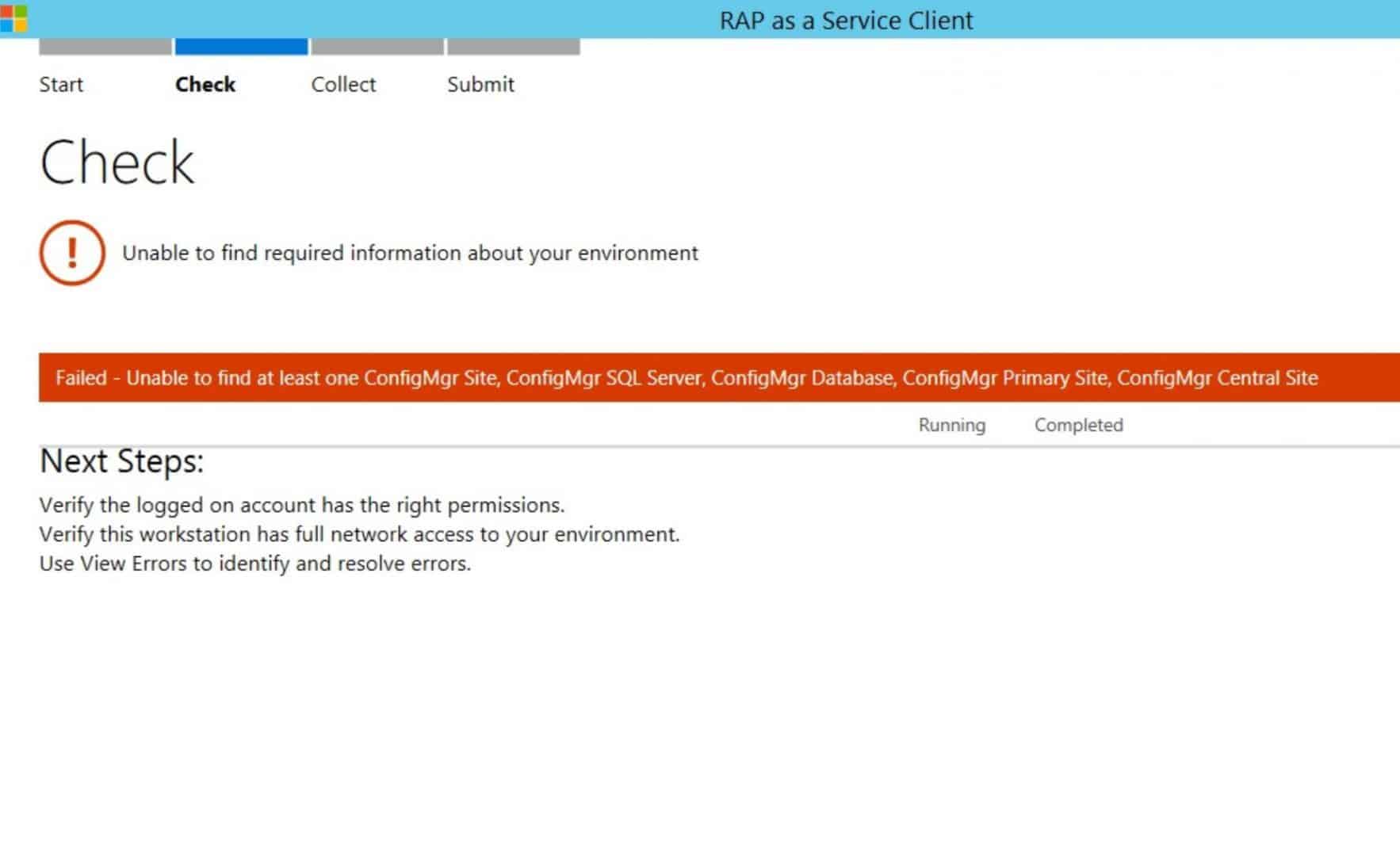
Here are some helpful log files for the RAP tool’s access-denied errors: “Unable to find the required information about your environment.”
C:\Users\Documents\RaaS\Logs\ and C:\Users\Documents\RaaS\Tracking\
Collect Data from your SCCM Environment
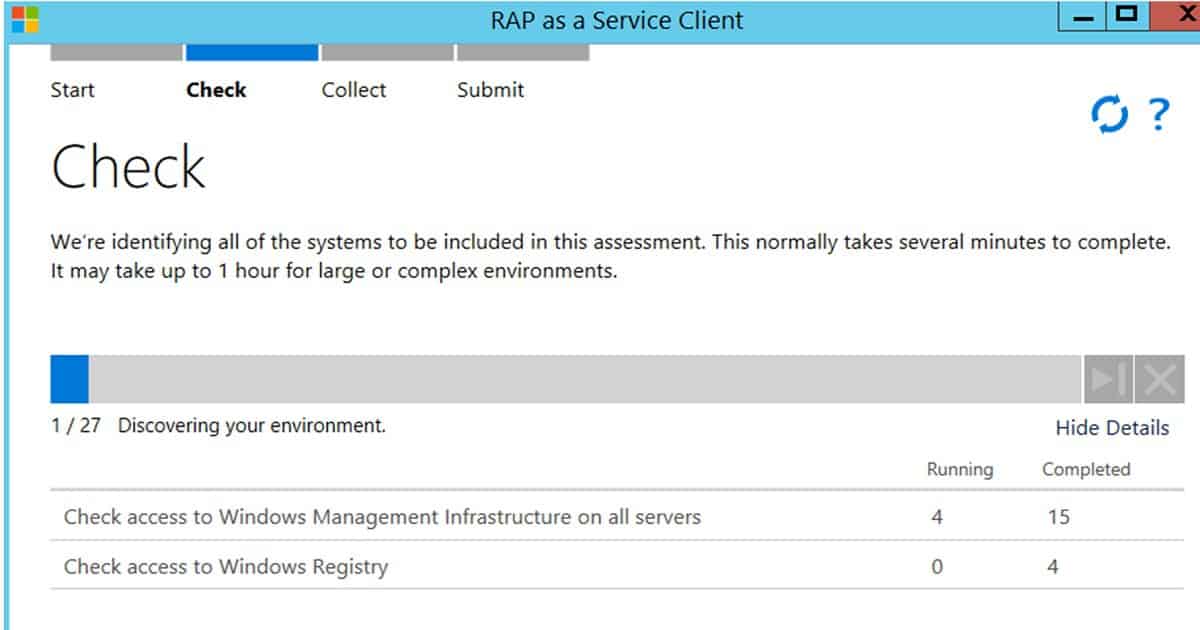
Collecting data is THE MOST critical step in the SCCM RAP process. Depending on the size of your environment, data collection will take 3-4 hours. I recommend avoiding collecting data from SCCM DPs when you have 100 DPs.
When your remote MPs/SUPs are in an untrusted forest, the RAP agent can’t connect to those remote SCCM site systems. You can skip those remote site systems in remote untrusted forests or DMZs.
Submit the SCCM RAP Data to Microsoft Premier Services
There are two ways to submit the collected SCCM environment data from your environment to Microsoft services. You can submit the data from the tool machine to Microsoft services using the recommended method. Another way to upload the data is via an offline procedure.
Take the Questionnaire about your IT Environment
Taking the questionnaire as part of the RAP program is also an essential step. This will give you a better idea of your environment’s processes and best practices. Based on your answer to the RAP questionnaire, Microsoft will suggest the best practices we must follow for a better environment.
Quick Tips on the Ports and Connectivity Required for RAP Tool
1. Ensure you connect the Target Server Name in the RAP Tool. This should be your SCCM Server, either your primary or CAS server.
2. Test the connectivity from the Collection Machine Connectivity instance hosting the SCCM database: Use SQL Server Management Studio (SSMS) to connect to the SQL instance hosting the SCCM database using Windows Authentication Mode.
3. Firewall configuration (Hardware and Windows Firewalls) required between the Tool Machine and SCCM site servers (Primary or CAS)/ MPs/SUPs/DPs
Port + Protocol Notes
TCP 135 RPC Endpoint Mapper
TCP 1024—65535 Dynamic Ports used by RPC/DCOM/WMI
TCP 139 NetBIOS session service /SMB
TCP 445 SMB over sockets/TCP
TCP 1433 Default SQL Instance Port (if you have a custom port, please make a rule for it)
UDP 137 NetBIOS name service
UDP 138 NetBIOS
UDP 1434 SQL Browser
4. Check and ensure no third-party firewall or antivirus software with built-in firewall functionality is installed. You will need to turn off the antivirus software.
References
RAP as a Service Documentation – PDF-Datasheet and Prerequisites for SCCM RAP – here
RAP as a Service (RaaS) from Microsoft Services Premier Support – Here
We are on WhatsApp now. To get the latest step-by-step guides, news, and updates, Join our Channel. Click here. HTMD WhatsApp.
Author
Anoop C Nair is Microsoft MVP! He is a Device Management Admin with more than 20 years of experience (calculation done in 2021) in IT. He is a Blogger, Speaker, and Local User Group HTMD Community leader. His main focus is on Device Management technologies like SCCM 2012, Current Branch, and Intune. He writes about ConfigMgr, Windows 11, Windows 10, Azure AD, Microsoft Intune, Windows 365, AVD, etc.




Thanks for this, I was invited to a meeting on this and needed some background before I attend, this was really helpful of what I should expect before the meeting.
StaffThanks