






Fix ConfigMgr Client Notifications Issue | SCCM 2010 Hotfix | Configuration Manager
One of the known issues with ConfigMgr 2010 is fixed with a new Hotfix KB 4594177. Learn how to fix ConfigMgr Client Notifications sent to all Collection Members even if you initiate an action for one device from that collection. This hotfix applies to all ConfigMgr 2010 environments, including early update rings, and is globally available.
Microsoft released the SCCM opt-in version of 2010 on Nov 30th, 2020. You can learn more about the new features of the ConfigMgr 2010 production version. Let’s get more details from the Top 5 New Features of SCCM 2010 | ConfigMgr.
Our article “Best Way to Manage SCCM Client on Windows Server Core Machines” explains how to manage SCCM clients on Windows Server Core machines efficiently. This guide is perfect for readers who want to improve their skills. This post will show you how to use only the Command Line to manage SCCM clients.
In this post, you’ll find all the details on how to fix ConfigMgr client notification issues using the SCCM 2010 hotfix. Whether you’re facing problems with notifications in Configuration Manager, our guide provides straightforward steps to resolve them.

Table of Contents
Introduction – Fix ConfigMgr Client Notifications Issue
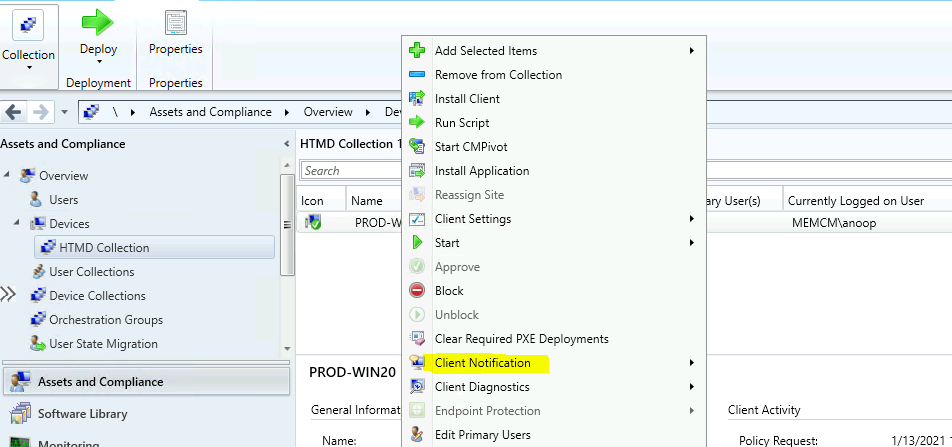
The following are the details of the issue with the notification service in ConfigMgr version 2010. We are selecting a subset of devices in the collection membership view of the ConfigMgr console and choosing an option under Client Notification, which results in all collection members receiving the notification.
- FIX SCCM Client WMI Issues | ConfigMgr | WMImgmt Errors
- Fix SCCM Client-Side Patching or Software Updates Issues Troubleshooting Tips
- FIX SCCM Client Issues Using Automation Client Health
For example, after selecting one device in a collection and choosing the Restart option, all collection members receive the notification instead of just the selected device.
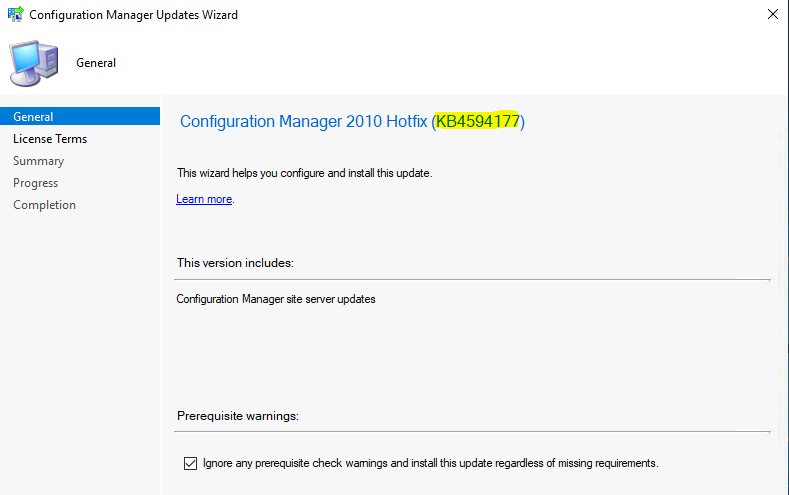
This hotfix applies only to the server side. There is no client-side update for hotfix KB4594177. Hence, you won’t see the following option in the Configuration Manager Updates Wizard, similar to Client Update Settings.
Primary Server Hotfix Install KB4594177
The installation process for the Hotfix for ConfigMgr 2010 Primary Server is similar to all the other Hotfix installations. You must install the hotfix on the CAS or the stand-alone primary server. The child’s primary servers will be automatically updated.
| Primary Server Hotfix Install KB4594177 |
|---|
| Launch the Configuration Manager Console, |
| Select the Administration tab, |
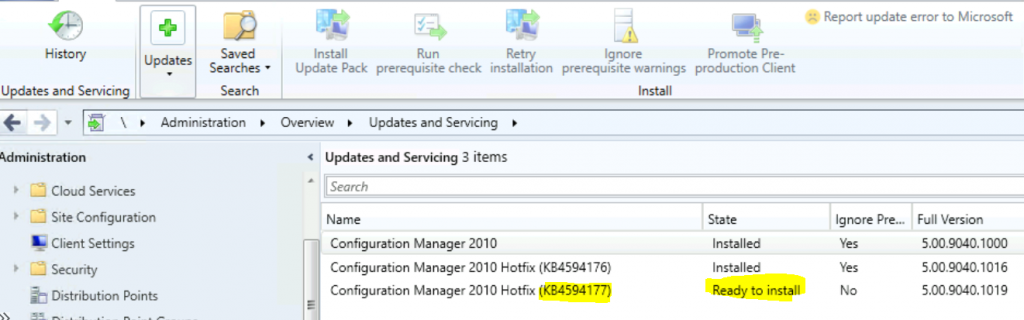
| Expand Overview -> Select Updates and Services |
NOTE! – Ensure the update has already been downloaded to the primary server.
- The update Configuration Manager 2010 Hotfix KB4594177 is Ready to install stage.
- Right-click on the update and click on Install Update Pack
This wizard helps you configure and install this SCCM 2010 Hotfix update. Click Next.
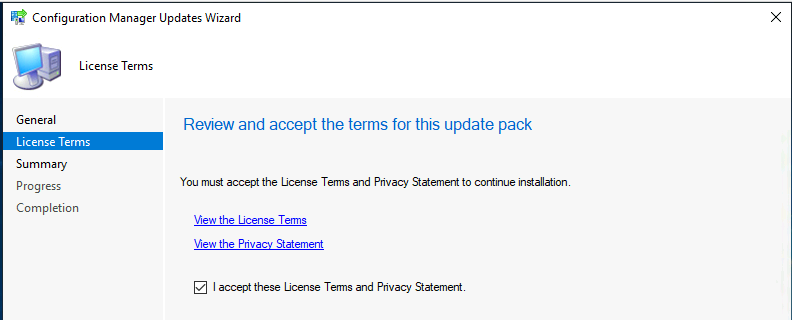
Accept the license and click on Next to continue.
Click Next and close to start the ConfigMgr 2010 Hotfix update (KB4594177).
Summary of update package installation -Install Update Package Configuration Manager 2010 Hotfix (KB4594177)
Prerequisite warnings will be ignored.
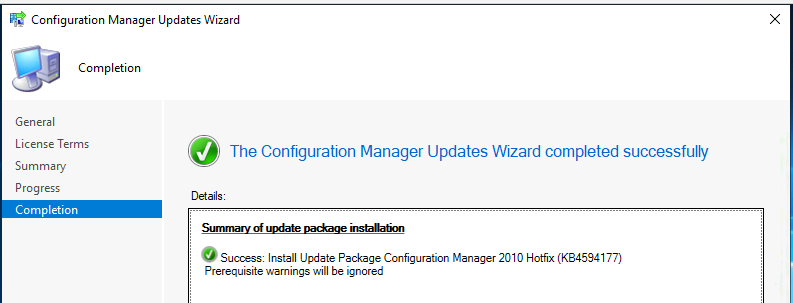
Completed
The update KB4594177 is completed successfully.
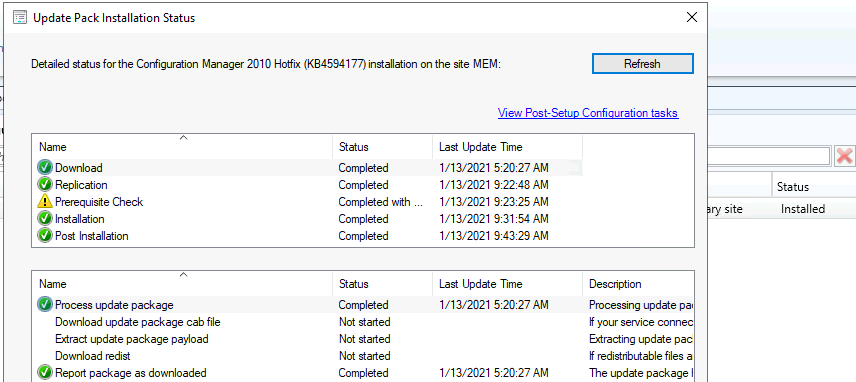
Version
SCCM 2010 version details after installing KB4594177. There is no change since this hotfix does not have a client update.
- Console Version – 5.2010.1093.1900
- Site Version – 5.00.9040.1000
- Full Version – 5.00.9040.1019
- Client Version – 5.00.9040.1015
- Build Number – 9012
Secondary Server Update
In previous blog posts, I explained how to install hotfixes on SCCM secondary servers. I will let you read through the Secondary Server Hotfix Installation Guide, Fix Secondary Server Recovery Failed Issue, and Secondary Server Hotfix Installation Status.
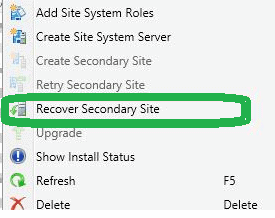
Don’t worry about the configurations of the secondary site after the recovery; they will stay intact. Follow the steps mentioned below:
- To update a secondary site in the ConfigMgr console.
- Click Administration, Site Configuration, Sites, and Recover Secondary Site.
- Then, select the secondary site you want to upgrade.
- The primary site then reinstalls that secondary site by using the updated files.
Resources
We are on WhatsApp now. To get the latest step-by-step guides, news, and updates, Join our Channel. Click here – HTMD WhatsApp.
Author
Anoop C Nair is Microsoft MVP! He is a Device Management Admin with more than 20 years of experience (calculation done in 2021) in IT. He is a Blogger, Speaker, and Local User Group HTMD Community leader. His primary focus is Device Management technologies like SCCM 2012, Current Branch, and Intune. He writes about ConfigMgr, Windows 11, Windows 10, Azure AD, Microsoft Intune, Windows 365, AVD, etc.




Discussion