





Windows 365 for Agents Brings Secure IT-Managed Cloud PCs for Enterprise AI Workloads
Key Takeaways
- AI agents now get dedicated, managed Cloud PCs for execution
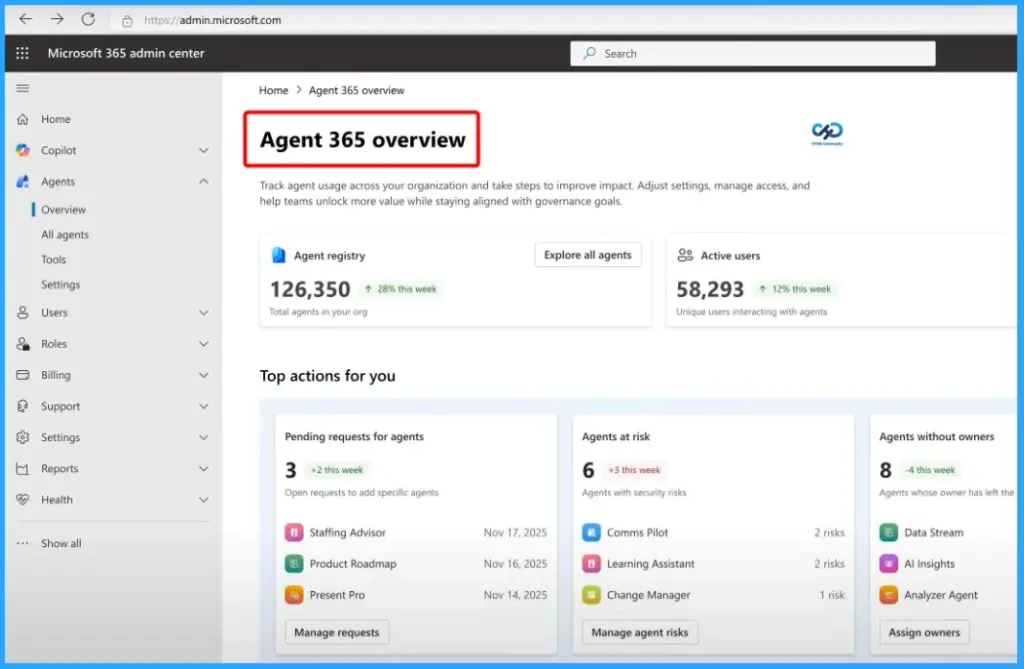
- Agent 365 provides governance and visibility for agent execution.
- Enables scaling from pilot projects to production deployments
- Supports UI-based automation for legacy and modern apps
In this post, we are discussing Windows 365 for Agents Brings Secure IT-Managed Cloud PCs for Enterprise AI Workloads. Microsoft has introduced Windows 365 for Agents in public preview, marking a significant step in how enterprises deploy and manage AI agents. As organizations increasingly rely on AI to automate tasks and workflows, the question of where and how these agents operate securely has become critical.
What is Windows 365 for Agents?
Table of Contents
Windows 365 for Agents Brings Secure IT-Managed Cloud PCs for Enterprise AI Workloads
However, many business applications still depend on user interfaces rather than APIs, making it challenging for AI agents to interact effectively in a secure and governed environment. To address this gap, Microsoft is offering a solution that provides a managed runtime environment for AI agents.
- Windows 365 for Agents integrates with Microsoft 365 Copilot
- Public preview is available only in the US.
- Understanding Entra Agentic AI in Security From Manual Work to Fully Autonomous Agents
- How Windows 365 for Agents Performs Intelligent PowerPoint Editing in Cloud PC
- Enhancing Threat Detection and Identity Protection with AI Security Copilot Agents
What’s New
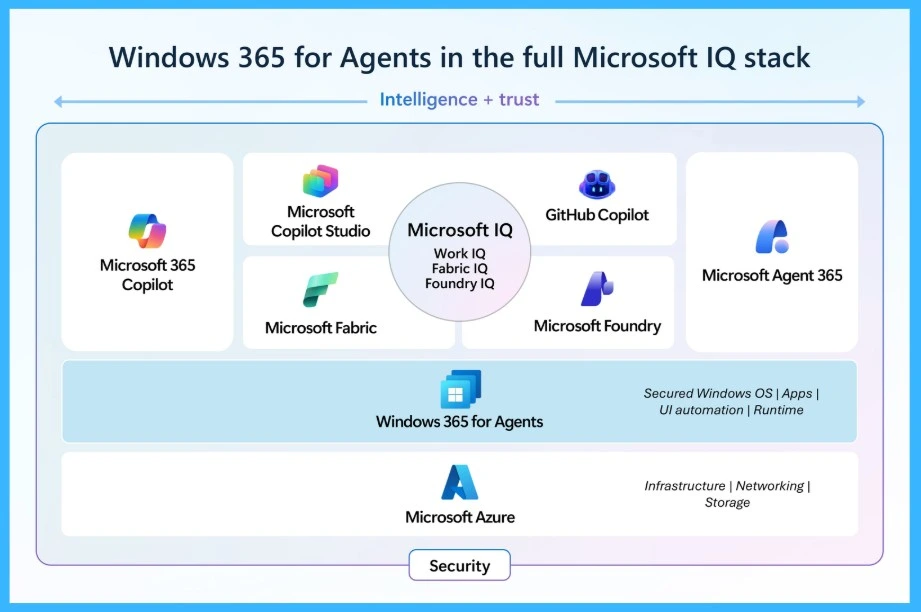
Microsoft has introduced Windows 365 for Agents in public preview, offering a dedicated Cloud PC environment designed specifically for running AI agents securely at scale. Each agent now operates on its own managed Cloud PC, with identity, security policies, and compliance controls handled through Microsoft Intune.
This release also works closely with Microsoft Agent 365, which acts as the control plane for defining and governing agent behavior, while Microsoft 365 Copilot continues to bring AI into everyday work applications.

- Setup requires Agent 365 license, Intune license, and Azure subscription.
- Deployment involves creating blueprints, billing setup, and Cloud PC pools.
| Evaluation Area | What It Enables |
|---|---|
| UI‑Dependent Applications | Supports agents that must interact with legacy tools, browser workflows, or systems lacking APIs, executing tasks via clicks, typing, and navigation. |
| Security and Compliance | Provides enterprise‑grade identity governance, policy enforcement, and audit trails to ensure agent actions are controlled and traceable. |
| IT‑Managed Environments | Delivers Cloud PCs managed through Intune, removing the need for custom infrastructure while aligning agent workloads with existing IT practices. |
| Human‑in‑the‑Loop Models | Enables agents to collaborate with people, requesting approval for sensitive actions and balancing automation with oversight. |
| Target Audience | IT administrators, security teams, digital workplace leaders, and platform teams are responsible for enabling AI safely across the organisation. |
Need Further Assistance or Have Technical Questions?
Join the LinkedIn Page and Telegram group to get the latest step-by-step guides and news updates. Join our Meetup Page to participate in User group meetings. Also, join the WhatsApp Community and the WhatsApp channel to get the latest news on Microsoft Technologies. We are there on Reddit as well.
Author
Anoop C Nair is a Workplace Technology solution architect with 25+ years of experience. Microsoft Certified Trainer. Microsoft MVP from 2015 onwards for consecutive 11+ years! He is a blogger, Speaker, and Founder of HTMD Community and HTMD Conference. His main focus is on Device Management technologies like Intune, Windows, and Cloud PC. He writes about technologies like Intune, SCCM, Windows, Cloud PC, Entra, and Microsoft Security.




Discussion