






Copilot Enhances Troubleshooting using Intune and Device Query to Resolve Missing Patches
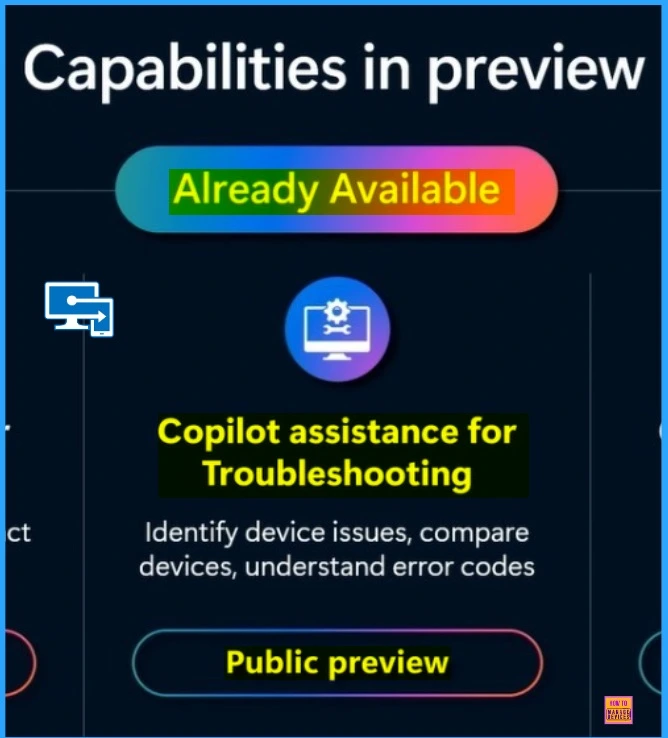
Let’s discuss Copilot Enhances Troubleshooting using Intune and Device Query to Resolve Missing Patches Introduced on Ignite 2024. Microsoft has improved the Troubleshooting and Remediation in Intune with Security Copilot. This facility is announced on Ignite 2024.
Microsoft Intune troubleshooting is a feature that helps users diagnose and fix issues with Intune. Intune Troubleshooting with Security Copilot is designed to assist IT administrators in managing complex workflows and troubleshooting issues using generative AI functionality.
As you know, with Copilot, Intune, and Device Query, which was recently released, you can translate natural language business intent into KQL expressions. Device query provides real-time access to devices, allowing you to understand their attributes and then take necessary device actions.
In the Intune Troubleshooting Device, Query plays a vital role. By running KQL queries, administrators can quickly diagnose and resolve issues, improving the efficiency and effectiveness of the troubleshooting process. This blog post will help you to know more about Intune Troubleshooting and Remediation with Security Copilot.

Table of Contents

Copilot Enhances Troubleshooting using Intune and Device Query to Resolve Missing Patches
As mentioned above, the Device query provides real-time access to devices. This ability allows you to identify a missing patch. There has been a report, and you want to understand if a particular patch has been missing from a device. If yes, you can remediate it.
The Intune Troubleshooting and Remediation with Security Copilot topic was discussed at Ignite 2024. Mr Amit Ghodke, the principal product manager architect, explained this particular topic at the event.
| Features of Effective Troubleshooting and Remediation |
|---|
| Real-Time Devie Query |
| Remote Actions |
| Natural languages |
- Policy Management with Copilot Simplify Configuration and Enhance Security in Intune
- Explore Kusto Query Language (KQL) and Intune Device Query
- List of Intune Devices with Patch Deployment Status and Country Details using KQL queries
Remediate Missing Patch
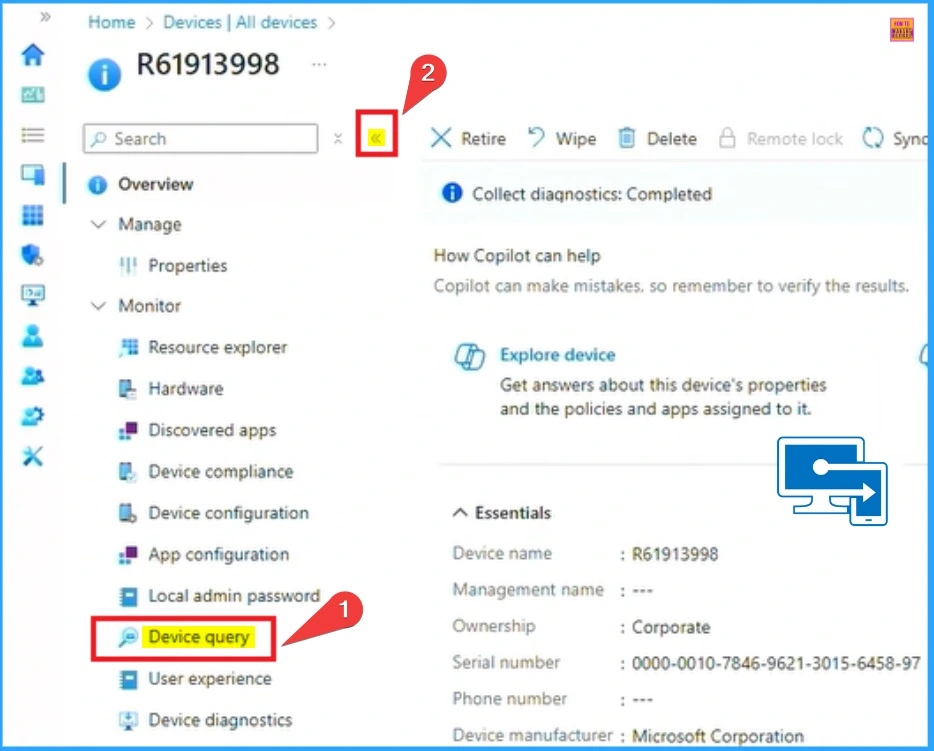
To Remediate the Missing Patch, Open the Intune admin center. Then, click on the device, access the device query blade, and select it. In this post, I will explain a scenario that is demonstrated on Ignite 2024.
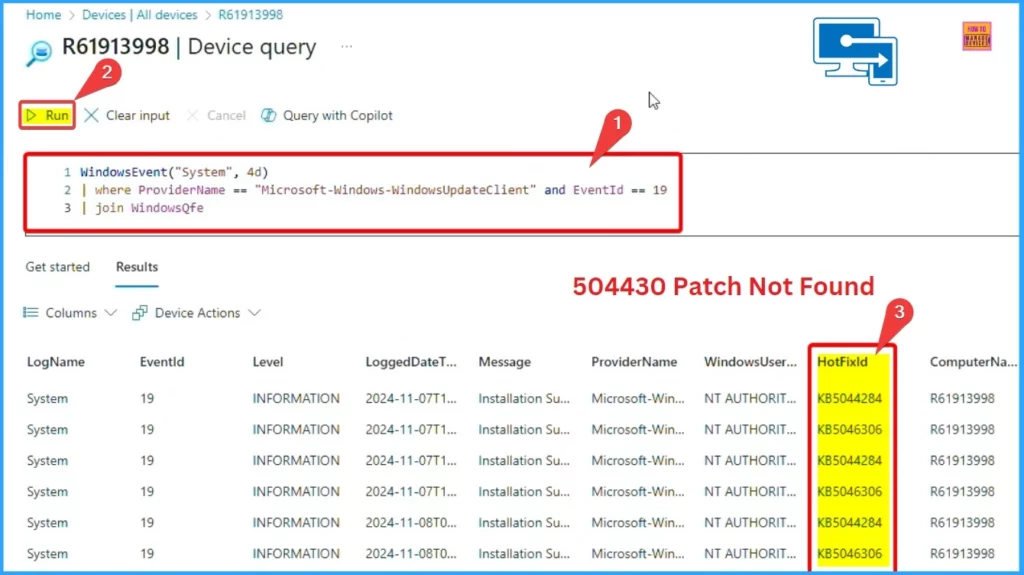
On the Device Query Blad, one of my administrators, who is a KQL expert, has given me the query to look at the event logs. You can use the query and then scour the event logs to figure out if patch 504430 was actually installed on this device. Sure enough, it was not installed.
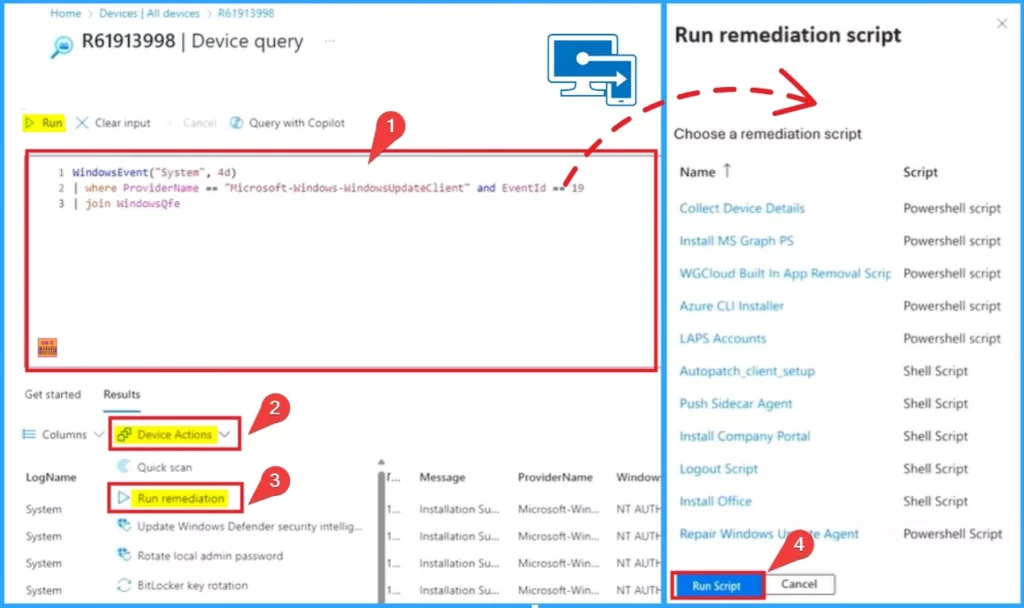
Remediate Script
Next, I will create a remediation script that I can use to restart the Windows update agent and perform other actions to fix this update scenario.
- After Running the Script, I cannot find the patch 504430
- So we can go to Device Action on the Result Tab
- Select the Run Remediation option from Device Action
- From the Pop-up window of Run Remediation Script, click on the Run Script
The screenshot below shows the patch installed on the device. After the patch is installed, you will get a notification on the Intune Portal saying, “Run script action installed.”
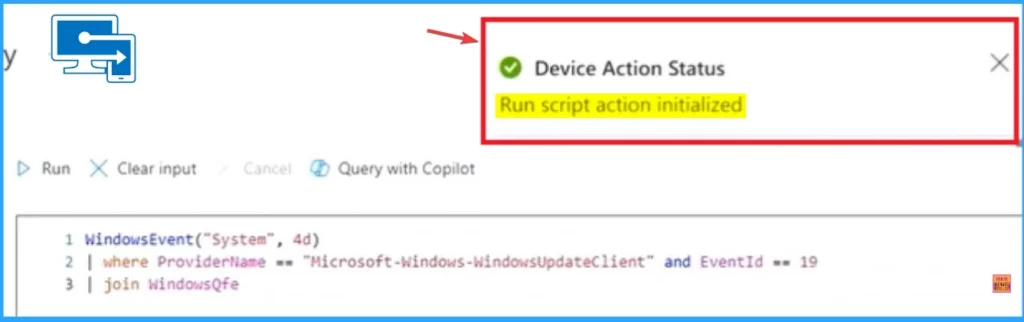
- Ignite 2024 Update Microsoft Intune AI-powered Endpoint Management | Unified Endpoint Activity
- New Windows 365 Client Endpoint Windows 365 Link the First Cloud PC Device and Native Management via Intune
- Top 75 Latest Intune Interview Questions and Answers
Create KQL Query with Copilot
But I want to validate if the patch was installed or not, iam going to leverage Copilot to help me reduce the complexity and quickly give me the KQL query that is required based on the schema and the attributes associated with the device query itself.
- Click on the Query with the Copilot Button
- You can ask the Copilot as “Was KB5044030 successfully installed on this device?”
- Click on the Add and Run
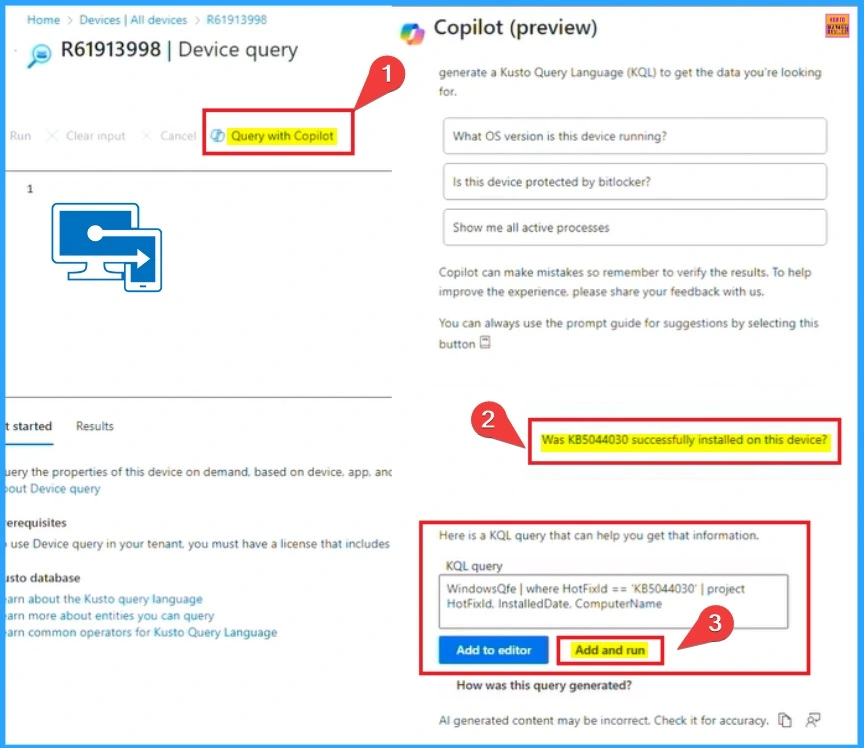
Copilot is translating this natural language expression into a real KQL query. I can add this KQL query and run it from the device query, which immediately tells me, “Yes, the patch was installed.”
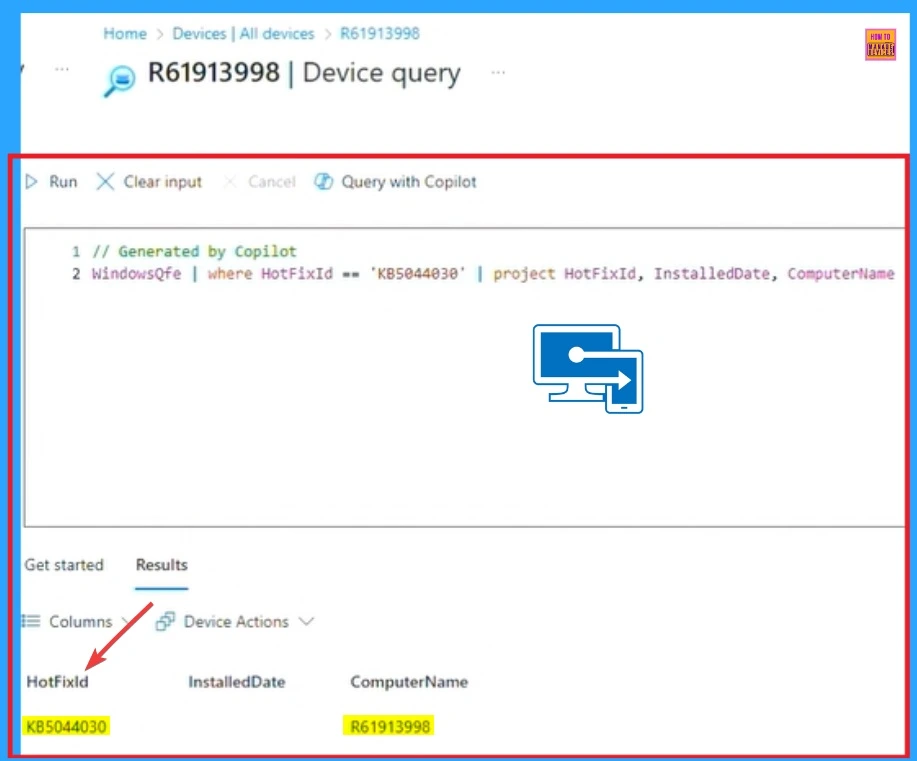
Need Further Assistance or Have Technical Questions?
Join the LinkedIn Pad and Telegram group to get the latest step-by-step guides and news updates. Join our Meetup Page to participate in User group meetings. Also, Join the WhatsApp Community to get the latest news on Microsoft Technologies. We are there on Reddit as well.
Resource
Enhance IT expertise and efficiency with Copilot in Microsoft Intune
Author
Anoop C Nair has been Microsoft MVP from 2015 onwards for 10 consecutive years! He is a Workplace Solution Architect with more than 22+ years of experience in Workplace technologies. He is also a Blogger, Speaker, and Local User Group Community leader. His primary focus is on Device Management technologies like SCCM and Intune. He writes about technologies like Intune, SCCM, Windows, Cloud PC, Windows, Entra, Microsoft Security, Career, etc.


Discussion