






Copilot in Teams Live Meetings to Recap Meetings
Let’s discuss the Copilot in Teams Live Meetings to Recap Meetings. Every meeting is a productive meeting with Copilot in Teams. Copilot integrated within Teams simplifies collaboration by reducing the effort required to work together effectively.
Microsoft 365 Copilot is powered by what we call the Copilot system as a sophisticated processing and orchestration engine. It harnesses the power of 3 foundational technologies such as Microsoft 365 apps, Microsoft Graph, and Large Language Model.
The Microsoft 365 Copilot is coming soon to all M365 apps Word, Excel, PowerPoint, Outlook, Teams, and also Microsoft recently introduced Security Copilot. Teams Copilot helps you run more effective meetings, get up to speed on the conversation, organize key discussion points, and summarize key actions so the entire group knows what to do next.
Copilot in Teams helps you summarize key discussion points, including who said what, where people are aligned, and where they disagree and suggest action items, all in real-time during a meeting.

Copilot in Teams Live Meeting
With Copilot, you can obtain targeted information or get up to speed on important updates without disrupting the ongoing conversation, enabling a seamless flow of discussion. The Microsoft 365 app turns your words into the most powerful productivity tool.
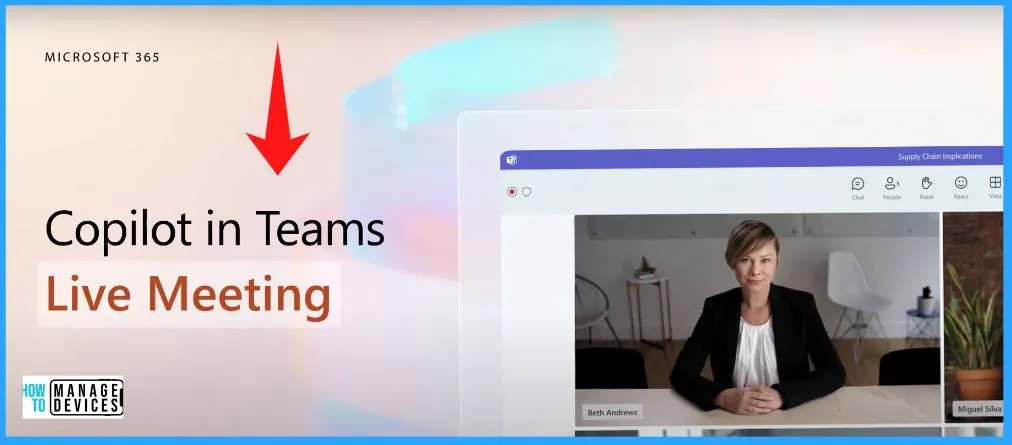
Recap Live Meeting So Far
Copilot in Teams makes every meeting a productive one. You are in a meeting with your team. You can easily ask the “Recap this meeting so far” by clicking the “Recap this meeting so far” option from the Teams Copilot Window. The Copilot will immediately generate the output.
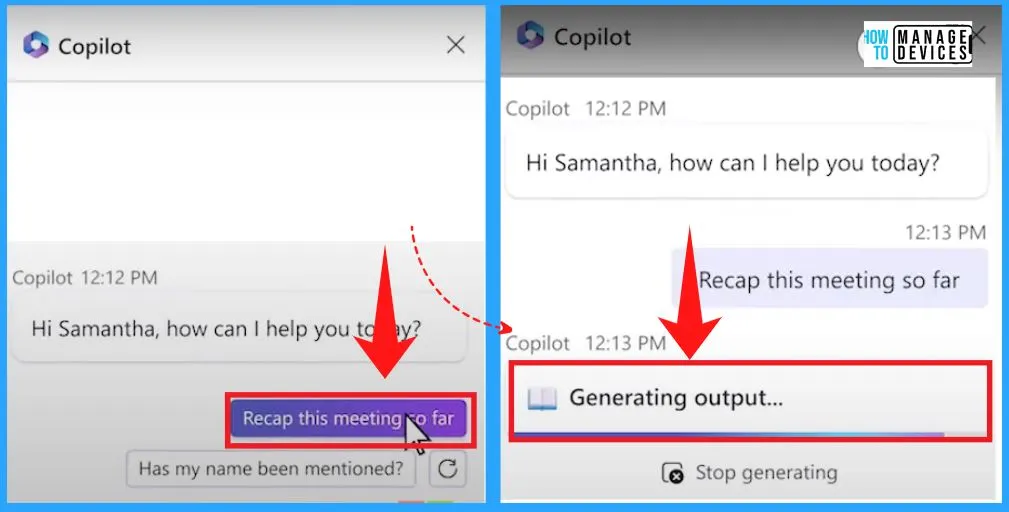
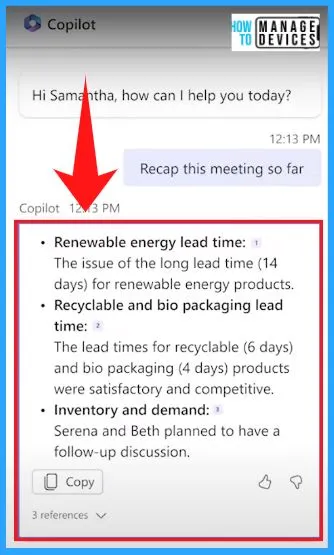
You can ask Copilot to summarize what’s happened so far. Copilot summarizes who said what and what points were made, capturing the spirit of the discussion.
Monitor the Viewpoints and Opinions of the Attendees
As the meeting progresses, you can check in on where people stand. You can easily type the Question in the Copilot window, and after sending the Question, the Copilot will immediately generate the output.
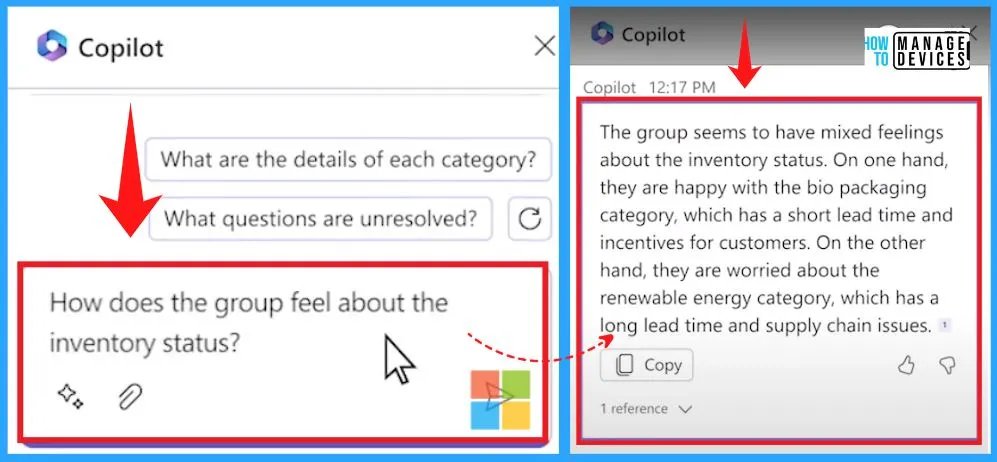
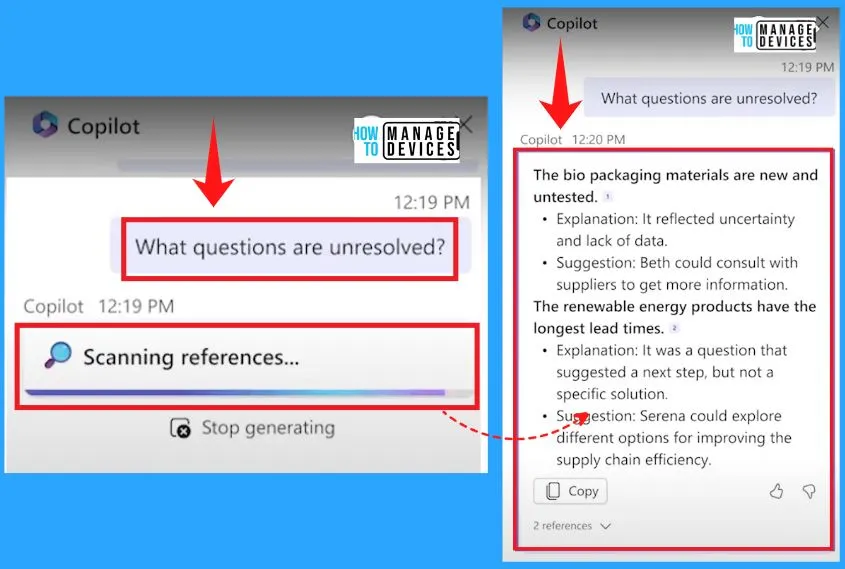
Keep Track of any Unresolved Inquiries or Issues
You can even ask Copilot what questions are unresolved. It is just amazing to see this happen in real-time during a meeting. You can easily keep track of any unresolved inquiries or issues during the meeting.
Integrating Copilot into your meetings and discussions can offer a valuable resource to assist with routine duties such as creating meeting agendas based on chat history, identifying the right people for follow-ups, and scheduling the next check-in.
Reference Links; Introducing Microsoft 365 Copilot – Your Copilot for Work
Author
About Author – Vidya is a computer enthusiast. She is here to share quick tips and tricks with Windows 11 or Windows 10 users. She is also keen to find solutions to day-to-day tech problems and write about them.




Discussion