






Copilot with Endpoint Privilege Manager to Identify Potential Elevation Risks using Intune
In this article am going to explain how the Copilot with Endpoint Privilege Manager to Identify Potential Elevation Risks using Microsoft Intune. This new EPM feature got added to Intune from Service Release 2501 onwards.
EPM is available as an Intune Suite add-on capability and as well as you can purchase it as a Standalone add-on offering. If your Azure Tenant is licensed for Microsoft Security Copilot, you can now leverage its capabilities to investigate Endpoint Privilege Manager (EPM) file elevation requests within the EPM support-approved workflow.
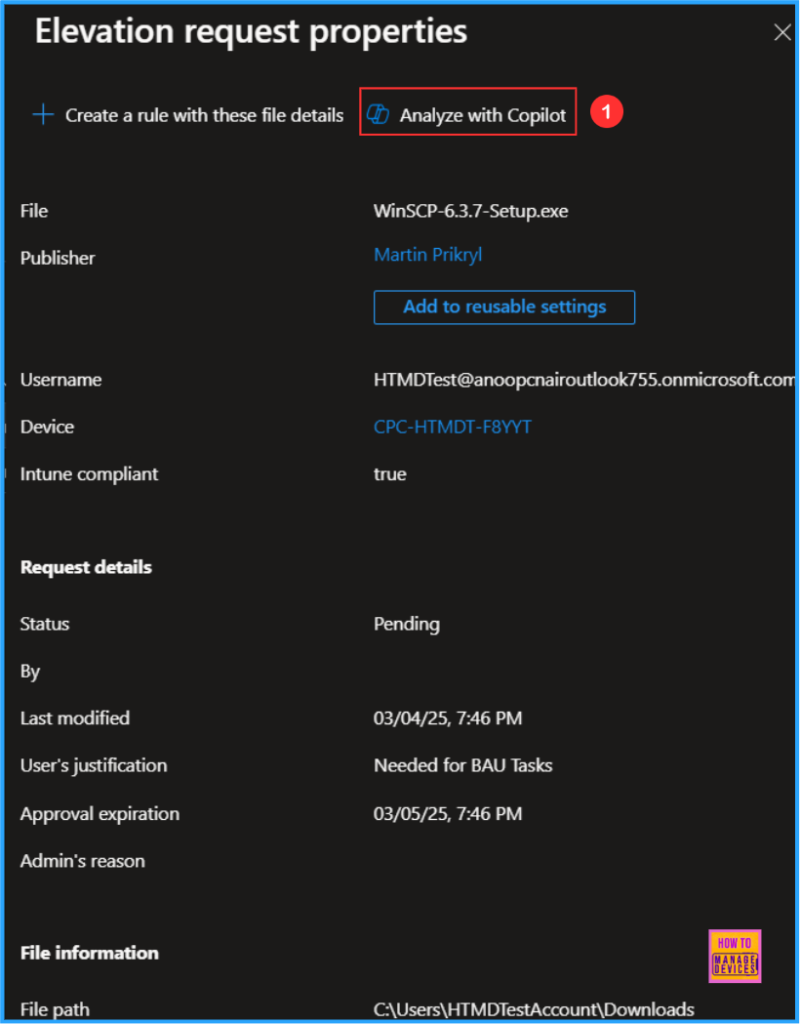
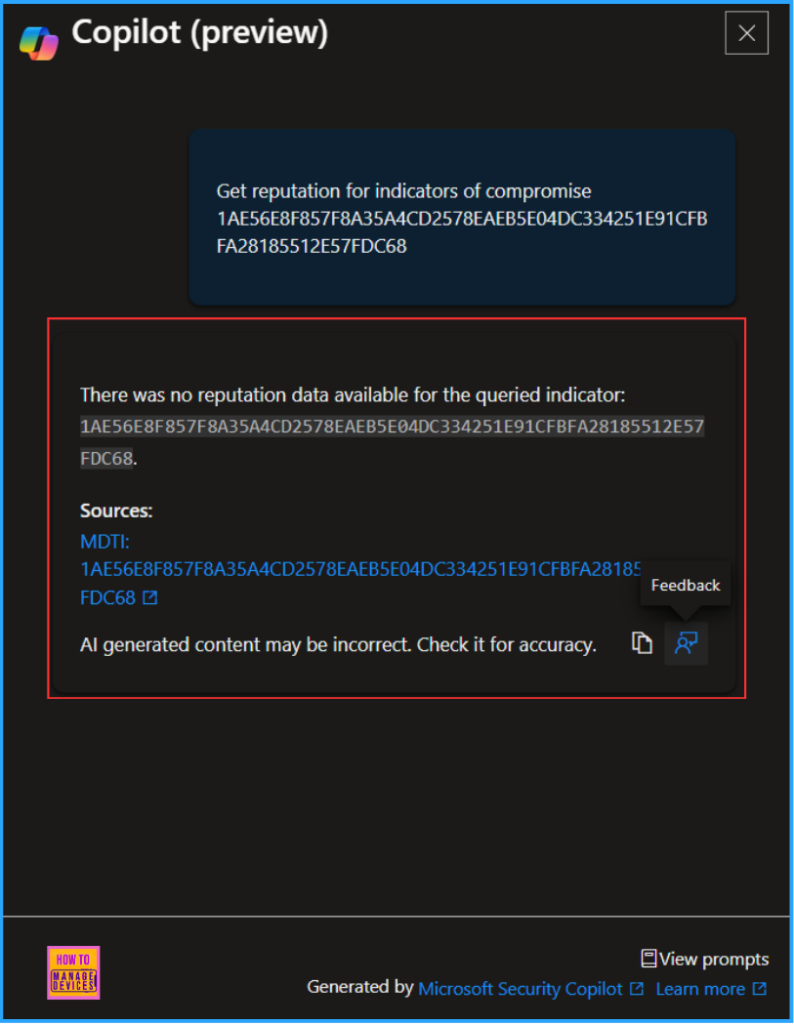
While reviewing a file elevation request, you’ll now see an option to Analyze with Copilot. Selecting this option prompts Security Copilot to use the file’s hash to query Microsoft Defender Threat Intelligence, assessing potential indicators of compromise. This allows you to make more informed decisions on whether to approve or deny the elevation request.
With Copilot’s AI-driven insights and Endpoint Privilege Manager (EPM) in Microsoft Intune, IT teams can proactively detect, assess, and mitigate privilege elevation risks. This ensures a secure, least-privilege environment while allowing users to perform necessary administrative tasks in a controlled manner.

Table of Contents
Key insights Provided in the Intune Admin Center
The below table shows some of the results that are returned to your current view in the Intune admin center.
| Key Insights | Description |
|---|---|
| File Reputation | Determines whether the file has been flagged as malicious or suspicious |
| Publisher Trust Information | Evaluates the credibility of the file’s publisher |
| User Risk Score | Assesses the risk level of the user requesting elevation. |
| Device Risk Score | Analyzes the security posture of the device submitting the request |
- Fixing Device Limit Errors On IOS With Microsoft Entra
- How to Configure Support Approved EPM Elevation using Intune | Highly secured option
- Best Guide to Configure User Confirmed EPM Elevation Settings Policy with Intune
- Easy Guide to Configure EPM Reusable Settings with Intune
- Best Method to Create EPM Elevation Rules Policy from Elevation Request Using Intune Policy
End User Actions – Support Approved EPM Elevation
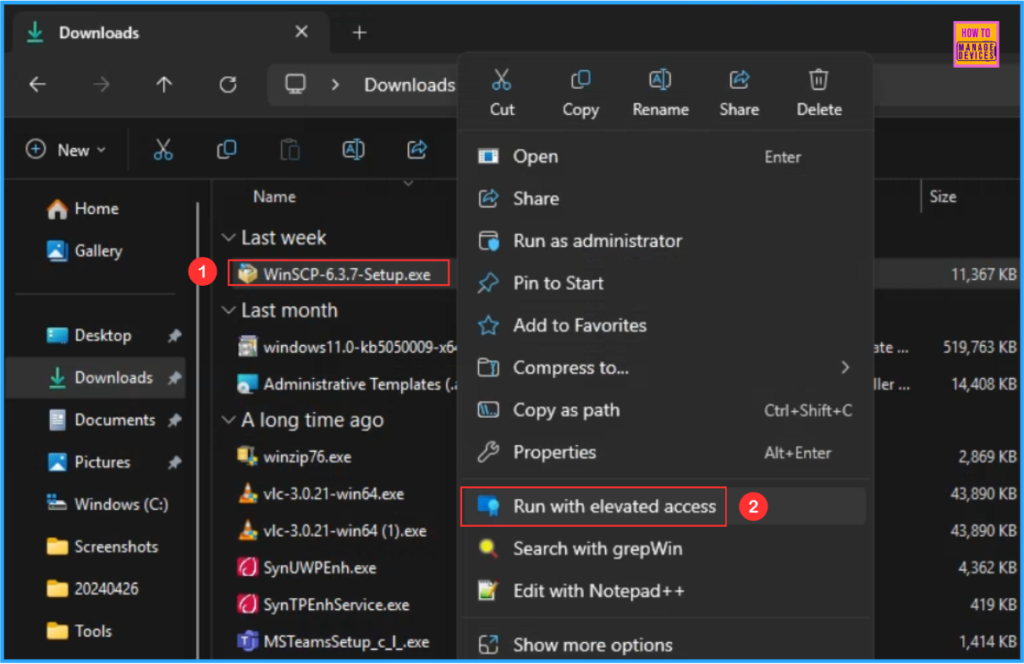
As a standard user, you need to right-click the respective binary that you are going to install on the device and run the file using elevated context. Please keep in mind the EPM Elevation method should be in Support Approved.
In this example, I am using WinSCP-6.3.7-Setup.exe. So right-click on that and select “Run with elevated access“
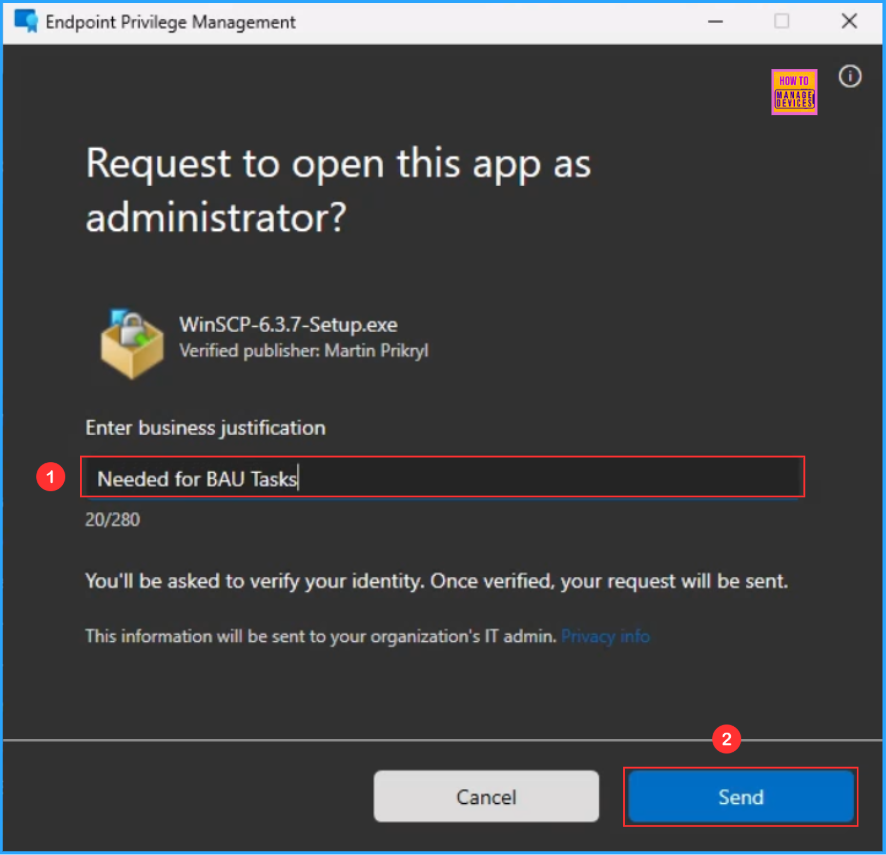
Here, you will get a pop-up window to “Request to open this app as administrator?” In the Enter the business justification section type a valid business justification and click on Send.
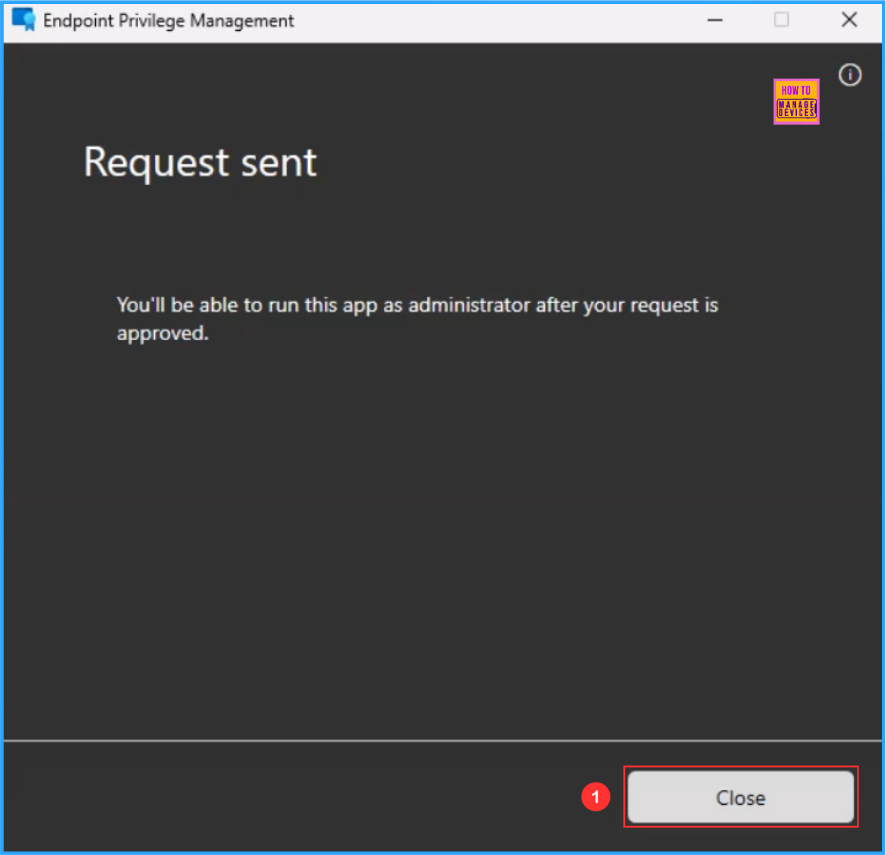
On the next screen will get a Request sent message saying “You’ll be able to run this app as administrator after your request is approved“. The support-approved elevation request has been sent successfully to the respective Intune Tenant. Just we need to click on Close.
- Best Way to Set Copilot Hardware Key Using Microsoft Intune
- Complete Guide Enable Copilot in Managed Microsoft Edge Browser with Intune
Anayazise the Support Approved EPM Elevation Request from Intune Portal
Now the Intune admin needs to Analyze the Support Approved Endpoint Privilege Management Request, follow the below steps.
- Sign In to the Microsoft Intune admin center
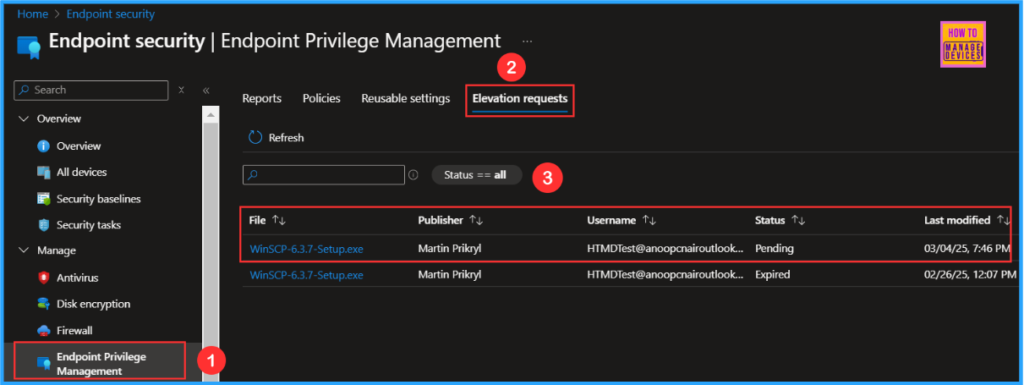
- Navigate to Endpoint Security> Endpoint Privilege Management > Choose Elevation requests.
- Click on WinSCP-6.3.7-Setup.exe the latest elevated file by the user
Once you click on the WinSCP-6.3.7-Setup.exe it will take you through the Elevation request properties screen. As per the latest Intune update, you can see the “Analyze with Copilot” option available on the top side of the screen. Click on that.
Now the Copilot will start Analyzing the binary and provide the result. So that the Intune admin can decide whether he needs to Approve or Deny the Elevation from the user.
Need Further Assistance or Have Technical Questions?
Join the LinkedIn Page and Telegram group to get the latest step-by-step guides and news updates. Join our Meetup Page to participate in User group meetings. Also, Join the WhatsApp Community to get the latest news on Microsoft Technologies. We are there on Reddit as well.
Author
Vaishnav K has over 11 years of experience in SCCM, Device Management, and Automation Solutions. He writes and imparts knowledge about Microsoft Intune, Azure, PowerShell scripting, and automation. Check out his profile on LinkedIn.


Discussion