






How to Deploy Applications MAM Policies to Devices Using Intune Part 1
How to Deploy Applications MAM Policies to Devices Using Intune Part 1? Intune is a Mobile Device Management (MDM), Mobile Information Management (MIM), and Mobile Application Management (MAM) SAAS solution by Microsoft.
Intune can protect corporate data using Mobile Application Management policies and conditional access. When you deploy MAM-enabled applications with MAM policies to mobile devices, you can restrict data transfer between managed and native mobile applications.
In this series of posts, I’ll explain the end-to-end process of application addition/upload and deployment, along with MAM policies. The other posts published later in this series follow.
This post will cover uploading or adding Google or Apple Store applications to Intune. To upload or add an application, click Add Apps from the Intune console.

| Index |
|---|
| How to Deploy Applications MAM Policies to Devices Using Intune Part 1 |
- Part 2 – Create and Deploy Mobile Application Management Policy (MAM)
- Part 3 – Deploy mobile applications along with MAM policies to Intune user or device groups
- Update iOS Apps with MAM Policies for iOS/iPadOS 17 Upgrade
- Multiple Identity Support for Intune MAM Policies
How to Deploy Applications MAM Policies to Devices Using Intune Part 1
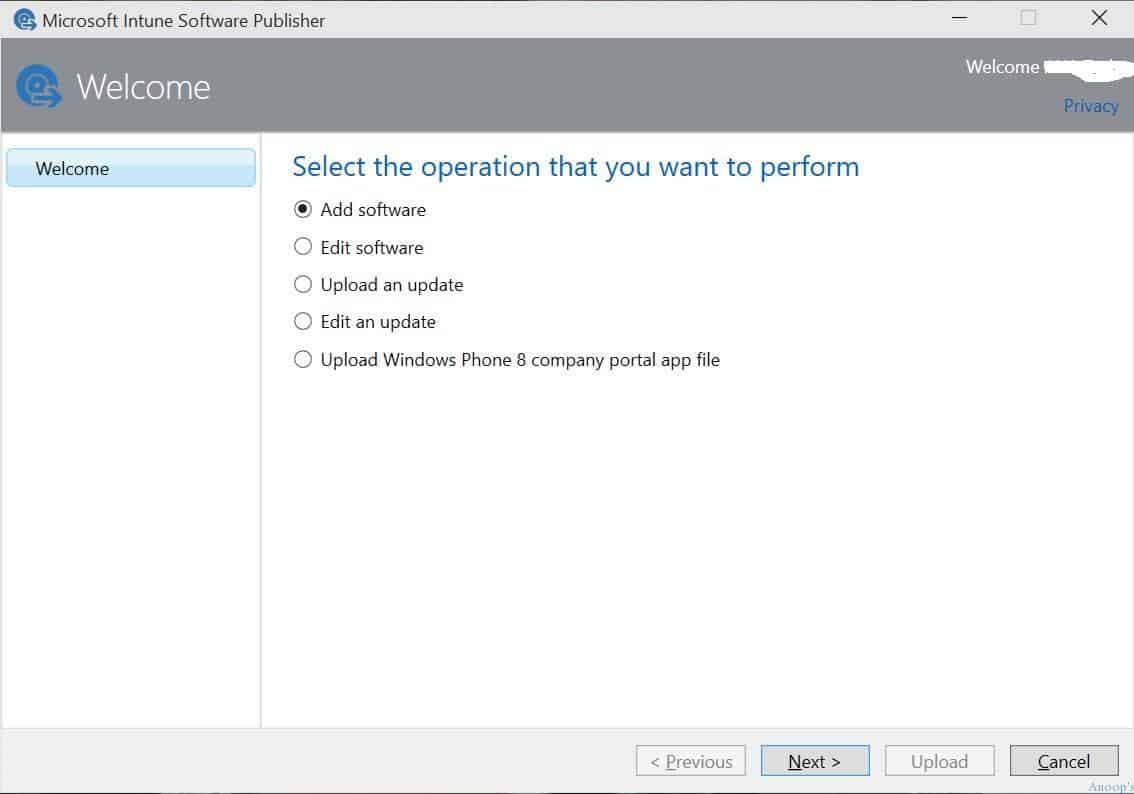
Select the operation you want to perform, “add software,” from the Microsoft Intune Software Publisher application.

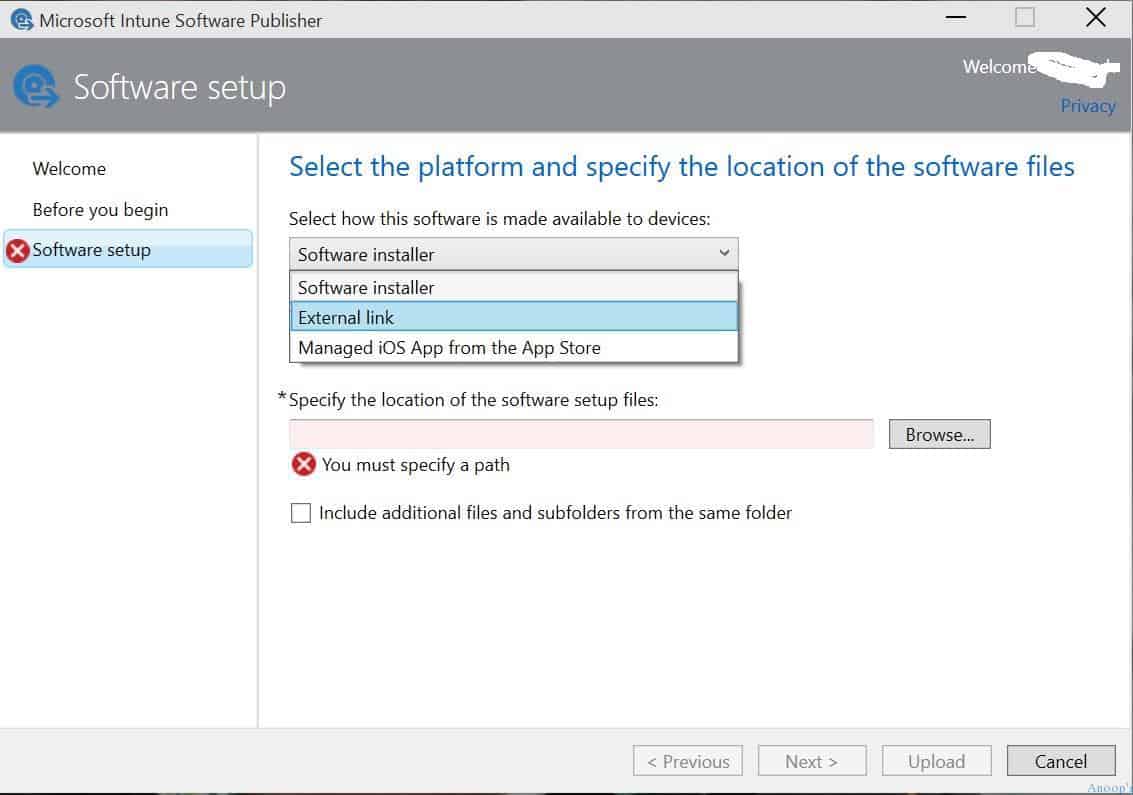
Select the platform, specify the location of the software files, and select how this software is made available to devices. For iOS applications, select “Managed iOS App from the App Store.” When you want to deploy apps to Android devices, select the “external link.”
The two options mentioned above are used to deploy applications published in the Google Store or Apple Store. Otherwise, when you want to deploy another custom, in-house application, use the “Software Installer” option and select the application type you wish to upload into the Intune console.
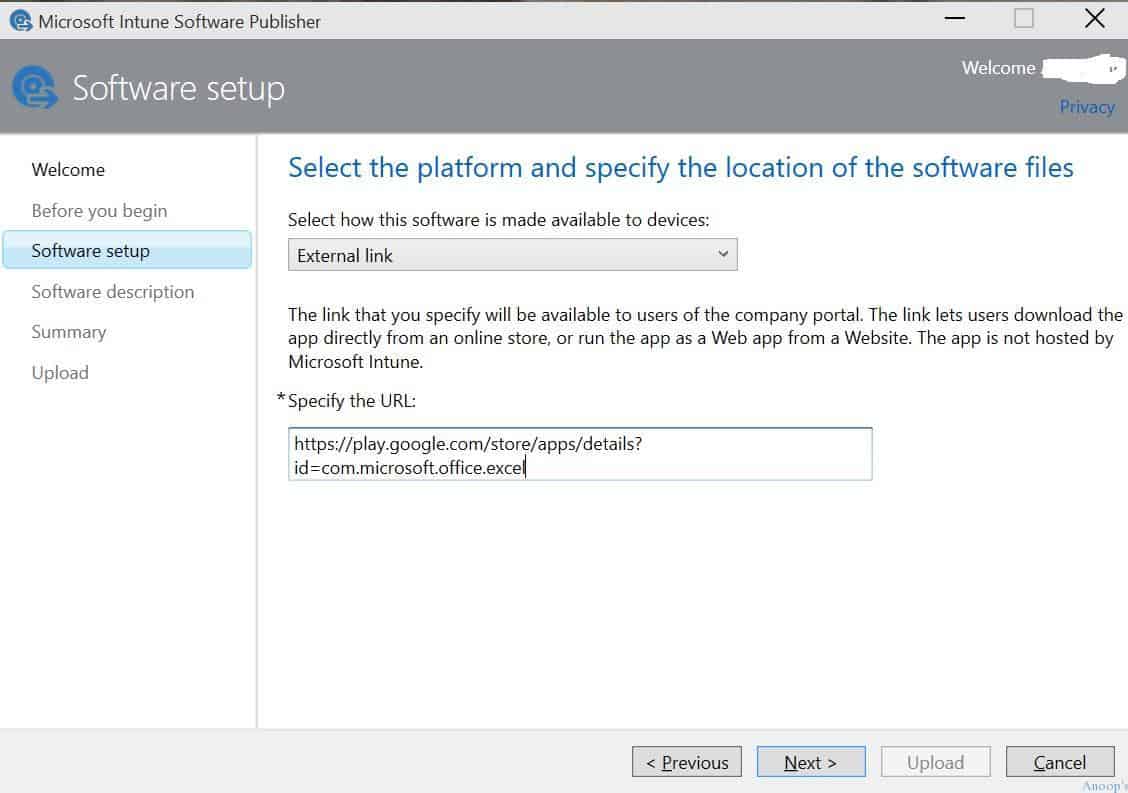
Select the platform and specify the location of the software files. The link you specify will be available to users of the company portal. The link lets users download the app directly from an online store or run the app as a Web app from a Website.
Microsoft Intune does not host the app. Paste the URL of the application from the Google or Apple store that you want to deploy to iOS or Android devices. I deployed Excel, Outlook, and Word applications from Google and Apple stores to Android and iOS devices.
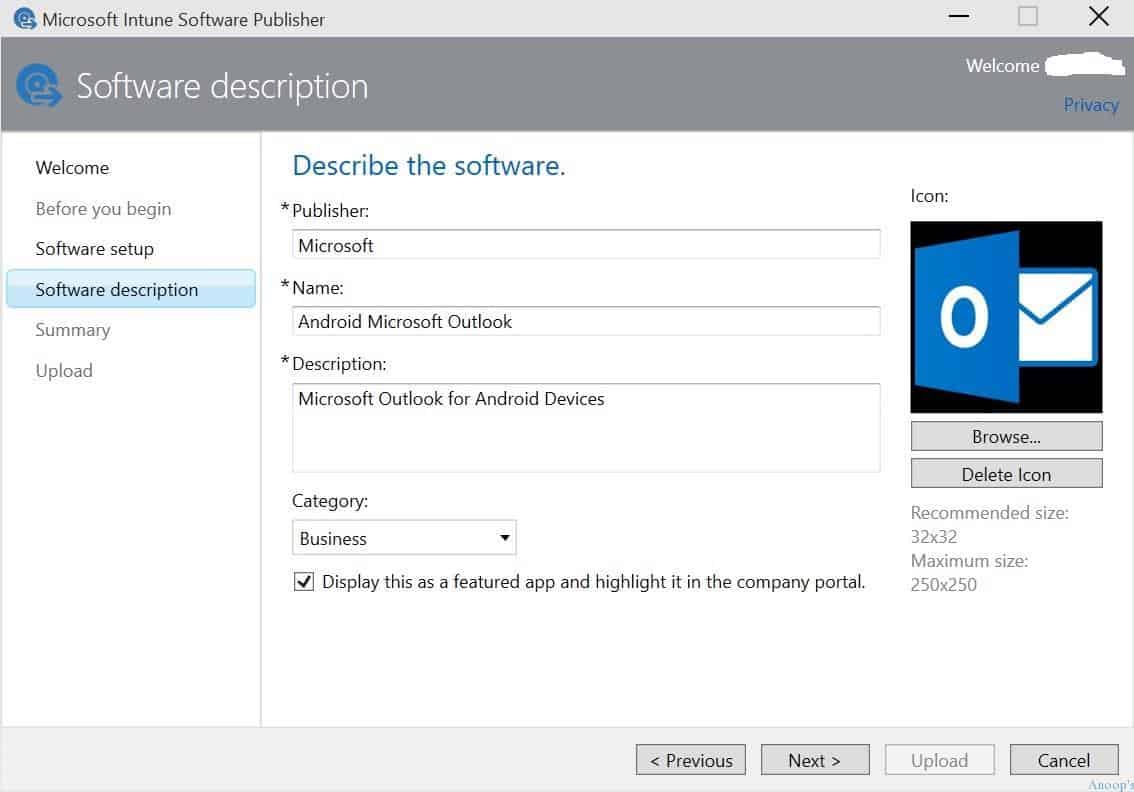
In the following window, type in application details: Publisher Name, Application Name, Description, etc. You can also select the category and upload the application’s icon.
| Describe the Software | Details |
|---|---|
| Publisher | Microsoft |
| Name | Android Microsoft Outlook |
| Description | Microsoft Outlook for Android Devices |
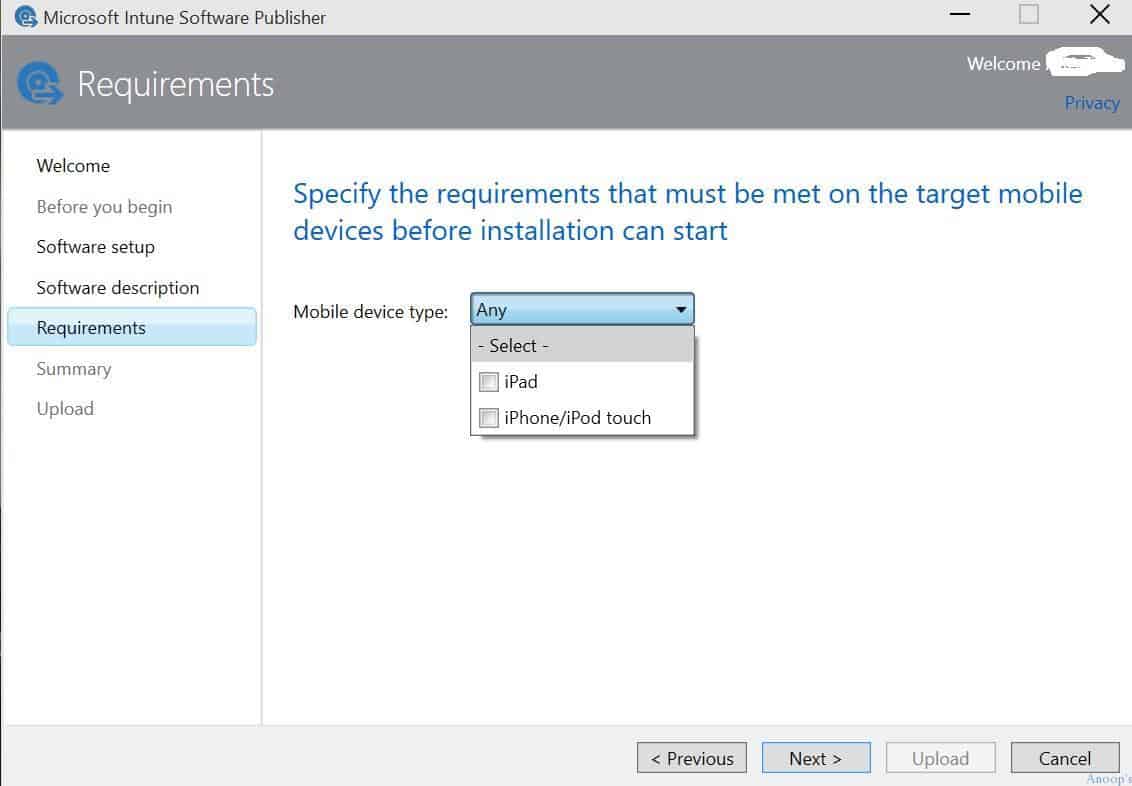
When you deploy iOS mobile applications, you can select the target mobile device type (iPad or iPhone/iPod touch). You can also specify the requirements that must be met on the target mobile devices before installation can start. With the requirement selection option, You Can select iPad. This application will be installed only on iPad devices.
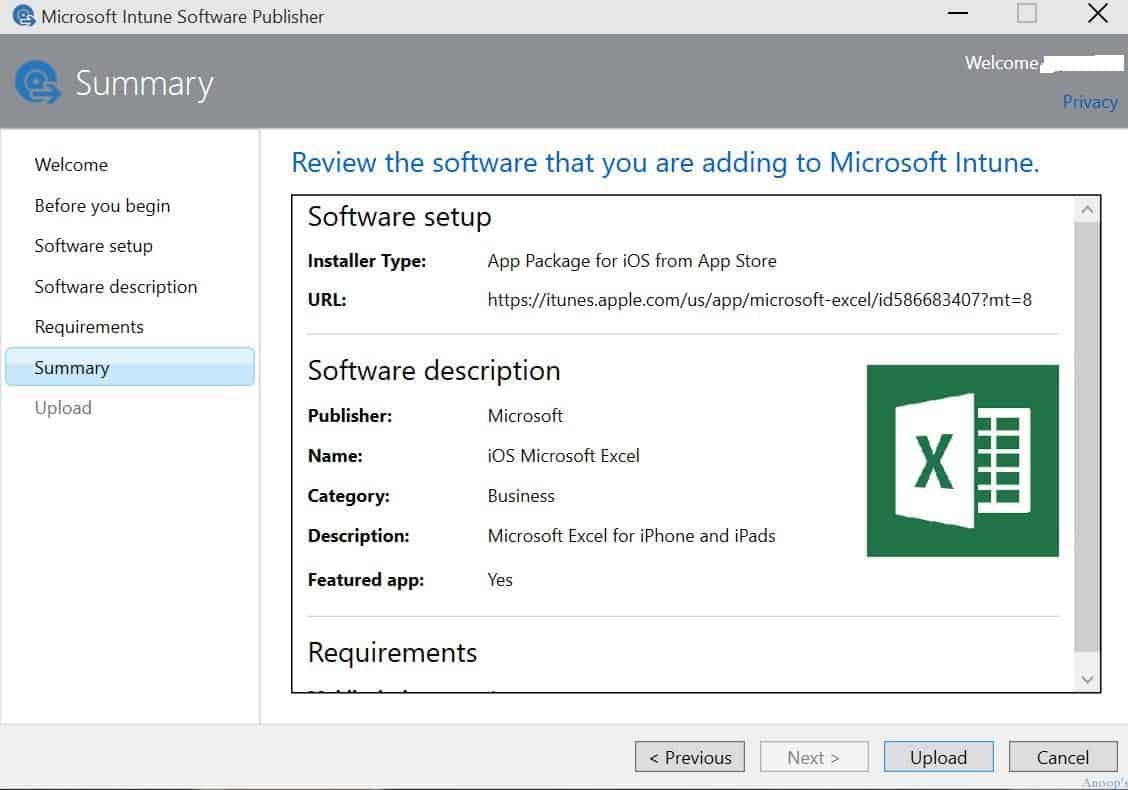
You will see the details you’ve selected on the summary page. Then click on the upload button to publish the app into Intune.
Resources
Windows 10 Latest Version Of Client Operating System From Microsoft (anoopcnair.com)
Windows 10 Archives – HTMD Blog #2 (howtomanagedevices.com)
We are on WhatsApp now. To get the latest step-by-step guides, news, and updates, Join our Channel. Click here. HTMD WhatsApp.
Author
Anoop C Nair is Microsoft MVP! He is a Device Management Admin with more than 20 years of experience (calculation done in 2021) in IT. He is a Blogger, Speaker, and Local User Group HTMD Community leader. His main focus is on Device Management technologies like SCCM 2012, Current Branch, and Intune. He writes about ConfigMgr, Windows 11, Windows 10, Azure AD, Microsoft Intune, Windows 365, AVD, etc.


Hi Anoop! Thanks for the detailed walk through. I was wondering if you could help me locate the “Microsoft Intune Software Publisher application”. I searched but couldn’t find download link for it. Thanks in advance!