






Intune SCEP with Joy – Learn how to use unique certificate templates to deploy different SCEP certificates within the same environment
Today, we will discuss Intune SCEP with Joy – Learn how to use unique certificate templates to deploy different SCEP certificates within the same environment.
There may be a scenario where you must use different templates to deploy different SCEP certificates to your Intune-managed endpoints.
For example, you may require that the SCEP certificate be deployed to group A to use template A and group B to use template B. A unique SCEP certificate will be deployed for the different profiles—email, VPN, and Wi-Fi.”
The above has always been a supported scenario and is in use in many enterprise environments.

- Create SCEP Certificate Profiles in Intune Deploy SCEP Profiles to Windows 10 Devices
- Create SCEP Certificate Profiles Deploy SCEP Profiles to iOS Devices using Intune.
- Part 1 – Learn The Basic Concepts of PKI
- Part 2 – Knowing SCEP – The General Workflow
- Part 3 – Intune SCEP PKI Implementation Deep Dive
- Part 4 – Intune SCEP Certificate Workflow Analysis
| Index |
|---|
| Understanding the Logic – Intune SCEP with Joy |
| Proof Of Concept |
Understanding the Logic – Intune SCEP with Joy
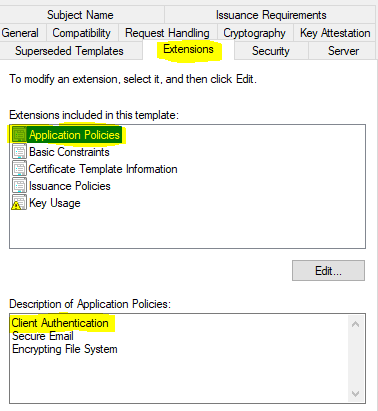
The Extended Key Usage (EKU) parameter determines that the primary use case of an SCEP certificate is to serve client authentication.
The SCEP certificate template configured in CA must add Client Auth to its EKU.
You define the same while configuring the SCEP certificate profile from Intune.
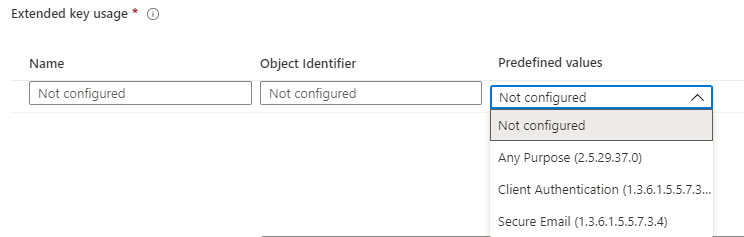
Note: Selecting EKU as Any Purpose suffices for the obtained certificate to be used for auth purposes, as long as the certificate template used for creating the certificate has Client Authentication selected in its EKU.
However, the template that NDES (SCEP service) will use to make the on-behalf certificate request to the CA is determined based on the value of the Key Usage parameter of the Certificate Signing Request (CSR) that the device sends to the SCEP service, upon receiving the instructions from Intune as part of the SCEP payload.

When the SCEP service receives the certificate request from a device, it inspects the CSR to get the value for the Key Usage parameter and, based on it, determines the template to be used for making the certificate request to CA on-behalf, as defined in the reg_keys under HKEY_LOCAL_MACHINE\SOFTWARE\Microsoft\Cryptography\MSCEP.
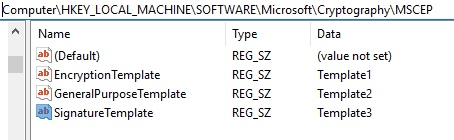
While configuring the SCEP certificate profile in Intune, based on the selection of Key Usage
- Digital signature (=
SignatureTemplatein MSCEP reg) - Key encipherment (=
EncryptionTemplatein MSCEP reg) - Digital signature and Key encipherment (=
GeneralPurposeTemplatein MSCEP reg)
You can configure SCEP certificate deployment for specific purposes using up to 3 unique certificate templates configured in your CA.
Proof Of Concept
As seen from the snaps below, I have configured three unique SCEP profiles in my test tenant and made three unique assignments.
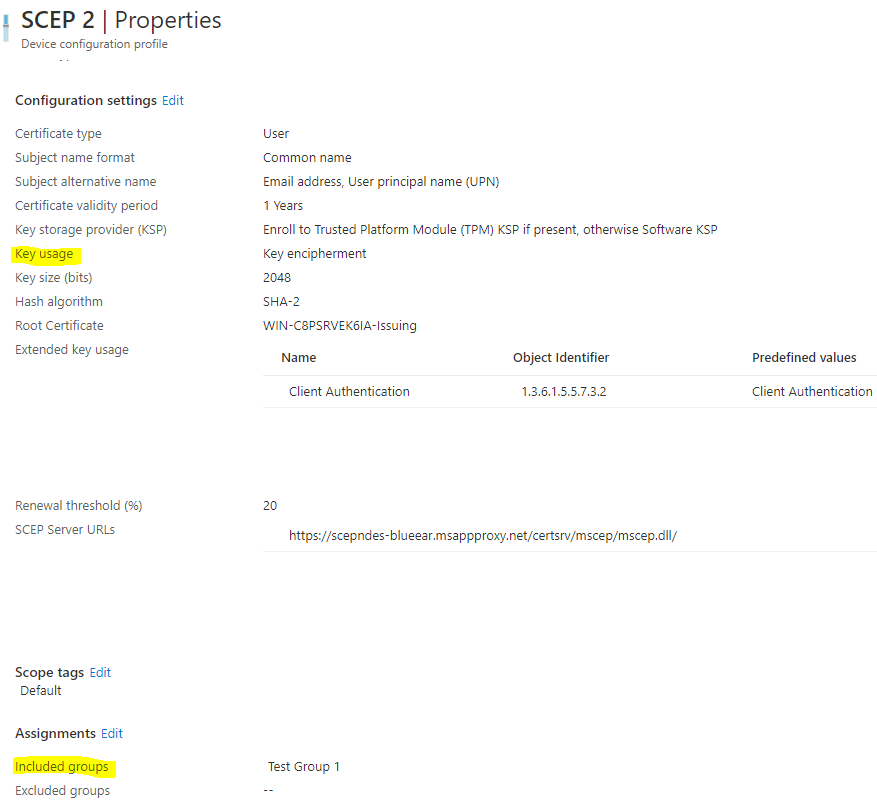
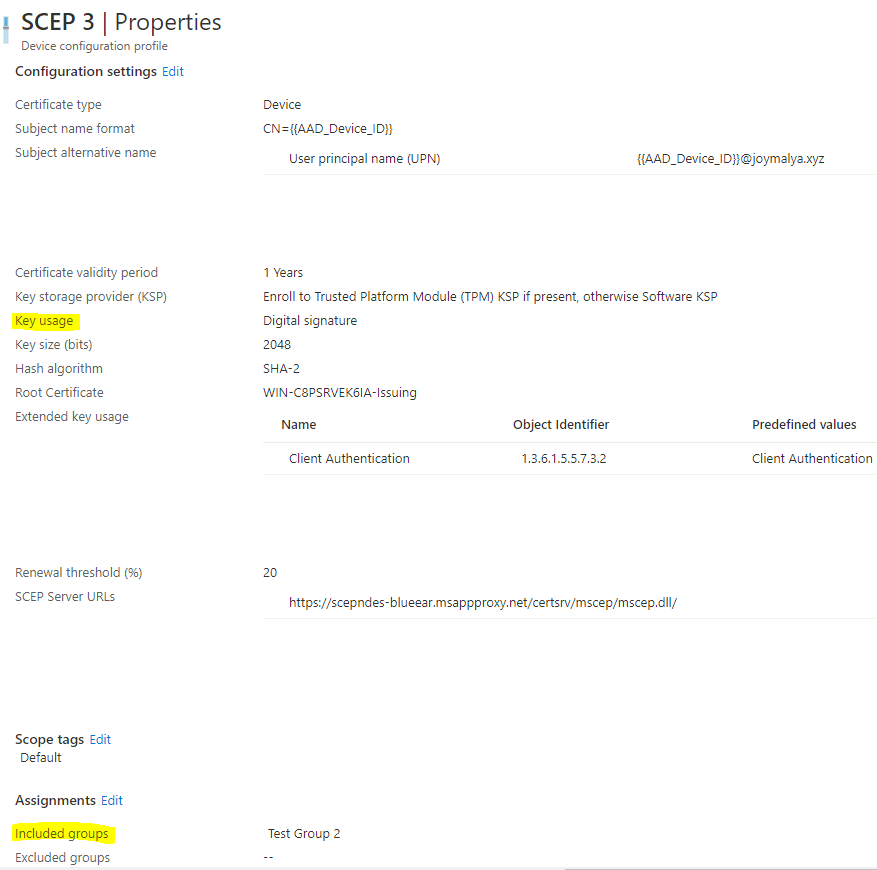
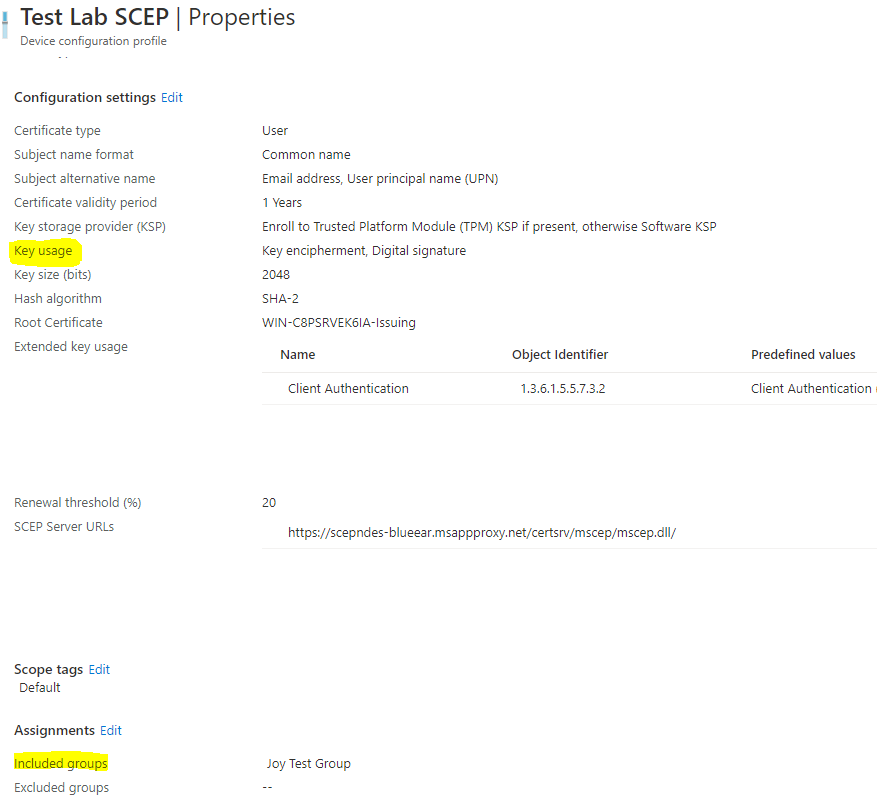
NOTE: An important Effective Group Association calculation validation step is carried out in the backend (Azure AD functionality) when you actively assign a SCEP profile from Intune. This checks and determines the association of the SCEP profile with the Trusted Certificate profile (for Root CA cert or Issuing CA cert based on your PKI infrastructure) defined within the profile. If this check fails to determine the association, the deployment fails at the initial stages, and since this step is performed in the backend, you also do not get any logs for the same.
For this reason, Microsoft recommends deploying the Trusted Certificate profile, which is linked with the SCEP profile, and the SCEP Certificate profile to the same group. For more information, refer to the Microsoft article here.

However, in our case, this would defy the purpose if we have to deploy to the same group.
We aim to deliver unique SCEP certificates to unique deployment groups using unique templates from the CA.
My SCEP lab is based on a multi-tier PKI infrastructure where I have a Root CA and a Sub CA, and the Sub CA is the Issuing CA for my NDES box.
What did I do?
I deployed the Trusted Cert profile for the Issuing CA (essentially defined as the Root Certificate within all my SCEP profiles) to All Devices (since my deployment is based on device groups). Then, I made a unique assignment for each of the 3 SCEP profiles.
Intune SCEP Certificate Workflow Analysis—If you have not read my previous article on SCEP, which explains the above, check this post.
This satisfies the Effective Group Association calculation, and as you can see, all three profiles have the success status, as shown below.
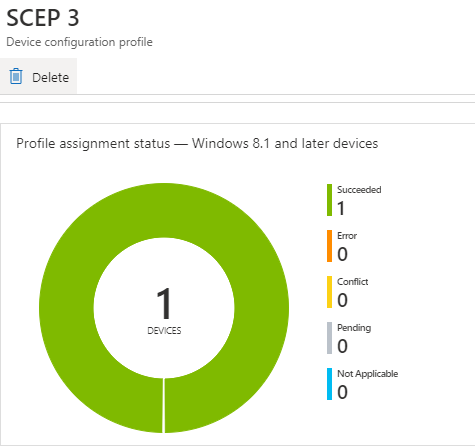
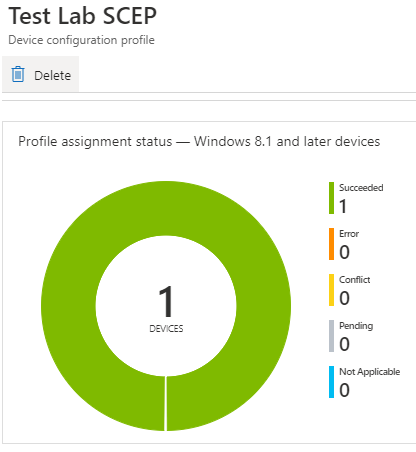
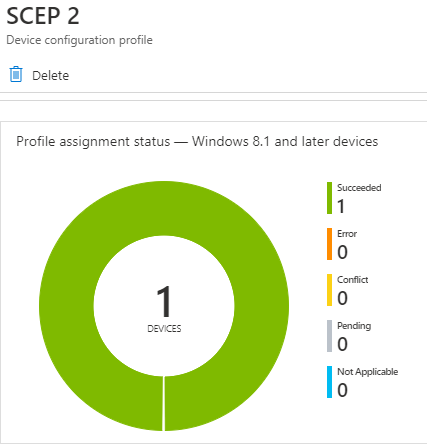
If you check the Issued Certificates on the CA, you will see that the three issued certificates are generated using the unique templates as intended.
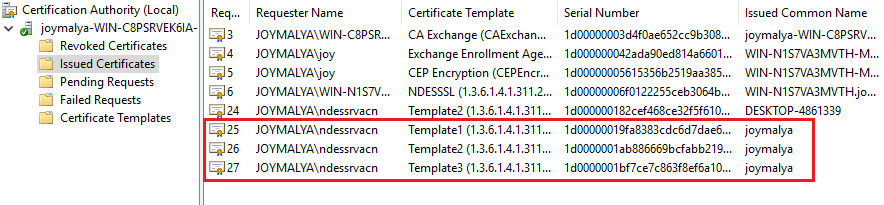
Above, I showed how you can have three unique templates configured in CA to serve specific use-case scenarios.
Similarly, you can use a single CA template to serve both Device-based and User-based SCEP certificates to the endpoints—essentially because we configure the template to provide details (CN and SAN) on request.
Well, that was all for today. I hope this helps you plan SCEP certificate deployments in your environment if you ever face a similar requirement.
Stay safe!
We are on WhatsApp. To get the latest step-by-step guides and news updates, Join our Channel. Click here –HTMD WhatsApp.
Author
Joymalya Basu Roy is an experienced IT service professional with almost five years of experience working with Microsft Intune. He is currently working as a Senior Consultant – Architect with Atos India. He is an ex-MSFT, where he worked as a Premiere Support Engineer for Microsoft Intune. He was also associated with Wipro and TCS in the early stages of his career. He was awarded the Microsoft MVP award for Enterprise Mobility in 2021. You can find all his latest posts on his blog site, MDM Tech Space, at https://joymalya.com


Hi Anoop,
I”m noe to Intune and I have two quires on Intune deployment
1)If we have multiple exe ,then how to convert as intunewin format for Win-32 deployment
2)If it’s multiple MSI’s bundle , then how to deploy in intune as LOB application