






New Features in Microsoft Teams August September Update
This post will show the new features released in Microsoft Teams August September Update. Microsoft release frequent updates for teams. Here, you will get an overview of Teams monthly release updates in August and September.
The teams monthly updates and enhancements can make your meetings more collaborative. You will also get new admin features for Microsoft Teams with updates.
Microsoft Teams can be installed on PCs, Macs, and mobile devices, and can also be accessed via a web browser. You should install the latest Microsoft Teams update on your device to get the latest features.
Teams don’t allow admins to deploy updates through any delivery mechanism. Teams web app updates are typically released on the 4th Monday of each month. Teams desktop client updates are released monthly after rigorous internal testing and validation.

The desktop client updates itself automatically. Teams check for updates every few hours behind the scenes, download them, and then wait for the computer to be idle before silently installing the update. If a critical update is required, Teams will bypass this schedule and release the update as soon as it’s available.
- Microsoft Teams Self Chat Your Space review | How to use Guide
- Microsoft Teams app is available on Windows 10/11 Microsoft Store
- Reduce Background Noise in Microsoft Teams Meetings | Noise Suppression
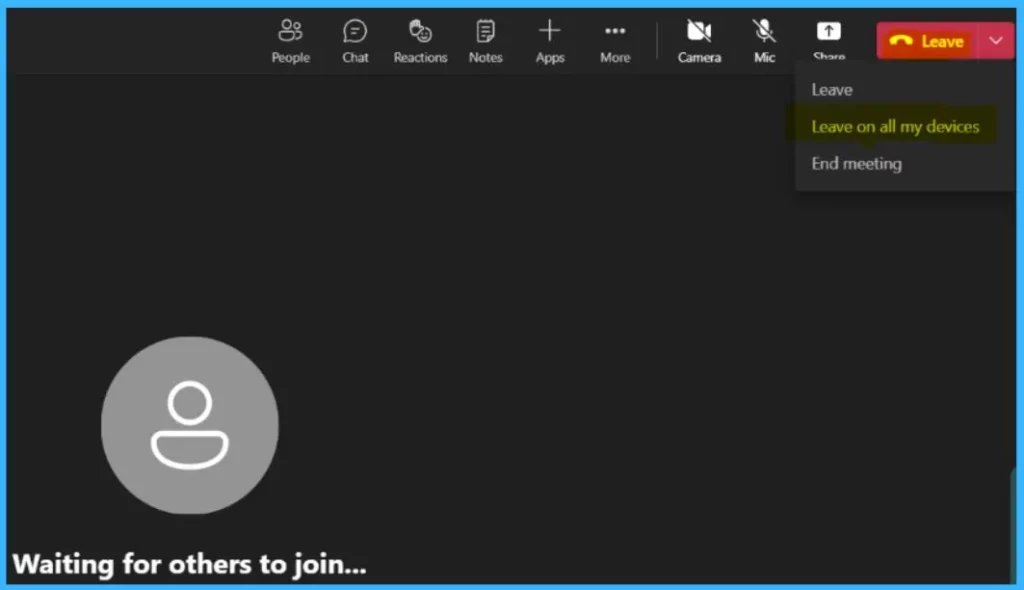
Leave a Meeting on all my Devices
When you join a Teams meeting using multiple personal devices, you typically want to leave the meeting from all devices. With just one click, you can now leave a meeting from all your devices. Click on Leave on all my devices.
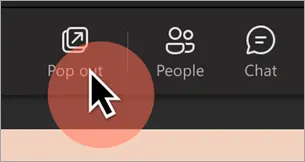
Pop out shared content into a separate window
When someone shares content during a Teams meeting, you can now pop that content out into a separate window. To pop out, go to the top of your meeting window and select Pop out.
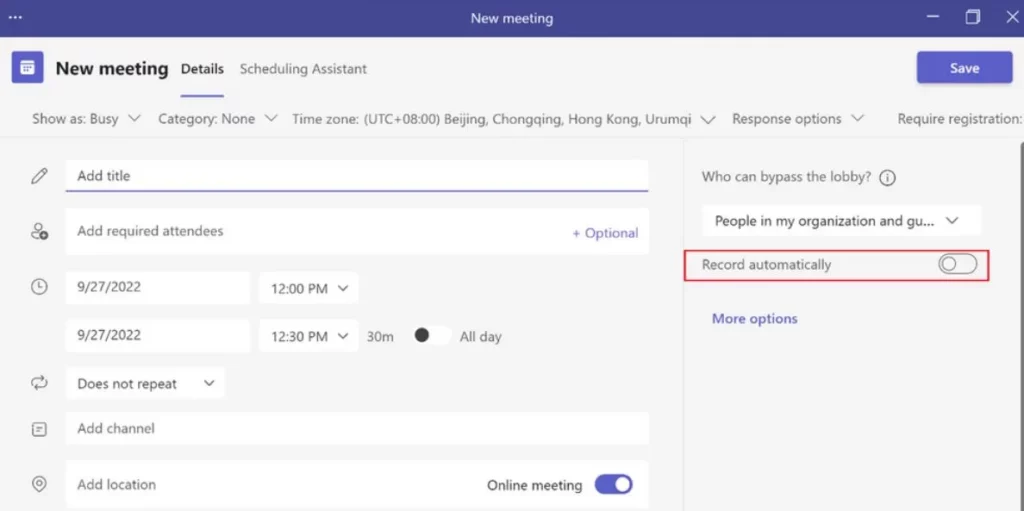
Record and transcribe a meeting automatically
When an organizer turns on Record automatically in the meeting options, Teams will automatically turn on transcription when the meeting starts with Teams August September Update.
If IT admins enable transcriptions for the organization and the meeting organizer sets the Record automatically meeting option to on for a meeting, transcription of the meeting will start when the meeting starts.
You can also start transcription of your Teams meetings and view the meeting transcripts after the meetings in Teams for iOS and Android.
Collaborative annotations in Teams meetings
Collaborative Annotations in Teams meetings, powered by Microsoft Whiteboard, let everyone quickly annotate whatever is on a shared screen in a Teams meeting. While sharing your full screen in a meeting, select Start annotation.
Everyone in the meeting can begin annotating right away. You can add notes, shapes, text, and reactions to express yourself. It’s a powerful new way to collaborate in real time to gather feedback and review content.
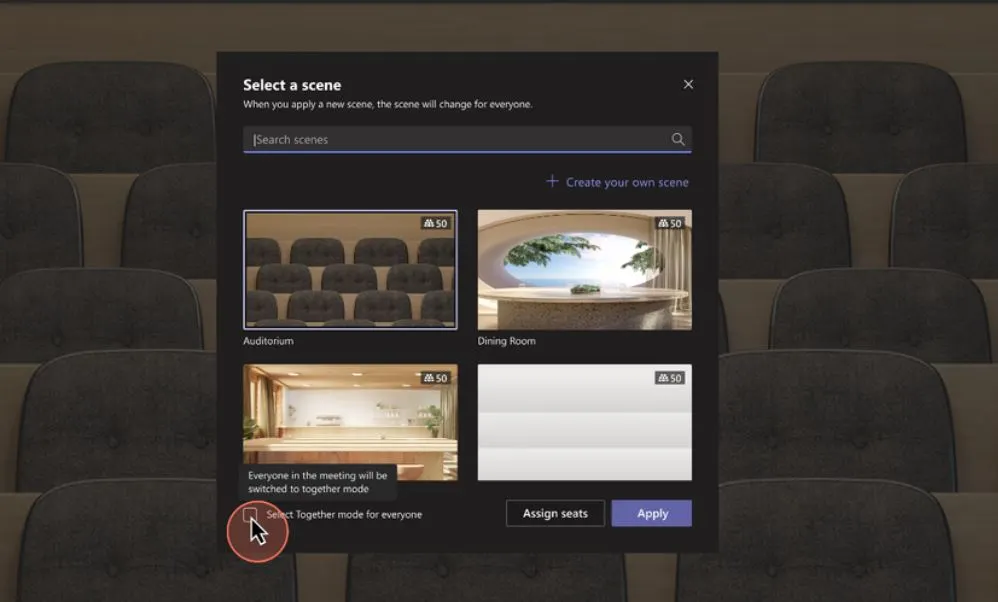
Select Together mode for everyone in the meeting
Together mode makes virtual meeting participants feel more like they’re in the same room together during virtual meetings. Now, meeting organizers and presenters can also select Together mode for everyone in the meeting to have the same view.
Cameo in PowerPoint Live
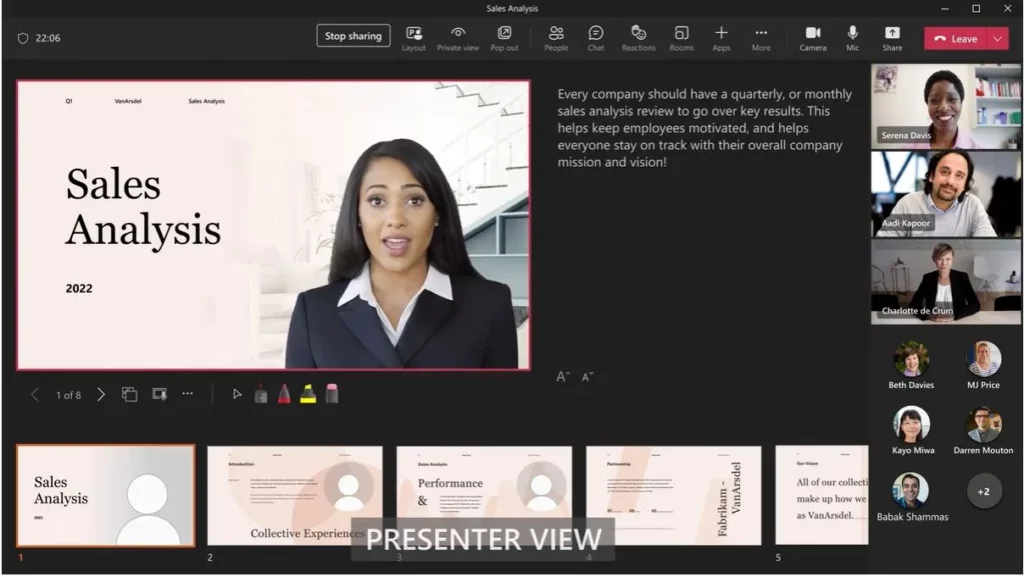
Cameo is a new PowerPoint experience that seamlessly integrates your Teams camera feed into your presentation, letting you customize how and where you want to appear on your slides and offering layout recommendations for optimal viewing.
It is starting with Teams August September Update. When it’s time to present, use PowerPoint Live in Teams for an immersive remote presentation.
Language Interpretation is now Generally Available in Microsoft Teams Meetings
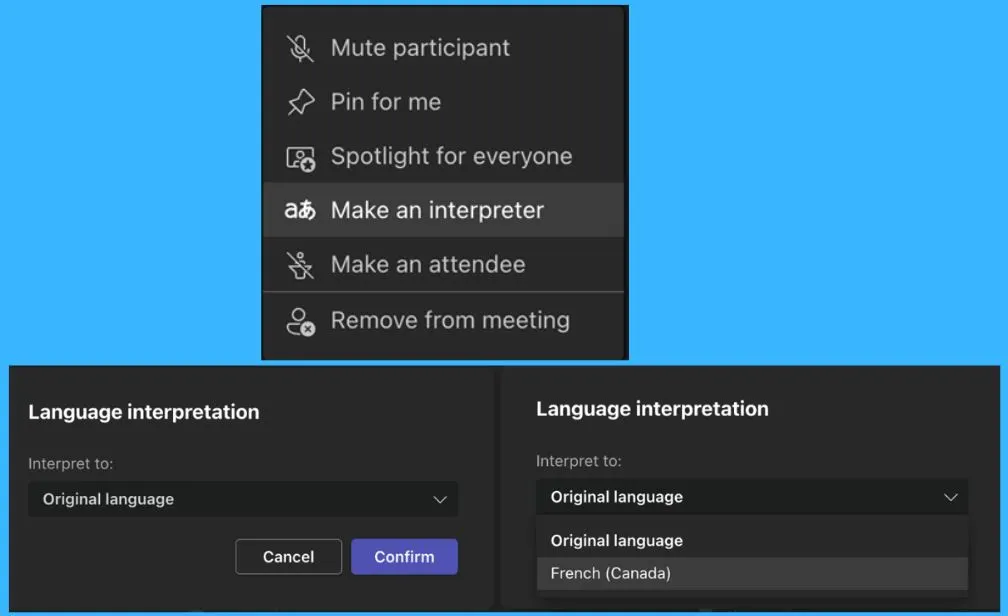
Teams language interpretation feature will allow professional interpreters to convert the speaker’s message into another language without disrupting the speaker’s original flow or delivery.
When participants join a meeting with language interpretation enabled, they can select a language channel to listen to during the meeting. They should then be able to hear the interpreter’s translation at a louder volume than the main speaker.
Pre-assign channel members to breakout Rooms
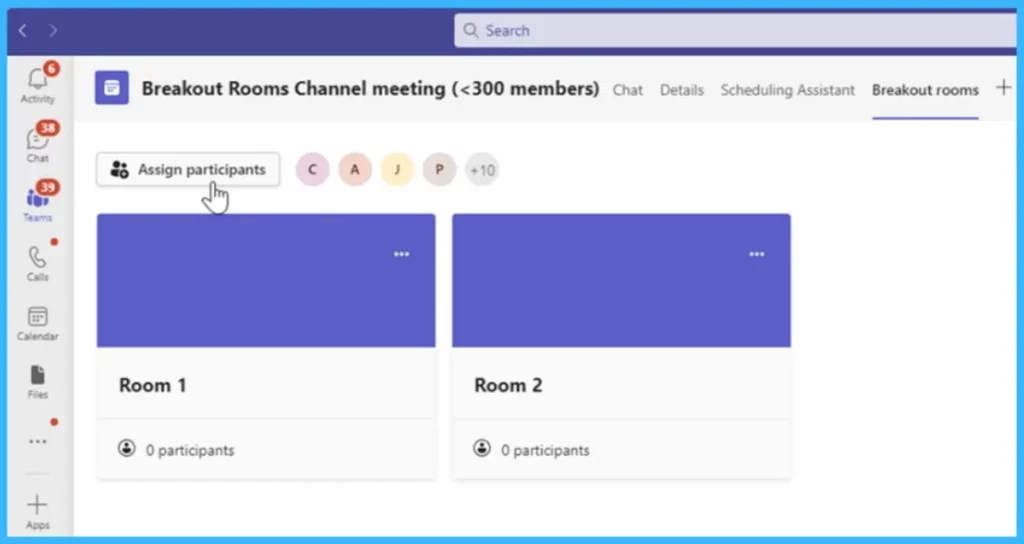
As the meeting organizer, you can pre-assign participants within channel meetings for members not explicitly invited to the meeting. Currently, only participants invited to a meeting can be assigned to a breakout room.
Join a Teams meeting using a meeting ID
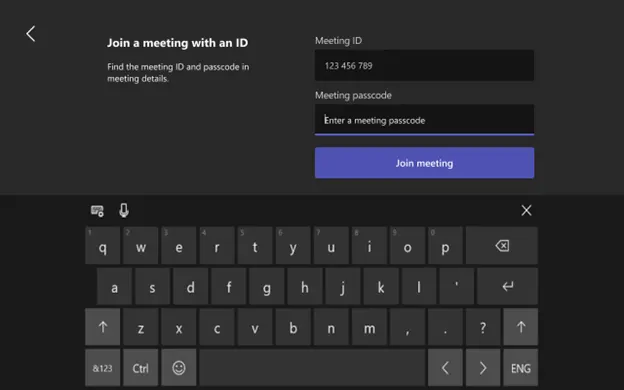
You can join a Teams meeting directly from a Teams Rooms on Windows device using a meeting ID and passcode, similar to the desktop feature.
The feature can be found on the home screen under the … menu option. Select Join with an ID to enter the Teams meeting ID and passcode provided in the calendar invite to join the meeting.




Discussion