






Changes in File Opening Behaviour for MS Word Excel PowerPoint and M365 Apps on Outlook iOS Android
Hi, Today, we are discussing Changes in File Opening Behaviour for MS Word, Excel, PowerPoint, and M365 Apps on Outlook iOS and Android. You all know that Microsoft always makes changes to its features and tools. Recently, Microsoft changed how Word, Excel, and PowerPoint files are opened on iOS and Android devices when accessed through Outlook, OneDrive, and Teams.
These new updates are bringing about the best enhancements to the user experience. These changes are expected to happen in October 2024. Do you know why these changes are to be applied to these applications? These updates aim to reduce user confusion and enhance predictability in file handling across mobile platforms.
Also, many customers were confused about how the apps should function, so Microsoft made some changes to clarify them. With this new environment, if you have the Microsoft 365 app and separate Word, Excel, and PowerPoint apps, opening files from Outlook or OneDrive will open the specific apps instead of the Microsoft 365 app.
These changes are significant for every user and will increase their productivity. According to the reports, these significant enhancements happen based on the user’s feedback. So, in this post, we can discuss an overall view of changes to open file behaviour for Word, Excel, and PowerPoint files on Outlook iOS and Android.

What is the Benefit Behind the changes to File-Open Behaviour for Outlook Word, Excel, and PowerPoint files?
1. It will handle multiple files with the help of standalone apps
2. MDM Policies to ensure employees use only the Microsoft 365 app.
3. It will Simplify device management
4. It allows the Simplifies access
Changes in File Opening Behaviour for MS Word Excel PowerPoint and M365 Apps on Outlook iOS Android
Above, we briefly introduced the new changes to File Open Behaviour for Word, Excel, and PowerPoint files on Outlook iOS and Android. You know that Microsoft 365 can be accessible on a mobile phone in different ways, which is also confusing.
- Based on user demand and this confusion, Microsoft has changed how Office files open.
- If you have a standalone Office app, like Word, Excel, or PowerPoint, files will open in those specific apps.
- If you don’t have any standalone apps, nothing will change.
- Files will still open in the Microsoft 365 app.
| Timelines for this change | Info |
|---|---|
| OneDrive iOS and Android | Changes are already in place |
| Outlook iOS and Android | Rolling out in October through November |
| Teams iOS and Android | Timing is being finalized |
- Classic Outlook for Windows Now Improved with Copilot
- Fix Outlook Error when Updating Meeting in Personal or Shared Calendar
- Classic Outlook Startup Crashes Caused by ucrtbase.dll and Learn How to Run Clean Rules Command
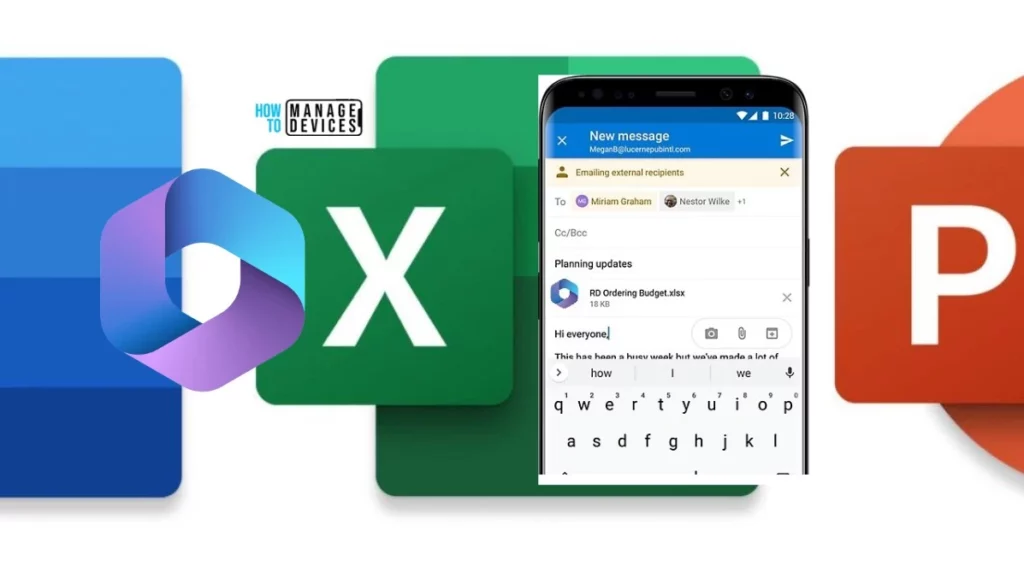
Reason for the Change
As I already said, the changes are based on user demand. Microsoft aims to clarify how files open from its mobile apps (OneDrive, Teams). If users have separate Word, Excel, and PowerPoint apps, those will be used to open files.
- If standalone Word, Excel, and PowerPoint apps are installed, they will handle file opening.
- An MDM policy can be set up for commercial customers who want employees to use only the Microsoft 365 app to prevent the installation of standalone apps.
- This way, users can only open files with the Microsoft 365 app.
| Configuration | Previous/Current Behavior | Planned Behavior |
|---|---|---|
| Users have both Microsoft 365 app and standalone Word, Excel, and PowerPoint apps installed. | Microsoft 365 app would typically handle file opens | Standalone Word, Excel, and PowerPoint will handle their respective file-open actions. |
| Users have the Microsoft 365 app installed but not the standalone Word, Excel, and PowerPoint apps. | Microsoft 365 app handles file opening. | Microsoft 365 app handles file open. |
| Users don’t have the Microsoft 365 app or the standalone Word, Excel, PowerPoint apps installed. | Users are directed to the App Store / Google Play to download Microsoft 365 | Users directed to the App Store / Google Play to download standalone Word, Excel, PowerPoint app. |
Join the LinkedIn Page and Telegram group to get the latest step-by-step guides and news updates. Join our Meetup Page to participate in User group meetings. Also, Join the WhatsApp Community to get the latest news on Microsoft Technologies. We are there on Reddit as well.
Author
Anoop C Nair has been Microsoft MVP from 2015 onwards for 10 consecutive years! He is a Workplace Solution Architect with more than 22+ years of experience in Workplace technologies. He is also a Blogger, Speaker, and Local User Group Community leader. His primary focus is on Device Management technologies like SCCM and Intune. He writes about technologies like Intune, SCCM, Windows, Cloud PC, Windows, Entra, Microsoft Security, Career, etc.




Discussion