






Intune Configure Notification Muting and Block Teams Access for Shift Workers Based on Working Time Status
Let’s discuss the Intune Configure Notification Muting and Block Teams Access for Shift Workers Based on Working Time Status. With Intune, IT admins can now set up rules to mute notifications and block access to Microsoft Teams for shift workers when they’re off duty.
This helps workers take a proper break without being disturbed by work messages and protects companies from legal issues related to off-hours notifications. When shift workers finish their scheduled work hours, they are considered “off the clock.” During this time, they should be able to relax and recharge without interruptions from work.
By muting notifications, the system prevents Teams from sending alerts, messages, or calls to employees while they are off duty. Thus, employees won’t be distracted or pressured to respond to work-related communication when they should be focusing on their time.
In this post, you will find all the details about the new Intune feature that allows IT administrators to configure notification muting and block access to Microsoft Teams for shift workers based on their working time status. This feature is designed to help create a clear boundary between work and personal time for employees, ensuring they can enjoy their off-duty hours without being disturbed by work-related notifications.

Table of Contents
What is the New Working Time Feature in Intune?
The Working Time feature allows IT administrators to configure notification muting and block access to the Microsoft Teams app for shift workers based on their working time status.
What Do We Need to Do Before Configuring the Working Time Feature?
Before configuring this capability, you must integrate the Working Time API with your tenant. If the API is not integrated, some users may lose access to the Teams app during their off-duty hours.
What Happens When Notifications are Muted via Intune?
When notifications are muted, users will not receive pop-up windows, or notification badges on Teams app icons when new messages are received.
Intune Configure Notification Muting and Block Teams Access for Shift Workers
With the October Intune release, IT administrators can now control Microsoft Teams notifications and access for shift workers based on their work schedules. This feature helps employees separate work and personal time, making it easier for them to take a rest.
NOTE! – Before configuring this capability, you must ensure the Working Time API is integrated with your Entra tenant (or some users could lose access).
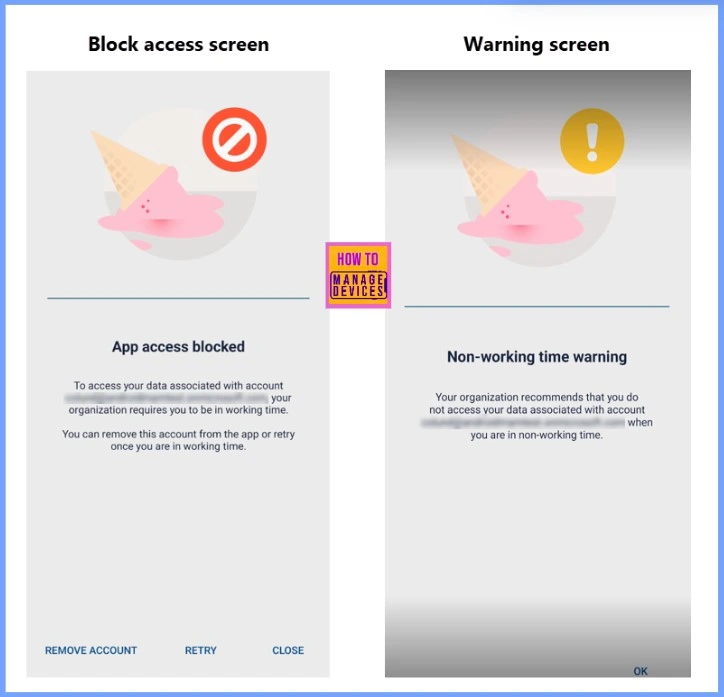
| Block Access Screen | Warning Screen |
|---|---|
| App access blocked | Non-working time warning |
| Your organization requires you to be in working time to access the data associated with your account. You can remove this account from the app or retry once you are in working time. | Your organization recommends that you do not access the data associated with the account name when you are in non-working time. |
- Easy Way to Remove Microsoft Teams Personal with Intune
- MS Teams Login Issue with Intune MAM Enrolled iOS Devices
- Disable Microsoft Teams Auto Start Using Intune
Working Time
The Working Time feature allows IT administrators to limit frontline workers’ access to Microsoft Teams on Android and iOS mobile devices, particularly in BYOD or company-owned device scenarios. This feature helps manage shift-based work environments and ensure compliance with local laws regarding off-hours work.
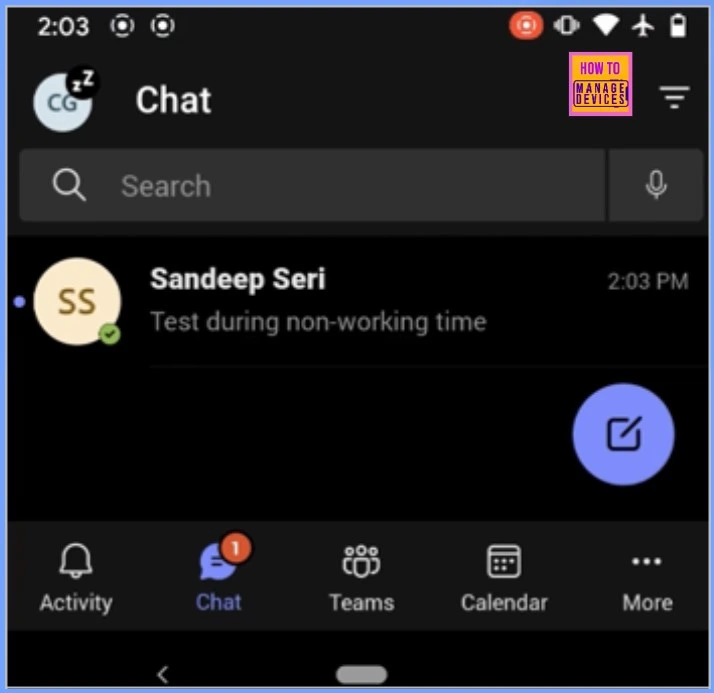
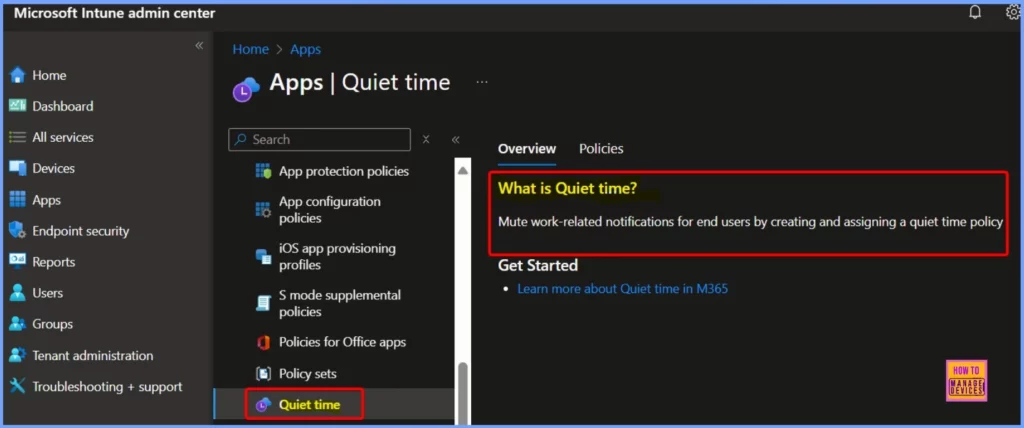
Quiet Time – Muted Notifications in Microsoft Teams via Intune
When notifications are muted in Microsoft Teams through Intune, users will not receive pop-up windows or see notification badges on app icons. However, messages are still accessible within the app—users can view any messages they send once they open Teams, even though notifications are suppressed. This allows users to stay informed without being interrupted by real-time notifications.
- Shared Tab in Chat Microsoft Teams Introducing the Best Way to Access Files and Links in a Chat
- Microsoft 365 Copilot in Teams for Chat Meeting Calls Generally Available
- Unified Teams App Launches on All Platforms Windows and Mac
Blocked Access Outside Working Hours in Microsoft Teams
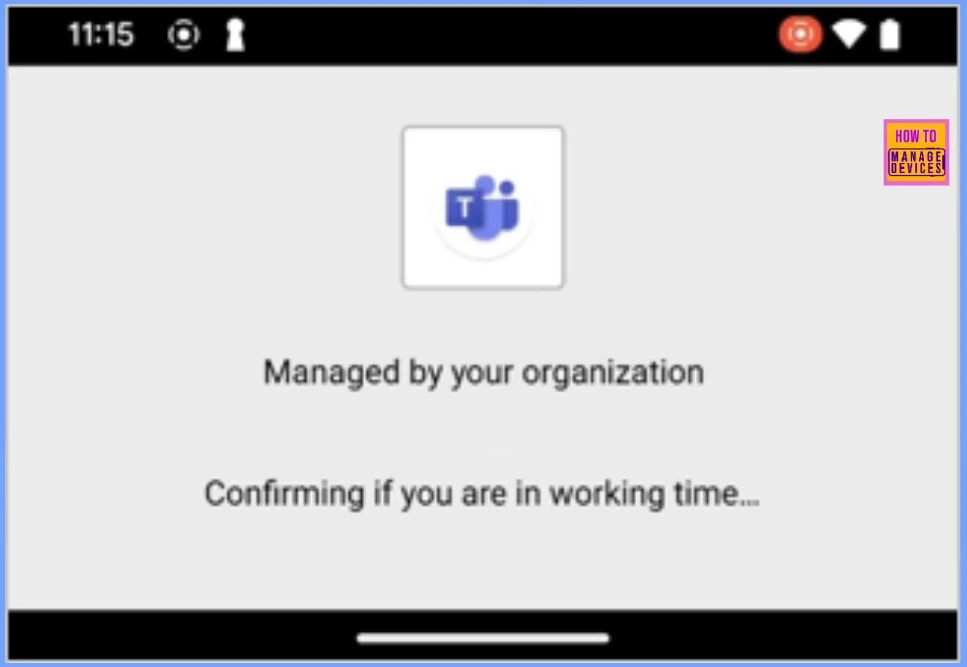
When users’ access to Microsoft Teams is blocked outside their working hours, they will receive a notification message when attempting to open the app. This message is displayed after the app checks whether they are clocked in for their shift. If the worker is off shift, the block will prevent access until they clock in again.
Need Further Assistance or Have Technical Questions?
Join the LinkedIn Page and Telegram group to get the latest step-by-step guides and news updates. Join our Meetup Page to participate in User group meetings. Also, Join the WhatsApp Community to get the latest news on Microsoft Technologies. We are there on Reddit as well.
Resources
What’s new in Microsoft Intune October 2024 – Microsoft Intune Blog
Author
Anoop C Nair has been Microsoft MVP from 2015 onwards for 10 consecutive years! He is a Workplace Solution Architect with more than 22+ years of experience in Workplace technologies. He is also a Blogger, Speaker, and leader of the Local User Group Community. His primary focus is on Device Management technologies like SCCM and Intune. He writes about technologies like Intune, SCCM, Windows, Cloud PC, Windows, Entra, Microsoft Security, Career, etc.


Discussion