






Third-party Patch Management with WSUS|SCCM
In this post, let’s see Third-party Patch Management with WSUS.
When Microsoft Intune was introduced, many feared that this would end Microsoft System Center Configuration Manager (SCCM) as the IT industry moved towards being completely cloud-based.
However, with the announcement of Microsoft Endpoint Manager, a solution that merges SCCM and Intune, Microsoft has ensured that SCCM’s functionalities are here to stay.
If this development doesn’t matter much to you, there’s a good chance you’re relying on simpler, less complex freeware—Windows Server Update Services (WSUS)—to carry out your day-to-day patch management tasks.
| Index |
|---|
| WSUS and SCCM Relationship Status: Complicated |
| Third-party patch management in WSUS |
Related Post – Future of SCCM ConfigMgr Intune Admin Jobs
What is the Difference Between SCCM and WSUS?
WSUS
WSUS (Windows Server Update Services) is a free tool with hidden costs, such as troubleshooting time and the need for alternative patching tools for non-Windows systems and third-party applications.
When configured correctly, Microsoft’s WSUS should seamlessly patch Windows systems, minimizing manual effort for Microsoft-based networks.
WSUS has limited capabilities for patching third-party applications and lacks reporting and network visibility, making it unsuitable for much else.
SCCM
SCCM, or System Center Configuration Manager, is a paid patch management solution from Microsoft. It relies on WSUS to check for and apply patches but offers more control over patch deployment. However, there are still challenges when using SCCM for patch management.
SCCM controls patch deployment, report generation, and Windows machine management. It also offers endpoint protection and seamless integration with Windows systems and Microsoft products.
Hybrid infrastructure requires manual patching with SCCM, and third-party application patching is challenging. SCCM provides limited support for third-party apps, frustrating IT managers. Better third-party application management is a top request from IT staff due to the high vulnerability of third-party software on average PCs.
WSUS and SCCM Relationship Status: Complicated
Patching is the very first step in securing any enterprise network. In addition to that, patching makes software fast, efficient, and stable. Many vendors provide end-to-end patch management, and Microsoft is at the top of the pyramid. It offers three ways to patch Windows systems:
- Windows Update: A service for non-enterprise users to receive automatic bug fixes and updates.
- WSUS: Centralized patch management freeware built into Windows Server.
- SCCM aka Microsoft Endpoint Configuration Manager (MECM): A complete system management solution that includes patch management, software deployment, etc.
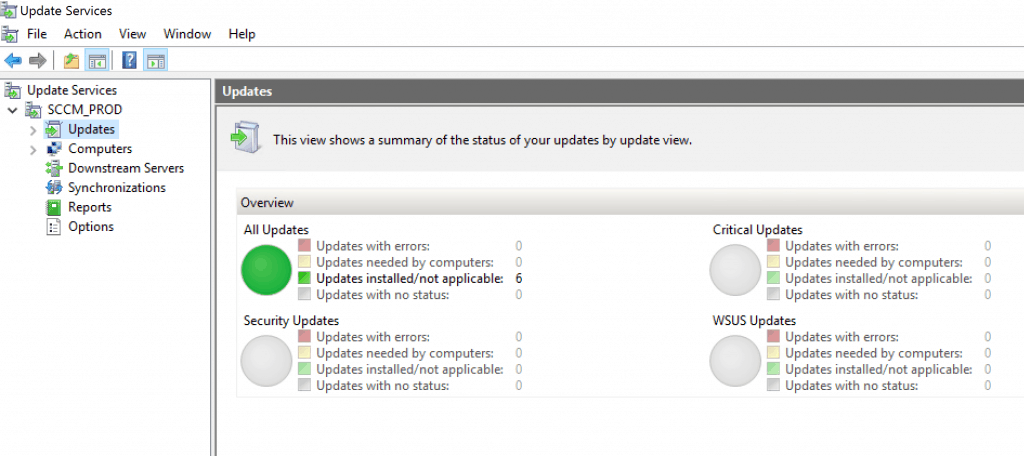
Of these three offerings, SCCM might seem like a sensible choice for an enterprise, but there’s a catch: SCCM uses WSUS’ infrastructure to perform patch management operations.
So, if you don’t need the additional features that SCCM offers, it’s wise to stick with WSUS for free patch management.
Third-party patch management in WSUS
WSUS is a simple, efficient, and reliable solution that provides centralized management of all Microsoft updates in your enterprise at no additional cost. But is everything rainbows and butterflies with WSUS? Not. WSUS has one major drawback: it doesn’t support third-party patching.
WSUS third-party patch management streamlines the process of publishing non-Microsoft updates to the update server and deploying them to specific systems in the network. This enables the seamless availability of third-party patches through the WSUS console using specialized publishing tools.
With cyberattacks increasingly targeting third-party applications, failing to patch their vulnerabilities can be a real threat to any enterprise.
ManageEngine Patch Connect Plus has recently introduced a feature that enables the deployment of third-party patches directly through WSUS without the need for an SCCM infrastructure.
Patch Connect Plus is a comprehensive tool for third-party patch management. It offers automated third-party patching, customized deployment with pre- and post-scripts, detailed deployment reports, and support for over 350 third-party applications.
Its reliability and ease of use make Patch Connect Plus the perfect partner for WSUS. Start your 30-day free trial Patch Connect Plus now!
Resources – Patch Management
- SCCM WSUS Cleanup – Fix SCCM Scan Timeout Errors
- SCCM Third-Party Software Updates Setup Step-by-Step Guide Post Video Guide
- Free SCCM Catalog List – SCCM Third-Party Updates Post 2
- Background Process flow with Logs – SCCM Third-Party Software Updates – Post 3
We are on WhatsApp. To get the latest step-by-step guides and news updates, Join our Channel. Click here –HTMD WhatsApp.
Author
Admin


Discussion