






Fix Error 403 when Accessing Application Manager Role in Intune
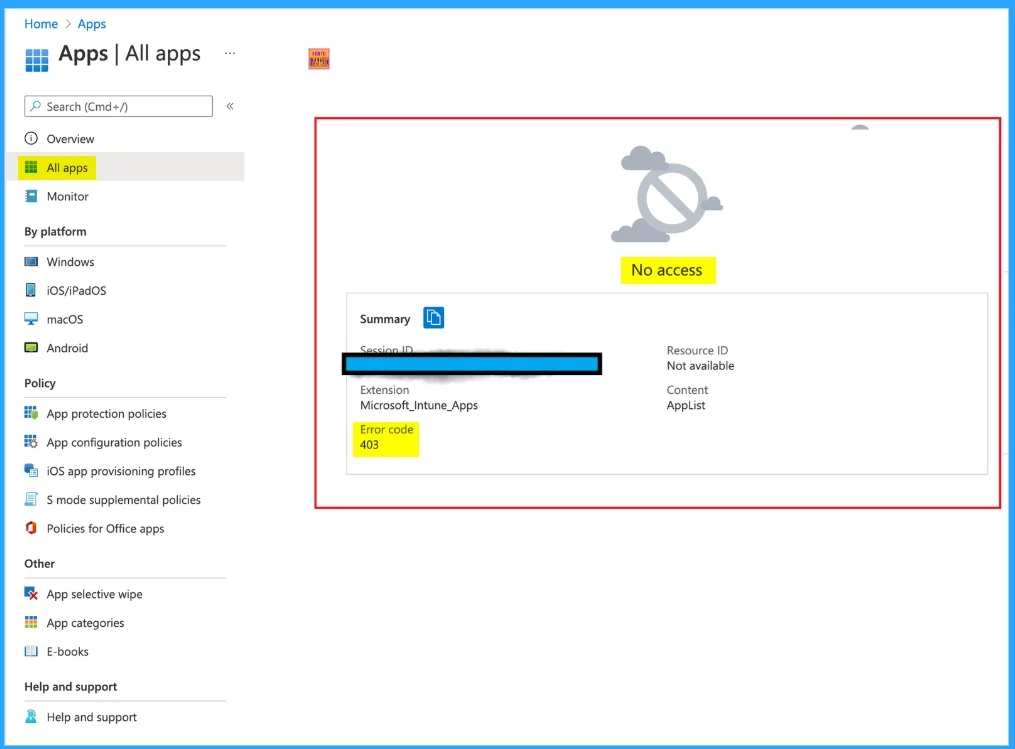
Let’s discuss about Fix Error 403 when Accessing Application Manager Role in Intune. Microsoft identified an Issue on Intune or Endpoint Manager Portal when accessing the Application Manager Role. Many Intune users got the error code 403 when accessing the Application Manager Role.
This issue occurred due to several Reasons. Error 403, also known as the Forbidden error, occurs when a server understands a request but refuses to authorise access. Here also this error occurs due to an access issue.
ConfigMgr Tenant is also affected by Error 401 and 403. After the ConfigMgr Tenant was attached, users received an error 401 (403) when trying to access Run Script or CMPivot blade from the Intune portal. You can check our blog post to know more about the ConfigMgr Tenant Attach Error 401 403.
In this blog post, I would like to share information about Fix Error 403 when Accessing Application Manager Role in Intune or Endpoint Manager Portal. I also share reasons and Fixes for Error 403 when accessing Application Manager Role.

Table of Contents
Fix Error 403 when Accessing Application Manager Role in Intune
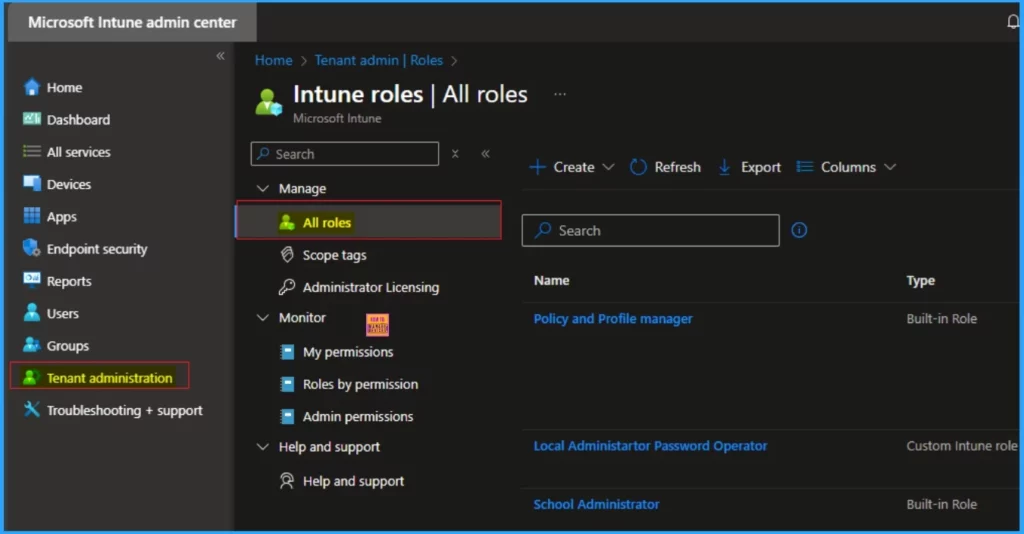
As mentioned 403 is an access-related issue which create inconvience for you. This issue typically happens due to insufficient permissions, security restrictions, or misconfigured settings. Here this Accessing issue occurred when you gave Application Manager role with full access, under Tenant Admin > MEM roles for users.
- Fix Error 403 HTTP STATUS FORBIDDEN SCCM Software Update Patch Package Download Failed ConfigMgr
- FIX Autopilot V2 Enrollment Error 80180014 Issue with Corporate Device Identifier Format
- Fix MDM Profile Installation Failed with 401 Error during Intune Enrollment for Apple Devices
Reasons for 403 Error
There are many reasons for a 403 error. When this issue occurred, users face many challenges and feel performance issue. It also create a problem of user experience. The following table shows the Reasons.
| 403 Error Reasons | Details |
|---|---|
| Insufficient Permissions | if the user might not have the right role assigned |
| Conditional Access Policy Restrictions | Security policies could be preventing access from certain locations or devices |
| MDM Configuration Errors | If the tenant’s MDM setup isn’t properly configured errors may occurs |
Workaround for Error 403 when Accessing Application Manager Role
To fix Error 403 when Accessing Application Manager Role, you have to follow some steps. By following the below workaround you can resolve this issue on Intune Portal.
| Workaround | Details |
|---|---|
| Verify Role Assignments | Verify the role of affected users |
| Adjust Scope Settings | This issue can be resolved by changing the Scope (Group) settings to All Devices |
| Check MDM Setup | Double check if the MDM Configuration active or not under Tenant Admin > MEM roles |
| Allow Time for Role Activation | Some users may experience, 5 to 10 minute delay before their newly assigned roles look affect |
Need Further Assistance or Have Technical Questions?
Join the LinkedIn Page and Telegram group to get the latest step-by-step guides and news updates. Join our Meetup Page to participate in User group meetings. Also, join the WhatsApp Community to get the latest news on Microsoft Technologies. We are there on Reddit as well.
Author
Anoop C Nair has been Microsoft MVP for 10 consecutive years from 2015 onwards. He is a Workplace Solution Architect with more than 22+ years of experience in Workplace technologies. He is a Blogger, Speaker, and Local User Group Community leader. His primary focus is on Device Management technologies like SCCM and Intune. He writes about technologies like Intune, SCCM,
Windows, Cloud PC, Windows, Entra, Microsoft Security, Career, etc.


Discussion