






Let’s discuss how to FIX Outlook Error Cannot Move the Items. If you see an error in the Microsoft Outlook app on Windows devices, “Cannot move the items”, when you try to move emails or other items to different folders, don’t worry. You are not alone, Microsoft is aware of the issue.
You can try a few troubleshooting steps to resolve the issue. This problem might occur if there is an issue with Outlook, the email server, or the specific folder. Sometimes, a simple restart can solve the problem. Close Outlook and open it again.
Outlook might find it difficult to move items if your internet is not working well. Make sure you are connected to the internet. If your Deleted Items folder is complete, it can cause issues. Empty it to free up space.
Outlook Desktop to search within a specific folder of an auto-mapped shared mailbox, users may face an issue where the search yields no results or displays results from folders other than the planned one. It potentially shows a message like “Showing results from all folders. No results found in the current folder.”

- Fix Outlook Desktop Crashes Issue when sending Emails
- FIX Spoofing Vulnerability with Outlook Image Blocking and Read-Only Meeting Body
- FIX Restricted Access to FQDN and IP Hyperlinks Issues in Outlook
What is the Issue with Moving Mail in Outlook?
The Outlook users are experiencing an error that prevents them from moving emails to other folders, with a message saying, “Cannot move the items.”
Troubleshooting Outlook Error Cannot Move the Items
The Outlook users are facing an issue where they can not move emails to different folders, and an error message saying “Cannot move the items” appears when they try. The Outlook Team is aware of the problem and is currently investigating.

Workaround for Cannot Move the Items Error in Outlook
Let’s try to find a workaround solution for this issue with the Outlook application for Windows. Microsoft Outlook team is aware of the issue, and they are investigating to understand the fix and root cause of the issue.
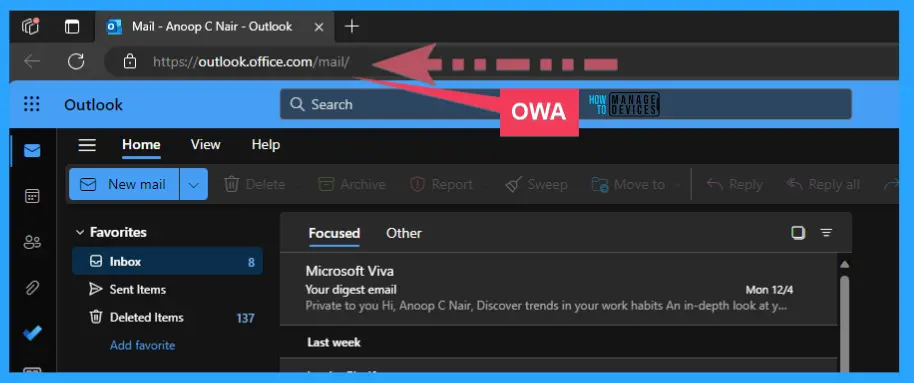
The best workaround is to use OWA (https://outlook.office.com/mail/) to move the items as mentioned below:
- Use Outlook on the Web (OWA) to move the items to other folders.
- For mail hosted with 3rd parties (IMAP/POP3), please log into webmail to move the items to different folders.
We are on WhatsApp. To get the latest step-by-step guides and news updates, Join our Channel. Click here – HTMD WhatsApp.
Author
About the Author – Vidya is a computer enthusiast. She is here to share quick tips and tricks with Windows 11 or Windows 10 users. She loves writing on Windows 11 and related technologies. She is also keen to find solutions and write about day-to-day tech problems.




Discussion