






FIX MS Outlook Zero-Click RCE Flaw Executes as Email is Opened
Microsoft announced the Outlook Zero-Click RCE Flaw as part of CVE-2024-30103, Microsoft Outlook Remote Code Execution Vulnerability, released as part of June Patch Tuesday.
This must be fixed as an urgent bulletin as soon as possible to avoid any damage to your organization. As per Microsoft, an attacker who successfully exploited this vulnerability could bypass Outlook registry block lists and enable the creation of malicious DLL files.
This vulnerability is very dangerous because it doesn’t require a click to execute. Instead, the execution gets initiated when an affected email is just opened.
Morphisec’s detailed analysis shows that the Outlook Zero-Click RCE Flaw lies in how MS Outlook processes certain email components.

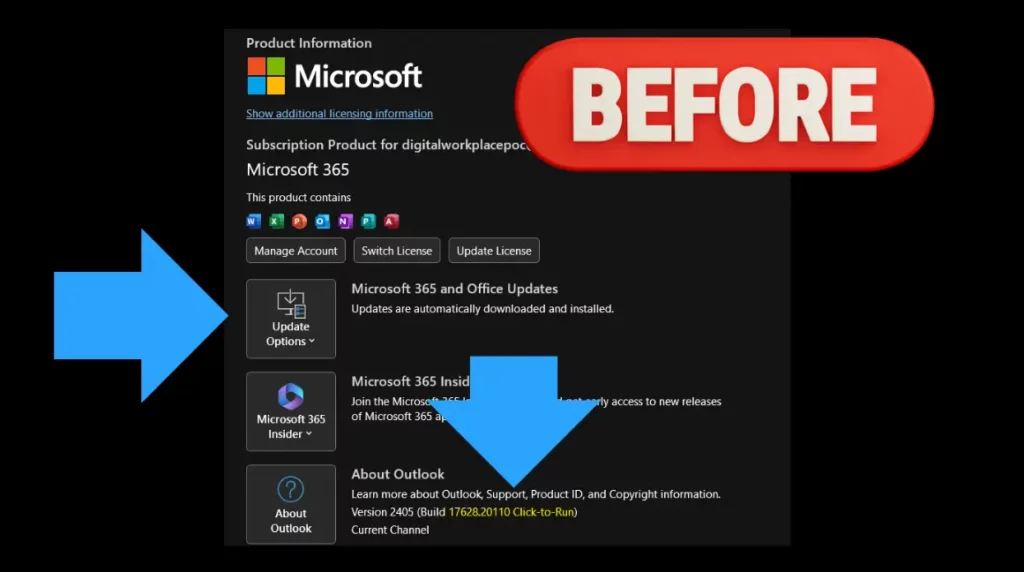
FIX MS Outlook Zero-Click RCE Flaw Executes as Email is Opened
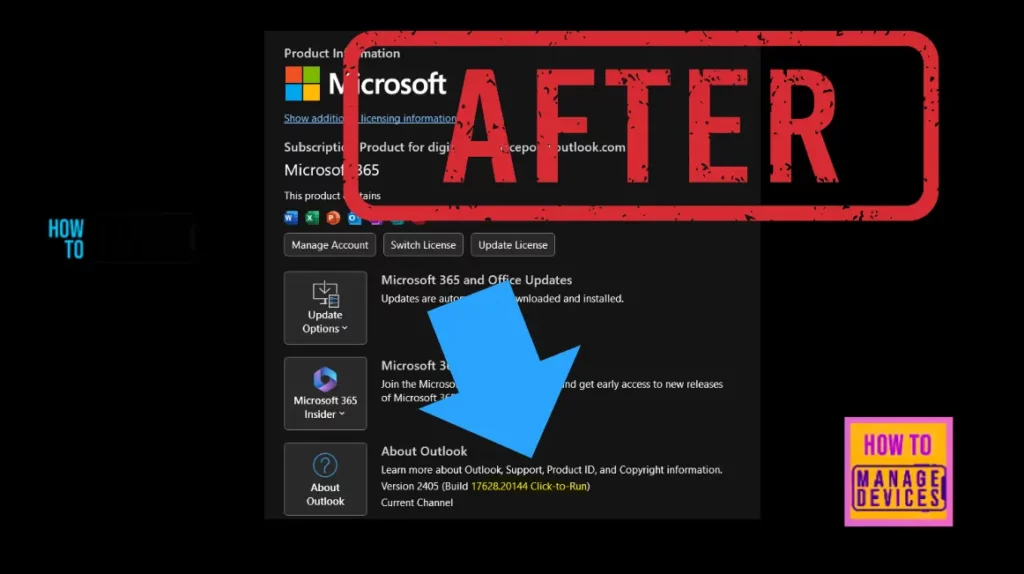
Microsoft already released the fix for this vulnerability as part of the June 11, 2024, patch Tuesday. The following table details the fixed Outlook versions and other Office apps.
| Microsoft 365 App Channels | Build Versions |
|---|---|
| Current Channel: Version 2405 | (Build 17628.20144) |
| Monthly Enterprise Channel: Version 2404 | (Build 17531.20190) |
| Monthly Enterprise Channel: Version 2403 | (Build 17425.20258) |
| Semi-Annual Enterprise Channel (Preview): Version 2402 | (Build 17328.20414) |
| Semi-Annual Enterprise Channel: Version 2308 | (Build 16731.20716) |
| Semi-Annual Enterprise Channel: Version 2302 | (Build 16130.21026) |
| Office 2021 Retail: Version 2405 | (Build 17628.20144) |
| Office 2019 Retail: Version 2405 | (Build 17628.20144) |
| Office 2016 Retail: Version 2405 | (Build 17628.20144) |
| Office LTSC 2021 Volume Licensed: Version 2108 | (Build 14332.20721) |
| Office 2019 Volume Licensed: Version 1808 | (Build 10411.20011) |
Update Outlook Client Immediately
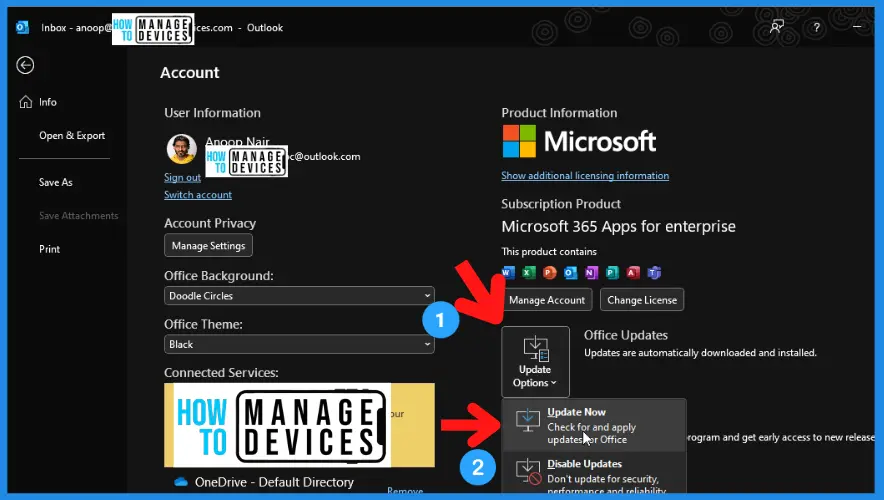
Let’s quickly update the Windows Outlook client to mitigate the issue immediately. Open the Outlook client app and follow the steps. You can use SCCM or Intune (more details in the below section) to keep the Office applications up to date and fix this vulnerability.
- Select File -> Office Account -> Office Updates and select the Update Now button.
Intune Policy to Force Office Apps to a Target Version
Let’s check the Intune Policy to Force Office Apps to a Target Version. You can use the Settings Catalog (more details Create Intune Settings Catalog Policy). Settings Catalog supports Windows device platforms.
There are other options to fix this issue with Microsoft Outlook. You can use the Intune proactive remediation, but it needs an additional license.
NOTE! You can also use the Custom Compliance policy in Intune to force users to update to the latest version of Office Apps (including Outlook client). Once the users are updated, they can use the organization’s resources!
- Sign in to the Microsoft Intune admin center
- Select Devices > Configuration profiles > Create profile.
In Create Profile, You can select Platform: Select Windows 10 and later and Profile: Select Settings catalog (preview). Click on the Create button. For Example – we have selected the platform Windows 10 and later.
- Search for the Target Version and set the policy
- Target Version Enabled:
- Update Version (Device) to 17628.20144 or any Office version as per your Office channel. Refer to the above table to get more details.
In the following blog post, we discussed many other options, such as Task Scheduler and Auto Patch method. For more details, refer to FIX Zero Day Security Vulnerability For Outlook HTMD Blog (anoopcnair.com).
Author
Anoop is Microsoft MVP! He is a Solution Architect in enterprise client management with more than 17 years of IT experience (calculation done in the year 2018). He is a Blogger, Speaker, and Local User Group Community leader. His main focus is on Device Management technologies like SCCM 2012, Current Branch, and Intune. He writes about technologies like SCCM, SCOM, Windows 10, Azure AD, Microsoft Intune, RMS, Hyper-V etc…




Discussion