






Fix SCCM Upgrade Breaks SSRS with UserTokenSIDs Contains an Error ConfigMgr
Fix SCCM Upgrade Breaks SSRS with UserTokenSIDs contains an error ConfigMgr. Recently, We had a discussion in the Facebook Group for SCCM ConfigMgr Professionals about the SSRS reporting issue after upgrading from SCCM.
Some of the group members reported the following issue/error. However, I didn’t find this issue in any of my environments (I’ve 3 different environments), and the SSRS reports are working fine after ConfigMgr 2012 R2 upgrades. So, I don’t know the exact reason for the following error in some environments.
Initially, I suspected there was something to do with the Domain and forest functional levels. I tested the same with different functional levels: Windows Server 2008 2 and Windows Server 2003. For both functional levels, it worked fine for me. Fix SCCM Upgrade Breaks SSRS with UserTokenSIDs. Does it contain an error ConfigMgr?
When upgrading (SCCM), an issue can arise with SQL Server Reporting Services (SSRS), resulting in an error related to “UserTokenSIDs.” This error can prevent reports from functioning correctly. Here is a simplified explanation and solution.

- FIX SCCM Upgrade Issue because of SQL-Based Replication
- Fix SCCM Upgrade Breaks SSRS with UserTokenSIDs contains an error ConfigMgr
- SCCM 2405 New Features
| Index |
|---|
| Fix SCCM Upgrade Breaks SSRS with UserTokenSIDs Contains an Error ConfigMgr |
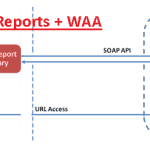
Fix SCCM Upgrade Breaks SSRS with UserTokenSIDs Contains an Error ConfigMgr
After some “REsearch,” I found some exciting updates to the SCCM 2012 R2 Configuration Manager Documentation Library in November 2013. Also, the Technet page has been updated with new prerequisites for the SCCM 2012 R2 SSRS report service account.
System.Web.Services.Protocols.SoapException: The DefaultValue expression for the report parameter ‘UserTokenSIDs’ contains an error: Logon failure: unknown user name or bad password.
The SSRS service account should be a Windows Authorization Access (WAA) group member, and Read tokenGroupsGlobalAndUniversal should allow permissions. More details @ Technet page “To install the reporting services point on a site system“.
Added a note that the account that runs Reporting Services must belong to the domain local security groupWindows Authorization Access Group, and have the Read tokenGroupsGlobalAndUniversal permission set toAllow.
You should add the group and security settings above for an SSRS-related issue. If that does not solve the problem, you can try something mentioned in the TechNet thread.
A detailed discussion about the SCCM 2012 R2 SSRS issue is here. Fix SCCM Upgrade Breaks SSRS with UserTokenSIDs contains an error ConfigMgr.
Extract from Technet forum:- Some exciting stuff In our environment, we run all SQL services as a separate account, say domain\CMSQLSERVICE account (so if you looked at the services, you’d see SQL Server, SQL Server Agent & SQL Server Reporting Services all running as CMSQLSERVICE).
We also run reporting as another account, say domain\CMSQLREPORTING account (SCCM console, Admin, Site Config, Servers & Sites, Reporting services point).
Placing the CMSQLREPORTING account into the Windows Authorization Access Group did not resolve the issue as I had thought. We then put the CMSQLSERVICE account in there & everything worked as intended. Fix SCCM Upgrade Breaks SSRS with UserTokenSIDs. Does it contain an error ConfigMgr?
You’ll quickly see the errors by looking at the reporting point/server with the SQL database for C:\Users\ACCOUNTRUNNINGSQLSERVICE\AppData\Local\Temp.
Resources
SCCM Related Posts Real World Experiences Of SCCM Admins
We are on WhatsApp now. To get the latest step-by-step guides, news, and updates, Join our Channel. Click here. HTMD WhatsApp.
Author
Anoop C Nair is Microsoft MVP from 2015 onwards for consecutive 10 years! He is a Workplace Solution Architect with more than 22+ years of experience in Workplace technologies. He is a Blogger, Speaker, and Local User Group Community leader. His main focus is on Device Management technologies like SCCM and Intune. He writes about technologies like Intune, SCCM, Windows, Cloud PC, Windows, Entra, Microsoft Security, Career etc.




Hi Anoop,
At this moment, we encounter the same error as you mentioned above (UserTokenSIDs). But…..only 1 user gets this error. The other 3 admins (Full administrator) can run reports without any problem.
The SSRS service account is member of the WAA group.
The admin account that gets the error is member of the same groups as the other 3.
Whats changed? A couple of weeks ago the Reporting Role was moved to another server. Before that he didn’t have a problem running reports. But with this change the SSRS service account hasn’t changed.
Hope you can point me in the right direction
Robert
Hey Robert,
I am having the same issue. Keep me posted if you find a solution. I’ve been digging into this for hours. If I find something, I’ll make sure to post.
Thanks!