






FIX Software Center Crash Error SCNotification Has Stopped Working | SCCM | ConfigMgr
Learn how to fix software centre crashes and error SC notifications that have stopped working on Windows 10, Windows 11, or Server 2016. Let’s check what you can do when you see the following error continuously.
This issue is seen when opening the software centre, which crashes with the error below. Is this issue happening with Windows 10 devices? How can we fix this annoying issue and make end-users happy?
| Index |
|---|
| What is the real issue? – Fix Software Center Crash Error SCNotification Has Stopped Working |
| Solution | FIX – FIX Software Center Crash |
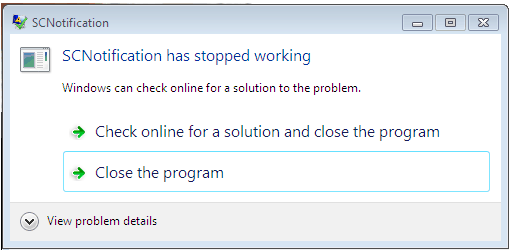
What is the real issue? – Fix Software Center Crash Error SCNotification Has Stopped Working
In general, we reinstall Configuration Manager or SCCM client Agent, check the WMI Repository, including permissions, check DCOM And VC++, and check whether the distributed transaction coordinator service is started at the client end.
In rare cases, this issue is resolved after validating the above components. But in most cases, the problem persists.

Cause: This Software Center Crash issue arises when the DOT NET instance installed in the server is corrupted.
Solution | FIX – FIX Software Center Crash
Let’s see how to fix the Software Center Crash Error SCNotification Has Stopped Working | SCCM | ConfigMgr. Now, let’s try fixing the Software Center crashing issue.
- Repair all the installed versions of DOT NET on this server.
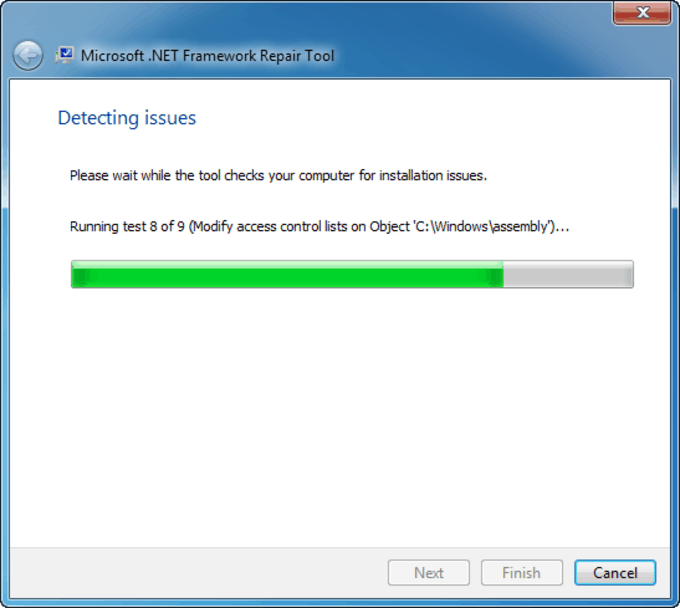
- Download netfxrepair.exe and Run netfxrepair.exe /p.
This will give you a GUI-based window to monitor the repair progress. https://www.microsoft.com/en-us/download/details.aspx?id=30135
Copy machine.config.default and machine.config file from a working machine
Paste to the following location “C:\Windows\Microsoft.NET\Framework\v4.0.30319\Config” and “C:\Windows\Microsoft.NET\Framework64\v4.0.30319\Config”
Permit both files for domain users. Now try opening the Software Center to see if it works. Still, the same issue then reboots the server once.
Resources
- Install SCCM Client Manually Using Command Line
- How to Build Configuration Manager Technical Preview LAB |SCCM 2002.2
We are on WhatsApp. To get the latest step-by-step guides and news updates, Join our Channel. Click here –HTMD WhatsApp.
Author
Deepak Raiis a Technical Lead with over 14 years of experience in IT. He specializes in SCCM, Intune, and Azure. Throughout his career, he has worked on various platforms such as Active Directory, Exchange, Veritas NETBACKUP, Symantec Backup Exec, NDMP devices like Netapp, EMC Data Domain, Quantum using Backup Exec 2010 and 2012, and HP StorageWorks 4048 MSL G3. He also has experience in data deduplication-related troubleshooting. Ultimately, he returned to his roots as an IT Engineer focusing on SCCM technology.


Which permissions for domain users?
Great blog post! I’m having the same issue with Software Center crashing and the SCNotificationHasStoppedWorking error on my ConfigMgr environment. Would love to learn more about how you addressed this issue and any tips you can share.
Wow, your solution finally fixed the error! I was going crazy trying to troubleshoot the issue, thanks for the detailed steps!