






Block Gemojis and Screen Capture in Apple using Intune Security Policy
Hi everyone, Today, we are discussing Block Gemojis and Screen Capture in Apple using Intune Security Policy. Recently, Apple AI features got updated, which are making major improvements to those features. As you all know, Apple offers the best AI features for users.
While this time, Apple make a huge impact on AI features by updating them. Recently Microsoft announced the changes of AI feature of Apple. The upcoming Intune April (2504) service release introduces new settings for Apple AI features, such as for the Genmojis, and Screen capture.
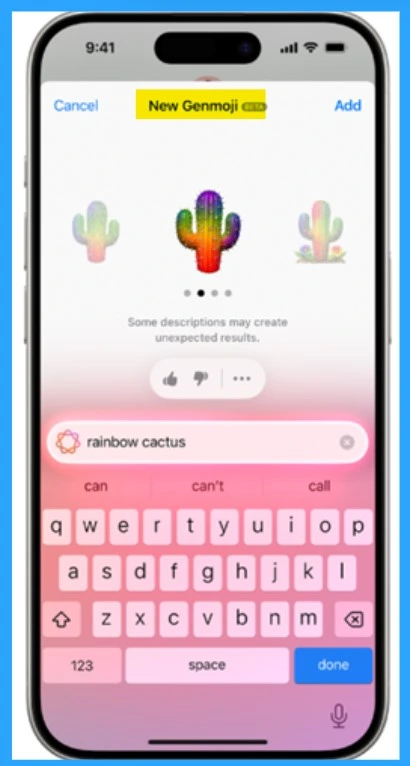
In the upcoming Intune service release in April (version 2504), Microsoft will introduce new, separate settings specifically designed to block features like screen capture, Genmojis, and Writing tools within app protection policies. These tools are useful for the organization to manage and control security and privacy. Genmojis are special emojis that let users create personalized avatars.
Also writing tools apple is best for users to write experience. These tools are designed to assist users in creating high-quality written content. The Screen capture feature is another powerful tool offered by Apple, enabling users to capture and share their screen content. In this post we will discuss the brief overview of the new update on Apple AI features.

Table of Contents
Block Gemojis and Screen Capture in Apple using Intune Security Policy
Above, we discussed many things about the major update going on to the Apple AI features. Recently, Arnab Mitra, Microsoft Corp. Sr. Program Manager M365, shared this announcement through his Social media platform.
The primary goal is to enhance data security, which requires a careful review and update of app protection policies. Organizations must ensure their policies allow data sharing with all apps to continue using these AI features.
| Important |
|---|
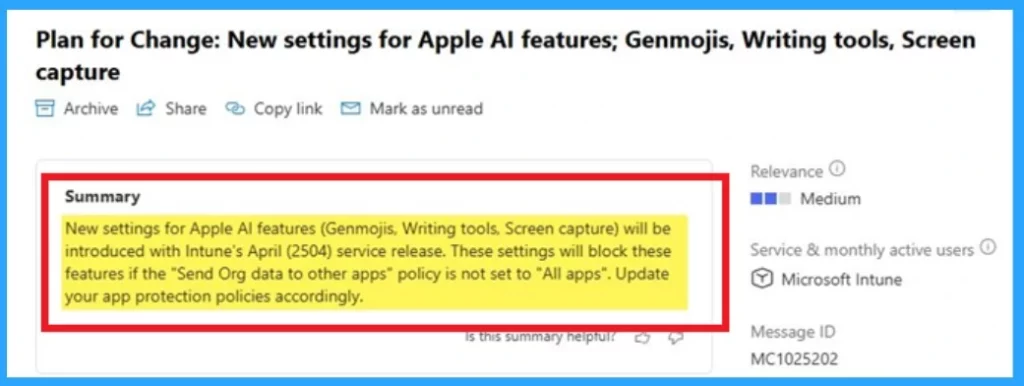
| New settings for Apple Al features (Genmojis, Writing tools, Screen capture) will be introduced with Intune’s April (2504) service release. These settings will block these features if the “Send Org data to other apps” policy is not set to “All apps”. Update your app protection policies accordingly. |
- Issue with Microsoft Intune App Protection Policies Not Targeting Newly Added Apps
- Create Intune App Protection Policies for iOS iPadOS
- How to Create App Protection Policies for Windows MAM Devices
Blocking Apple AI Features in Intune
Apple AI features such as Genmojis, Writing tools, and screen capture are blocked when the “Send Org Data to Other Apps” setting in the app protection policy (APP) is configured to anything other than “All apps.” In the upcoming Intune April (2504) service release, new standalone settings will be introduced for blocking screen capture, Genmojis, and Writing tools in app protection policies.
- These settings will be supported by apps that have been updated to version 19.7.12 or later for Xcode 15 and version 20.4.0 or later for Xcode 16 of the Intune App SDK and App Wrapping Tool.
Reference
A new standalone setting for blocking screen capture, Genmojis and Writing Tools
Need Further Assistance or Have Technical Questions?
Join the LinkedIn Page and Telegram group to get the latest step-by-step guides and news updates. Join our Meetup Page to participate in User group meetings. Also, join the WhatsApp Community to get the latest news on Microsoft Technologies. We are there on Reddit as well.
Author
Anoop C Nair has been a Microsoft MVP for 10 consecutive years from 2015 onwards. He is a Workplace Solution Architect with more than 22+ years of experience in Workplace technologies. He is a Blogger, Speaker, and Local User Group Community leader. His primary focus is on Device Management technologies like SCCM and Intune. He writes about technologies like Intune, SCCM, Windows, Cloud PC, Windows, Entra, Microsoft Security, Career, etc.


Discussion