






How to Find SCCM Server Components Data Site Status Details from SQL DB Configuration Manager
How to Find SCCM Server Components Data Site Status Details from SQL DB Configuration Manager. In SCCM, ServerComponents, ServerData, and SiteStatus tables are critical. We can get loads of information from these 3 tables.
I was troubleshooting SCCM 2012 SQL-based (not SQL replication) replication-related issues (thanks to Umair Khan for more details). These tables would be handy for understanding the replication status and other SCCM-related troubleshooting.
How do you find SCCM server components data site status details from SQL DB? I’m not going to explain the SQL troubleshooting part in this post. As mentioned above, most information is available in Umair’s posts. In this post, I just wanted to share the details of ServerData and SiteStatus.
In this post, you will learn how to find SCCM server components data and site status details from the SQL database using SQL Server Management Studio (SSMS) Configuration Manager.

| Index |
|---|
| How to Find SCCM Server Components Data Site Status Details from SQL DB Configuration Manager |
- New Features in SCCM Technical Preview 2401
- New Key Features of SCCM 2309 | Top Improvements
- Download SCCM 2309 Early Ring Version using PowerShell Script
- SCCM Versions Build Numbers Client Console Site
- End of Support Dates for SCCM CB Current Branch | ConfigMgr | SCCM End of Life
- SCCM Unsupported Deprecated or Removed Features
How to Find SCCM Server Components Data Site Status Details from SQL DB Configuration Manager
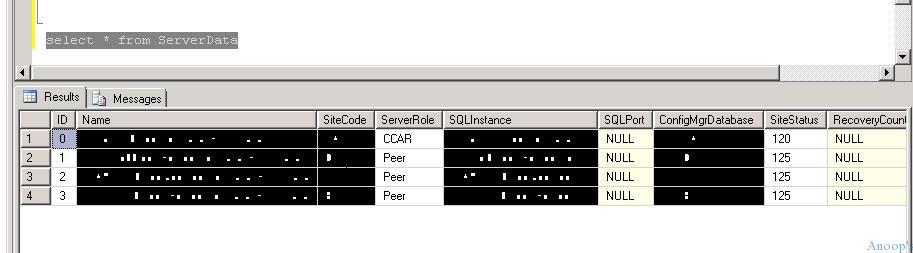
This would be useful when SQL troubleshoots on SCCM 2012 replication issues. Select * from ServerData.
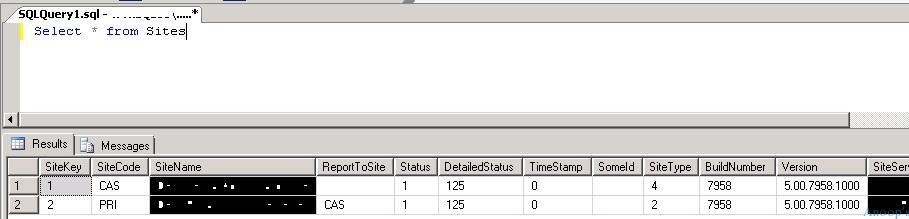
Select * from Sites. Here, you should select the Site. The screenshot below helps you show more details.
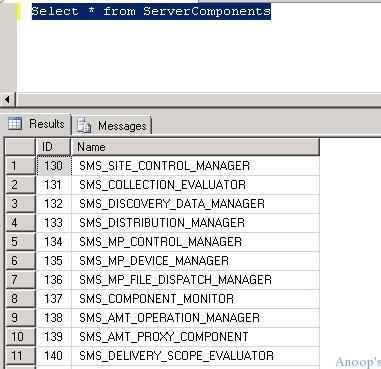
Select * from ServerComponents. Here, you should select the Server components. The screenshot below helps you show more details.
Resources
Windows 10 Latest Version Of Client Operating System From Microsoft (anoopcnair.com)
We are on WhatsApp now. To get the latest step-by-step guides, news, and updates, Join our Channel. Click here. HTMD WhatsApp.
Author
Anoop C Nair is Microsoft MVP! He is a Device Management Admin with more than 20 years of experience (calculation done in 2021) in IT. He is a Blogger, Speaker, and Local User Group HTMD Community leader. His main focus is on Device Management technologies like SCCM 2012, Current Branch, and Intune. He writes about ConfigMgr, Windows 11, Windows 10, Azure AD, Microsoft Intune, Windows 365, AVD, etc.




Kool ! Nice one.. 🙂 But fetching out desire data from all these tables using SQL Query is something really annoying :S
StaffI know, Unfortunately, if you’ve hierarchy in SCCM 2012 with SCCM CAS and Primary then we need to deal with it. It’s very new for SCCM admins. My heading spinning now because of some SQL based replication issues.
Regards
Anoop
Its not that difficult but yes little annoying.
StaffWhich is not difficult ? and Which is annoying ? 🙂
Hi sir,
my environment has SCCM 2012 R2… with 1 CAS, 4 primary, and 32 secondary….
i am handling a secondary site related to first primary site…
now the task is I have to reinstall (refresh) the windows 7 profession version OS in my secondary site, already we have windows 7 professional version but with 3 drives in it, so now i have to push OS with partisioning only one drive and push OS into all systems and no data should be lost,…
please specify me what are the requirements and steps involved in it
Regards
Kapil
StaffHi Kapil ! – You can’t install SCCM 2012 secondary server on Windows 7 prof ! It’s not supported scenario…
Regards
Anoop