






IE11 to Microsoft Edge Migration Adoption Kit | Free Download PowerPoint Email Templates
Let’s check IE11 to Microsoft Edge Migration Guide for Endusers (adoption kit). Microsoft has shared the free adoption kit with PowerPoint, Email Templates, etc. The Internet Explorer 11 (IE11) desktop application retires on June 15, 2022, for many versions of Windows 10.
You have to set up Internet Explorer mode in Microsoft Edge to support legacy web-based apps or sites. You can also configure the Enterprise Mode site list to use IE Mode. You can disable the IE11 standalone browser with Group Policy settings or the Intune Settings Catalog option.
The support for the IE11 standalone browser is the only piece moving away. However, the support for IE mode follows the lifecycle of current and future Windows clients and Windows servers. This IE mode support is there at least through 2029.
Ensure that you are migrated to a Windows client or server supported version to continue using IE mode. Microsoft promised that they give one year of notice before retiring the IE mode experience.

Microsoft Edge Deployment guides are available for SCCM and Intune admins in the following list.
- Deploy New Microsoft Edge Chromium Browser Using Intune
- Deploy Microsoft Edge Browser with SCCM Endpoint Manager
The future of Internet Explorer is in Microsoft Edge
The Microsoft Edge End-User guides are available in the adoption kit. You can migrate from Internet Explorer to Edge and get access to the same sites. Microsoft Edge is already installed on your device. All you need to do is…
- Open Microsoft Edge.
- Enter this address into your address bar.
- Select Internet Explorer from the dropdown, and choose which data you want to import— favorites, passwords, history, etc.
The following picture gives you the end-user experience for Microsoft Edge Browser. This type of user guide is readily available in Microsoft’s Microsoft Edge Browser adoption kit.

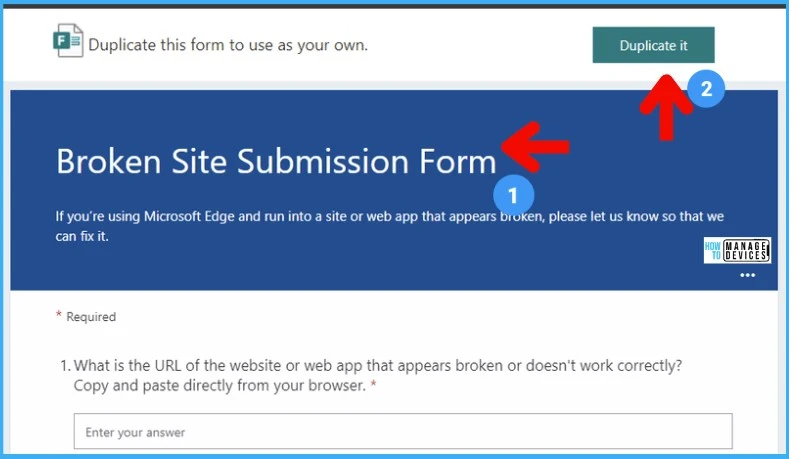
How to use the IE Mode Broken Site Submission Form template
After setting up IE mode, Microsoft recommends that you create an internal feedback workflow to identify any additional broken sites that may need to be added to IE mode. You can also use the following guide to add additional sites to the Enterprise Mode site list to use IE Mode.
You can use the Microsoft Office form as part of that process -> https://aka.ms/BrokenSiteSubmissionForm.
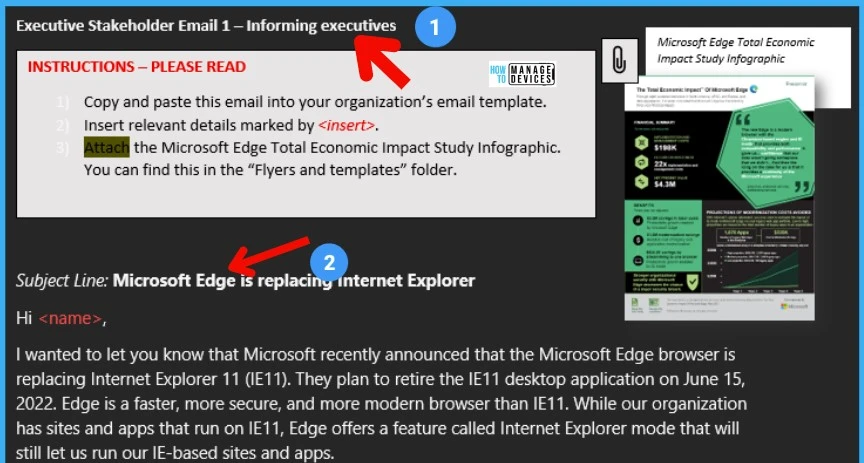
Executive Email Template for IE11 to Microsoft Edge Migration
Let’s check the Executive Summary Email Template for IE11 to Microsoft Edge Migration. This template gives more details on migrating to Microsoft Edge and lists down the benefit for the employees.
- One browser, not two. Edge can open both work-critical and external sites, so you don’t need to bounce between Internet Explorer and another browser to open work sites.
- Fast performance. Edge delivers a more modern browsing experience than Internet Explorer with better speed, compatibility, security, and privacy.
- Unique innovations. Better organize and view your tabs with vertical tabs and quickly access Microsoft apps and files just by opening a new tab.
There are 3 Email templates available to communicate with Executives about Microsoft Edge migration. I think this helps to structure the migration plans and get the buy in from the executives.
- Executive Email 1_Informing executives
- Executive Email 2_Recruiting stakeholders
- Executive Email 3_Inform organization
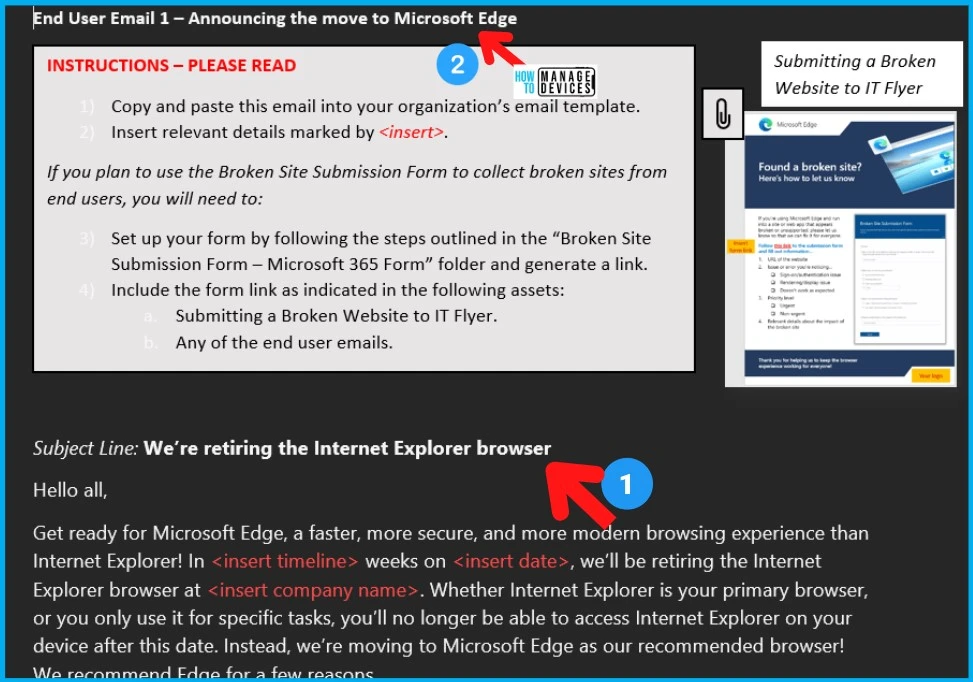
End-User Email Templates for MS Edge Migration
There are 3 End-User Email Templates for MS Edge Migration as part adoption kit. It covers three main migration phases such as Announcement, Preperation, and After Migration.
- End User Email 1_Announcing
- End User Email 2_Preparing
- End User Email 3_After
Financial Benifits with Microsoft Edge Migration
Microsoft also helps with some of the Financial Summary and Benifits with Microsoft Edge Migration as part of the adoption kit. These financial numbers are very important to get the project rolling for your organization and get more visibility.
These are coming out from the three year financial impact study Forrester concluded after going through eight customer interviews in North America, APAC, and Europe. The $2.2M savings in labor costs is one of financial numbers that they have highlighted.

Get started with Microsoft Edge – Import Data from Other Browsers?
The Microsoft Adoption kit for MS Edge helps to prepare users with guides/eMail communication templates for the Microsoft Edge migration. The data migration from IE11 browser is one of the important step.
- Step 1: Open Microsoft Edge browser from your taskbar or start menu.
- Step 2: Import your data from Internet Explorer (IE11) by copying and pasting the following into your address bar.
- edge://settings/importData
The end-users can use this import method get the data from any other browser apps such as Chrome, Legacy IE11, FireFox, etc.

Download Microsoft Edge Adoption Kit
Let’s download Microsoft Edge Adoption Kit from the following link. The “General Kit” contains emails, flyers, and other resources designed to help your organization’s change management process to Microsoft Edge. The overview outlines how you can approach the transition.




Discussion