






Best Guide to Run Intune Device Query with Microsoft Graph API
This post will show how to run the Intune Device Query with Microsoft Graph API. The present discourse endeavours to elucidate the functionality of the Graph API when utilizing the Intune device query. The exposition shall comprehensively explain the aforesaid concepts in clear, concise, and error-free language.
The Device Query feature in the Intune service is designed to facilitate efficient and streamlined device management and information retrieval. You must select the device from the Intune portal and then run the Kusto Query Language (KQL) query to use it.
The Device Query reports are available in real-time and can be retrieved directly. The output can be utilized to respond to security threats, troubleshoot the device, and make informed business decisions. If your license does not include Microsoft Intune Advanced Analytics, the Device Query option will not be available in your tenant. To access the features of Microsoft Intune Advanced Analytics, you can utilize the Intune Advanced Analytics Add-on or Microsoft Intune Suite
What sets Device Query apart is its ability to encrypt all data queries and results, ensuring that all transmission is secure. This feature offers a significant advantage over other similar platforms as it guarantees the protection of sensitive data throughout the entire process. Device query only supports a subset of KQL operators.

Overview of Microsoft Graph
Microsoft Graph is an API (Application programming interface) that provides a single endpoint for accessing data, intelligence, and insights from Microsoft 365 and other Microsoft Cloud services. It provides a single endpoint, https://graph.microsoft.com, that enables access to various data and insights in the Microsoft cloud, including Microsoft 365, Windows, and Enterprise Mobility + Security.

By using Microsoft Graph, developers can build intelligent applications that leverage the power of Microsoft 365 and other Microsoft services to enhance productivity and collaboration.
- Intune Policy Assignment Classification Easy Secrets of using Graph API with PowerShell
- Manage Intune Tasks with PowerShell Part 1
- Managing Windows Bitlocker Compliance Policy Using Intune | MS Graph | Grace Period
Microsoft Graph can be leveraged to create personalized experiences catering to individual users’ unique contexts, thereby increasing their productivity. It offers a robust suite of services for managing user and device identity, access, compliance, security and data access on the following Microsoft cloud services.
Run Device Query through the Intune Portal
Let’s learn how to use Device Query in the Intune portal and retrieve live data.
- Sign in to the Microsoft Intune Admin portal.
- Go to Devices > All devices
- Select the Device that you’re interested in
- On the right-hand side, click on Device query
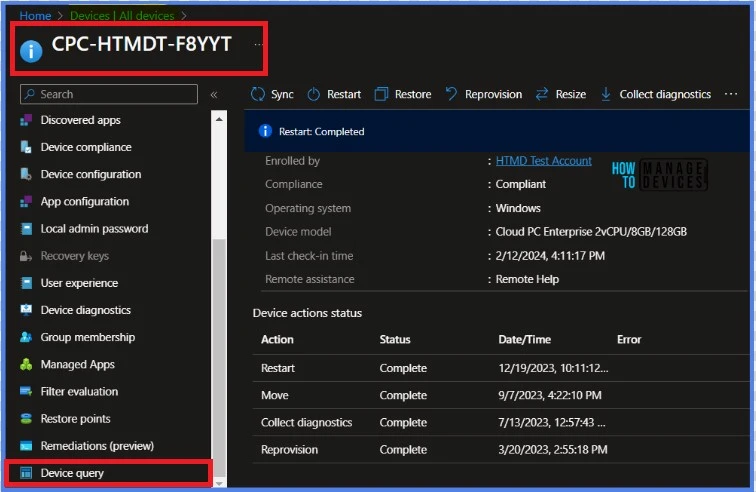
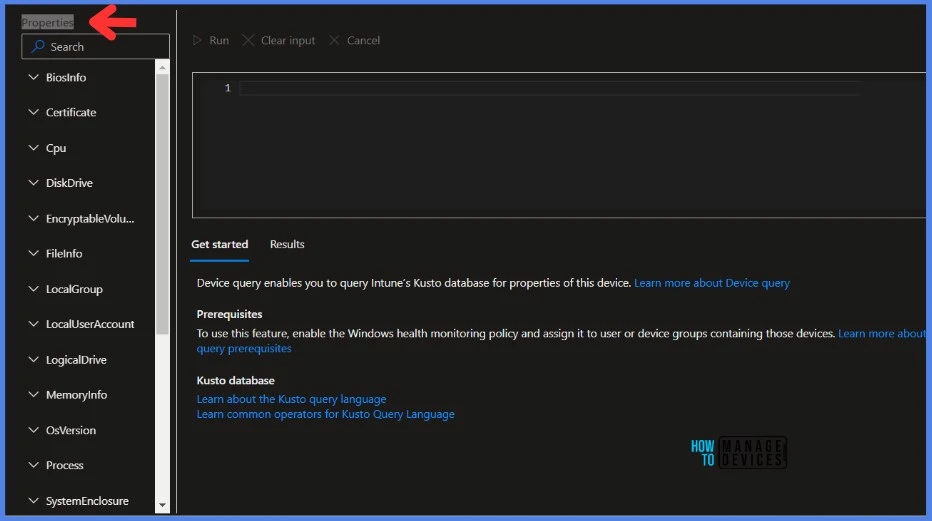
Once you click on Device query, you will have the Properties table like BiosInfo.
Run Device Query with Microsoft Graph
Understanding how to automate actions using Microsoft Graph is crucial when introducing new features to Intune. For anyone who wants to experiment with Graph, utilizing the developer mode from a browser is highly recommended. This method allows for greater efficiency and precision in implementing Graph features.
- Sign in to the Microsoft Intune Admin portal.
- Go to Devices > All devices
- Select the Device that you’re interested in
- On the right-hand side, click on Device query
- Type your query
- Press F12 to open developer mode
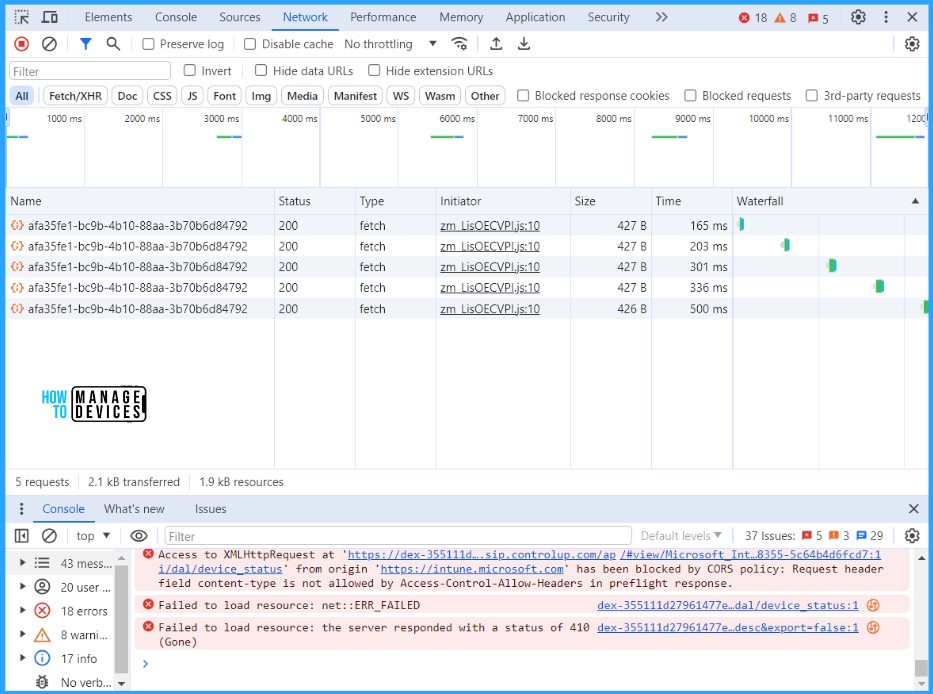
- Select the Network tab
- Click on Run
- Click on the Stop Recording button
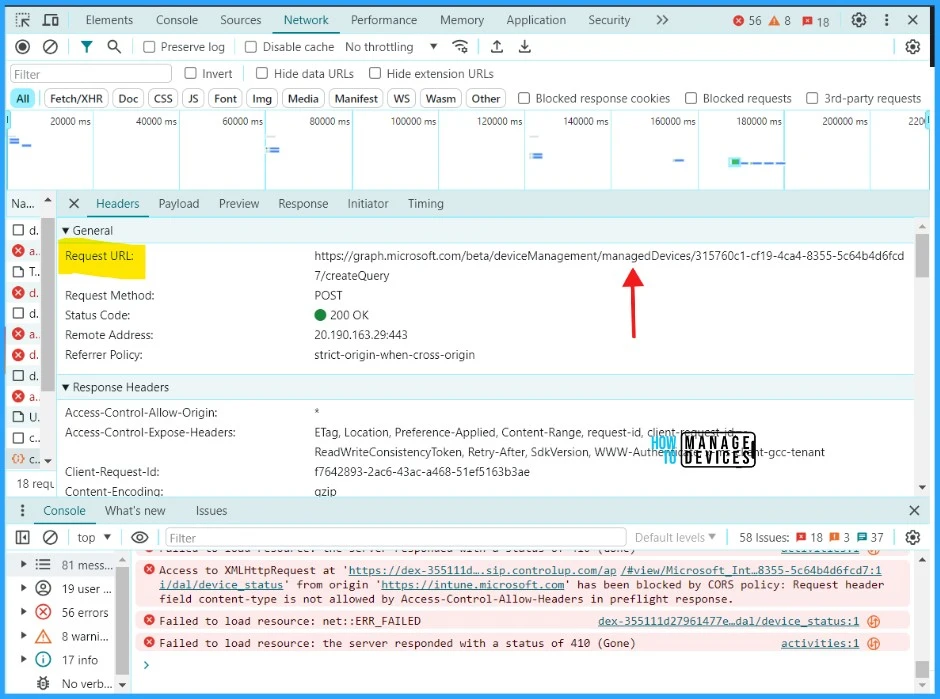
- You will be able to find two resources called createQuery
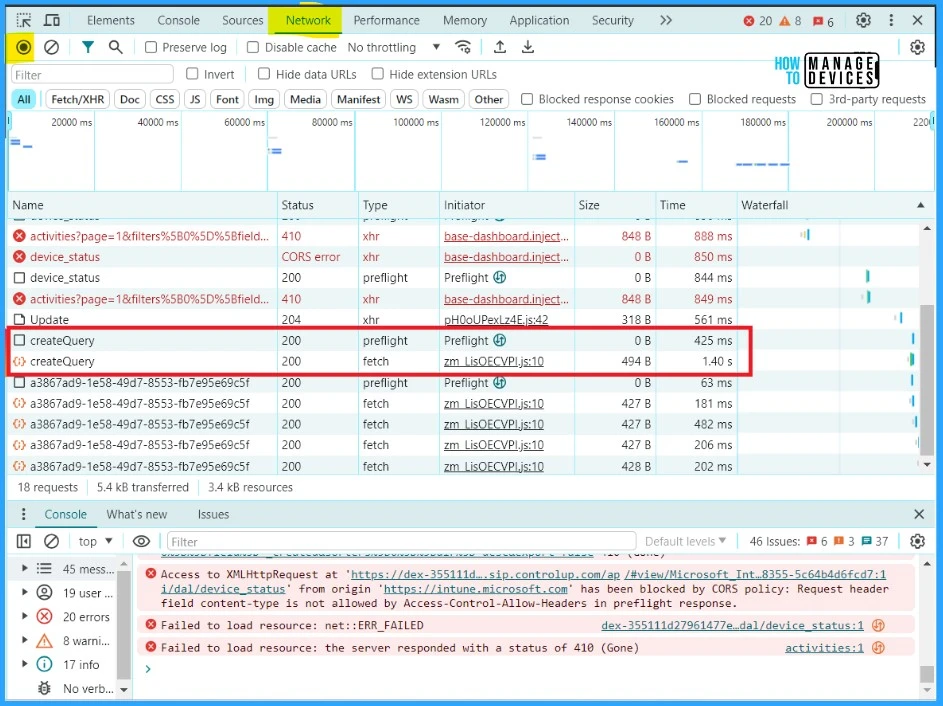
You will be able to see the Requested URL resource when you click on first createQuery. The requested URL is the valid url to run the query in Graph API.
- Intune Anomaly Detection Device and Advanced Analytics
- MS Defender Advanced Hunting using KQL Queries
- Intune Diagnostics Settings Log Analytics KQL Queries Azure Subscription Missing Issue
You will be able to see the body to pass in Payload. Click on the Payload option to view the query.
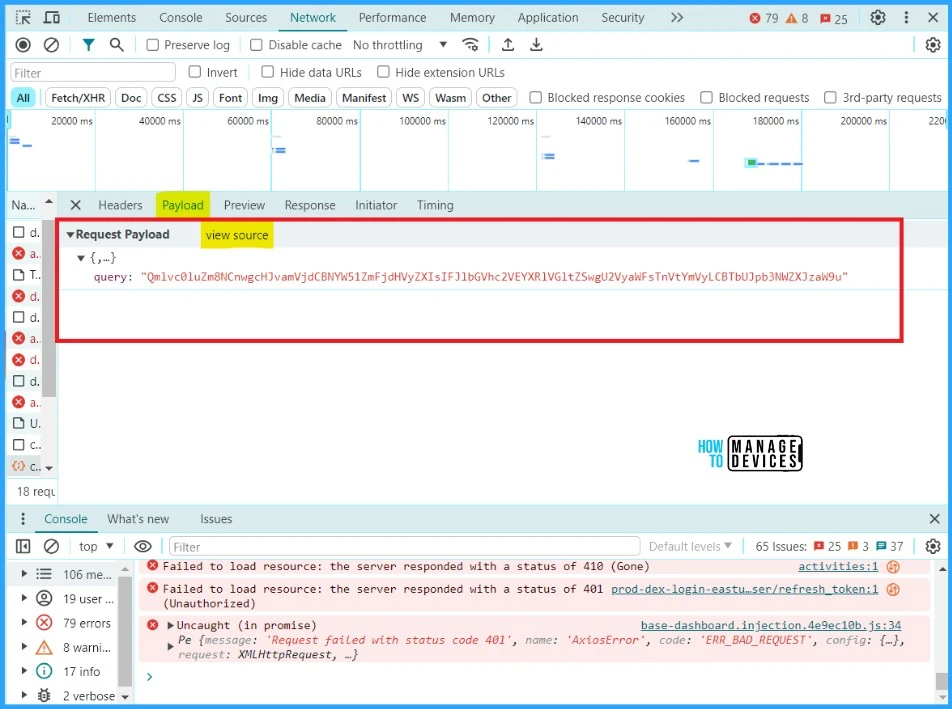
This is the query that has been parsed in JSON format, as shown in the example.
{"query":"Qmlvc0luZm8NCnwgcHJvamVjdCBNYW51ZmFjdHVyZXIsIFJlbGVhc2VEYXRlVGltZSwgU2VyaWFsTnVtYmVyLCBTbUJpb3NWZXJzaW9u"}
NOTE! In this case, it is important to note that the request method used to execute the query is POST. This method is commonly used in web development to send data to a server to be processed.- How to Retrieve PowerShell Scripts from Intune using Microsoft Graph
- Explore Kusto Query Language (KQL) and Intune Device Query
I will use Graph Explorer, a handy browser-based tool for running your Graph calls. However, it does not support commands in batch and is a single-line command executor. API calls will be made by utilizing the Graph Explorer. When you go to Graph Explorer, you will get a webpage like the one below.
NOTE! You may need to log in to Graph Explorer using your credentials if it's your first time. 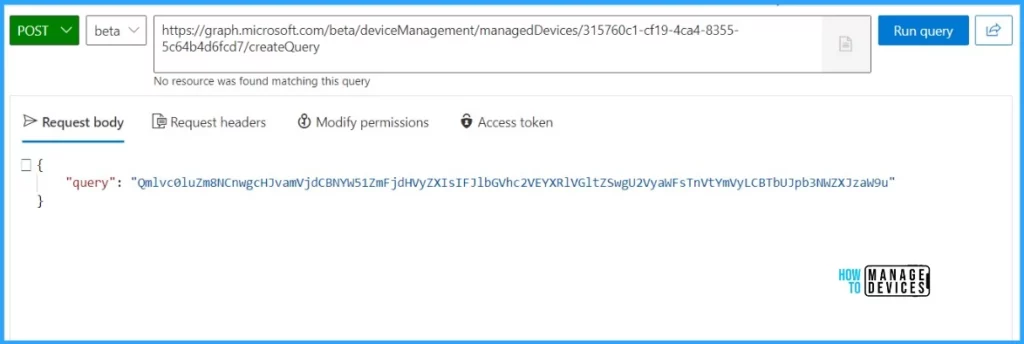
You will receive the API output response below once you click the Run query button.
NOTE ! You may encounter a 403 Forbidden error after clicking the Run query button. This is a known issue that is awaiting a solution from Microsoft.How to Decode a Base-64 encoded value
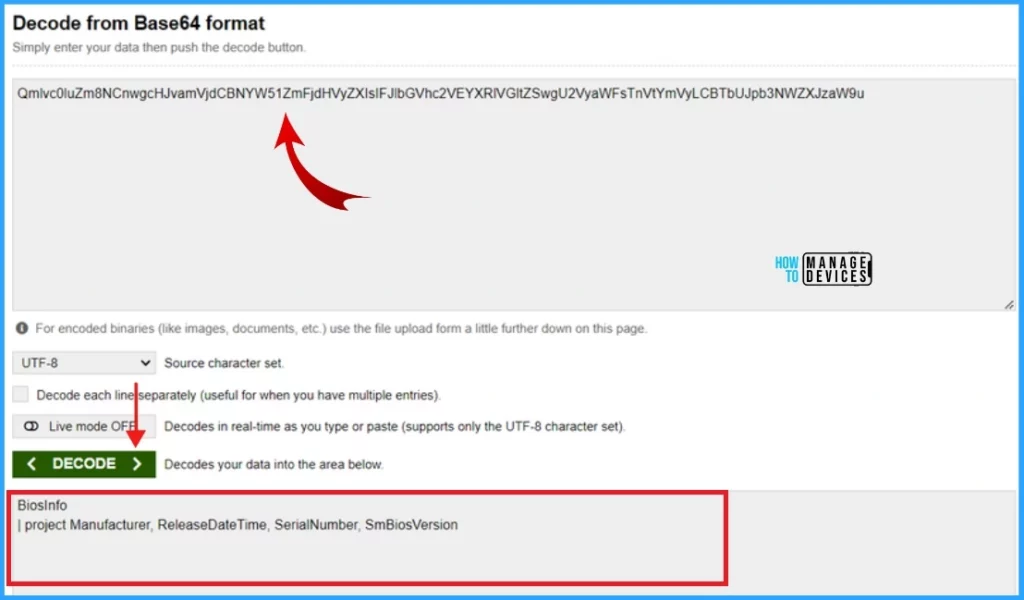
The scriptContent is a base-64 encoded value. Let’s decrypt it by pasting it into an online decoder. You can also use Visual Studio Code to decode base-64 encoded value. Let’s try it now..!
- Open the Online decoder site
- Type the base-64 encoded value that you want to decode.
- Click on Decode
Thank you for your patience in reading this post. I look forward to seeing you in the next post. Keep supporting the HTMD Community.
We are on WhatsApp. To get the latest step-by-step guides and news updates, Join our Channel. Click here – HTMD WhatsApp.
Author
About the Author – Sujin Nelladath has over 10 years of experience in device management technologies and Automation solutions. He writes and shares his experiences with Microsoft device management technologies, Azure, and PowerShell automation.


What all permissions are required.
If it showing me this
Forbidden – 403 – 1087 ms. Either the signed-in user does not have sufficient privileges, or you need to consent to one of the permissions on the Modify permissions tab