






How to Get Intune Environment Ready for iOS Mac OS Devices
How to Get Intune Environment Ready for iOS Mac OS Devices? The first requirement for iOS and MAC OS device enrollment is the Apple MDM push cert setup. You need to download a unique certificate signing request (CSR) from the Intune tenant and upload it to the Apple portal.
Once uploaded successfully, you can download the Apple MDM push cert from the Apple portal. MDM push cert has to be uploaded to Intune portal so that you can enroll iOS and MAC OS devices via Intune. This process is explained in the video above.
I assumed that the Intune MDM authority setting had already been completed before setting up the Apple MDM push cert and configuring Enrollment restriction policies.
One of our articles explains how to configure the iOS and macOS platforms for use with Intune. Managing iOS and macOS devices with Intune is crucial for enhancing productivity and protecting enterprise resources. As mobile and remote work environments become more prevalent, employees increasingly rely on their iPhones, iPads, and Mac computers to access important work applications and data.

- Microsoft Intune Introduces Full Control Support for MacOS Devices
- macOS Devices Migration Framework to Intune from Jamf Kandji JumpCloud Platforms
- 2404 Microsoft Intune New Features April Update
- Microsoft Made Universal Print for macOS Available
Table of Contents
How to Get Intune Environment Ready for iOS and Mac OS Device Enrollment
Let’s discuss how to Get Intune Environment Ready for iOS and Mac OS Device Enrollment. Preparing your Intune environment for iOS and macOS device enrollment involves several key steps to ensure a smooth and secure setup.
- This process helps organizations manage Apple devices effectively, providing both security and ease of use for employees accessing corporate resources.
How to Get Intune Environment Ready for iOS Mac OS Devices
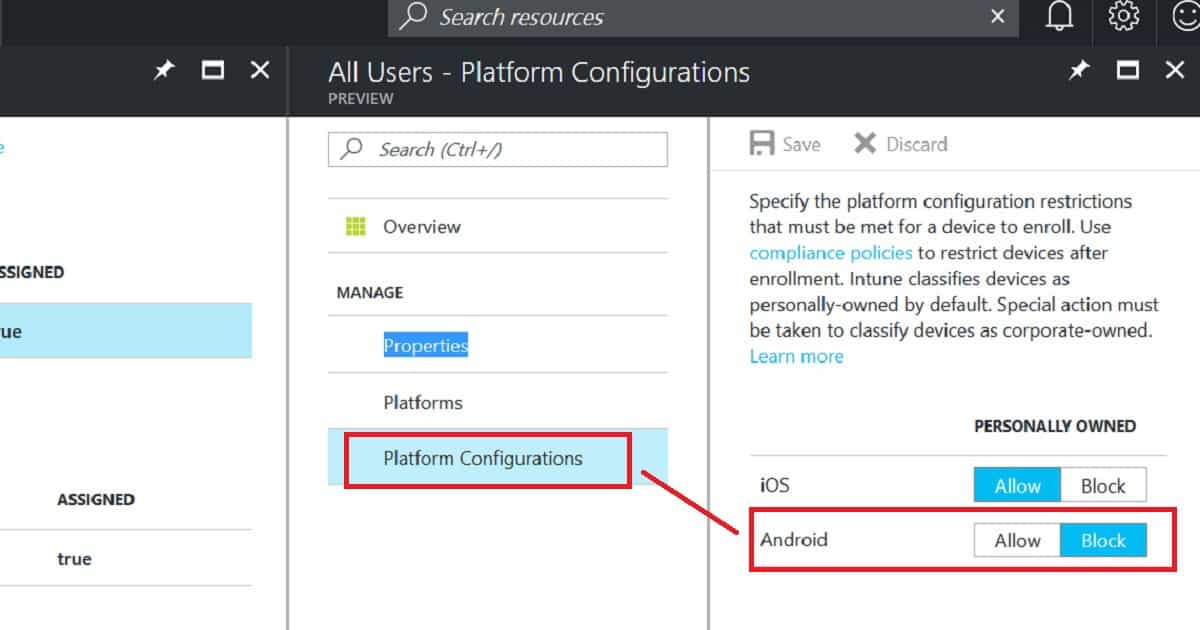
Once the Apple MDM push cert setup has been completed, we can proceed with the following configurations related to iOS and macOS management. As the next step, I would configure the Enrollment Restriction rules for iOS devices.
Suppose your organization has decided not to allow (block) personal iOS devices from enrolling into Intune. In that case, you must set up an enrollment restriction type based on the platform configurations. I have a detailed post about restricting personal iOS devices.
Read more – How to Restrict Personal iOS Devices from Enrolling on Intune Endpoint Manager
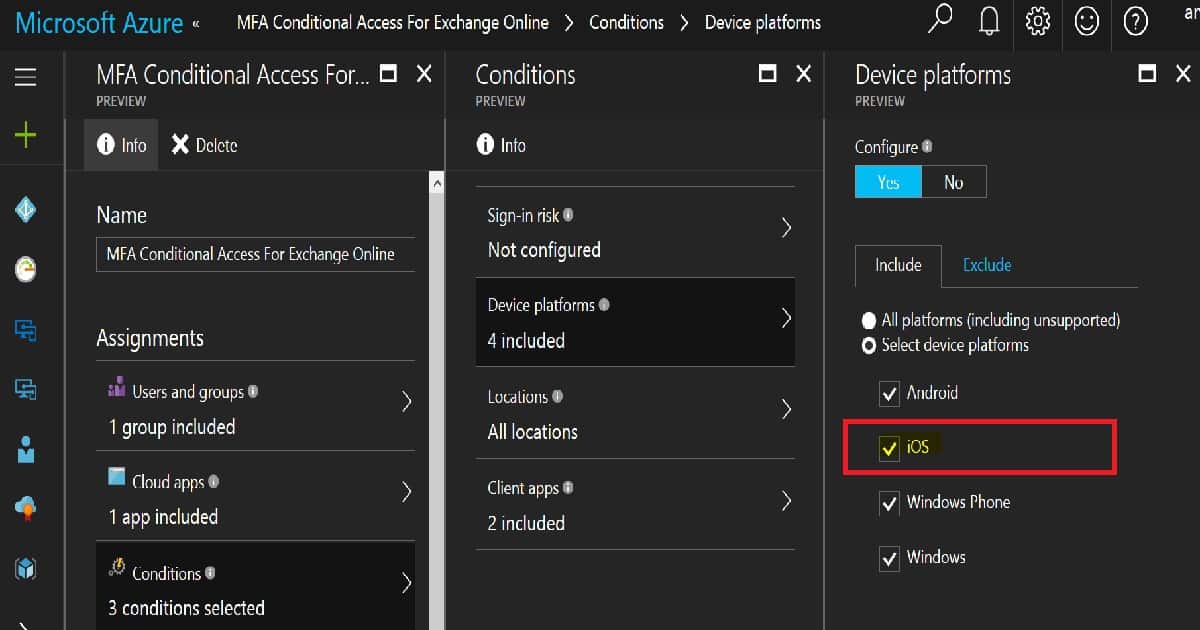
The next step is to set up Conditional Access policies for iOS devices (while we are still waiting for the Mac OS conditional Access policy). I recommend doing this during Intune’s initial setup. As you can see in the following screen capture, you have a couple of options.
You can select either individual supported platforms for the Conditional Access policy or “All platforms (including unsupported).” Somehow, I recommend using the latter one, “All platforms (including unsupported).”
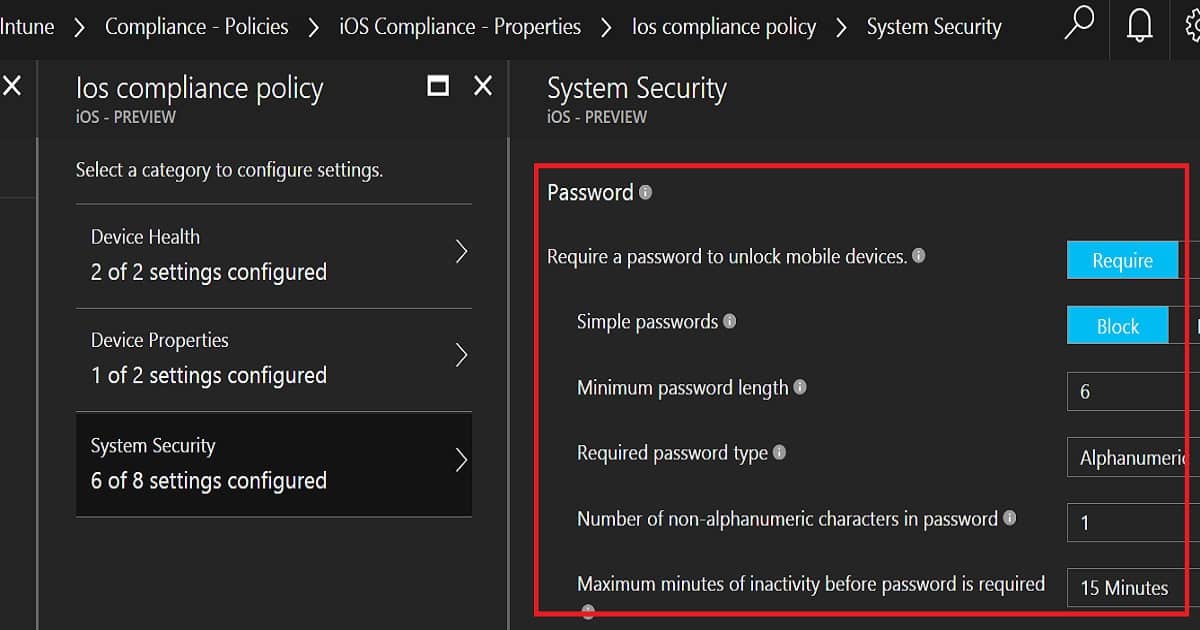
Azure AD Conditional Access policies can be deployed either combined with compliance policies or without compliance policies. I recommend deploying conditional access policies with compliance policies. The next step is to set compliance policies for iOS devices. Are you wondering why there is no encryption option/compliance policy for iOS devices?
If so, there is no need for an encryption policy for iOS devices because those devices will get encrypted once the password has been enforced for devices.
| System Security | Settings |
|---|---|
| Require a password to unlock mobile devices | Require |
| Simple passwords | Block |
| Required password type | Alphanumeric |
| Number of non-alphanumeric characters in password | 1 |
| Maximum minutes of inactivity before password is required | 15 Minutes |
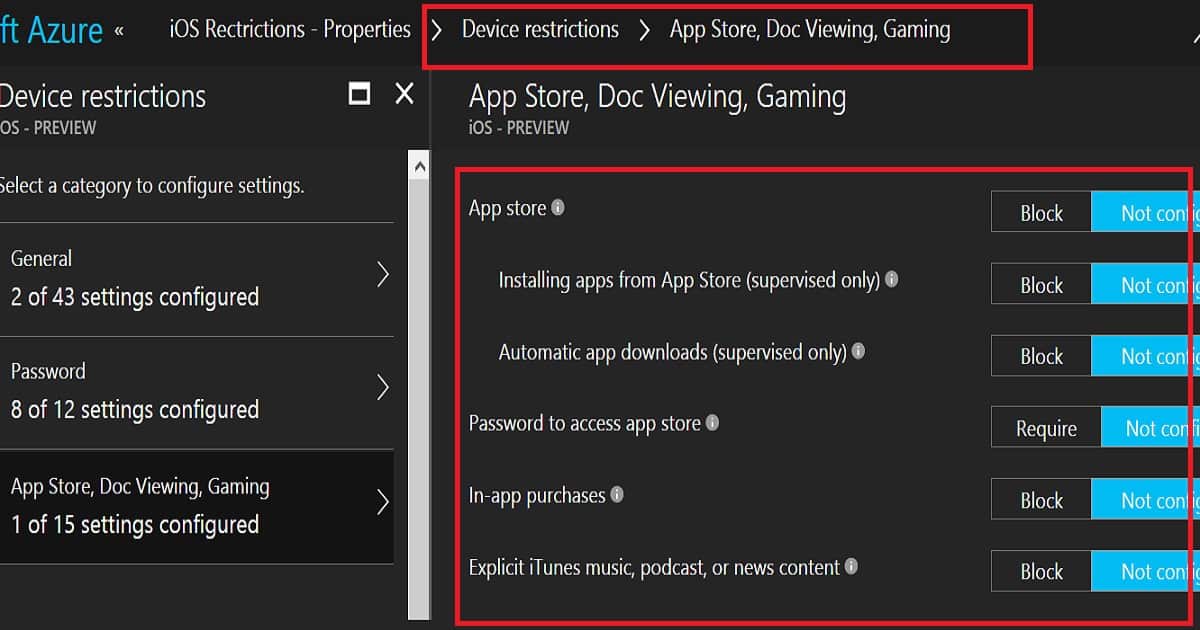
After compliance policy settings, it’s time to set up configuration policies for iOS and MAC OS devices. Intune Configuration policies deploy security settings for the devices and can be used to enable or disable their features.
My previous video blog post discussed the different types of Intune configuration profiles. Device restriction policies are security configuration policies in the Intune Azure portal.
Conclusion – How to Get Intune Environment Ready for iOS Mac OS
The above-mentioned policies are very basic policies you want to configure if your organization has decided to manage iOS and MAC OS devices via Intune. There are loads of advanced MDM policy management options available with Microsoft Intune.
You can also create custom configuration policies for iOS devices if some of your security requirements are not available with Intune configuration policies. In addition, you can deploy Wi-Fi profiles, VPN profiles,s, and Certs to iOS devices using Intune MDM.
Another option with Intune MAM WE (without enrollment) is to manage corporate applications via MAM policies and MAM WE Conditional Access policies.
In this scenario, your users don’t need to enroll in Intune MDM management. Therefore, each organization must decide whether to use MAM WE or the MDM channel of iOS management.
We are on WhatsApp now. To get the latest step-by-step guides, news, and updates, Join our Channel. Click here. HTMD WhatsApp.
Author
Anoop C Nair is Microsoft MVP! He is a Device Management Admin with more than 20 years of experience (calculation done in 2021) in IT. He is a Blogger, Speaker, and Local User Group HTMD Community leader. His main focus is on Device Management technologies like SCCM 2012, Current Branch, and Intune. He writes about ConfigMgr, Windows 11, Windows 10, Azure AD, Microsoft Intune, Windows 365, AVD, etc.


Discussion