






Intune How to Enroll Android for Work Supported Devices for Management | Google Play Store for Work
Intune: How to Enroll Android for Work Supported Devices for Management | Google Play Store for Work? Android for Work enrollment to an Enterprise Mobility Management (EMM) solution or Intune is slightly different from enrollment for iOS and Windows devices.
This difference is not because of your EMM solution rather. This is the process/framework Google implemented to complete Android for Work enrollment. We need to configure Intune to support Android for Work, and I have a post that explains the prerequisites.
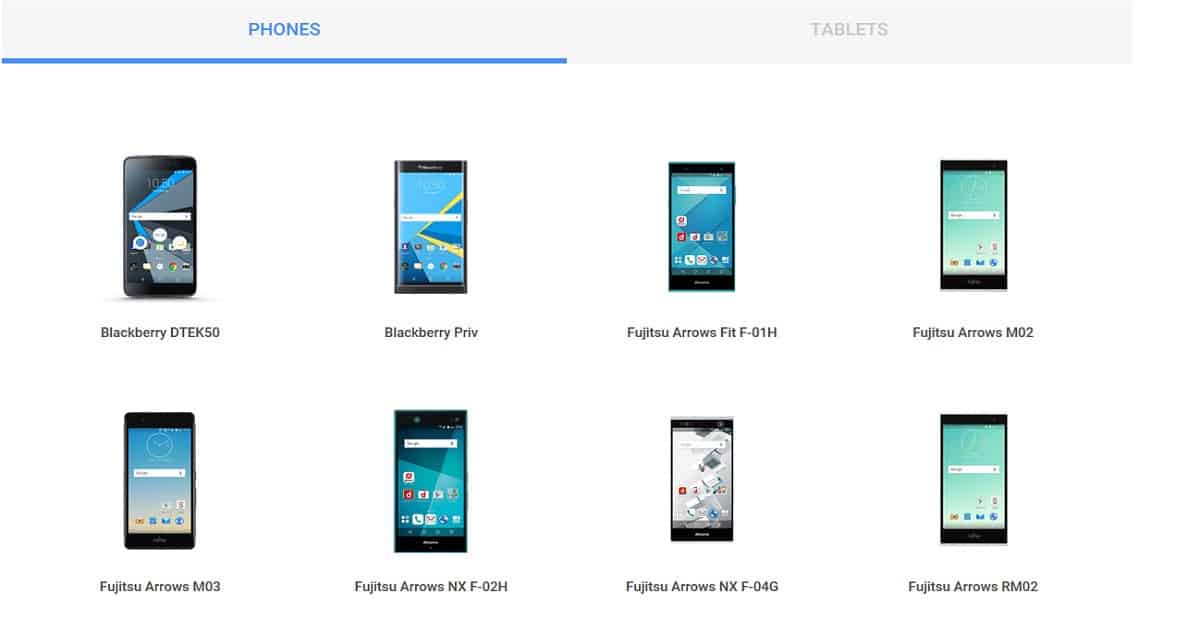
Microsoft announced Intune’s supportability for Android for Work (A4W) a few months back. Since then, I have been waiting for an A4W-supported device. Yes, that means A4W does not support all Android devices. Here is Google’s list of A4W-supported devices.
Our article guides you through configuring the Android Enterprise platform for use with Intune Device Management. You can easily set up Intune Enrollment to manage Android Enterprise devices, and you can easily manage corporate-owned Android Enterprise devices with Microsoft Endpoint Manager Intune.

- Configure Android Shared Devices using Intune
- Prepare Android Virtual Device For Intune Deployment Testing
- Microsoft Ends Support for Running Android Apps on Windows 11
- Universal Print Integration with Microsoft 365 Mobile App for Android Printing
Table of Contents
Intune Android for Work Nexus 6s Enrollment Experience
Let’s talk about the video showing the Intune Android for Work Nexus 6s enrollment experience. This video provides a detailed look at how to enrol a Nexus 6s using Intune for Android for Work, making the process clear and easy to understand.
Details Google Play Store for Work
First, we need to ensure that Android for Work (A4W) is enabled for your Intune tenant, and then we need to configure Intune to support A4W. Do you want to allow only Android for Work-supported devices to enrol in Intune? This option is not available out of the box in Intune.
I’m sure Microsoft will develop a new option in the new Azure portal, as I noted in the previous blog post about the enrollment restriction rule in Intune. Android for Work is currently supported on devices running Android 5.0 Lollipop, which later supports a work profile.
The second step is to ensure you have configured Android for Work configuration policies in Intune and Android configuration policies. Different sets of policies in Intune only support Android for Work.
Intune Compliance policies are the same for “Classic” Android management and Android for Work management. Suppose you plan to deploy VPN and Wi-Fi profiles to Android for Work-supported devices. In that case, Intune supports some custom configuration policies (OMA-URI).
Android for Work?
As a third step, you need to confirm whether your device supports “Android for Work” or not. Where is the list of Android-supported Work devices? OK, no worries, Google has already published the list here.
| Android for Work? |
|---|
| If your device has not been supported, Intune will automatically enroll it for “classic” Android management. |
| So you won’t be able to see any work profile being created on your phone. |
More Details
Once you have identified that the device you are trying to enroll in is supported, you should open the “Google Play Store” and Install the Intune company portal. Once the company portal is installed, you can log in with your corporate credentials, and the first phase of the setup will start, creating a Work profile for Android.
Once the Work profile has been created, the company portal application will ask you to go to the Work profile and launch the company portal from the work profile to continue setting up. So, you need to log in to the company portal twice as part of Android for work enrollment.
The work profile will be controlled by an organization you have enrolled in, and the Company Portal app will have access to Work profile-related data.
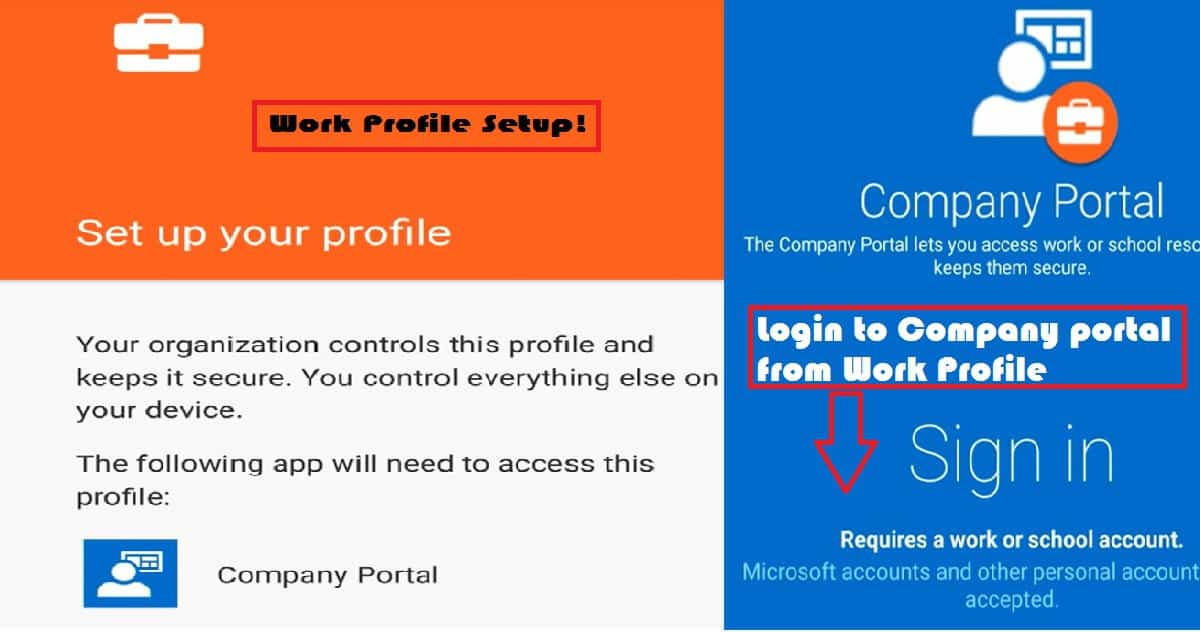
The above step completed half of the enrollment process. The Intune company portal application initiated the creation of the work profile. Once the work profile has been created, you must log in to another instance of the company portal app, which resides in the work profile.
The company portal app in the work profile does the 2nd half of the enrollment process. The company portal helps the device complete Work Place Join, Azure AD Join, and Intune enrollment, as seen in the above video.
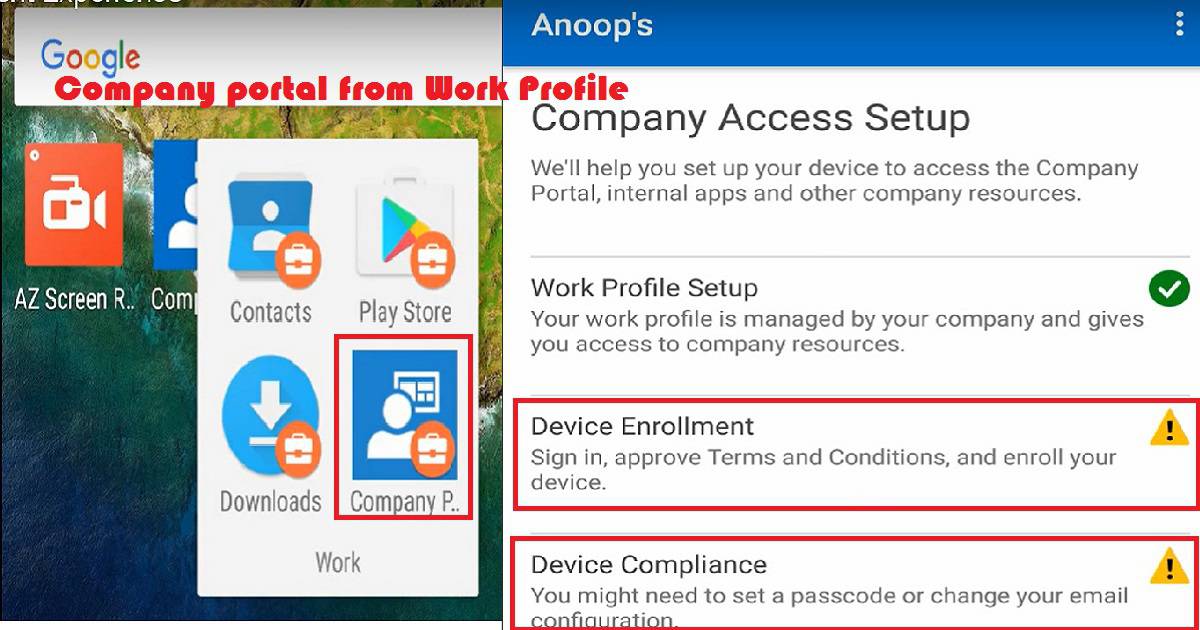
Google Play Store for Work
Once you complete the Company access setup, you can access company resources and apps depending on the Conditional access, compliance, and configuration policies. The Android device must comply with compliance policies and meet the conditions mentioned in the conditional access policies by the Intune Admin.
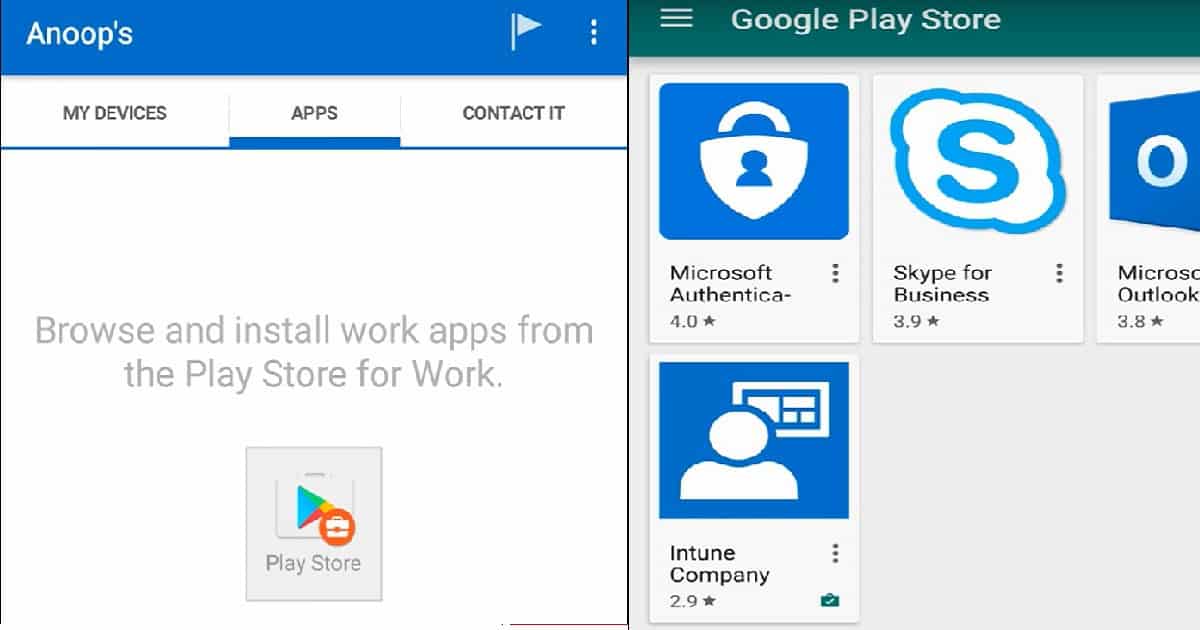
Once everything is okay, you can browse the applications from “Google Play Store for Work“. Browse and install applications from the Google Play Store for work. I will cover the Android application deployment scenarios in an upcoming blog here (coming soon).
Outlook is one of the applications you can directly deploy as “available” or “required” from the Intune portal. Once the Outlook app has been installed, you can directly configure your official mail without any particular configuration. Email profile deployment via Intune is not required for automatic corporate mail configuration.
You need to put in the email ID. No other configuration is required; instead, everything is automatically configured. As I mentioned in the blog post here, you can add applications to the Google Play Store for work with the existing Gmail account. Once these apps are synced with Intune, you can deploy them to groups.
We are on WhatsApp now. To get the latest step-by-step guides, news, and updates, Join our Channel. Click here. HTMD WhatsApp.
Author
Anoop C Nair is Microsoft MVP! He is a Device Management Admin with more than 20 years of experience (calculation done in 2021) in IT. He is a Blogger, Speaker, and Local User Group HTMD Community leader. His main focus is on Device Management technologies like SCCM 2012, Current Branch, and Intune. He writes about ConfigMgr, Windows 11, Windows 10, Azure AD, Microsoft Intune, Windows 365, AVD, etc.


Great article thanks