






Troubleshoot and Fix Intune iOS App Installation Error 0x87D12906
Let’s discuss Troubleshoot and Fix Intune iOS App Installation Error 0x87D12906. Apple users are facing an issue while installing the Applications. The App Installation process is interrupted and pauses or stops on Apple Devices. It affects the productivity.
Due to this issue, users got an error 0x87D12906, which is an Apple MDM Error. The App Installation command failed, that why users got error during Installation. When the Installation Command failed and device fails to execute it.
As you know, an MDM agent is software installed on Apple devices (like iPhones, iPads, and Macs) that allows an MDM solution to manage them. It’s the “receiver” of commands and policies from the MDM server. It also helps to handle app lifecycles.
Here, the Current scenarios discuss about the Apple MDM Agent returned that the installation command failed. In this blog post I would like to share information about Installation Error 0x87D12906. I will also share, Reasons and Fixes of this issue.

Table of Contents
Troubleshoot and Fix Intune iOS App Installation Error 0x87D12906
As mentioned above, users got an Installation Error like 0x87D12906. -2016335610 is the decimal error code of 0x87D12906. The error message is like App installation command failed. Retry app installation.
- How to Fix Android App Installation Error 0xC7D14FB5 in Intune
- How to Fix Server Unavailable Error when Opening Automatic Replies for Shared Mailboxes in Classic Outlook
- How to Fix Intune Error 0x87D1041C Application not Detected after Successful Installation
Reasons for Installation Error 0x87D1290
Reason for Installation Error 0x87D1290 is not specified. But as per the known information, we can assume it may be the common reasons behind this Error. The following table shows the Common reasons.
| Reason | Details |
|---|---|
| Device State | The Device may locked during app deployment and low storage or Battery preventing installation |
| Network Issue | Unstable or blocked connection to Apple or Intune Endpoints |
| App Deployment | Expired or Missing VPP token. App assigned incorrectly. |
Troubleshooting Steps for Error 0x87D1290
The exact reason for Error 0x87D1290 is still unknown. So the troubleshooting steps are also not exact. Any way some troubleshooting steps are provided here that are helpful for fixing the issue. The list below shows the steps.
- Retry the Installation – The Installation can be retried because sometimes the issue is transient. Trigger a manual device sync from Intune and retry the app deployment.
- Verify Network Connection – Check your Network Connection
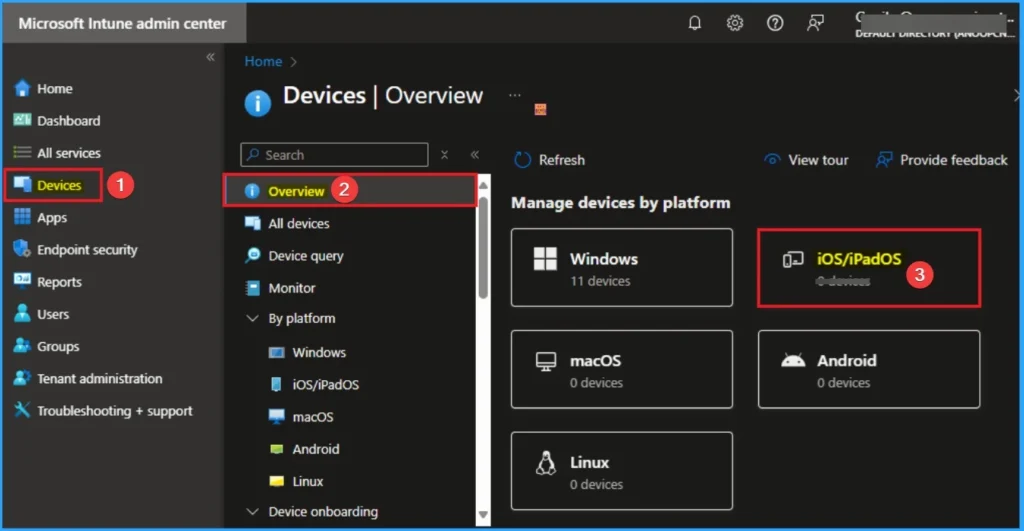
- Check Device State – Ensure the device is unlocked, Online, not in Lost Mode or Kiosk Mode, Has sufficient storage and battery.
Need Further Assistance or Have Technical Questions?
Join the LinkedIn Page and Telegram group to get the latest step-by-step guides and news updates. Join our Meetup Page to participate in User group meetings. Also, join the WhatsApp Community to get the latest news on Microsoft Technologies. We are there on Reddit as well.
Author
Anoop C Nair has been Microsoft MVP for 10 consecutive years from 2015 onwards. He is a Workplace Solution Architect with more than 22+ years of experience in Workplace technologies. He is a Blogger, Speaker, and Local User Group Community leader. His primary focus is on Device Management technologies like SCCM and Intune. He writes about technologies like Intune, SCCM, Windows, Cloud PC, Windows, Entra, Microsoft Security, Career, etc.


Discussion