






How Microsoft Entra Face Check Fixes Recovery Gap in Phishing-Resistant Authentication
Key Takeaways
- Microsoft has made phishing-resistant account recovery generally available in Microsoft Entra ID
- Recovery now uses government ID validation and Face Check identity verification
- Users can recover accounts and register a new passkey without temporary passwords or OTP fallbacks
- The recovery process helps preserve phishing-resistant authentication end-to-end
In this post, we are discussing How Microsoft Entra Face Check Fixes Recovery Gap in Phishing-Resistant Authentication. Microsoft recently announced the general availability of new account recovery capabilities in Microsoft Entra ID, designed to support phishing-resistant authentication. The update helps organisations recover user accounts without falling back to weak authentication methods like one-time passcodes or temporary passwords.
Table of Contents
Table of Contents
How Microsoft Entra Face Check Fixes Recovery Gap in Phishing-Resistant Authentication
The update addresses a security concern where phishing-resistant authentication often “dies” during account recovery because organisations fall back to weaker methods like OTPs, temporary passwords, or manual helpdesk verification when users lose access to their devices. With the new recovery experience, users verify their identity using government-issued ID validation and Face Check before registering a new passkey or phishing-resistant authentication method.
- Native Authentication for Microsoft Entra External ID | Complete Control Over Login Experience
- How to Setup Passwordless Login for Microsoft Accounts
- Entra External ID Now Supports SMS as an MFA Option
- Windows Elevates Passkey Security with Plug-in Credential Manager Integration
What’s Changing in Account Recovery
Microsoft is changing how account recovery works in Microsoft Entra ID. Earlier, users who lost their phone or authentication device often had to recover their account using OTPs, temporary passwords, or helpdesk support. These methods were easier for attackers to target.
With the new update, users must first verify their identity using a government-issued ID and Face Check. After verification, they can directly register a new passkey or phishing-resistant authentication method without using weak options. This helps organisations keep the recovery process more secure and maintain phishing-resistant protection even during account recovery.

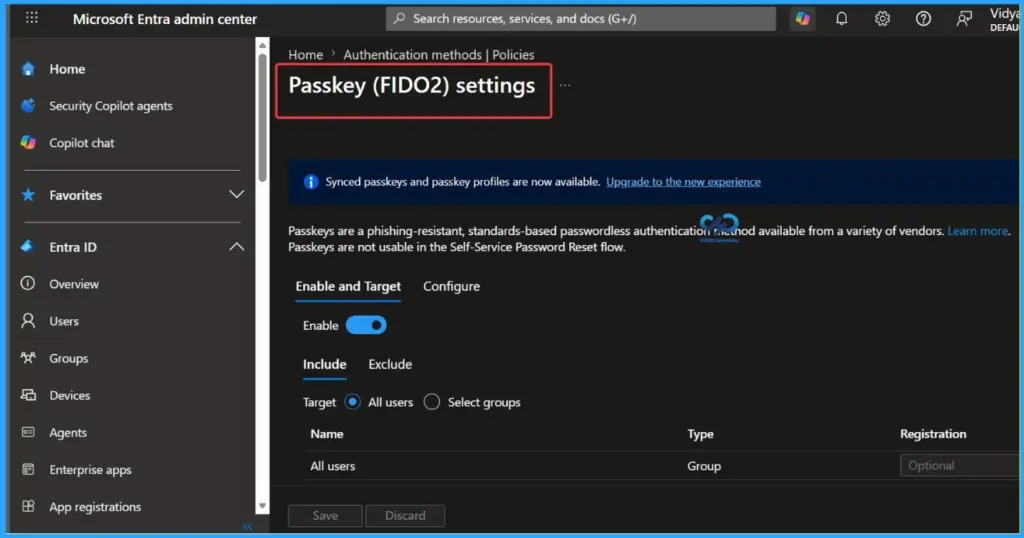
- The screenshot below shows Passkey (FIDO2) settings in the Microsoft Entra admin center showing phishing-resistant authentication configuration options.
| Old Recovery | New Microsoft Entra Recovery Model |
|---|---|
| OTPs and temporary passwords | Government ID verification + Face Check |
| Manual helpdesk verification | Identity‑based automated recovery |
| Weak fallback authentication | Phishing‑resistant recovery flow |
| Password reset before secure authentication | Inline passkey registration after verification |
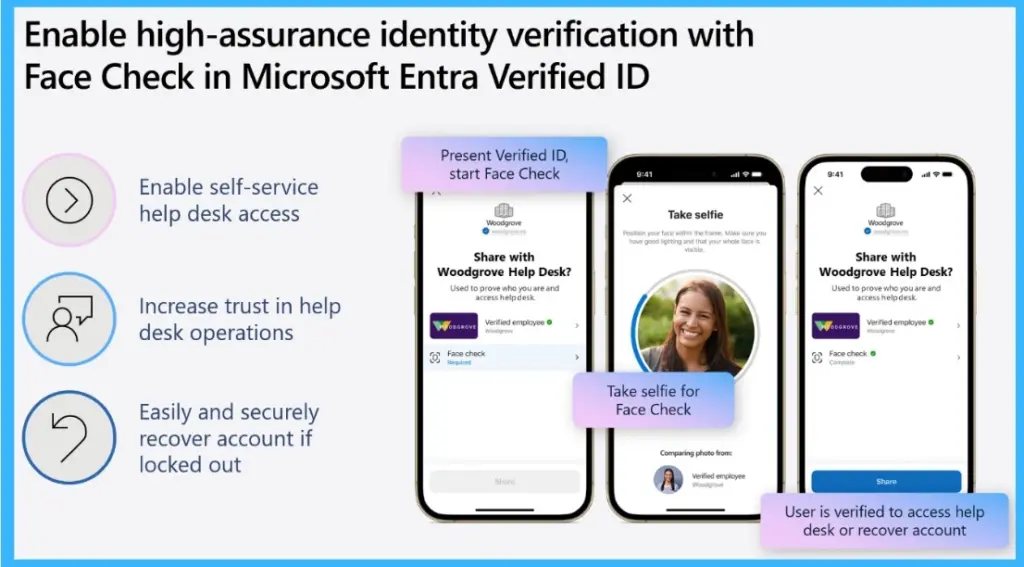
Face Check – Based Identity Verification for Secure Account Recovery
Microsoft Entra Verified ID uses Face Check for secure account recovery and identity verification. Users verify their identity by presenting a verified ID and completing a Face Check selfie comparison before accessing helpdesk support or recovering their account. The process is designed to improve trust in recovery workflows and reduce reliance on weak authentication methods like OTPs or manual verification.
Need Further Assistance or Have Technical Questions?
Join the LinkedIn Page and Telegram group to get the latest step-by-step guides and news updates. Join our Meetup Page to participate in User group meetings. Also, join the WhatsApp Community and the WhatsApp channel to get the latest news on Microsoft Technologies. We are there on Reddit as well.
Author
Anoop C Nair is a Workplace Technology solution architect with 25+ years of experience. Microsoft Certified Trainer. Microsoft MVP from 2015 onwards for consecutive 11+ years! He is a blogger, Speaker, and Founder of HTMD Community and HTMD Conference. His main focus is on Device Management technologies like Intune, Windows, and Cloud PC. He writes about technologies like Intune, SCCM, Windows, Cloud PC, Entra, and Microsoft Security.




Discussion