






Intune Zero Trust Implementation using EPM and MAA
Let’s discuss the Intune Zero Trust Approach with EPM and MAA From Theory to Reality. In practical terms, setting up a Zero Trust approach with Intune means making sure that only secure and trusted devices can access your company’s apps and data.
Are you tired of hearing about Zero Trust only in theory? Let’s talk about how it works in real life. With Intune, Microsoft gives you two key features to help apply Zero Trust in practice: security and productivity.
But here is the tricky part: how do you keep your data safe without making things harder for your users or IT team? The key is to give the right access only when it’s needed, and not more than that. This way, people can do their jobs without having full control all the time.
One of our posts gives an overview of the Free Zero Trust Workshop a practical guide that moves beyond theory to show how the Zero Trust strategy can be deployed step by step. In this post, you will get a complete overview of the Intune Zero Trust approach, with a focus on two powerful features: Endpoint Privilege Management (EPM) and Multi-Administrator Approval (MAA).

Table of Contents
Intune Zero Trust Approach with EPM and MAA From Theory to Reality
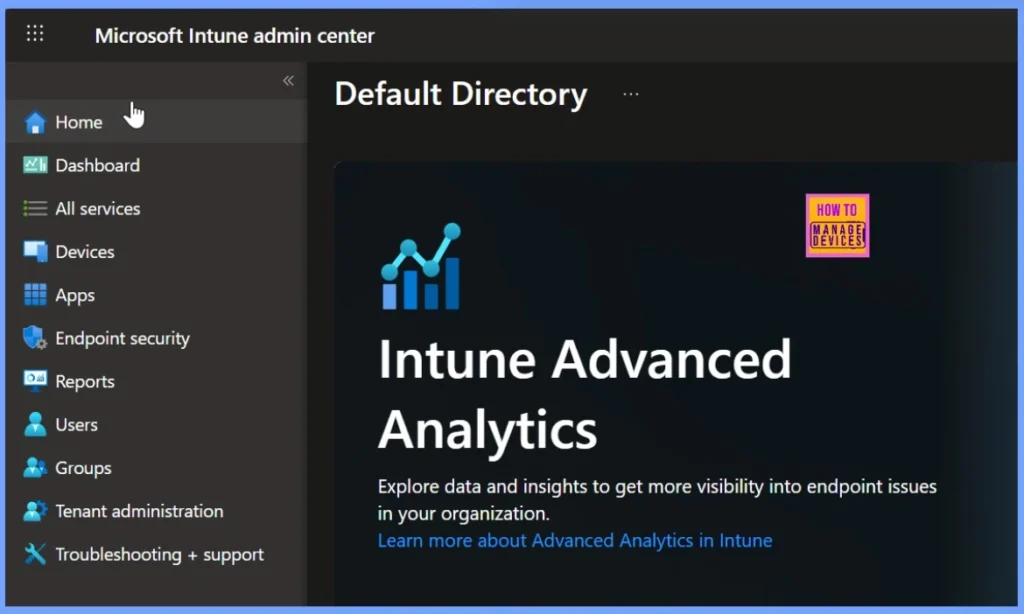
Microsoft Intune is a cloud-based service that helps organisations manage and secure devices, apps, and users, whether they are working in the office or remotely. Intune Zero Trust helps protect your organisation by ensuring every access request is verified and meets your security standards before being allowed.
- Best Method to Create EPM Elevation Rules Policy from Elevation Request Using Intune Policy
- How to Configure Support Approved EPM Elevation using Intune | Highly secured option
- Best Guide to Configure User Confirmed EPM Elevation Settings Policy with Intune
- Easy Guide to Configure EPM Reusable Settings with Intune
Just-in-Time Access with Endpoint Privilege Management (EPM)
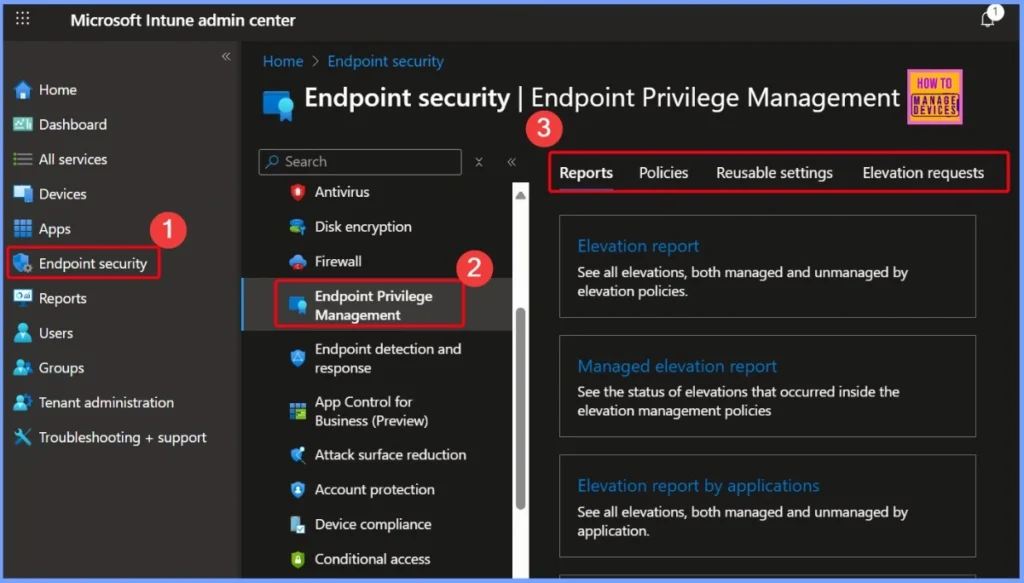
One of the biggest challenges in using Zero Trust is giving users the access they need without putting security at risk. Endpoint Privilege Management (EPM) in Intune helps with this by letting users get temporary admin rights only when they need them, and only for specific tasks. Instead of giving full admin access all the time, users can request permission to run certain apps or actions, and those requests can be approved based on rules you set.
Read more – How to Configure EPM Rule Explicitly Deny Elevation with Microsoft Intune
| Steps |
|---|
| Signing in to the Microsoft Intune Admin Center with your administrator credentials |
| Navigate to Endpoint Security > Endpoint Privilege Management > Choose Policies |
| Click on +Create policy |
- Configure Multiple Admin Approvals in Intune for Apps and Scripts
- Secure Remote Actions Retire Wipe and Delete with MAA Multiple Administrative Approval in Intune
- Intune Security Policy to Set Up Smart Screen Enhanced Phishing Protection
- Most Restrictive Elevation Behaviour with Intune Endpoint Privilege Management using Intune
Multi-Administrator Approval (MAA) for Secure Changes
When an admin wants to make important changes like updating a policy, deploying an app, or running a script, there should be a way to double-check those actions to avoid mistakes or misuse. That’s where Multi-Administrator Approval (MAA) helps.
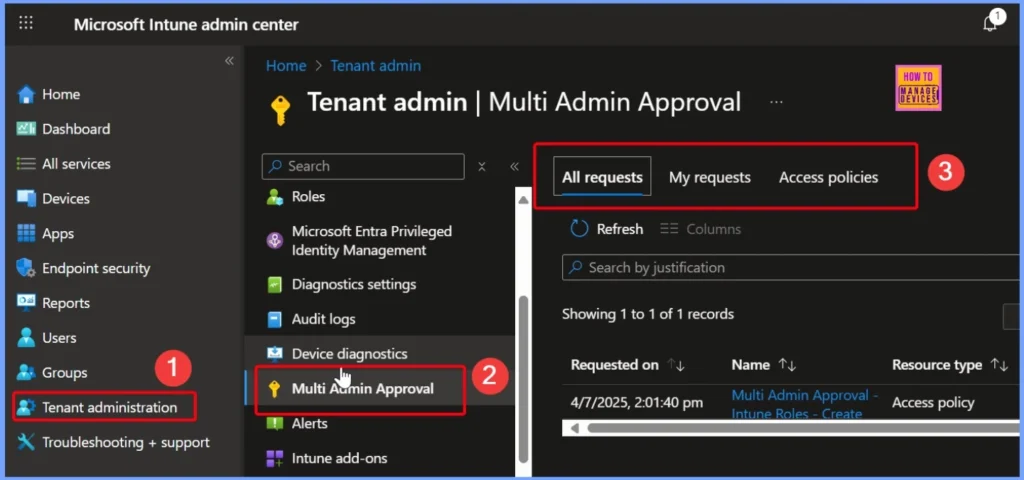
MAA lets you set up a process where another admin has to review and approve the change before it goes live. This adds extra security and makes sure no one can make big changes on their own. It brings the Zero Trust approach to your IT team by making sure every critical change is checked and approved.
Read More – How to Enable MAA Multi Admin Approval to Create or Modify Intune Roles
| Steps |
|---|
| Sign in to the Microsoft Intune Admin Center using your administrator credentials. |
| Go to Tenant administration > Multi Admin Approval > Access policie |
| Click on + Create to start setting up a new multi-admin approval policy |
Intune Zero Trust Approach with EPM and MAA
In this video, you will get all the details on how Intune supports a Zero Trust approach using Endpoint Privilege Management (EPM) and Multi-Administrator Approval (MAA). We break down the core technologies, highlight key features available in Intune, and explain how both end users and admin users benefit from enhanced productivity and security.
Need Further Assistance or Have Technical Questions?
Join the LinkedIn Page and Telegram group to get the latest step-by-step guides and news updates. Join our Meetup Page to participate in User group meetings. Also, join the WhatsApp Community to get the latest news on Microsoft Technologies. We are there on Reddit as well.
Author
Anoop C Nair has been Microsoft MVP for 10 consecutive years from 2015 onwards. He is a Workplace Solution Architect with more than 22+ years of experience in Workplace technologies. He is a Blogger, Speaker, and Local User Group Community leader. His primary focus is on Device Management technologies like SCCM and Intune. He writes about technologies like Intune, SCCM, Windows, Cloud PC, Windows, Entra, Microsoft Security, Career, etc.


Discussion