






Do you Know What are the Main Usages of Intune Top Endpoint Security Tool?
Do you Know What are the Main Usages of Intune Top Endpoint Security Tool?. Let’s look into it today. Intune is a cloud-based tool that helps companies manage and protect devices like laptops and mobile phones. It makes sure only trusted users and secure devices can access company apps and data, no matter where they are.
In three words, Intune is Secure, Simple, and Smart. It helps keep data safe (secure). It is easy to use from anywhere (simple), and includes useful features like automation and insights (smart). With Intune, IT admins can apply policies, install apps, check device health, and even lock or wipe devices if they are lost, all from a central place.
What are point devices? Endpoint devices are the devices people use every day to do their work, like laptops, desktops, tablets, and mobile phones. These devices are used by office staff, field workers, remote employees, etc. They connect to the company’s network to access work apps, files, and data.
In this post, you will get a clear overview of what Microsoft Intune is used for? from securing and managing user devices to simplifying app deployment and access control, and a straightforward explanation of what endpoint devices are, including laptops, smartphones, tablets, and desktops that connect to your corporate network and need protection wherever they go.

Table of Contents
What is Intune Used for? What are Endpoint Devices?
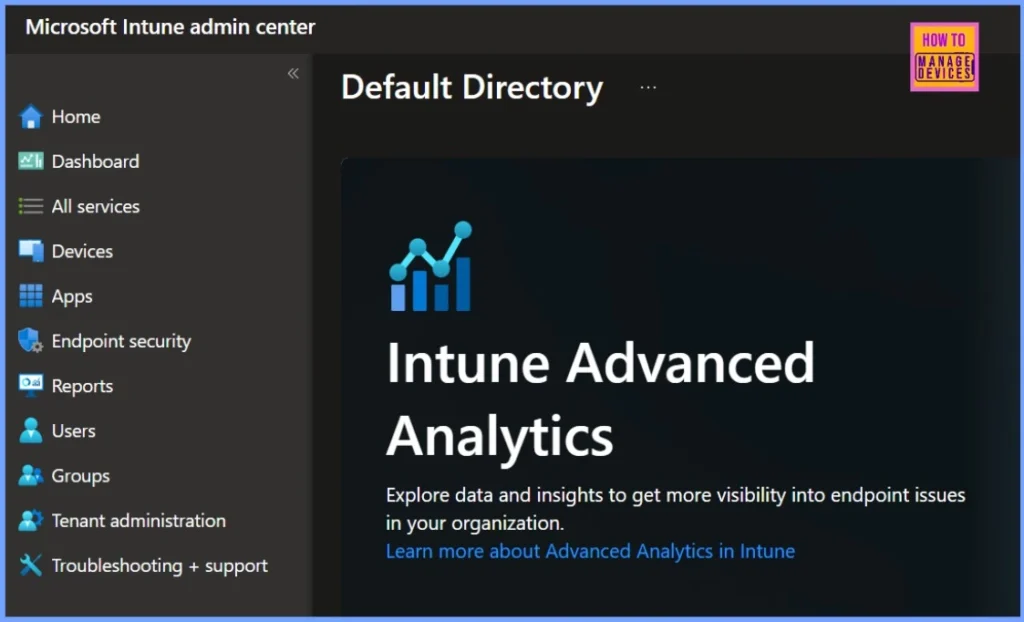
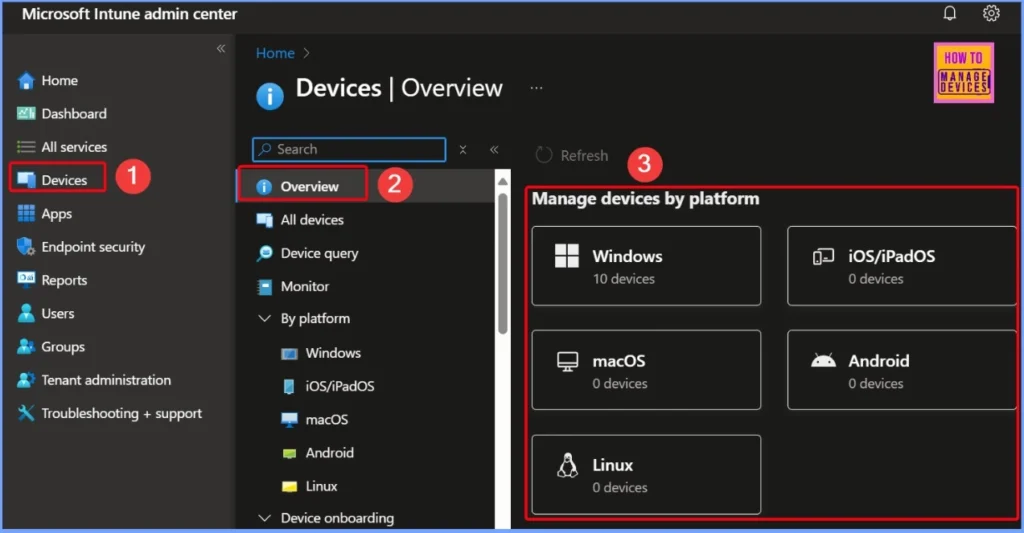
Microsoft Endpoint devices are the devices handled by users and often used outside the office; they are more exposed to security threats. This makes it crucial for organisations to keep them well-managed and secure. Microsoft Intune is a tool designed to help businesses protect these devices and ensure they follow company policies, no matter where they are.
Learn more – Free Intune Training 2025 for Device Management Admins
- Intune Architecture and Sample Architecture Diagram Explained
- Intune Training Course 2023
- Intune Design Decisions Free Training | Version 1 Starter Kit | Basic
Intune is Not for Server Management But It Offers Big Help for IT and Organizations
Microsoft Intune is designed to manage endpoint devices, not servers. It focuses on Endpoint devices like laptops, tablets, and mobile phones, not backend infrastructure like Windows or Linux servers. For IT teams and organisations, Intune provides several key benefits.
It helps reduce costs by eliminating the need for complex on-prem tools. It also supports automation, making it easier to deploy apps, enforce security policies, and keep devices up to date without manual effort. Most importantly, Intune strengthens security by making sure only compliant and protected devices can access company resources helping to safeguard data across the entire organization.
Technology Behind Intune – A Powerful Cloud-Based Management Solution
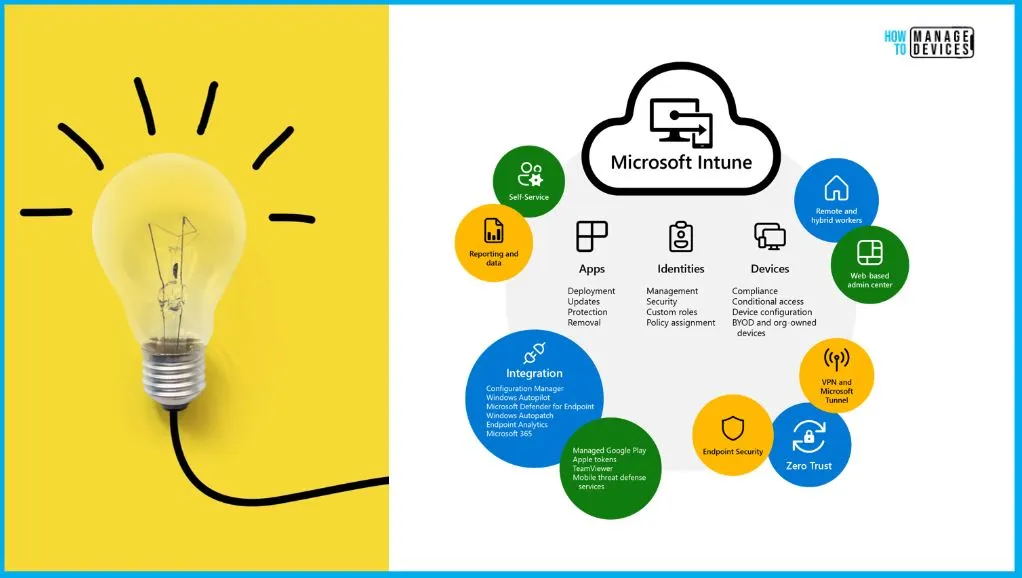
Microsoft Intune is a cloud-based solution that brings together several modern technologies to help organizations manage and secure their devices. At its core, it offers Mobile Device Management (MDM) and Mobile Application Management (MAM) to control both the device and the apps installed on it. It also supports automatic provisioning through Windows Autopilot, making it easy to set up new devices with zero-touch deployment.
| Feature | Details |
|---|---|
| Mobile Device Management (MDM) | It manages the entire device – applies policies, restrictions, and settings |
| Mobile Application Management (MAM) | It controls how company apps and data are used, even on personal devices |
| Windows Autopilot | It automates device setup and provisioning with zero-touch deployment |
| Cloud Security Policies | It enforces security settings like encryption, passwords, and compliance checks |
| Platform Support | It Manages devices across Windows, macOS, Android, and iOS |
| App Deployment | Installs and updates apps remotely on managed devices |
| Remote Actions | It allows wiping, locking, or resetting lost or stolen devices |
- What is Microsoft Intune Product Family
- Intune Management Extension Health Evaluation | IME Health Issue | ClientHealthEval.exe | Task Scheduler
What is Intune used for? – Video from HTMD Community
In this video, you will get all the details about what endpoint devices are and how they play a key role in modern device management. It also covers what Microsoft Intune is used for, explaining how it helps manage and secure these devices efficiently.
Need Further Assistance or Have Technical Questions?
Join the LinkedIn Page and Telegram group to get the latest step-by-step guides and news updates. Join our Meetup Page to participate in User group meetings. Also, Join the WhatsApp Community to get the latest news on Microsoft Technologies. We are there on Reddit as well.
Author
Anoop C Nair has been Microsoft MVP from 2015 onwards for 10 consecutive years! He is a Workplace Solution Architect with more than 22+ years of experience in Workplace technologies. He is also a Blogger, Speaker, and Local User Group Community leader. His primary focus is on Device Management technologies like SCCM and Intune. He writes about technologies like Intune, SCCM, Windows, Cloud PC, Windows, Entra, Microsoft Security, Career, etc.


Discussion