






Microsoft Announce Deprecation of MSDT and MSDT Troubleshooters
News! Microsoft Announces Deprecation of MSDT and MSDT Troubleshooters. Microsoft recently announced the Microsoft Support Diagnostic Tool (MSDT) depreciation and its associated troubleshooter. Microsoft sometimes takes a big step towards tools and features as depreciation decisions.
Many factors influence the depreciation of a tool; now, it turns to the MSDT and its Troubleshooters. You all know that MSDT ( Microsoft Support Diagnostic Tool) is essential to the Windows operating system. It is always there for users and support professionals, and its powerful features help diagnose and fix problems.
But why is this depreciation happening for MSDT and its troubleshooter? We have to understand that MS always depreciates features for other reasons. Microsoft is moving to a new troubleshooting tool called “Get Help.”
In past years, crucial vulnerabilities have been identified in the MSD. Microsoft prefers the new tool to be safer and more effective than MSDT. This depreciation may happen gradually over the next few years. So, in this post, we can discuss the MSDT and MSDT Troubleshooters.

| Index |
|---|
| Microsoft Announce Deprecation of MSDT and MSDT Troubleshooters |
| Plan for Retirement of Troubleshooter |
| Retired MSDT Troubleshooters |
- Turn On MSDT Interactive Communication With Support Provider Policy using Intune
- How to Run Program Compatibility Troubleshooter on Windows 11
- Microsoft Announces Deprecation of WSUS Driver Synchronization
- Windows Update Troubleshooting using MoUxCoreWorker-Udiag and MoNotificationUx-Udiag

What is MSDT?
What Does Retaining the Legacy Inbox Troubleshooters Mean?
Microsoft Announce Deprecation of MSDT and MSDT Troubleshooters
Above, I mentioned an overview of the Deprecation of Microsoft Support Diagnostic Tool (MSDT) and MSDT Troubleshooters. Microsoft plans to stop using the old troubleshooters and the Microsoft Support Diagnostic Tool (MSDT) that helps run them. The depreciation of MSDT will happen in 2025.
If you’re using Windows 11 version 22H2 or older, Windows 10, Windows 8.1, Windows 7, or any earlier version, the MSDT Troubleshooter retirement won’t impact your device.
- Also, the older systems will keep using the old troubleshooters as usual.
- These tools automatically find and fix common problems in Windows.
- These depreciation plans are to be going in 3 years (2023-2025)
| Deprecation Timeline | Info |
|---|---|
| Year 2023 | Begin redirecting some troubleshooters to the new Get Help platform. |
| Year 2024 | Complete the troubleshooter redirection and remove the rest of the troubleshooters. |
| Year 2025 | Completely Remove the MSDT platform. |
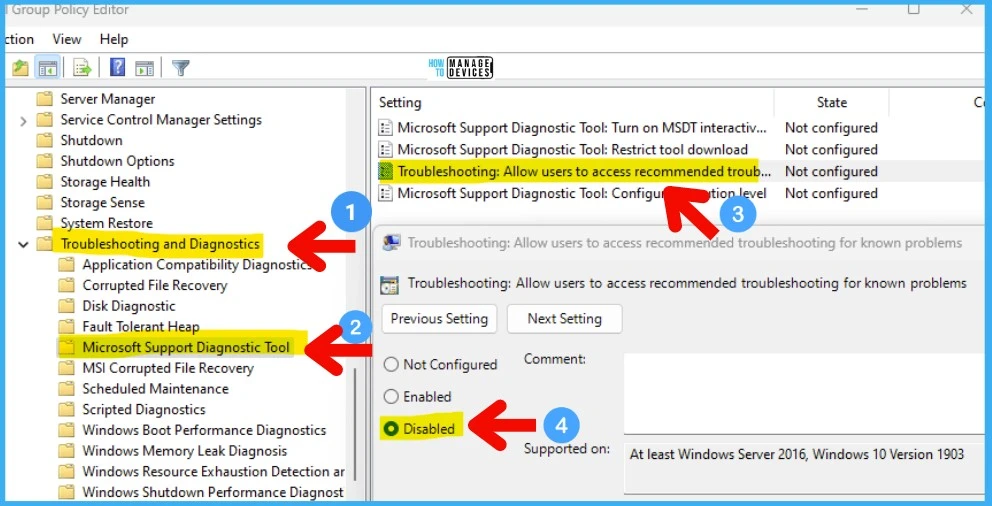
- The screenshot below shows the Group Policy Method to FIX the MSDT Vulnerability.
See more: FIX MSDT Vulnerability using SCCM and Intune | CVE-2022-30190
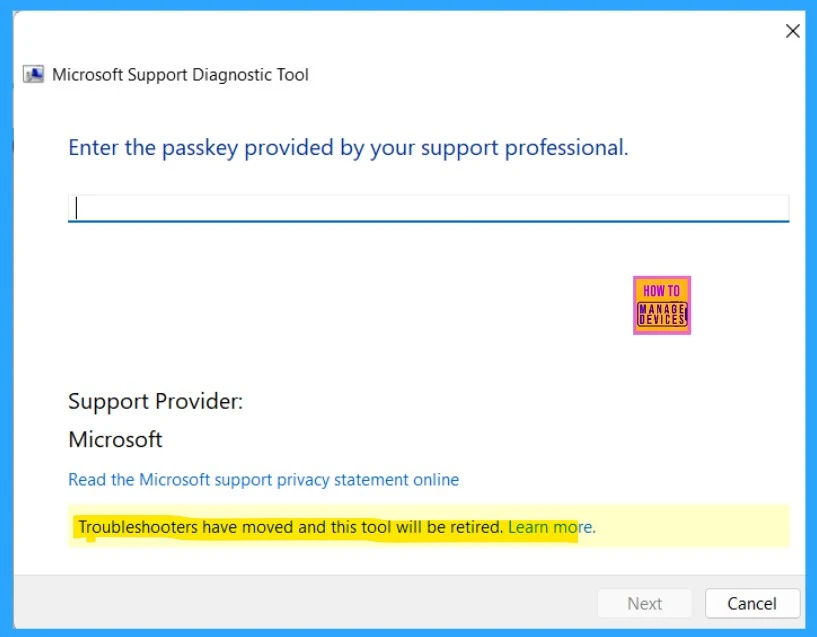
MSDT is a tool that helps you find and fix problems on your Windows computer. MSDT will be used in Windows. You can still get this tool when you search in your system search box by typing MSDT. You will need a passkey to proceed. The passkey is usually provided by the Microsoft support professional.
- How to Create and Use Passkeys in Windows
- Passkeys Now Available in Microsoft Entra ID
- Passwordless Authentication now Users can Sign in with a TAP
Read more – How to Enable Passkeys in Microsoft Authenticator
Plan for Retirement of Troubleshooter
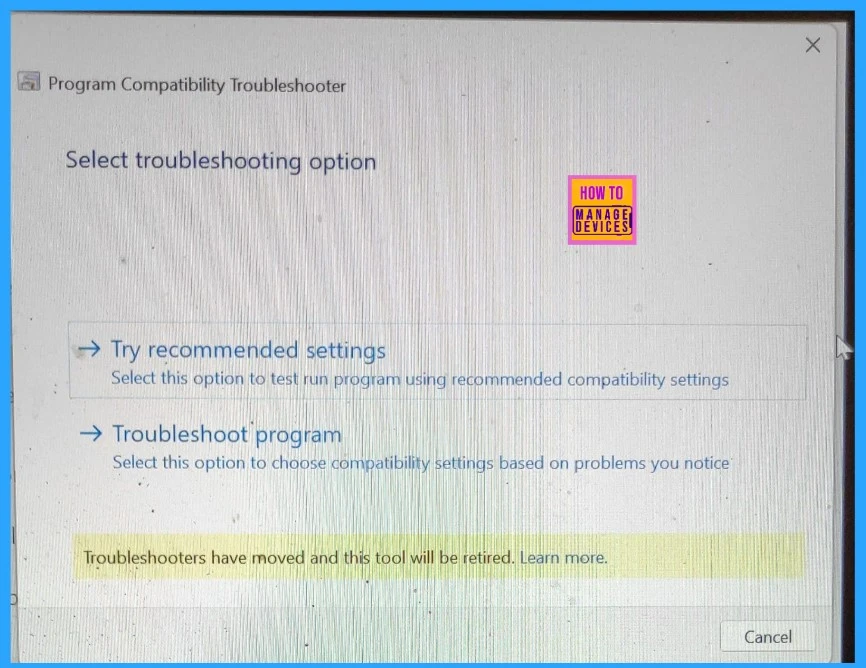
Microsoft is moving from old troubleshooters to the new Get Help platform. In Windows 11 version 22H2, some troubleshooters will be redirected, and others will be removed by 2024. Between 2023 and 2024, many legacy troubleshooters will be redirected to the new Get Help for Windows 11 version 22H2 devices.
| No | Redirected MSDT Troubleshooters |
|---|---|
| 1 | Audio |
| 2 | Background Intelligent Transfer Service (BITS) |
| 3 | Bluetooth |
| 4 | Camera |
| 5 | Network and Internet |
| 6 | Printer |
| 7 | Program Compatibility |
| 8 | Video Playback |
| 9 | Windows Media Player |
| 10 | Windows Update |
- Use Microsoft SaRA in Windows | Office Apps Troubleshooter
- Capture Network Trace for Troubleshooting in Microsoft Edge
- Windows 11 Troubleshooting Options Fixes
Retired MSDT Troubleshooters
Microsoft will start removing some old troubleshooting tools from Windows 11 devices with the next update in 2024. Older tools for fixing common issues will no longer be available. The list below shows retired MSDT Troubleshooters.
- Connection to a Workplace using DirectAccess
- Devices and Printers
- Hardware and Devices
- HomeGroup
- Incoming Connections
- Internet Explorer Performance
- Internet Explorer Safety
- Keyboard
- Power
- Search and Indexing
- Speech
- System Maintenance
- Shared Folders
- Windows Store Apps
We are on WhatsApp. To get the latest step-by-step guides and news updates, Join our Channel. Click here for HTMD WhatsApp.
Author
Anoop C Nair is Microsoft MVP! He is a Device Management Admin with more than 20 years of experience (calculation done in 2021) in IT. He is a Blogger, Speaker, and Local User Group HTMD Community leader. His main focus is on Device Management technologies like SCCM 2012, Current Branch, and Intune. He writes about ConfigMgr, Windows 11, Windows 10, Azure AD, Microsoft Intune, Windows 365, AVD, etc.




Discussion