






Microsoft is Removing the M365 Feed Widget
Let’s discuss Microsoft is Removing the M365 Feed Widget. Microsoft has announced that the Microsoft 365 Feed widget is no longer available for enterprise and business users. This change applies specifically to users accessing the widget through the Microsoft 365 Feed app.
Microsoft has removed the widget as part of its broader strategy to enhance user experience and simplify features across its services. This change is focused mainly on enterprise and business environments. This means that the change is not affecting personal or non-enterprise users.
The Microsoft 365 Feed widget was a helpful tool for business and enterprise users. It gave a simple way to stay updated with company news, shared files, teamwork activities, and personalized updates from across the Microsoft 365 environment.
This post explains everything you need to know about the removal of the Microsoft 365 Feed widget from enterprise and business apps. It covers why the widget was removed, what it means for users, and what options are available while Microsoft works on a new version.

Table of Contents
Microsoft is Removing the M365 Feed Widget
Microsoft has said that removing the widget is a planned and temporary step. This change is part of their effort to improve how enterprise users work. They are working on a new version of the widget that will have better features and tools to support modern workplaces. The updated widget should be easier to use and help people be more productive. However, Microsoft has not shared when the new version will be available.
- Step-by-Step Guide to Enable Widgets on Windows Machines with Intune Policy
- New Widgets Experience in Windows
- Various Ways to Enable or Disable Widgets Feature in Windows 11 GPO Intune Policy Registry
Alternative Options for Users
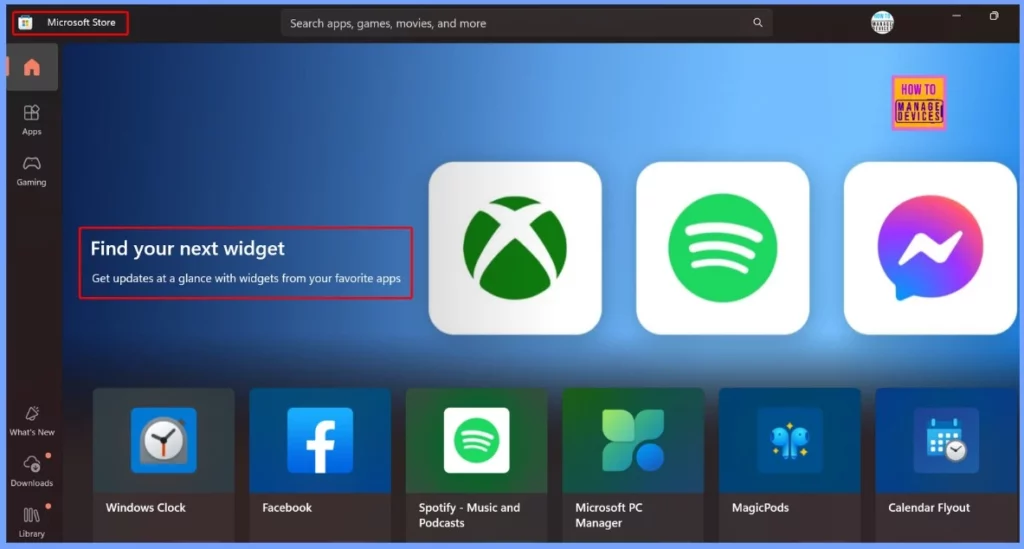
While the Microsoft 365 Feed widget is not available, users can try other widgets from the Microsoft Store. Some of these widgets may offer similar features, such as showing updates, schedules, or work-related information. They may not work exactly like the original widget, but they can still be helpful until Microsoft brings back the updated version.
Role of IT Admins During the Transition
IT administrators should stay informed about the removal of the widget and be ready to help users who may have questions or need support. The table below helps you to show more details.
| Role of IT Admins |
|---|
| Be aware that the widget has been removed only for enterprise-managed devices. |
| Inform employees about the removal and explain it is temporary. |
| Respond to questions from users about the missing widget. |
| Recommend similar widgets from the Microsoft Store to help fill the gap. |
| Stay updated on any official announcements regarding the widget’s return. |
Need Further Assistance or Have Technical Questions?
Join the LinkedIn Page and Telegram group to get the latest step-by-step guides and news updates. Join our Meetup Page to participate in User group meetings. Also, join the WhatsApp Community to get the latest news on Microsoft Technologies. We are there on Reddit as well.
Resources
Windows message center | Microsoft Learn
Author
Anoop C Nair has been Microsoft MVP for 10 consecutive years from 2015 onwards. He is a Workplace Solution Architect with more than 22+ years of experience in Workplace technologies. He is a Blogger, Speaker, and Local User Group Community leader. His primary focus is on Device Management technologies like SCCM and Intune. He writes about technologies like Intune, SCCM, Windows, Cloud PC, Windows, Entra, Microsoft Security, Career, etc.




Discussion