






Latest Windows 11 ISO Ready to Download Production Version
Today, Microsoft released the official version of Windows 11 ISO for the first time in production. This is a piece of existing news for Windows enthusiasts. This is not the production version of ISO. Instead, this is the Windows 11 production version ISO is released. All of us can download the ISO from the Microsoft Official website.
Microsoft released different editions of Windows 11 ISOs (Consumer and Business). I have a list of editions in the following section of this post. You can download the Windows 11 ISO directly from the Microsoft Software Download website. You don’t have to log in to download the ISO.
Related Topic – How To Create Windows 11 Bootable USB Drive From ISO
This post is updated to give the details about the latest version of the Windows 11 ISO download (production version). You can download it without Visual Studio or Volume Licensing access. You don’t even need to log in to any Microsoft account to download this.

There are multiple options explained below for downloading Windows 11 ISO. Check out each one to determine the best option for you. If you are upgrading from Windows 10, we recommend that you wait until you are notified through Windows Update that the upgrade is ready for your PC.
Related Topic – Windows 11 Minimum System Requirements Updated
NOTE! – You can also check out the details of Windows 11 build versions (insider) from the previous blog post – Windows 11 Version Numbers Build Numbers Major Minor, Build Rev.

Windows 11 ISO Download for Production Version Options
This option is for users that want to create a bootable installation media (USB flash drive, DVD) or create a virtual machine (.ISO file) to install Windows 11. This download is a multi-edition ISO that uses your product key to unlock the correct edition.
Download Windows 11 (microsoft.com)
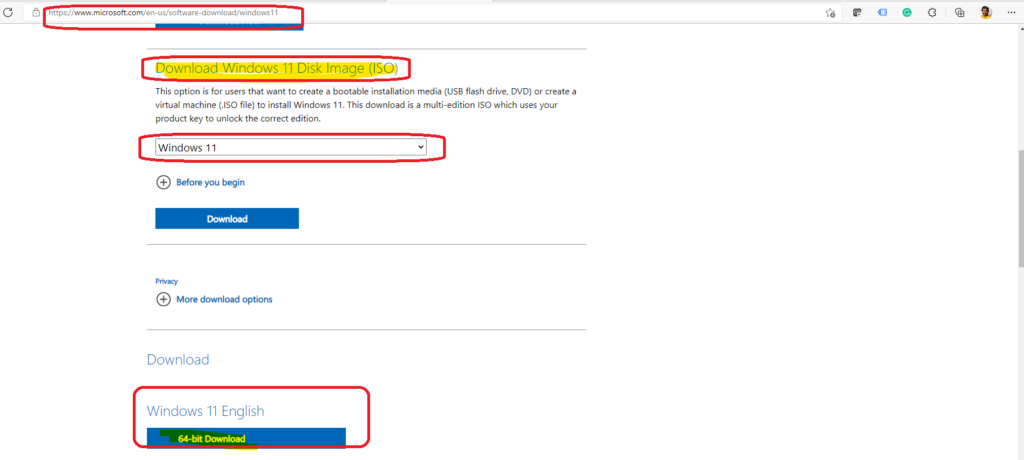
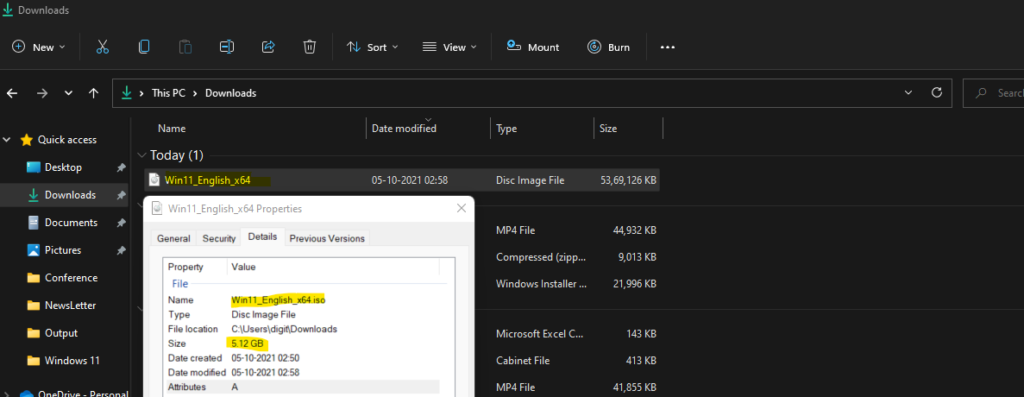
You will need to use the Windows 11 key to get the Windows 11 activated. I have downloaded the following ISO Win11_English_x64.iso from the above site. The size of the Windows 11 production version ISO is 5.12 GB.
Windows 11 ISO Download from volume licensing site
The Windows 11 ISO is not yet available on the volume licensing site. So you will need to wait some more time before starting the production Task Sequence deployment for Windows 11 upgrade and bare metal scenario.
Windows 11 ISO Download available on MSDN (Visual Studio)
You can now download the Windows 11 ISO from MSDN (using visual studio) subscription. However, you can use this ISO and CD key for production deployment and releases.

Insider Version Download Details
You can check the below table to get more information about the available ISOs for Windows 11. This is the list Microsoft released on 19th August 2021.
Microsoft provides a variety of ISO images for users to install Windows Insider Preview builds. ISO images are available for the following Windows editions:
| Windows 11 Editions | Build Numbers of Windows 11 ISO |
|---|---|
| Windows 11 Insider Preview (Dev Channel) | Build 22000.132 |
| Windows 11 Insider Preview (Beta Channel) | Build 22000.132 |
| Windows 11 Insider Preview Enterprise (Dev Channel) | Build 22000.132 |
| Windows 11 Insider Preview Enterprise (Beta Channel) | Build 22000.132 |
| Windows 11 Insider Preview Home China (Dev Channel) | Build 22000.132 |
| Windows 11 Insider Preview Home China (Beta Channel) | Build 22000.132 |
Windows 11 Language Options
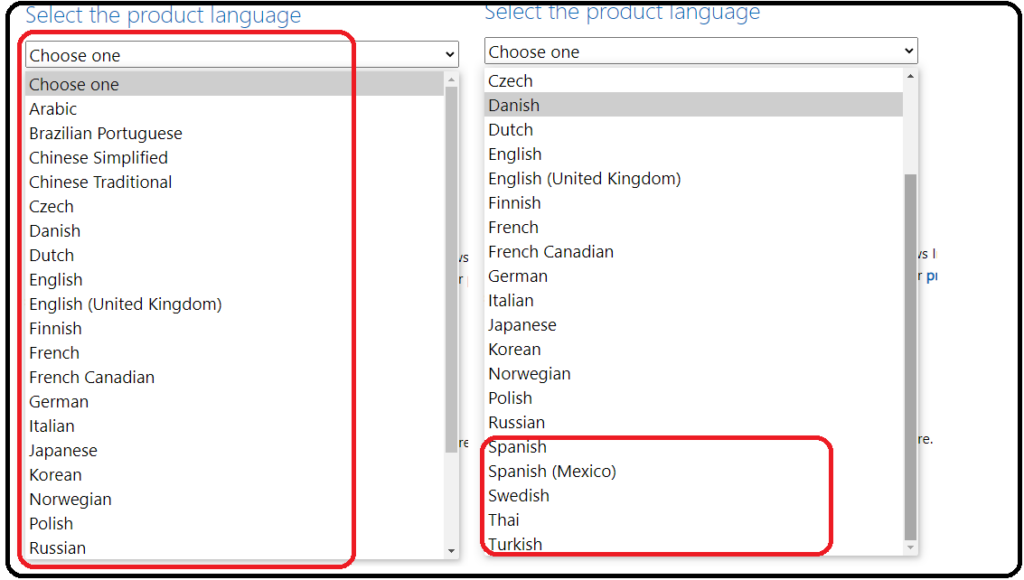
Let’s now check the Windows 11 ISO download options for different languages worldwide. Microsoft supports twenty-four (24) languages for this Windows 11 ISO release. I have created a list of languages supported for easy understanding and access.
| Available Windows 11 ISO Product Languages |
|---|
| Arabic |
| Brazilian Portuguese |
| Chinese Simplifies |
| Chinese Traditional |
| Czech |
| Danish |
| Dutch |
| English |
| English (United Kingdom) |
| Finnish |
| French |
| French Canadian |
| German |
| Italian |
| Japanese |
| Korean |
| Norwegian |
| Polish |
| Russian |
| Spanish |
| Spanish (Mexico) |
| Swedish |
| Thai |
| Turkish |
Download Windows Insider Version Windows 11 ISO
Let’s now check the steps to Download Windows 11 ISO. You don’t have to use any specific tools to download the ISO from the Microsoft website. You need a Microsoft Edge browser or any other supported browser to download this.
- Open the following Website => https://aka.ms/WIPISO
- Scroll Down a bit.
- Select the Windows 11 Editions from the Drop down list.
- Click on the Confirm button to continue.

You can now select the language of the Windows 11 ISO. I have chosen the English language version of ISO from the drop-down list. I have already shared the supported version of Windows 11 in the above section.
- Select the product language from the Drop-down list.

The download link will be valid only for 24 hours. As you can the warning is in the screenshot below. Links are valid for 24 hours from the time of creation. Links expire 8/21/2021 3:09:19 AM UTC.
- Click on 64-bit Download option as shown below.
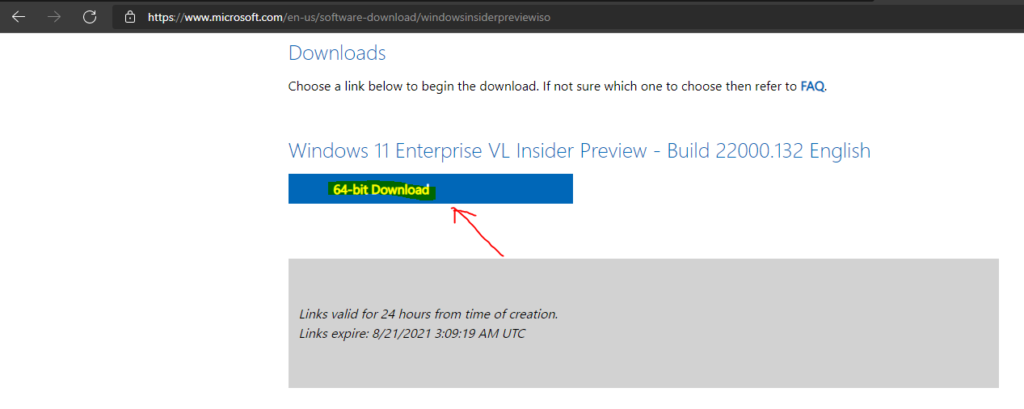
- I have downlaoded the following version of the ISO -> Windows 11 Enterprise VL Insider Preview – Build 22000.132 English
I have tried to download it from an Azure Virtual machine and a physical device. I think the download speed is pretty good from both places.
- It took only less than 5 minutes to download Windows 11 ISO using Azure VM in the US2 region.
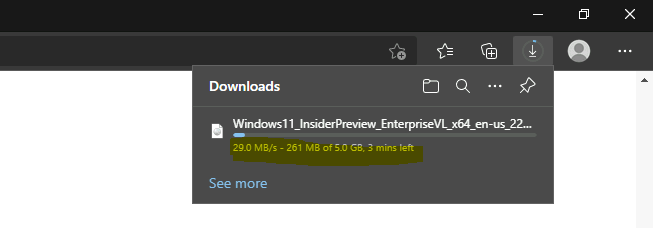
I successfully downloaded the following ISO version of the Windows 11 insider build for the enterprise.
- Windows 11 ISO Name – > Windows11_InsiderPreview_EnterpriseVL_x64_en-us_22000.iso
- The total size of Windows 11 ISO that I downloaded is around 4.99 GB.

You can also check and confirm the product version and file version details of Windows 11 ISO from the setup.exe properties.
- Product version is 10.0.22000.1
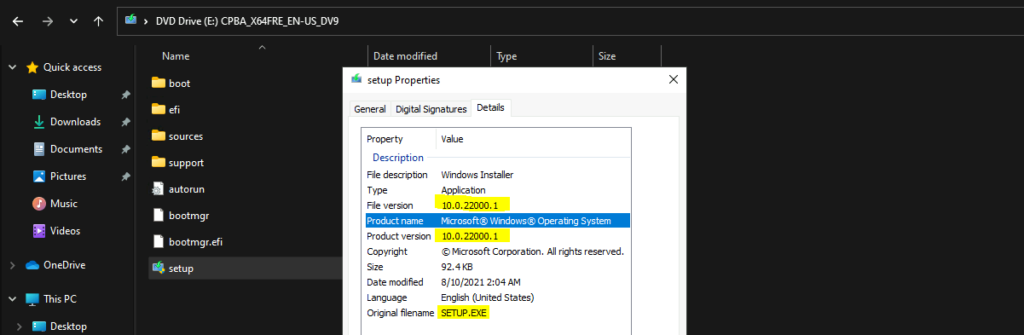




I had Downloaded Windows 11 Preview .
Thanks !
nice
Thanks for sharing this information! I’ve been waiting for the production version of Windows 11 to be released, and I’m glad to see that it’s available now. Can’t wait to try it out and see the new features and improvements for myself. Great blog post!
Wow, can’t wait to try out the latest Windows 11 ISO! Thanks for the heads up on the production version release. Will definitely be downloading it soon.