






In this post, we can discuss about Microsoft Teams Phone Connects with Millions of PSTN Users. In this digital world communication is very important in business. Microsoft Teams phone is the best option for this. As we can say, the Microsoft Teams phone is the game changer. With this service, it allows a unified experiance for the users.
That would be the best move when you add smart calling to your business and work. Teams Phone makes it easy for your team to work better together, get more done, and not waste time. Microsoft Teams phone is known for its secure nature and ease of management, and it helps you with organizational growth.
Recently, a new achievement occurred in Teams calls over 20 million Teams Phone Public Switched Telephone Network (PSTN) users with a phone number assigned using Operator Connect, Direct Routing, Teams Calling Plans, Teams Phone Mobile, or a combination of these options reached the milestone.
Microsoft Teams is a very innovative choice for businesses. With over 20 million Public Switched Telephone Network (PSTN) users, Teams Phone is really popular. In this blog post, we will share an overview of Microsoft Teams Phone and some of its great features.

- Follow Meeting Option New Feature in Case of Meeting Conflicts
- Microsoft Introduces Single Microsoft Teams Desktop App for Personal and Work
- Microsoft Classic Teams Reaching to End of Life

Microsoft Teams Phone Connects with Millions of PSTN Users
Many big companies, such as Deutsche Bank, Reed, and Isuzu, use Teams phones for connecting businesses. With the help of Teams Phone, it will give the user the best-unified experiance through Better communication for frontline workers, Teams Phone Mobile and Voice isolation.
| Capabilities of Microsoft Teams Phone | Info |
|---|---|
| Better communication for frontline workers | Teams Phone helps workers who deal directly with customers by alowing them their own phone numbers and devices. it will help the user to stay in touch and do their job effectively. |
| Teams Phone Mobile | This service will improve mobile communication by allowing a single number for both Microsoft Teams and your phone’s dialer. New partners like AT&T, Odido, Virgin Media O2, and Vodafone UK will soon start offering this service. |
| Voice isolation | When attending a meeting in a noisy place, the Voice isolation option allows you to use an AI feature to ensure only your voice is heard. |
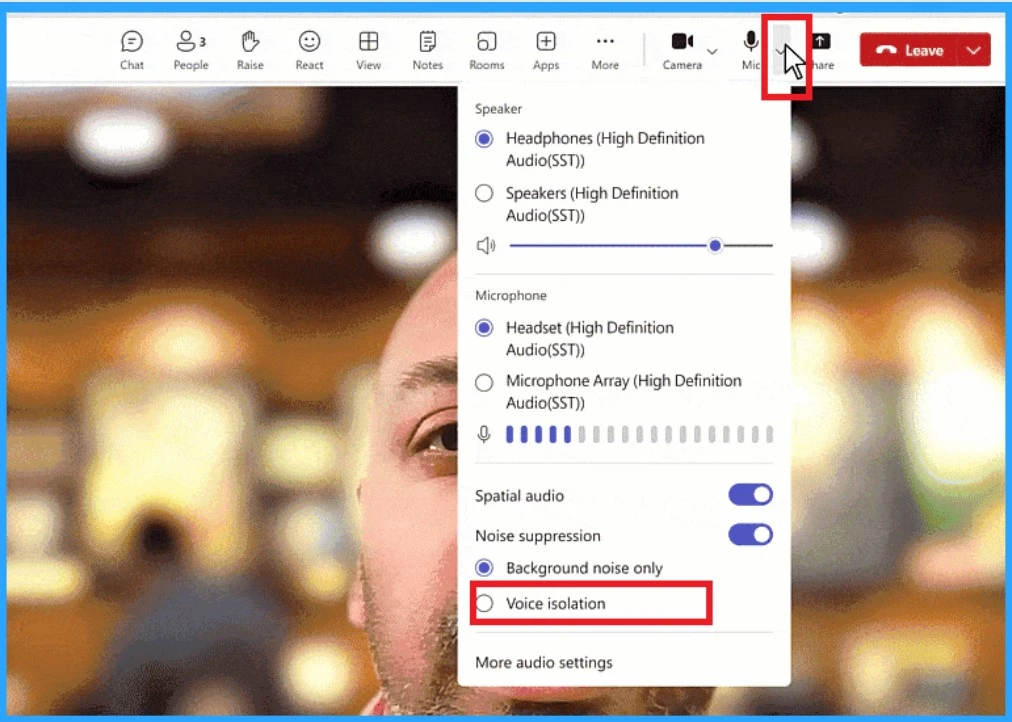
Interactions With a Smart and Integrated Communication System
A phone call is the best option for communicating with your business teams. Better communication can make a huge difference in the clarity of words, helping you better understand and make faster decisions. It offers many features to connect your business and help improve the work.
1. Teams Phone Offering Copilot Features
Copilot is now expanding its features. With Microsoft Teams, the phone enhances work flexibility with AI intelligence. It automates administrative tasks by capturing the main points and assigning tasks during calls. Copilot works with both VoIP and PSTN calls.
See more: 16 New Copilot Actions Released by Microsoft
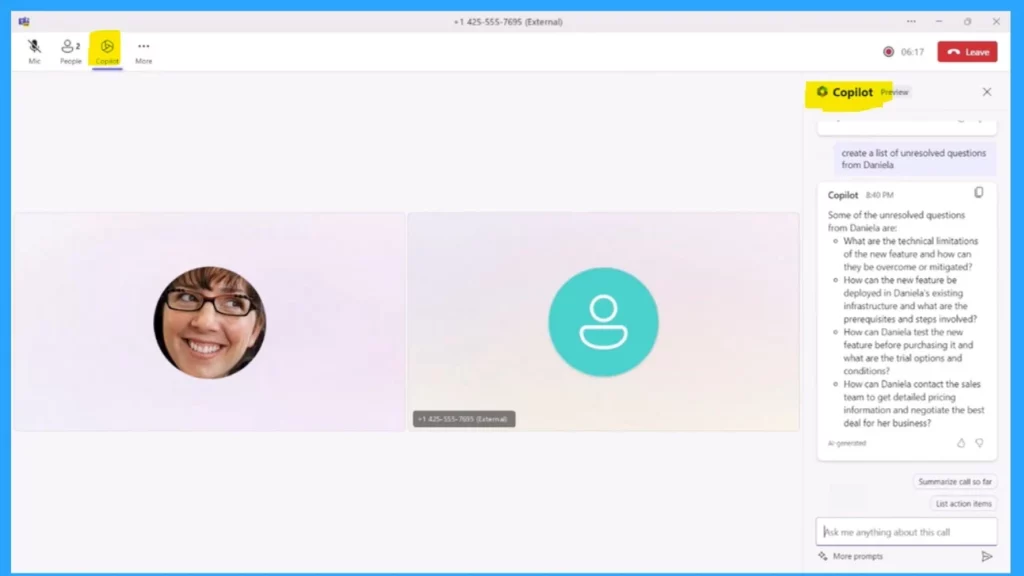
2. Providing an Intelligent Call Recap Option
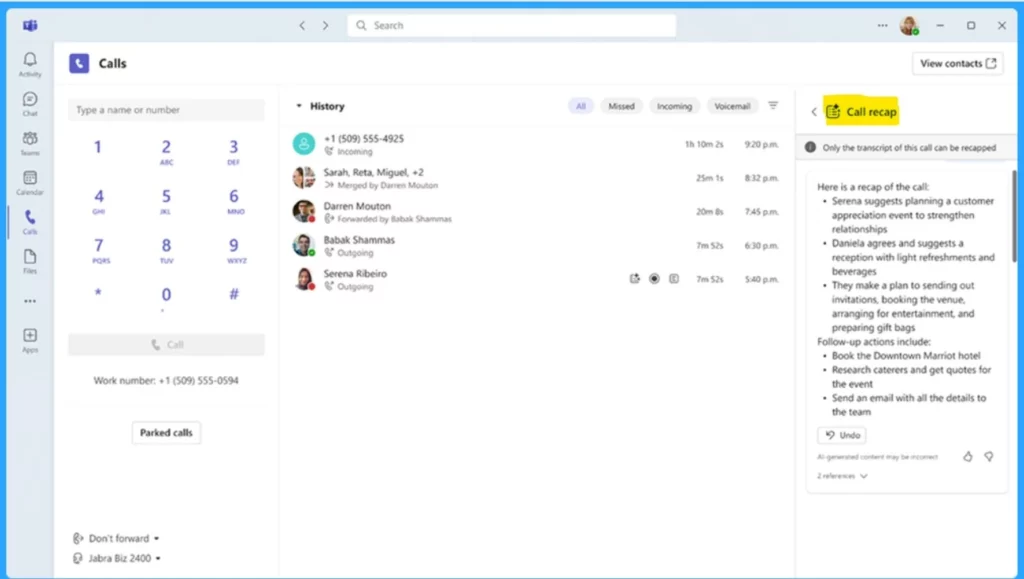
Intelligent recap is a feature that can provide AI-powered insights and recaps of your VoIP and PSTN calls in Teams. It is one of the most important features in meetings, and it will be available soon on Teams Phone. This tool is generally available later in the year and will require a Teams Premium or Copilot license to use.
See More: Call Record Insights for Microsoft Teams
- New Banner Notification on Teams Classic Client
- Profanity Filtering Control in Microsoft Teams
- How to Use Power Automate in Microsoft Teams
3. Queues App
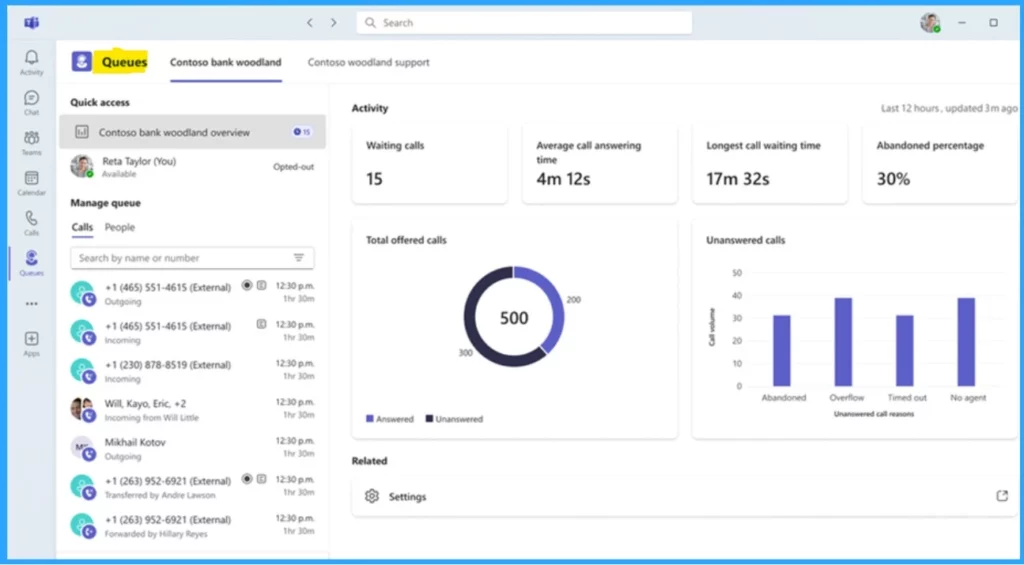
Queues app is an important new feature in Teams Phone. It is the best feature for providing a workspace for supervisors and employees who handle customer calls. The users get notifications when a call is in the queue, and they have a choice for transferring that call.
- Supervisors can organize users into different queues and manage the team’s workload.
- This app is in private preview now but will be available to everyone with Teams Premium later in the year.
Providing Reliable and Safe Calling
Above, I mention in detail that Microsoft Teams phone is the best option for communication through calls. This service provides a wide range of security and consistency to customers. It is very easy to use, so we can say it’s the best user-friendly platform.
- Teams Phone delivers its commitment to providing reliable PSTN service that organizations can easily set up and use.
| Reliable and Safe Calling Capabilities | Info |
|---|---|
| Financially-backed 99.999% service level agreement | Microsoft promises to keep Teams Phone running almost always, with a 99.999% uptime guarantee that we stand behind financially. |
| Survivable calling | When the internet goes down, it has a backup option, which will help with business continuity. This feature is being improved, and soon, you’ll be able to transfer calls and receive calls from queues or automated systems, even without an internet connection. |
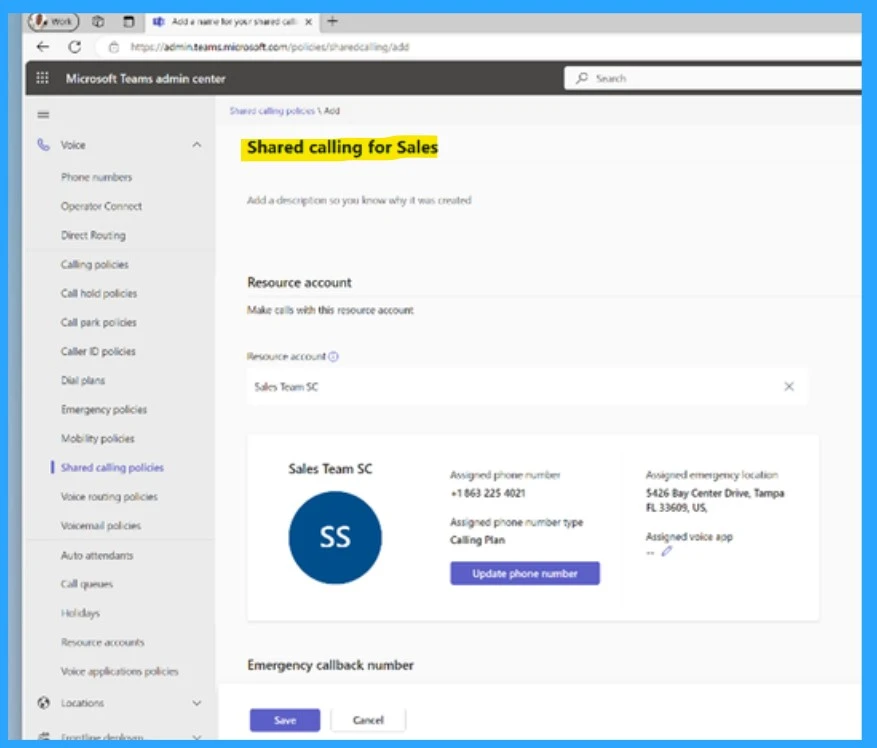
| Shared Phone Numbers | Many people can share a single phone number and calling plan when an organisation is small or large. This makes it easier for admins to set up and manage calls in Teams. |
Reference
Discover why over 20 million PSTN users trust Microsoft Teams Phone
We are on WhatsApp. To get the latest step-by-step guides and news updates, Join our Channel. Click here –HTMD WhatsApp.
Author
Krishna. R is a computer enthusiast. She loves writing about Windows 11 and Intune-related technologies and sharing her knowledge, quick tips, and tricks about Windows 11 or 10 with the community.




Discussion