






New SCCM 2006 Hotfix KB4584759 to Fix Desktop Analytics Error
Microsoft released the new SCCM 2006 Hotfix KB4584759 to Fix the Desktop Analytics Error. This particular update is located within the Updates and Servicing node, which can be accessed from the Configuration Manager console.
This hotfix applies to all environments using Desktop Analytics and was installed using an early update ring or globally available builds of version 2006. More Details about SCCM Primary Server Upgrade to 2006 | ConfigMgr | Guide | Step by Step.
I have added all the hotfixes released for the 2006 production version of ConfigMgr to the known issues post. The following post provides more details about the known issues of ConfigMgr 2006: ConfigMgr 2006 Known Issues | Fixes | SCCM Current Branch.
After you have installed update KB4584759 on the primary site, it is essential to note that any pre-existing secondary sites will require manual updating. Please ensure that all secondary sites are updated promptly to maintain system integrity and performance.

The desktop analytics errors resembling the following are also recorded in the M365AHandler.log on affected clients and could be fixed after applying KB 4584759.
Executing command line: Run ConnectivityDiagnosis.exe with options (0, 0)
Process completed with exit code 4294967295
CheckConnectivityDiagnosis failed. Exit code -1
| Index |
|---|
| Applicable |
| Install KB 4584759 – Install Update Pack |
| Completed |
- ConfigMgr 2006 Hotfix KB4578605 SCCM | Update Rollup | 22 Fixes
- SCCM 2006 Revised Update Rollup Hotfix KB4575789 ConfigMgr
- PowerShell Script To Enable Opt-In Version Of SCCM 2006
Applicable
The ConfigMgr 2006 hotfix KB 4584759 applies only to the environments configured with the Desktop Analytics feature. You can confirm the desktop analytics configuration from the following:
- Administration – Cloud Services – Azure Services
- Desktop Analytics
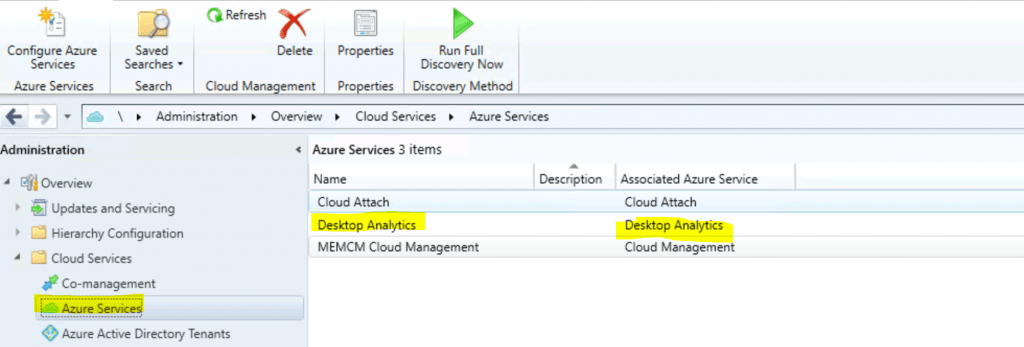
Install KB 4584759 – Install Update Pack
This is the step to update the standalone primary server or CAS server. The child primary servers shall get automatically updated.
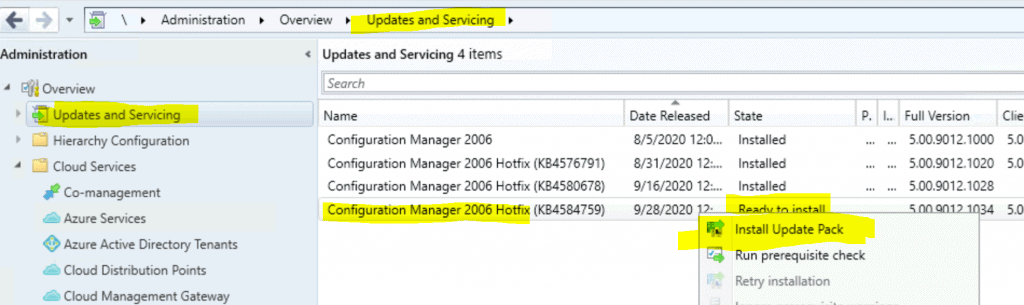
- Launch the Configuration Manager Console
- Select the Administration tab
- Expand Overview -> Select Updates and Services
- The update Configuration Manager 2006 Hotfix Rollup KB 4584759 is Ready to install stage.
- Click on Install Update Pack
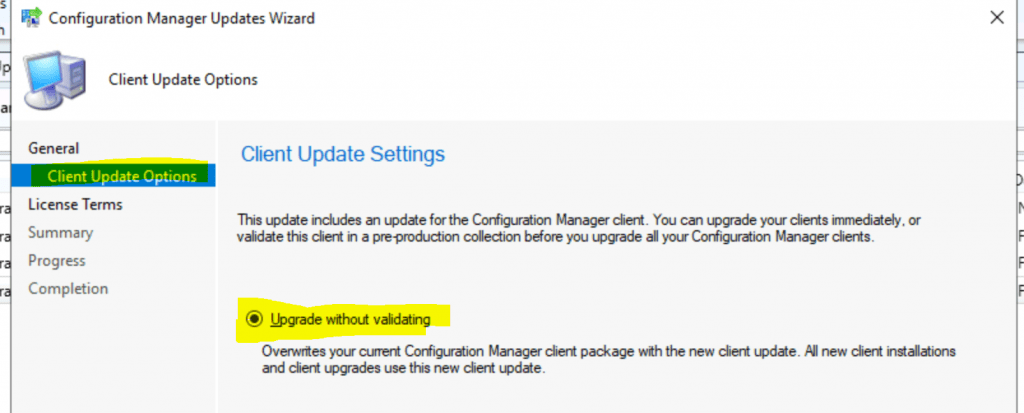
- Click Next
- Select Client Update Settings (Client without validation for my lab environment).
- Click on Next.
NOTE! – ConfigMgr client upgrade validation details are explained in the following post. I will let you go through it to get more details. SCCM Client Upgrade Promote Pre-Production Client to Production
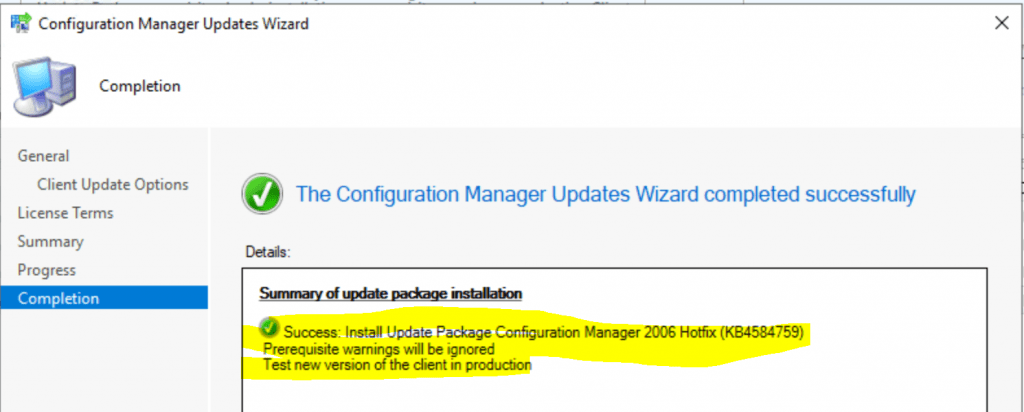
Accept the license and click on Next to continue. Summary of updated package installation. Then install Update Package Configuration Manager 2006 Hotfix Rollup (KB 4584759)
- Prerequisite warnings will be ignored
- Test a new version of the client in production
- Click on Close to complete Configuration Manager Updates Wizard.
Completed
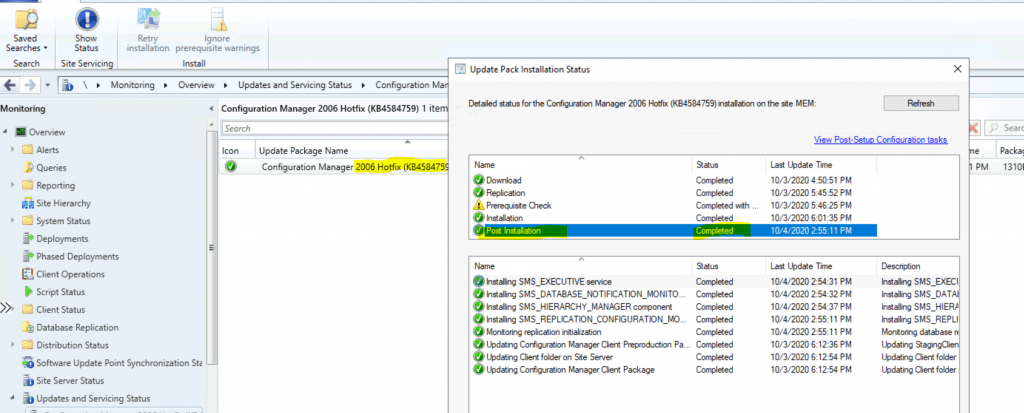
You can confirm whether the ConfigMgr 2006 KB was installed successfully from the below screen capture.
NOTE: I have seen the status of the Post Installation section, which shows as not completed until the server is restarted.
Resources
- Clients report Desktop Analytics configuration errors in Configuration Manager, version 2006
- The SCCM version of 2006 is generally available.
- ConfigMgr 2006 Known Issues | Fixes | SCCM Current Branch
We are on WhatsApp. To get the latest step-by-step guides and news updates, Join our Channel. Click here –HTMD WhatsApp.
Author
Anoop C Nair is Microsoft MVP! He is a Device Management Admin with more than 20 years of experience (calculation done in 2021) in IT. He is a Blogger, Speaker, and Local User Group HTMD Community leader. His primary focus is Device Management technologies like SCCM 2012, Current Branch, and Intune. He writes about ConfigMgr, Windows 11, Windows 10, Azure AD, Microsoft Intune, Windows 365, AVD, etc.




Discussion