






Issue with Photos App and BlockNonAdminUserInstall Policy
Important News! An issue with the Photos App and BlockNonAdminUserInstall Policy. On June 19th, 2024, we reported that Microsoft identified a known issue with the latest MS Teams and Outlook. Microsoft has announced another known issue with the Photos App and BlockNonAdminUserInstall Policy.
If you have enabled the “BlockNonAdminUserInstall” policy in your Windows environment, you might encounter an issue with the Photos app failing to start. This policy is designed to prevent non-administrator users from installing apps, but it can Accidentally affect the functionality of built-in apps like the Photos App.
We all know that the Photos app is a user-friendly, free tool for viewing, organizing, editing, and sharing photos and videos.
If you recently updated your photo app, you may encounter this issue: It doesn’t start up right because it doesn’t work well with some computer settings. This issue affected 2024.11050.29009.0 or higher. This post can discuss the issues and which platforms will be affected.

| Index |
|---|
| Troubleshooting the Windows 11 Microsoft Photos App |
| What were the Issues to be Showing in the Photos App |
| What is the Fix According to MS |
- Two Known Issues with June Patches for Windows 10 and 11
- ConfigMgr 2203 Known Issues and Fixes
- Windows 11 Photos App Background Blur and Latest Features Explained
- How to Repair Reset WhatsApp in Windows
- How to Add iCloud Photos in Windows 11 Photos App
What is a Photo App in Windows?
Issue with Photos App and BlockNonAdminUserInstall Policy
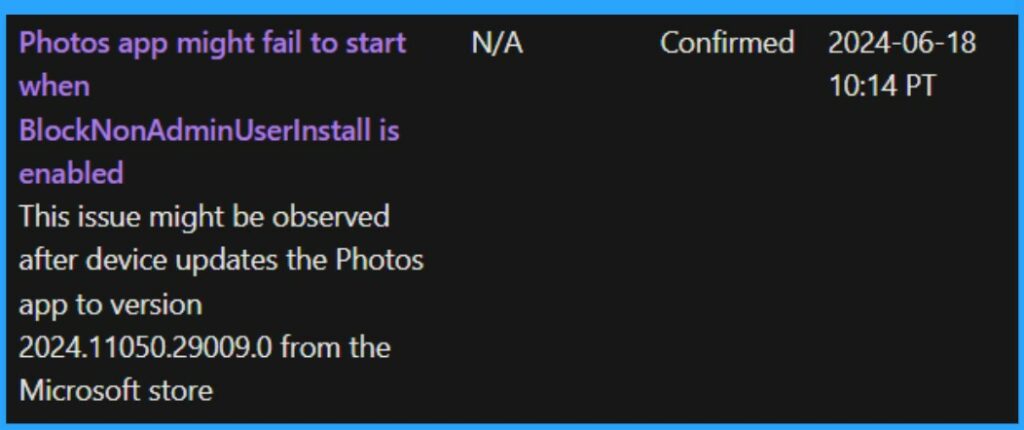
As mentioned above, the MS Photos app spotted the new issue. It is a known issue with the Photos app on Windows 11, where it won’t open correctly. The problems happened after the latest device update, and the 2024.11050.29009.0 version was affected. This issue was confirmed in June, but Microsoft provides no Workaround.
| Affected platforms | Info |
|---|---|
| Client | Windows 11, version 23H2; Windows 11, version 22H2 |
| Server | None |
- This issue occurs if a certain setting (BlockNonAdminUserInstall) is on, which prevents regular users from installing apps.
See More: Windows 11 Photos App Features and User Guide
- Unable to Login with Microsoft Account to Windows 11 Issue
- Reset Network Adapters in Windows 11 FIX Connection Issues
- Easy Way to Repair Reset Outlook in Windows
What were the Issues to be Showing in the Photos App
If you are opening the photos app, you can’t open it, and it continues to show as it is loading. After the loading sign stops, there are no changes to be done, and it still does not open afterwards. It’s not starting up correctly because it doesn’t work well with some computer settings.
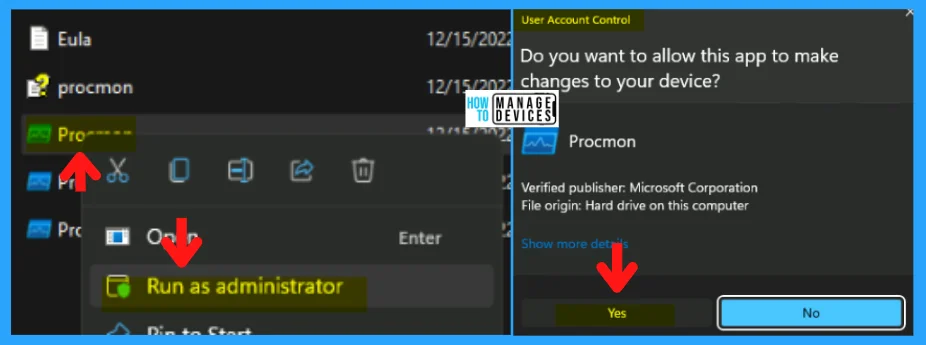
- If you have a computer checking tool like Procmon, you might see a message that says “Access Denied” when the app tries to close itself.
- Based on these symptoms, we can clearly understand that the app has some major issues.
- The screenshot below is an example of the Run Procmon in our post, How to Use Process Monitoring in Windows 11.
Note: This happens only for computers that can’t install anything without admin permissions. You don’t need to worry if you are a Windows 11 home user. It will not affect Home users.
See More: How to Use Process Monitoring in Windows 11
Microsoft identified this issue on June 2024-06-18. However, Microsoft has not provided a workaround. Microsoft is still investigating how to fix these issues. When it fixes them, it will disclose them in the next update.
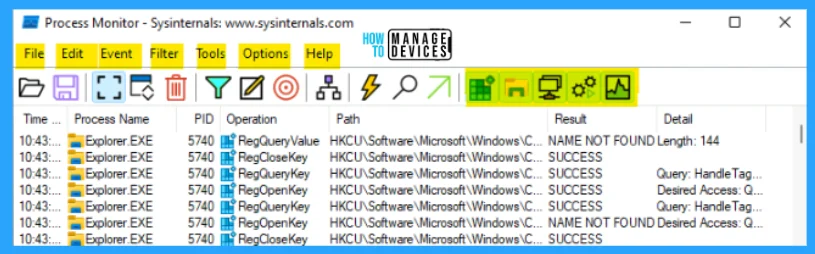
- The screenshot below is from How to Use Process Monitoring in Windows 11. It shows the process monitor application window.
See More: How to Use Process Monitoring in Windows 11
We are on WhatsApp now. To get the latest step-by-step guides, news, and updates, Join our Channel. Click here. HTMD WhatsApp.
Author
Anoop C Nair is Microsoft MVP! He is a Device Management Admin with more than 20 years of experience (calculation done in 2021) in IT. He is a Blogger, Speaker, and Local User Group HTMD Community leader. His main focus is on Device Management technologies like SCCM 2012, Current Branch, and Intune. He writes about ConfigMgr, Windows 11, Windows 10, Azure AD, Microsoft Intune, Windows 365, AVD, etc.




Discussion