






Pricing Details of Microsoft Security Copilot
Let’s discuss the Pricing Details of Microsoft Security Copilot. Security Copilot is an AI-powered security solution developed by microsoft. It helps to increase the efficiency and capabilities of defenders to improve security outcomes at machine speed and scale.
Microsoft’s Copilot for Security will generally available on April 1st, 2024. Recently, Microsoft released various pricing information and structures of Security Copilot. Do you know the benefits of the pricing model of Security Copilot?
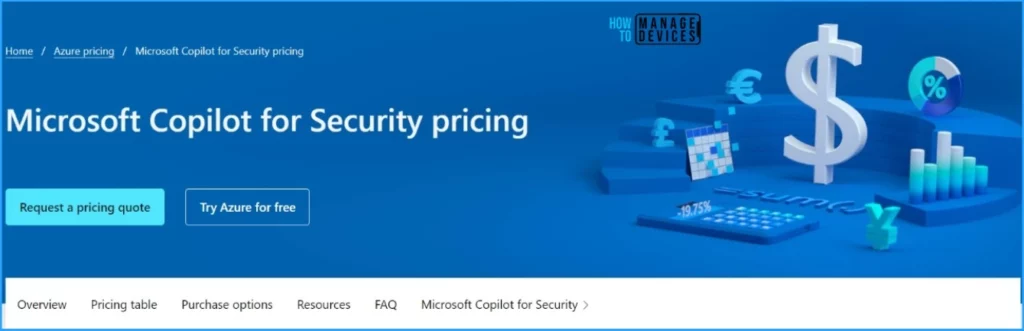
Security Copilot’s pricing model allows customers to buy what they need. Different types of pricing models are available for users. Security Copikot’s pricing can be determined using consumption-based pricing, and it costs approximately $4 per SCU per hour.
The Security Compute Unit (SCU) is the unit of measurement of the Copilot for Security to computing capacity to run a Copilot workload. In this blog post, I will explain the different pricing details of Security Copilot.

- Get Free Certification from Microsoft on Copilot for Security
- Copilot for Security Prompting Samples for Microsoft Intune
Pricing Details of Microsoft Security Copilot
The pricing of Security Copilot is differentiated according to the hourly or monthly cost of using Azure. This pricing varies according to the Region, product, etc. Microsoft also provides a pricing calculator to determine the estimated price of each product.
Different Pricing Options in Microsoft Copilot for Security
I already mentioned that Security Copilot offers different pricing options. We can only calculate the estimated price of each product on Security Copilot. Actual pricing may vary depending on the type of agreement entered with Microsoft, the date of purchase, and the currency exchange rate.
- Copilot for Security pricing varies according to the region and currency.
- Different Regions and Currency are shown in the table below.
| Region | Currency |
|---|---|
| United States | Dollar ($) USD |
| United Kingdom | Pound (GBP) |
| United Arab Emirates | UAE (Dirham) |
| Switzerland | Franc(chf) CHF |
| Sweden | Krone (SEK) |
| Qatar | Riyal(QAR) |
| Poland | Zloty(PLN) |
| Norway | Krone (kr) NOK |
| Korea | Won (KRW) |
| Japan | Yen (JPY) |
| Italy | Euro and Centessimo |
| Israel | New Israeli Shekel (NIS) |
| India | Rupee (INR) |
| Germany | Euro (EUR) |
| France | French Francais (FRF) |
| Europe | Euro (EUR) |
| Canada | Dollar ($) CAD |
| Brazil | Real (R$) BRL |
| Azure Government | |
| Australia | Dollar ($) AUD |
| Asia Pacific | |
| Africa | South African Rand (ZAR) |
- What is the Security Compute Unit in MS Copilot for Security Context
- New Capabilities in Microsoft Copilot for Security
Pricing Calculator for Security Copilot
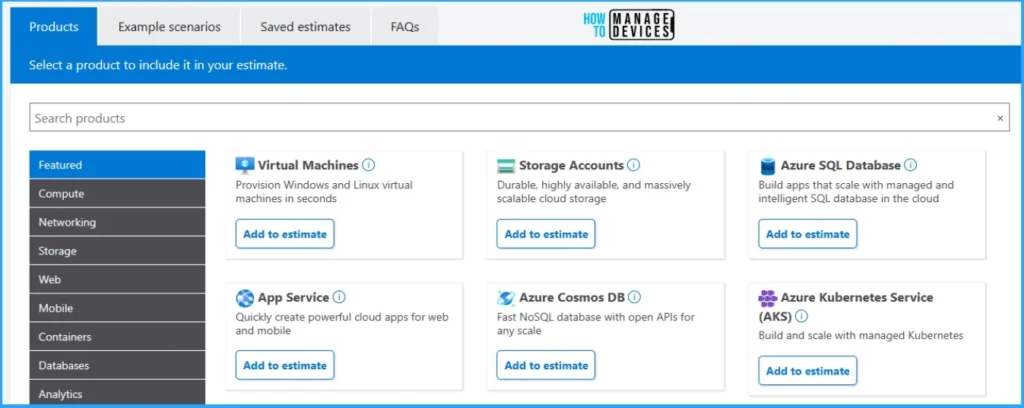
Using the Price Calculator, users can determine the estimated cost for each product using Azure. It helps to see pricing based on your current programme/offer with Microsoft. Microsoft provisioning 3 SCUs per hour to start your Copilot for Security.

There are different types of products available on the Pricing Calculator. You can easily search for any product here and calculate the estimated cost for the product. Each product has a different subcategory products.
For example, Feature products have many sub-products such as Virtual Machines, Storage Accounts, Azure SQL Database, App Service, Azure Cosmos DB, Azure Kubernetes Service (AKS), Azure functions, Azure AI services, Microsoft Cost Management. The following are the Products available.
- Featured
- Compute
- Networking
- Storage
- Web
- Mobile
- Containers
- Databases
- Analytics
- AI + Machine Learning
- Internet of Things
- Integration
- Identity
- Security
- Developer Tools
- DevOps
- Management and Governance
- Media
- Migration
- Mixed Reality
- Hybrid + multicloud
- New Intune Troubleshooting options using Security Copilot
- Data Flow Architecture for Intune and Security Copilot
We are on WhatsApp. To get the latest step-by-step guides and news updates, Join our Channel. Click here –HTMD WhatsApp.
Author
Gopika S Nair is a computer enthusiast. She loves writing on Windows 11 and related technologies. She is here to share quick tips and tricks with Windows 11 or Windows 10 users. She is Post Graduate Diploma Holder in Computer Science.

Discussion