






Renew SCIM Token in Apple Business Manager to Sync Microsoft Entra ID
Hello Everyone! We are back with a new topic: Renew SCIM token from the Apple Business Manager. In this article, we will discuss the SCIM token, its requirements, and the renewal process. I hope you are doing great at work and looking for interesting technical topics.
SCIM stands for System for Cross-Domain Identity Management. It is a standardised protocol for organisations to automatically exchange user identity data between IT systems or identity domains or from one entity to another without any human intervention.
SCIM creates a common format for securely exchanging identity data, communicating identity data across platforms, and automating the flow of information between an Identity provider, Identity and Access Management(IAM), or any cloud-based applications.
The identity provider or IDP is the client, and a service provider is usually a SaaS Application. In our case, Apple Business Manager is the SaaS application, and Azure AD is the IDP. To exchange user information between Azure and Apple Business Manager, we must create a SCIM token and upload it in Azure AD so that users’ information will be synced to ABM to create managed Apple IDs.

- Account-Driven Apple User Enrolment in Intune – Part 1
- Simple Way to Add iOS to Apple Business Manager and Manage in Intune – Part 1
Renew SCIM Token in Apple Business Manager
Enabling Sync between Apple Business Manager and Azure AD is the first step in creating Managed Apple IDs. Managed Apple IDs are required to access apps from the App Store using corporate credentials. Users can use the same password as the corporate password to access iCloud, the app store, and all Apple services allowed by admins.
Accounts created, updated, or deleted on the IDP are simultaneously created, updated, or deleted on the service provider. The system can also identify and alert you if any incorrect values could compromise security. End users have correct, current profiles and permissions and can use applications without interruption.
We have discussed how to integrate Azure AD with Apple Business Manager here. For more information on the steps, refer to the article. The SCIM Token expires in one year. Apple sends a notification to the registered ABM email before 60 days of expiry.
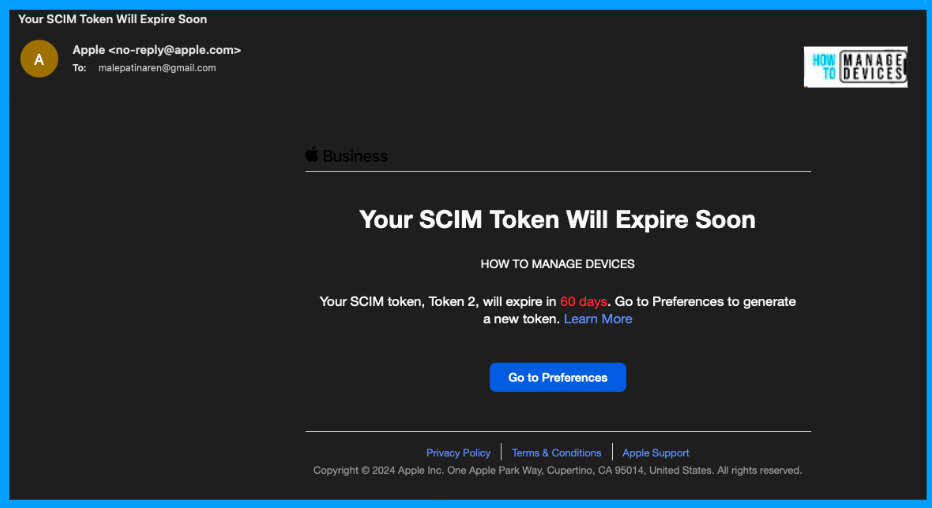
Many organizations plan to renew it at least a month prior to the expiry. Now let’s see how we can renew the SCIM to token without breaking the Sync in the steps below.
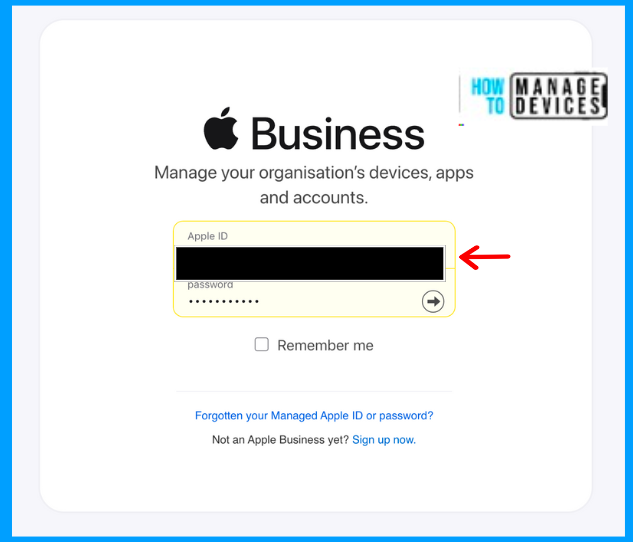
- Sign in to the Apple Business Manager portal with an ABM account.
- Enter the 2-factor authentication received
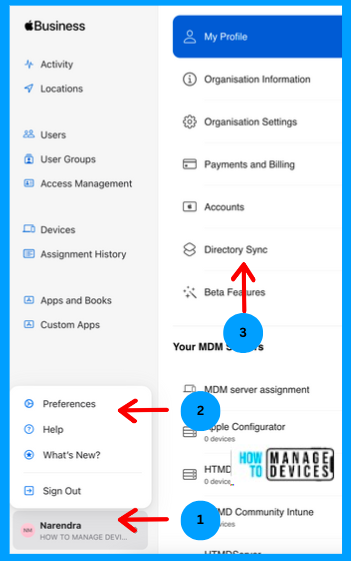
It will usually be an SMS received on your registered mobile number. To access it, click on your admin account option, select Preference at the bottom of the screen, and then click on Directory Sync.
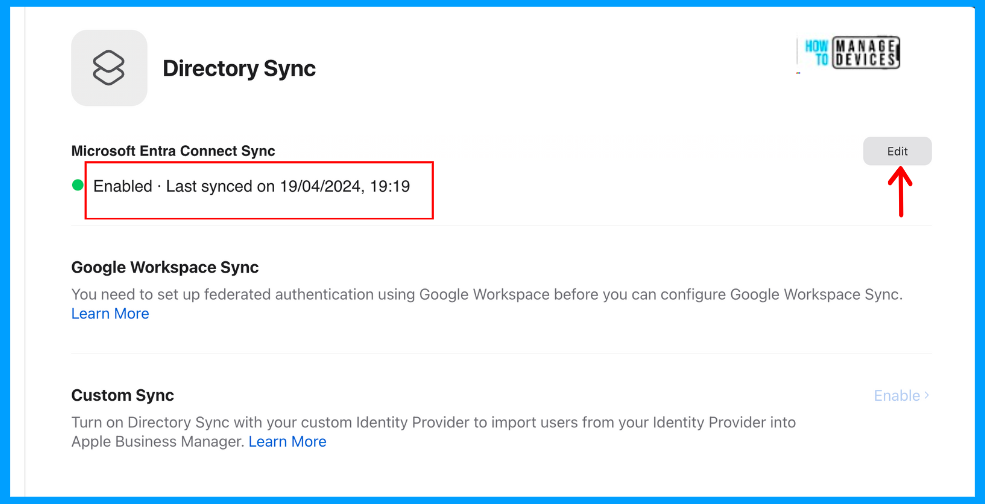
You can view that we have enabled Directory sync with Microsoft Entra ID. You can also view the last Last synced with your Microsoft EntraID. Now click on Edit
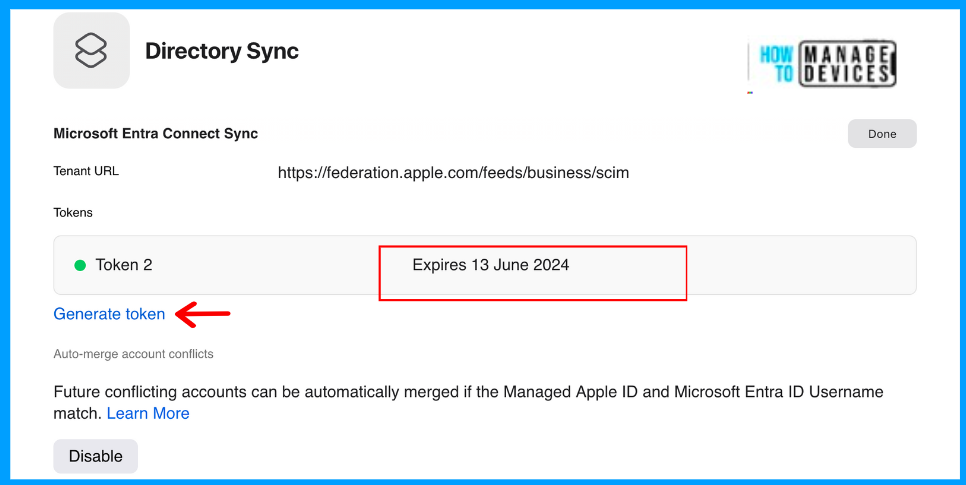
Now you can view the Tenant URL and Token Expiry dates, and you will have another option, “Generate Token”. Click on Generate Token.
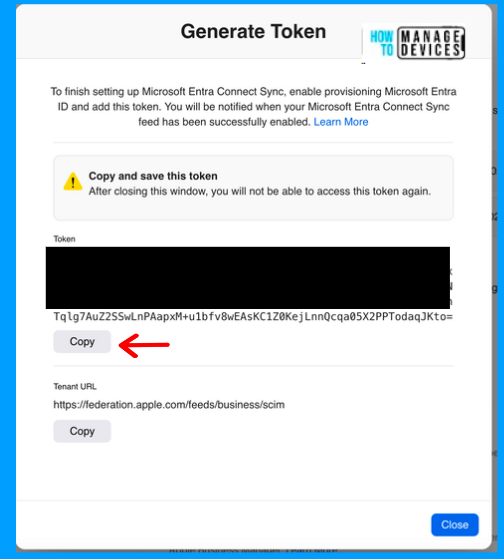
Once you click on Generate Token, you will be presented with a Token and Tenant URL. Copy the details; we will need them to update them in Microsoft Entra ID.
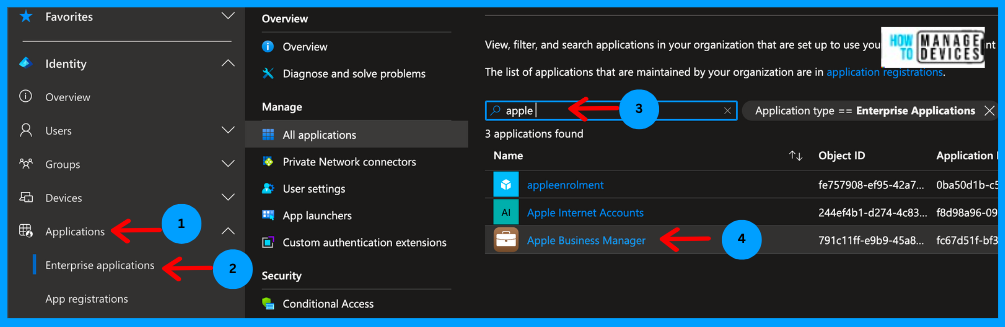
Now let’s log in to the Microsoft Entra portal, click on Application then click on Enterprise applications under Applications. Click on All Applications, search for Apple Business, and select the application.
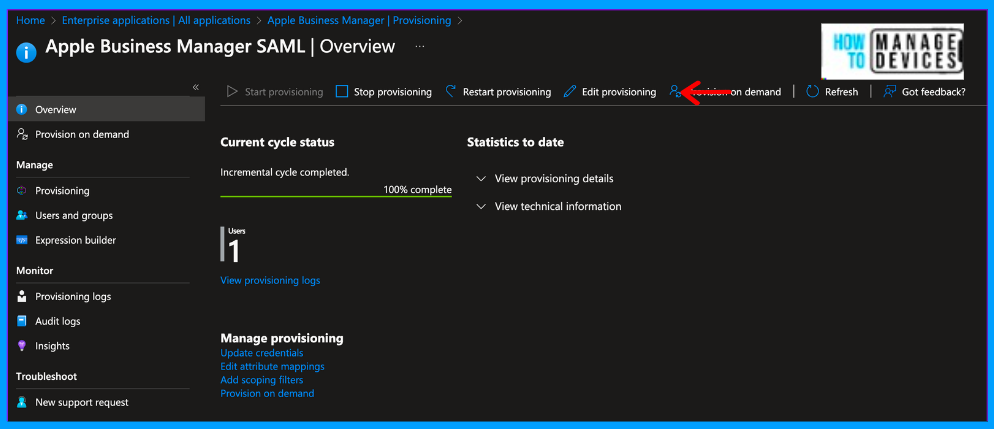
Now click on the Apple Business Manager application, and you can view all the details of the application. Now click on Provisioning and click on Eidt Provisioning
We must add the token we generated and the Tenant URL copied from the Apple Business Manager Portal. The tenant URL will usually be the same. Click on Secret Token and paste the token we saved.
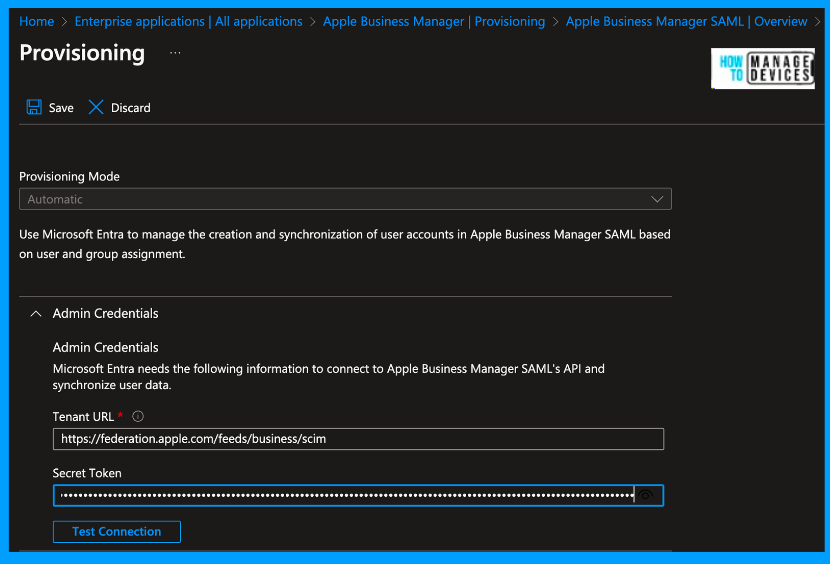
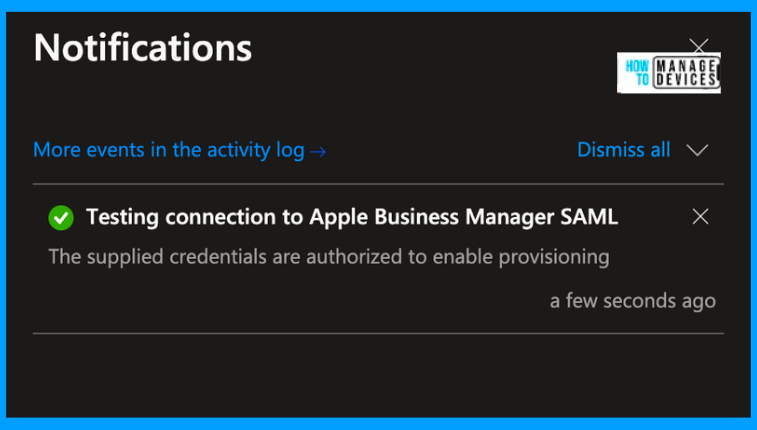
If you want to check the connection status, click on Test Connection. This will take a while and provide notification that the supplied credentials are authorized to enable provisioning. Now click on Save, which will enable the Sync between the Apple Business Manager and Microsoft Entra ID.
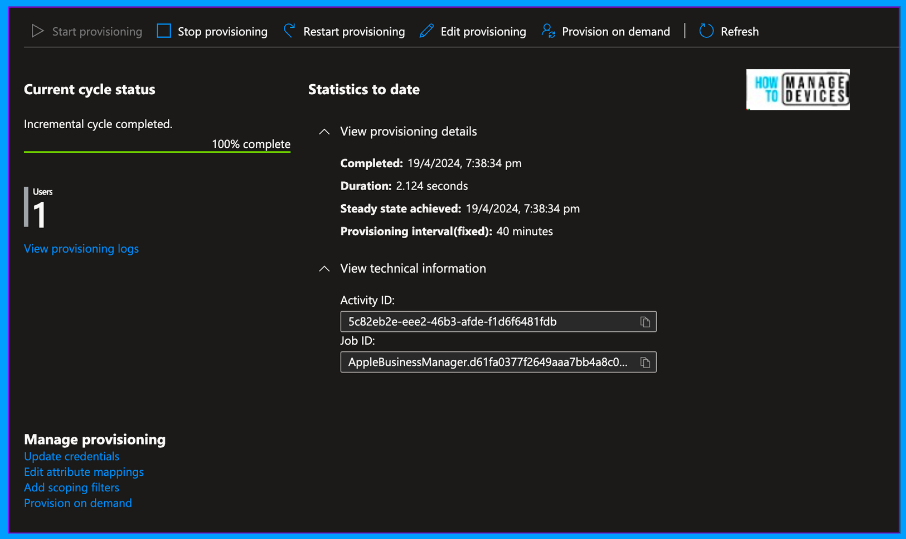
Now we can sync the users who are scoped to Apple Business Manager without any issues. Once saved, you can also view the Current Cycle status and statistics to date.
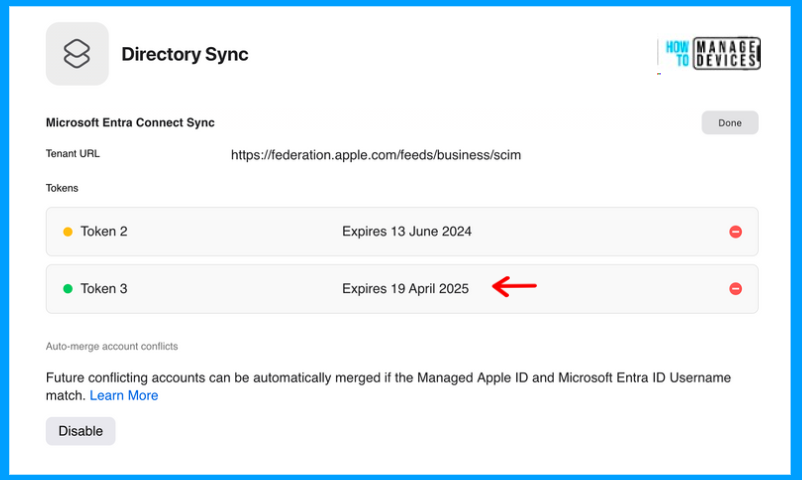
Now let’s see the SCIM token’s status in the Apple Business Manager portal. Navigate back to the ABM portal and click on Directory Sync. You can see that Token 3 is generated and active with a new expiration date.
Thus we can renew the SCIM Token to continue the Sync between the ABM portal and Azure Entra ID. This is a once-in-a-year Housekeeping activity, just like the APNS MDM certificate. While generating or renewing the SCIM, I would suggest using a Common account for the project instead of an account linked to the user.
We are on WhatsApp. To get the latest step-by-step guides and news updates, Join our Channel. Click here – HTMD WhatsApp.
Conclusion
SCIM token ensures that there’s a single source of truth, rather than multiple versions of the truth, for each identity and group and we always scope the user groups to be synced to the Apple Business Manager portal. Hope you like the article and we will meet again in another article.
Author
About Author – Narendra Kumar Malepati (Naren) has 11+ years of experience in IT, working on different MDM tools. Over the last seven years, Naren has been working on various features of Intune, including migration from different MDMs to Intune. Naren mainly focuses on Android, iOS, and MacOS.




great guide, thanks
Thanks for a great and accurate guide.
Straight to the point, thank you! Now, assuming we are safe to just remove the old token in ABM once the new is setup then? Or should we let the old one expire?
Thank you, Anoop. I accidentally generated another token before token 1 expired. Will we need to follow the same steps again?