






Restore Deleted AAD User from Azure Active Directory Portal
Let’s learn how to restore deleted AAD User from Azure Active Directory Portal. The option to restore the deleted users is useful if we accidentally deleted the users, a permanently deleted user can’t be restored.
After you delete a user, the account remains in a suspended state for 30 days. During that 30-day window, the user account can be restored, along with all its properties. After that 30-day window passes, the permanent deletion process is automatically started.
A permanently deleted user can’t be restored by you, another administrator, or by Microsoft customer support. You can also permanently delete a user from your organization without waiting 30 days for automatic deletion.
You must have one of the roles Global administrator, Partner Tier1 Support, Partner Tier2 Support, or User administrator to restore and permanently delete users.

- AAD Groups based on Intune Device Categories
- Create Nested AAD Dynamic Groups based on MDM Feature
- Create AAD Dynamic Groups Based On MDM Intune SCCM Management
Restore Deleted AAD User From Azure Active Directory Portal
You can view your restorable users, restore a deleted user, or permanently delete a user using Azure Active Directory (Azure AD) in the Azure portal. You can also access AzureAD blade from Intune MEM portal.
- Sign in to the Azure AD admin center https://aad.portal.azure.com/ using a Global administrator account for the organization.
- Select Users, and then select Deleted users. Review the list of users that are available to restore
Note – When a user account is deleted from the organization, the account is in a suspended state and all the related organization information is preserved.
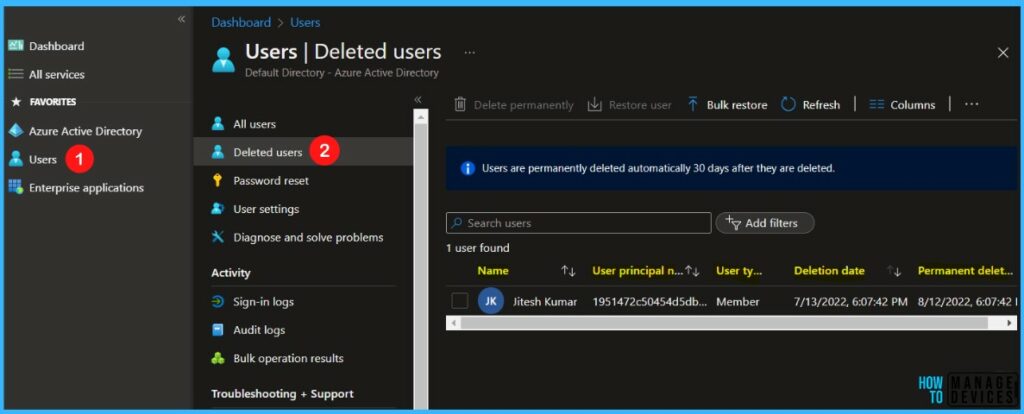
On the Deleted users, search for the deleted users who you want to restore and select one of the available users. For example, selected eligible users for restoring Jitesh Kumar.
Note – When you restore a user, all the related organization information is restored.
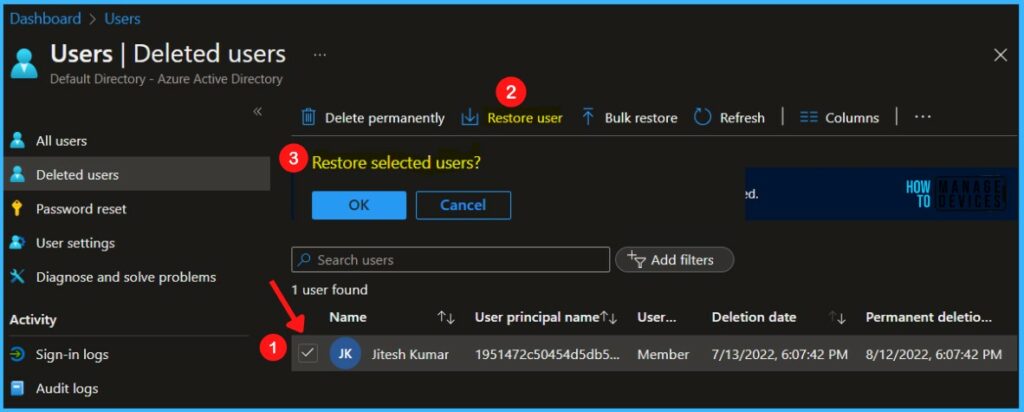
Select the checkbox and select Restore user. A popup will appear Restore selected users? Select OK to continue.
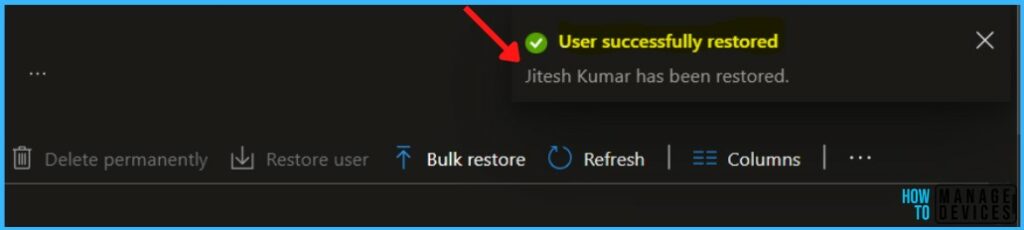
A notification will appear automatically in the top right-hand corner with a message. You can see “User successfully restored”.
Once a user is restored, licenses that were assigned to the user at the time of deletion are also restored even if there are no seats available for those licenses.
If you are then consuming licenses more than you purchased, your organization could be temporarily out of compliance for license usage.
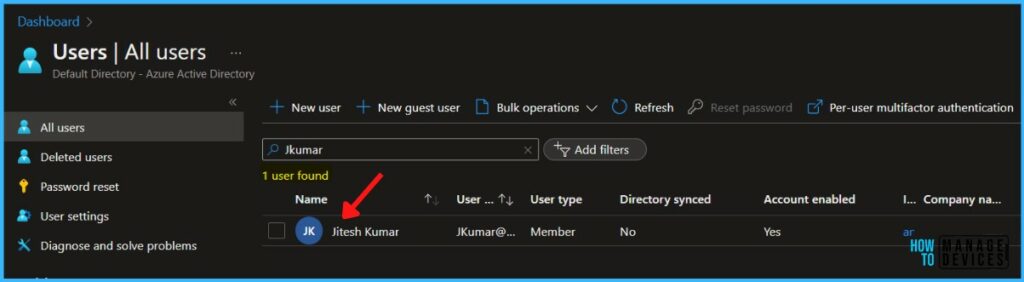
You have successfully restored the deleted users and User “Jitesh Kumar” is available in the All users tab.



Hi Jitesh,
I have accidentally deleted my admin account which is the only user in my Azure AD tenant.
Now I am unable to log in using my admin@xxxx.onmicrosoft.com
Do you have any advice?
Rgds.
StaffDo you have another GLobal admin account to restore the admin account that you deleted? Or Try to raise a support ticket with Microsoft.